
Okwu mmalite
The VOX VFS3 is a dedicated 3-button footswitch designed to enhance the functionality and control of your VOX Mini Go series amplifier. This footswitch allows for hands-free operation of various amplifier features, such as program switching, effect on/off, or looper control, depending on your specific Mini Go amplifier model. This manual provides essential information for the proper setup, operation, and maintenance of your VFS3 footswitch.
Ozi nchekwa
- Ewepụla unit ahụ na mmiri ozuzo ma ọ bụ mmiri.
- Zere idobe nkeji n'akụkụ ebe okpomọkụ ma ọ bụ na ìhè anyanwụ.
- Anwala ịkwasa ma ọ bụ gbanwee unit ahụ. Kpọtụrụ ndị ọrụ ruru eru ọrụ niile.
- Use only with compatible VOX Mini Go ampndị na -enye ndụ.
- Debe ebe ụmụaka na-apụghị iru.
Ihe ngwugwu
- VOX VFS3 3-Button Footswitch (with integrated cable)
- Akwụkwọ ntuziaka (akwụkwọ a)
Ngwaahịa gafereview
The VFS3 footswitch features three robust buttons, each with an associated LED indicator, and an integrated cable for connection to your ampna -emegharị ihe.
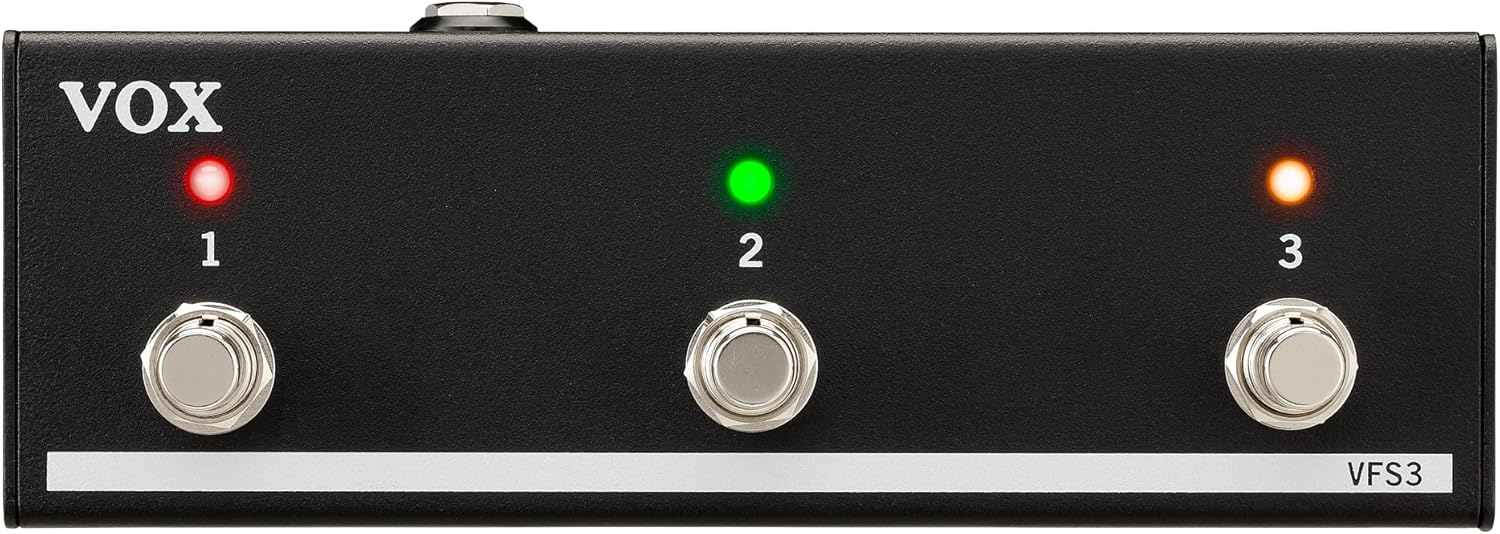
N'ihu view of the VOX VFS3 3-Button Footswitch. It features three silver footswitches labeled 1, 2, and 3, each with a corresponding LED indicator above it. The VOX logo is on the left, and 'VFS3' is on the bottom right.
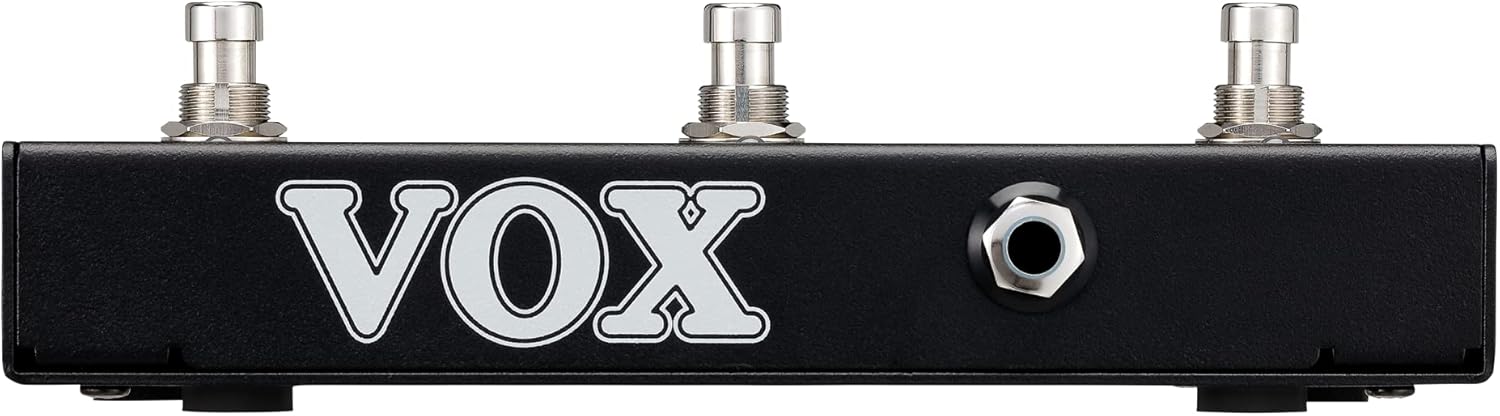
Akụkụ view of the VOX VFS3 footswitch, highlighting its compact and durable metal casing.

Azu view of the VOX VFS3 footswitch, displaying the integrated cable that connects to the amplifier. The VOX logo is prominently featured.
Melite
- Connect the Footswitch: Locate the footswitch input jack on your VOX Mini Go amplifier. This is typically a 3.5mm (1/8-inch) stereo jack.
- Tinye eriri ahụ: Firmly insert the integrated 3.5mm cable from the VFS3 footswitch into the footswitch input jack on your Mini Go ampna -emegharị ihe.
- Ike Na: Turn on your VOX Mini Go amplifier. The footswitch is powered by the amplifier, so no external power supply is needed for the VFS3.
- Nyochaa njikọ: Nke amplifier should recognize the footswitch. Refer to your Mini Go amplifier's manual for specific indications or settings related to footswitch connection.

The VOX VFS3 footswitch connected to a VOX Mini Go amplifier, illustrating the proper connection of the cable to the amplifier's input jack.
Ntuziaka ọrụ
The specific functions controlled by the VFS3 footswitch buttons (1, 2, and 3) are determined by the connected VOX Mini Go amplifier model and its current settings. Please consult the user manual for your specific VOX Mini Go amplifier for detailed information on footswitch assignments and configuration.
Common Functions (May Vary by Amplifier Model):
- Program/Preset Switching: Buttons may be assigned to switch between amplifier programs or presets (e.g., Clean, Overdrive, Distortion).
- Effect On/Off: Control individual effects (e.g., Reverb, Delay, Chorus) by toggling them on or off.
- Njikwa Looper: For Mini Go models with a built-in looper, the buttons often control looper functions such as:
- Bọtịnụ 1: Dekọọ/Kpọọ
- Bọtịnụ 2: Kwụsị
- Bọtịnụ 3: Clear/Undo
- Pịa Tempo: Ụfọdụ amplifiers may allow one of the buttons to be used for tap tempo functionality for time-based effects.
The LEDs above each button indicate the status of the assigned function (e.g., effect on/off, selected program). Refer to your amplifier's manual for the meaning of specific LED colors or states.
Nlekọta
- Nhicha: Jiri ákwà dị nro ma kpọọ nkụ hichaa ihe ahụ. Ejila ihe nhicha, wax, ma ọ bụ ihe mgbaze.
- Nchekwa: When not in use for extended periods, store the footswitch in a clean, dry environment away from extreme temperatures.
- Nlekọta USB: Avoid sharp bends or kinks in the integrated cable to prevent damage.
Nchọpụta nsogbu
| Nsogbu | Ihe nwere ike ime | Ngwọta |
|---|---|---|
| Footswitch not responding | Cable not fully inserted; Amplifier not powered on; Incorrect ampntọala lifier. | Ensure the 3.5mm cable is securely connected to the amplifier. Verify the amplifier is powered on. Check your Mini Go amplifier's settings to ensure footswitch control is enabled and configured correctly. |
| LEDs anaghị agba ọkụ | No power from amplifier; Faulty connection. | Kwenye nke ahụ amplifier is on and the cable is properly connected. The footswitch draws power from the ampna -emegharị ihe. |
| Buttons perform unexpected functions | Footswitch assignments are incorrect on the ampna -emegharị ihe. | Refer to your VOX Mini Go amplifier's manual to reconfigure the footswitch button assignments. |
Nkọwapụta
- Ụdị: VFS3
- Ngwa dakọtara: VOX Mini Go Ampndị na -enye ndụ
- Ụdị njikọ: 3.5mm Jack (integrated cable)
- Ihe: Ọla chassis
- Akụkụ (L x W x H): Ihe dịka 7.9 x 3 x 2.5 sentimita (20.1 x 7.6 x 6.4 cm)
- Arọ: Ihe dị ka 1.1 pound (0.5 n'arọ)
- Isi mmalite ike: Powered by connected ampna -emegharị ihe
Akwụkwọ ikike na nkwado
For warranty information and technical support, please refer to the documentation provided with your VOX Mini Go amplifier or visit the official VOX websaịtị. Debe nnata nzụta gị ka ihe akaebe nke ịzụrụ.


