
Beldray BEL01096
Akwụkwọ ntuziaka maka ojiji nke Beldray BEL01096 Airlite Handheld Vacuum Cleaner
Ụdị: BEL01096
Okwu mmalite
This manual provides essential instructions for the safe and efficient operation, maintenance, and care of your Beldray BEL01096 Airlite Handheld Vacuum Cleaner. Please read this manual thoroughly before first use and retain it for future reference.
Ntuziaka nchekwa dị mkpa
Mgbe ị na-eji ngwa eletriki, ekwesịrị ịgbaso usoro nchekwa nchekwa bụ isi mgbe niile, gụnyere:
- Gbaa mbọ hụ na voltage indicated on the product corresponds with your mains supply.
- Do not immerse the appliance, charging base, or adapter in water or any other liquid.
- Ezubere ngwa a maka iji ndị mmadụ (gụnyere ụmụaka) nwere ike anụ ahụ, mmetụta uche ma ọ bụ nke uche, ma ọ bụ enweghị ahụmịhe na ihe ọmụma, ma ọ bụrụ na enyereghị ha nlekọta ma ọ bụ ntụziaka gbasara iji ngwa ahụ site n'aka onye na-ahụ maka nchekwa ha.
- Ekwesịrị ilekọta ụmụaka ka ha hụ na ha ejighi ngwa eji egwu egwu egwu.
- Do not use the appliance if any part is damaged. Contact qualified service personnel for repair.
- Echekwala ihe ndị nwere ike ire ọkụ ma ọ bụ ihe ndị nwere ike ire ọkụ, ntụ ọkụ, ma ọ bụ ihe ndị buru ibu ma dị nkọ.
- Gbanyụọ ma wepụ ngwa ahụ mgbe niile tupu ihicha ma ọ bụ rụzie ya.
- Jiri naanị mgbakwunye ndị nrụpụta kwadoro.
- Debe ntutu isi, uwe na-adịghị mma, mkpịsị aka na akụkụ ahụ niile pụọ na oghere na akụkụ ndị na-akpụ akpụ.
Ihe ngwugwu
Biko lelee igbe maka ihe ndị a:
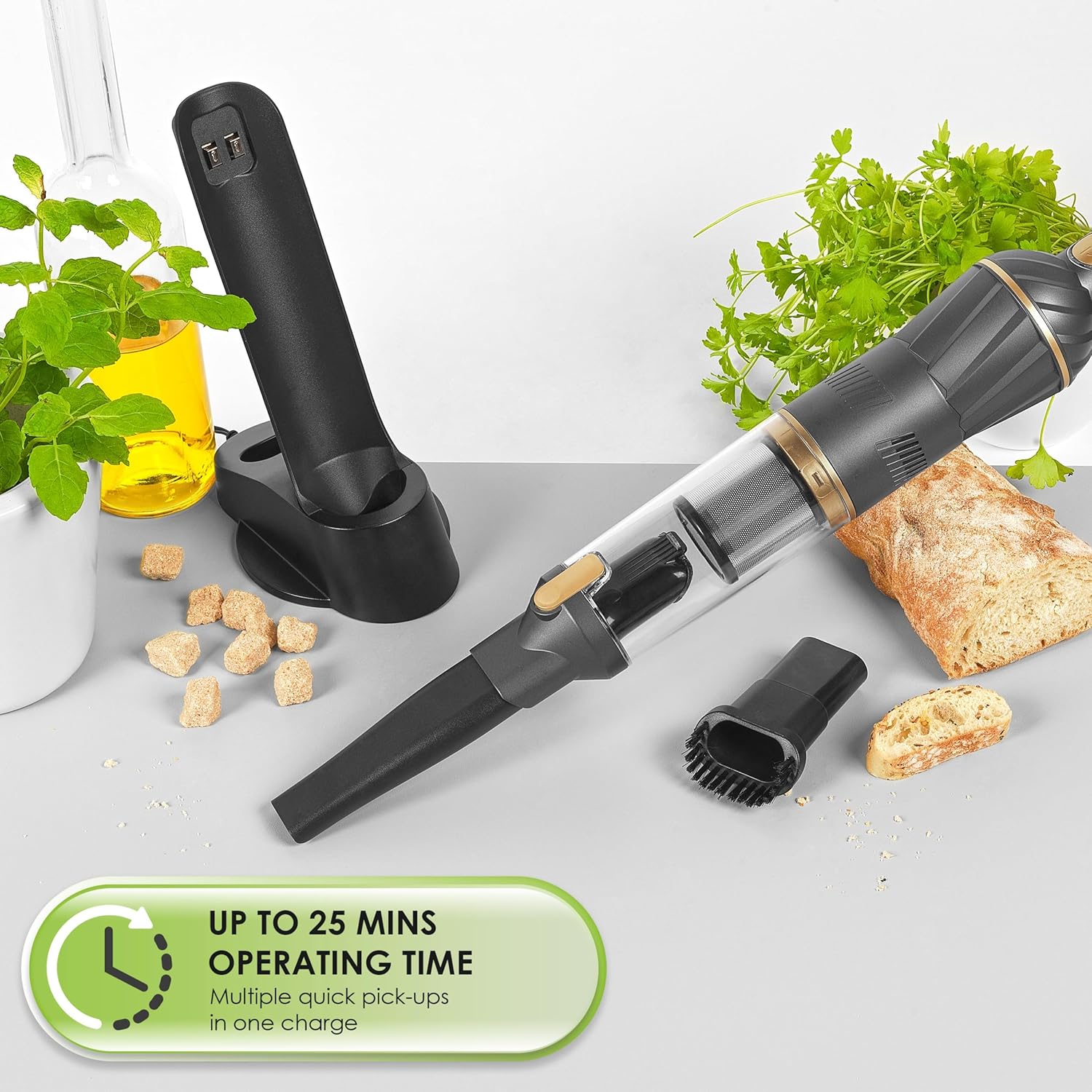
- 1 x Beldray Airlite Handheld Vacuum Cleaner
- 1 x Countertop Storage and Charging Base
- 1 x 2-in-1 Crevice and Brush Tool
- 1 x nkwụnye ọkụ
Ngwaahịa gafereview
Familiarize yourself with the components of your handheld vacuum cleaner.

- Bọtịnụ ike: To turn the vacuum on/off and adjust speed settings.
- Akpa uzuzu: Akpa doro anya maka ịchịkọta uzuzu na ihe mkpofu.
- HEPA Myọcha: Located inside the dust container, designed to trap fine particles.
- Nchaji ọdụ ụgbọ mmiri: Located on the vacuum for connection to the charging base.
- Ebe Nchaji: Provides power to recharge the vacuum and acts as a storage unit.
- 2-in-1 Crevice and Brush Tool: Attachment for various cleaning tasks.
Melite
Nchaji mbụ
Before first use, fully charge the vacuum cleaner.
- Place the handheld vacuum onto the countertop charging base.
- Connect the power adapter to the charging base and plug it into a suitable mains socket.
- Ọkụ na-egosi ịchaji ga-enwu.
- Allow 4-5 hours for a full charge. The indicator light may change or turn off when fully charged (refer to specific product indicator behavior if detailed).

Na-agbakwunye Ngwa
The 2-in-1 crevice and brush tool can be attached directly to the vacuum's nozzle.
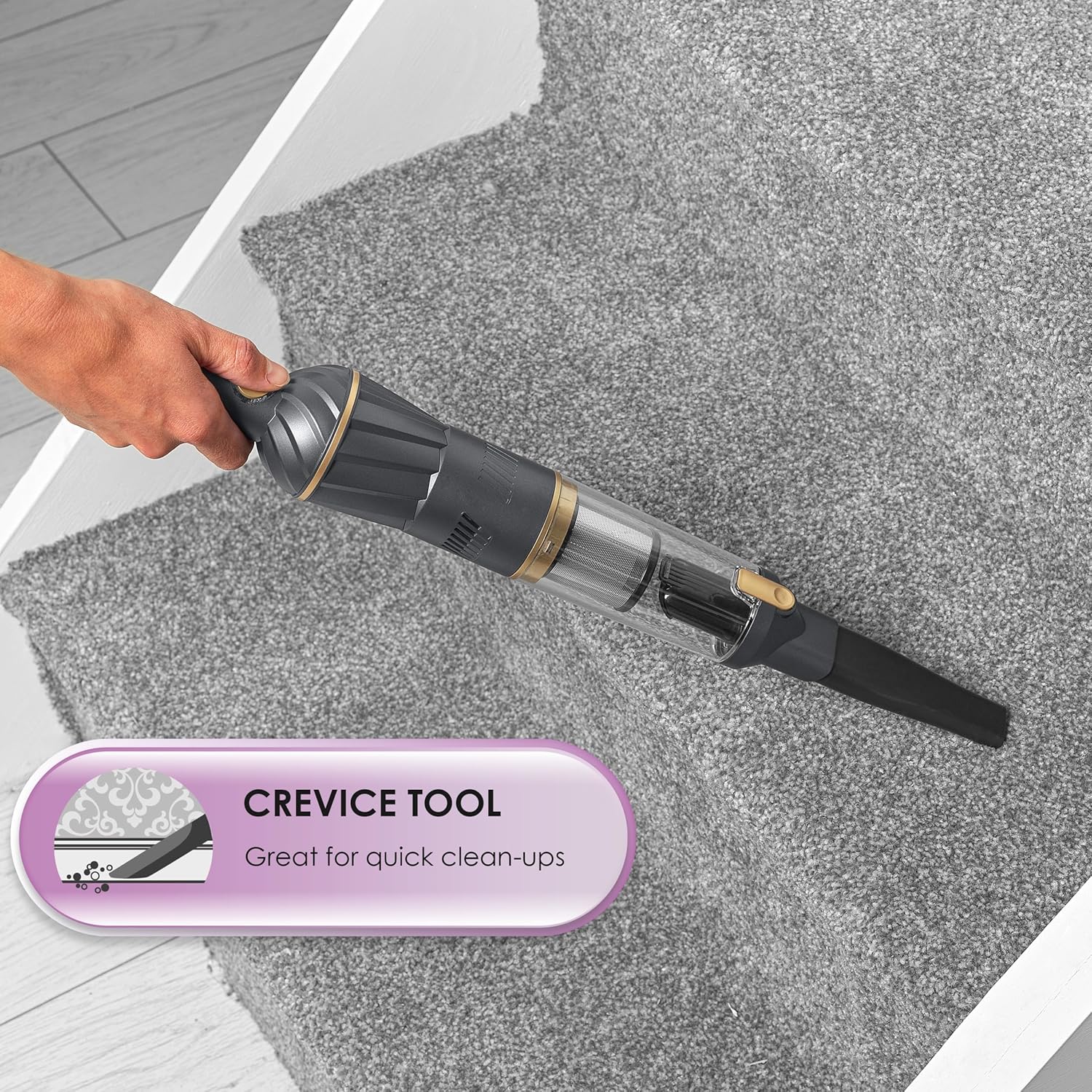
- To use as a crevice ngwá ọrụ: Slide the brush part back to expose the narrow nozzle.
- To use as a ngwá ọrụ ahịhịa: Slide the brush part forward over the narrow nozzle.

Ntuziaka ọrụ
Ntọala Ịgbanye/Mgbanyụọ na Ọsọ Ọsọ Na-agba
- Press the power button once to turn the vacuum on at the standard speed setting.
- Press the power button a second time to switch to the higher speed setting.
- Press the power button a third time to turn the vacuum off.
A full charge provides approximately 15-25 minutes of operating time, depending on the speed setting used.
Iji Mgbakwụnye
- Ngwá Ọrụ Crevice: Ideal for cleaning tight corners, edges, and narrow gaps in furniture, car interiors, or between cushions.
- Ngwa ahịhịa: Suitable for cleaning upholstery, curtains, and picking up pet hair from fabric surfaces.

Nlekọta
Ikpofu ihe mkpofu uzuzu
For optimal performance, empty the 100 ml dust container regularly, especially when it appears full.
- Hụ na agbanyụrụla igwe nhicha ahụ.
- Hold the vacuum over a waste bin.
- Locate the release button or latch for the dust container and press/slide it to detach the container from the main unit.
- Carefully empty the contents into the bin.
- Reattach the dust container securely until it clicks into place.

Na-ehicha ihe nzacha HEPA
The HEPA filter should be cleaned approximately every two weeks, depending on usage, to maintain suction power.
- Wepu akpa uzuzu dịka akọwara n'elu.
- Carefully remove the HEPA filter from inside the dust container.
- Gently tap out any excess dust and debris. Use the brush tool provided to help dislodge stubborn particles.
- Rinse the HEPA filter under running tap water until clean. Do not use detergents.
- Allow the filter to air dry completely for at least 24 hours before reinserting it. Do not use the vacuum with a wet filter.
- Once dry, reinsert the HEPA filter into the dust container and reattach the container to the vacuum.

Nchọpụta nsogbu
| Nsogbu | Ihe nwere ike ime | Ngwọta |
|---|---|---|
| Vacuum anaghị agbanye. | Agbanyụrụ batrị. | Chajie ihe mkpuchi ahụ nke ọma (awa 4-5). |
| Ebelata ike mmiri. | Akpa uzuzu juru eju. Ihe nzacha HEPA akpọchiri akpọchi. Nozzle/attachment is blocked. | Gbanyụọ akpa uzuzu ahụ. Hichaa ihe nzacha HEPA. Check and clear any blockages in the nozzle or attachments. |
| Ngosipụta chaja anaghị arụ ọrụ. | Power adapter not connected properly. Njikwa ọkụ na -adịghị mma. | Ensure the adapter is securely plugged into the base and mains. Gbalịa nweta ike dị iche. |
Nkọwapụta
| Ụdị | Onyinyechi |
| Nọmba nlereanya | BEL01096 |
| Agba | Graphite |
| Akụkụ ngwaahịa | 7 x 7 x 40 cm |
| Ibu Ibu | 1.2 n'arọ |
| Ikike akpa uzuzu | 100 ml |
| Ike/Wattage | 70 W |
| Voltage | 11.1 V (Li-ion battery) |
| Ọnụọgụ nke Ọsọ ọsọ | 2 |
| Oge ịgba ọsọ | Nkeji 15-25 |
| Oge ịkwụ ụgwọ | 4-5 awa |
| Ụdị nzacha | EGO HEPA |
| Atụmatụ pụrụ iche | Cordless, Lightweight, Countertop Storage/Charging Base, 2-in-1 Crevice/Brush Tool |
Akwụkwọ ikike na nkwado
Beldray products are designed to meet high-quality standards. For information regarding warranty, returns, or technical support, please refer to the warranty card included with your purchase or visit the official Beldray websaịtị. Debe ihe akaebe nke ịzụrụ ihe maka akwụkwọ ikike ọ bụla.
Beldray Official Websaịtị: www.beldray.com
Ask a question about this manual
Ask about setup, troubleshooting, compatibility, parts, safety, or missing instructions. Manuals+ will review the question and use this page’s manual context to help answer it.