
MIDOLA B01
MIDOLA B01 Kids Bluetooth Wireless Headphones Instruction Manual
Ụdị: B01
Ngwaahịa gafereview
The MIDOLA B01 Kids Bluetooth Wireless Headphones are designed to provide a safe and enjoyable audio experience for children. These over-ear headphones feature a 3-stage volume limit to protect young ears, long battery life, and versatile connectivity options including Bluetooth 5.4 and wired AUX. Their foldable design makes them convenient for travel and storage.
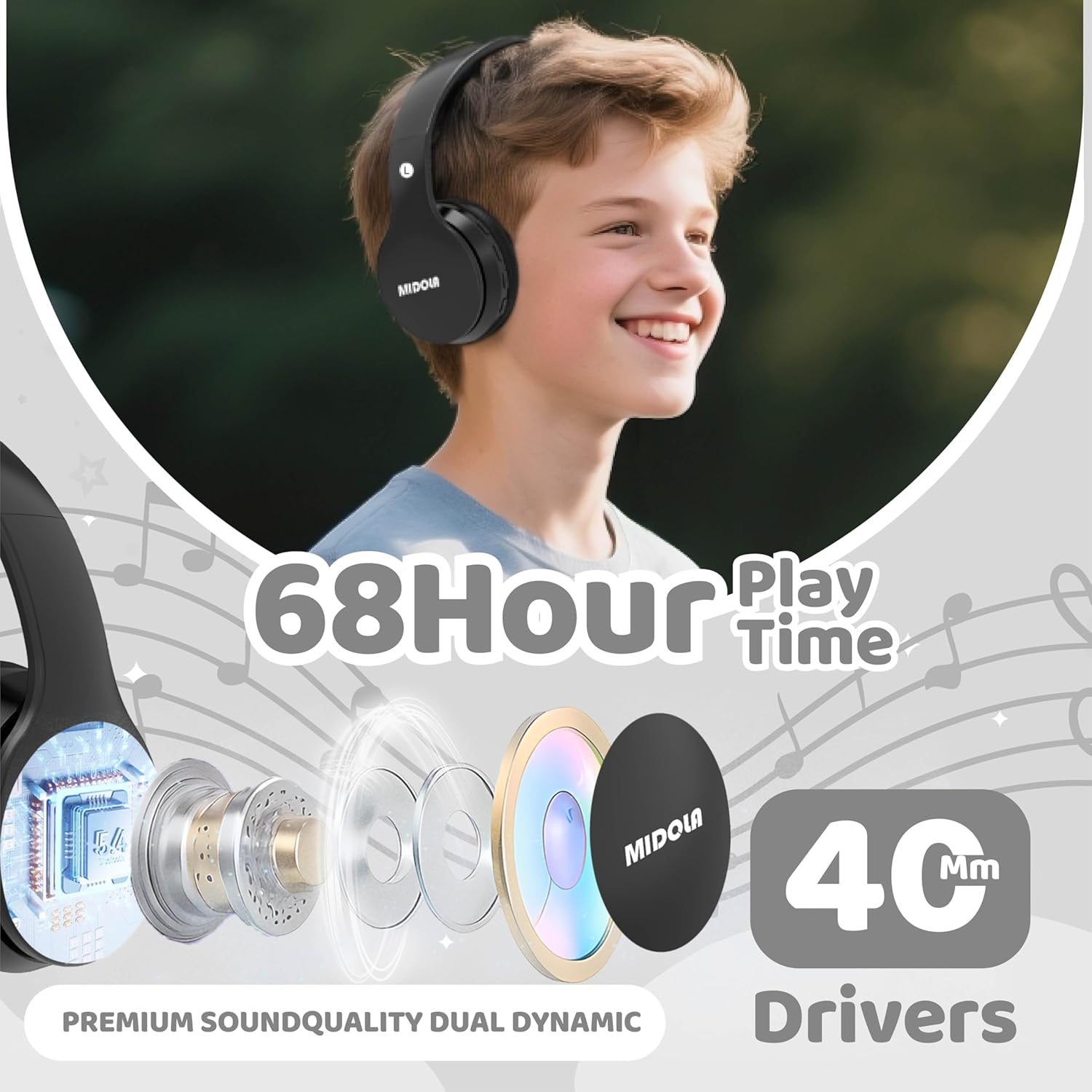
Image: MIDOLA B01 Kids Bluetooth Wireless Headphones highlighting key features like 68-hour playtime and 40mm dynamic drivers for premium sound quality.
Kedu ihe dị na Igbe ahụ
- MIDOLA B01 Kids Bluetooth Wireless Headphones
- 3.5 mm Aux cord
- -Dị-C Nchaji USB
- Akwụkwọ ntuziaka onye ọrụ
- Cartoon free combination stickers
Atụmatụ igodo
- 3-Stage Volume Limit Protection: Adjustable to 74dB (WHO infant recommendation), 85dB (school-age), and 94dB (parental supervision required) for hearing safety.
- Njikọ Bluetooth 5.4: Ensures stable wireless connection with built-in microphone for hands-free calling.
- Oge egwuregwu awa 68: Ndụ batrị agbatịkwuru maka ogologo oge ntị.
- Wired/Wireless Modes: Can be used wirelessly via Bluetooth or wired with the detachable 3.5mm AUX cord.
- Comfortable and Collapsible Design: Adjustable headband and soft ear cushions for a comfortable fit, suitable for kids and adults. Foldable for easy portability.
- Ụdị-C Nchaji ngwa ngwa: Quick and convenient charging.
- Ndakọrịta sara mbara: Connects with iPhones, iPads, Android cellphones, PCs, tablets, and game consoles.

Image: MIDOLA B01 Kids Bluetooth Wireless Headphones illustrating the safe volume modes and various connectivity features.
Melite
- Ịchaji ekweisi:
Connect the provided Type-C charging cable to the charging port on the headphone (DC-5V port). Plug the other end into a USB power source. The LED indicator will light up during charging and turn off when fully charged. A full charge takes approximately 3 hours and provides up to 68 hours of playtime.
Video: Official MIDOLA video demonstrating the charging process and features of the Kids Bluetooth Wireless Headphones.
- Ịgbanyụ/ Gbanyụọ:
Locate the ON/OFF switch on the headphone. Slide the switch to the "ON" position to power on. The LED indicator will illuminate. Slide to "OFF" to power off.
- Njikọ Bluetooth:
With the headphones powered on, enable Bluetooth on your device (e.g., tablet, phone). Chọọ maka "MIDOLA-B01" in the list of available devices and select it to pair. The LED indicator will show a steady blue light once connected.
Video: Talia Smith demonstrating how to connect the MIDOLA Kids Headphones via Bluetooth to a tablet.
- Wired Connection (Optional):
Insert the 3.5mm AUX cord into the AUX port on the headphone and the other end into your audio device's headphone jack. The headphones will automatically switch to wired mode.
Ntuziaka ọrụ
- Njikwa olu:
Use the 'V+' and 'V-' buttons on the headphone to adjust the volume. For hearing protection, press the "DB" button to cycle through the 74dB, 85dB, and 94dB volume limits.
- Nkpọghachi egwu:
Use the Play/Pause button to start or stop music. Use the Next/Previous track buttons to skip songs.
- Ịza oku:
When connected to a phone via Bluetooth, press the Play/Pause button to answer or end a call. The built-in microphone allows for hands-free communication.
- Na-emezi Fit:
The headband is adjustable. Gently slide the earcups up or down to achieve a comfortable and secure fit for the user's head size. The padded headband and ear cushions are designed for comfort and to prevent slipping.

Image: MIDOLA B01 Kids Bluetooth Wireless Headphones in use, demonstrating the adaptability of volume limits for different age groups and environments.
Nlekọta
- Jiri akwa dị nro hichaa ekweisi mgbe niile.
- Zere ikpughe ekweisi na oke okpomọkụ, iru mmiri, ma ọ bụ ìhè anyanwụ kpọmkwem.
- Do not immerse the headphones in water as they are not water-resistant.
- Store in a cool, dry place when not in use. The foldable design helps protect them during storage and transport.
Nchọpụta nsogbu
| Nsogbu | Ngwọta |
|---|---|
| Ekweisi agaghị agbanwu. | Ensure the battery is charged. Connect to a power source using the Type-C cable. |
| Enweghị ike ijikọ site na Bluetooth. | Make sure Bluetooth is enabled on your device and the headphones are in pairing mode (blinking LED). Ensure the headphones are not already connected to another device. Try restarting both devices. |
| No sound in wired mode. | Check if the 3.5mm AUX cable is fully inserted into both the headphone and the audio device. Ensure the audio device's volume is not muted or too low. |
| Olu dị oke ala. | Adjust the volume using the 'V+' button on the headphones and on your connected device. Check the volume limit setting (DB button) to ensure it's not set to the lowest level if higher volume is desired. |
Nkọwapụta
| Njirimara | Nkọwa |
|---|---|
| Ụdị | MIDOLA |
| Aha Nlereanya | MIDOLA -B01 |
| Agba | Nwa |
| Ntinye ntị | N'elu Ntị |
| Teknụzụ Njikọta | Wireless (Bluetooth), Wired (3.5mm Aux) |
| Ụdị Bluetooth | 5.3 |
| Oke Bluetooth | 15 mita |
| Nkezi Ndụ batrị | Awa 60 |
| Oge nchaji batrị | Awa 3 |
| Volume Limit Protection | 74/85/94dB (3-stage safe volume) |
| Igwe okwu arụnyere n'ime ya | Ee |
| Ụdị Ihe | Over Ear, Foldable |
| Ihe onwunwe | Plastic |
| Ibu Ibu | 8.96 ounces |
| Ngwa dakọtara | Tablets, Cellphones, Laptops, Television, Desktops |
Akwụkwọ ikike na nkwado
The MIDOLA B01 Kids Bluetooth Wireless Headphones come with a Akwụkwọ ikike nke Onye nrụpụta afọ 1. For any support or warranty claims, please contact MIDOLA customer service. US customer service typically responds within 24 hours.
Return Policy: 30-day refund/replacement duration.
Ask a question about this manual
Ask about setup, troubleshooting, compatibility, parts, safety, or missing instructions. Manuals+ will review the question and use this page’s manual context to help answer it.