
Wicked Audio WITW2151
Wicked Audio Driftr True Wireless Earbuds
Model: WITW2151
Okwu mmalite
The Wicked Audio Driftr True Wireless Earbuds offer a seamless audio experience with easy pairing and comfortable wear. Designed for convenience, these earbuds provide clear sound and intuitive controls, making them ideal for everyday use.
Kedu ihe dị na Igbe ahụ
- Wicked Audio Driftr True Wireless Earbuds (Left and Right)
- Nchaji case
- Igwe nchaji USB
- Akwụkwọ ntuziaka onye ọrụ (Akwụkwọ a)
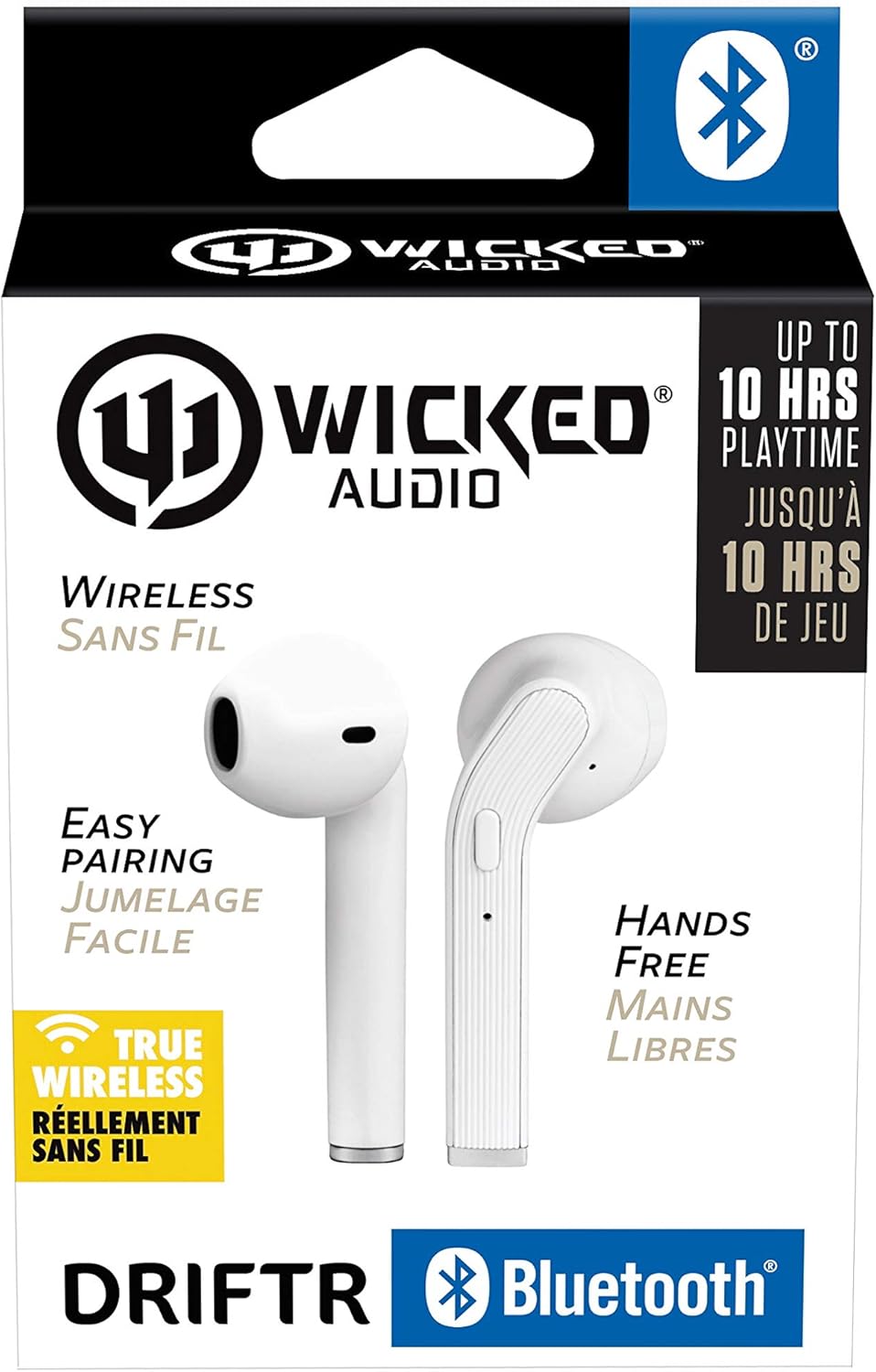
Image: Product packaging showing the earbuds and charging case.
Ngwaahịa gafereview
The Driftr earbuds feature an angled housing design for a comfortable fit. Each earbud includes touch controls for managing audio playback and calls, along with a built-in microphone for hands-free communication. The compact charging case provides additional battery life on the go.

Image: White Wicked Audio Driftr True Wireless Earbuds resting inside their open charging case.

Foto: nso nso view of the left and right Wicked Audio Driftr True Wireless Earbuds, showing their angled design and control surfaces.

Image: A person wearing a white Wicked Audio Driftr True Wireless Earbud in their ear, demonstrating the fit.
Melite
1. Ịchaji ihe ntị na akpa
Before first use, fully charge the earbuds and the charging case. Connect the provided USB charging cable to the charging port on the case and plug the other end into a USB power source (e.g., computer, wall adapter). The charging indicator light on the case will show charging status. A full charge takes approximately 1 hour for both the earbuds and the case.
2. Njikọ ọnụ dị mfe
- Gbaa mbọ hụ na ebubo na ekwe ntị.
- Mepee igbe nchaji. Igwe ntị ga-agbanye na-akpaghị aka wee banye ọnọdụ njikọta.
- Na ngwaọrụ gị (ama, mbadamba, laptọọpụ), gaa na ntọala Bluetooth.
- Select "Wicked Audio Driftr" from the list of available devices.
- Ozugbo ejikọtara ya, ị ga-anụ oku olu, ọkụ ihe ngosi dị na ntị ntị ga-agbanwekwa.
The earbuds are designed for straightforward, no-nonsense pairing in one easy step. After the initial pairing, they will automatically connect to your last paired device when removed from the case.
Ntuziaka ọrụ
Njikwa mmetụ
The Driftr earbuds feature intuitive touch controls for various functions:
- Gwuo/kwụsịtụ: Otu mgbata na ntị ntị.
- Track na-esote: Pịa bọtịnụ ntị aka nri ugboro abụọ.
- Gara aga Track: Kpatụ ntị ugboro abụọ n'akụkụ aka ekpe.
- Azịza/Kwụsị Oku: Naanị otu ọpịpị na ntị ntị n'oge oku mbata.
- Jụ oku: Pịa ma jide na ntị ntị n'oge oku mbata.
- Mee ka onye enyemaka olu rụọ ọrụ: Pịa ugboro atọ na ntị ntị (dịka, Siri, Google Assistant).
Yi akwa ntị
Insert the earbuds into your ears with the angled housing pointing slightly forward for a secure and comfortable fit. Adjust as needed to ensure optimal sound quality and passive noise cancellation.
Nlekọta
To ensure the longevity and optimal performance of your Wicked Audio Driftr earbuds, follow these maintenance guidelines:
- Nhicha: Jiri ákwà dị nro, kpọrọ nkụ, na nke na-enweghị ihe e ji achacha ákwà hichaa ntị na ihe mkpuchi chaja mgbe niile. Ejila kemịkalụ siri ike ma ọ bụ ihe ndị na-eme ka ọ dị nro.
- Nchekwa: Mgbe ejighị ya, na-echekwa earbuds mgbe niile na chaja ha iji chebe ha ma debe ha ebubo.
- Zere mmiri mmiri: The earbuds are not water resistant. Avoid exposure to water, sweat, and high humidity.
- Okpomọkụ: Do not expose the earbuds or case to extreme temperatures (hot or cold).
Nchọpụta nsogbu
If you encounter issues with your Driftr earbuds, try the following solutions:
- Igwe ntị anaghị ejikọta:
- Gbaa mbọ hụ na akwụgoro ekwe ntị abụọ ahụ.
- Place both earbuds back into the charging case, close the lid, wait a few seconds, then open the lid again.
- On your device, forget "Wicked Audio Driftr" from your Bluetooth settings and attempt to pair again.
- Enweghị ụda sitere na otu ntị ntị:
- Hụ na ekwe ntị abụọ ahụ nwere chajị ma dịkwa n'ime akpa ahụ nke ọma.
- Try resetting the earbuds by placing them in the case and then removing them.
- Earbuds anaghị akwụ ụgwọ:
- Lelee eriri chaja na isi iyi ike.
- Gbaa mbọ hụ na kọntaktsị chaja dị na ntị ntị na n'ime akpa ahụ dị ọcha na enweghị irighiri ihe.
- Ogo ụda adịghị mma:
- Gbaa mbọ hụ na ekwe ntị na-anọdụ ala nke ọma na ntị gị.
- Check the audio source and volume levels on your device.
- Gaa nso na ngwaọrụ gị ejikọtara iji zere nnyonye anya.
Nkọwapụta
| Njirimara | Nkọwa |
|---|---|
| Aha Nlereanya | Wicked Audio Driftr (WITW2151) |
| Teknụzụ Njikọta | Ikuku (Bluetooth 5.0) |
| Oke Bluetooth | Ruo n'ụkwụ 32 |
| Ndụ batrị | Ruo awa 10 (earbuds) |
| Oge Nchaji | Approx. 1 Hour (earbuds and case) |
| Nha ọkwọ ụgbọ ala ọdịyo | 13 millimeters |
| Nzaghachi ugboro ugboro | 20 Hz - 20,000 Hz |
| Mmetụta | 15 dB |
| Mgbochi | 32 Ohm |
| Njikwa mkpọtụ | Nkagbu mkpọtụ mkpọtụ |
| Usoro njikwa | Metụ aka |
| Ọkwa Nguzogide mmiri | Ọ bụghị mmiri na-eguzogide |
| Ibu Ibu | 2.11 ounces |
| Akụkụ ngwaahịa | 1.5 x 3 x 5.5 sentimita asatọ |
| UPC | 712949012265 |
Akwụkwọ ikike na nkwado
Wicked Audio products are designed for durability and performance. For specific warranty information and support inquiries, please refer to the official Wicked Audio websaịtị ma ọ bụ kpọtụrụ ndị ahịa ha ozugbo. Debe ihe akaebe nke ịzụrụ ihe maka akwụkwọ ikike.
Maka enyemaka ọzọ, gaa na Wicked Audio Store on Amazon.
Ask a question about this manual
Ask about setup, troubleshooting, compatibility, parts, safety, or missing instructions. Manuals+ will review the question and use this page’s manual context to help answer it.