
Okwu mmalite
The Wiko WiSHAKE Vibes are compact Bluetooth® stereo speakers designed for portable audio playback. They offer 360° stereo sound and can be magnetically connected to function as a single unit. Featuring a battery life of up to 8 hours on a single charge and colored LED lights, these speakers are suitable for various listening environments.
Ihe ngwugwu
- Wiko WiSHAKE Vibes Bluetooth Stereo Speakers (2 units)
- Charging Cable (not explicitly listed but implied for battery-powered device)
- Akwụkwọ ntuziaka (akwụkwọ a)
Melite
1. Ịchaji ndị ọkà okwu
Before first use, fully charge both WiSHAKE Vibes speakers. Connect the charging cable (not included in the provided product components, but standard for such devices) to the charging port on each speaker and to a compatible USB power source. The LED indicator will show charging status and turn off or change color when fully charged.
2. Ịgbanye / gbanyụọ
- Iji gbanye: Press and hold the Power button on each speaker until the LED indicator lights up.
- Iji gbanyụọ: Press and hold the Power button on each speaker until the LED indicator turns off.
3. Njikọ Bluetooth
- Ensure both speakers are powered on and within close proximity to your Bluetooth device (smartphone, tablet, etc.).
- Na ngwaọrụ gị, gaa na ntọala Bluetooth wee mee ka Bluetooth rụọ ọrụ.
- Chọọ maka available devices. The speakers should appear as 'Wiko WiSHAKE Vibes' or similar.
- Select the speaker name to initiate pairing. Once paired, a confirmation sound or LED indicator change will occur.
- If using both speakers for stereo sound, they should automatically connect to each other after being paired with your device. If not, ensure both are powered on and try re-pairing.
4. Magnetic Connection
The two WiSHAKE Vibes speakers can be magnetically connected to form a single unit, resembling a soundbar. Simply bring the flat sides of the speakers together; they will snap into place. This configuration maintains stereo sound output.
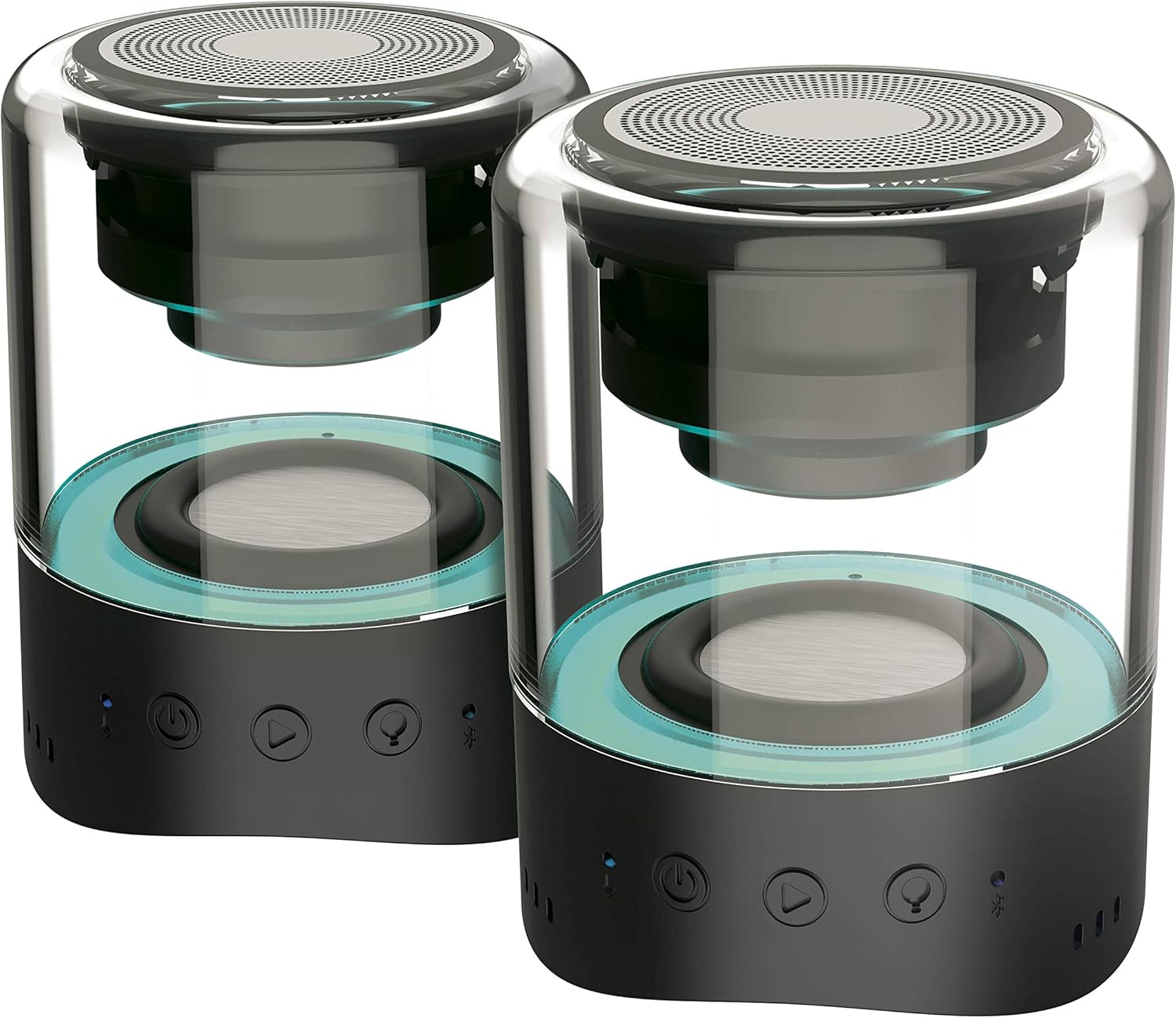
Image: Two Wiko WiSHAKE Vibes speakers magnetically connected, forming a single unit.
Na-arụ ọrụ ndị ọkà okwu
1. Ngwugharị ọdịyo
Once paired, audio from your connected device will play through the WiSHAKE Vibes speakers. The speakers deliver 360° stereo sound.
2. Aka njikwa
The speakers feature touch controls for various functions:
- Gwuo/kwụsịtụ: Tap the Play/Pause button.
- Elu elu/ala: Use the volume buttons (+/-).
- Next / Gara aga Track: Use the track skip buttons.
3. Ikanam ọkụ
The integrated colored LED lights can follow the rhythm of your music, adding a visual element to your listening experience. The specific control for LED modes may vary; refer to the quick start guide if included, or experiment with touch controls.

Image: Two Wiko WiSHAKE Vibes speakers on a wooden bench, showcasing their design and portability.
Nlekọta
1. Nhicha
Wipe the speakers with a soft, dry cloth. Do not use abrasive cleaners or solvents, as these can damage the surface.
2. Nchekwa
Store the speakers in a cool, dry place away from direct sunlight and extreme temperatures when not in use for extended periods.
3. Mmiri Nguzogide
The Wiko WiSHAKE Vibes speakers are NOT waterproof. Avoid exposure to water, rain, or excessive moisture to prevent damage.
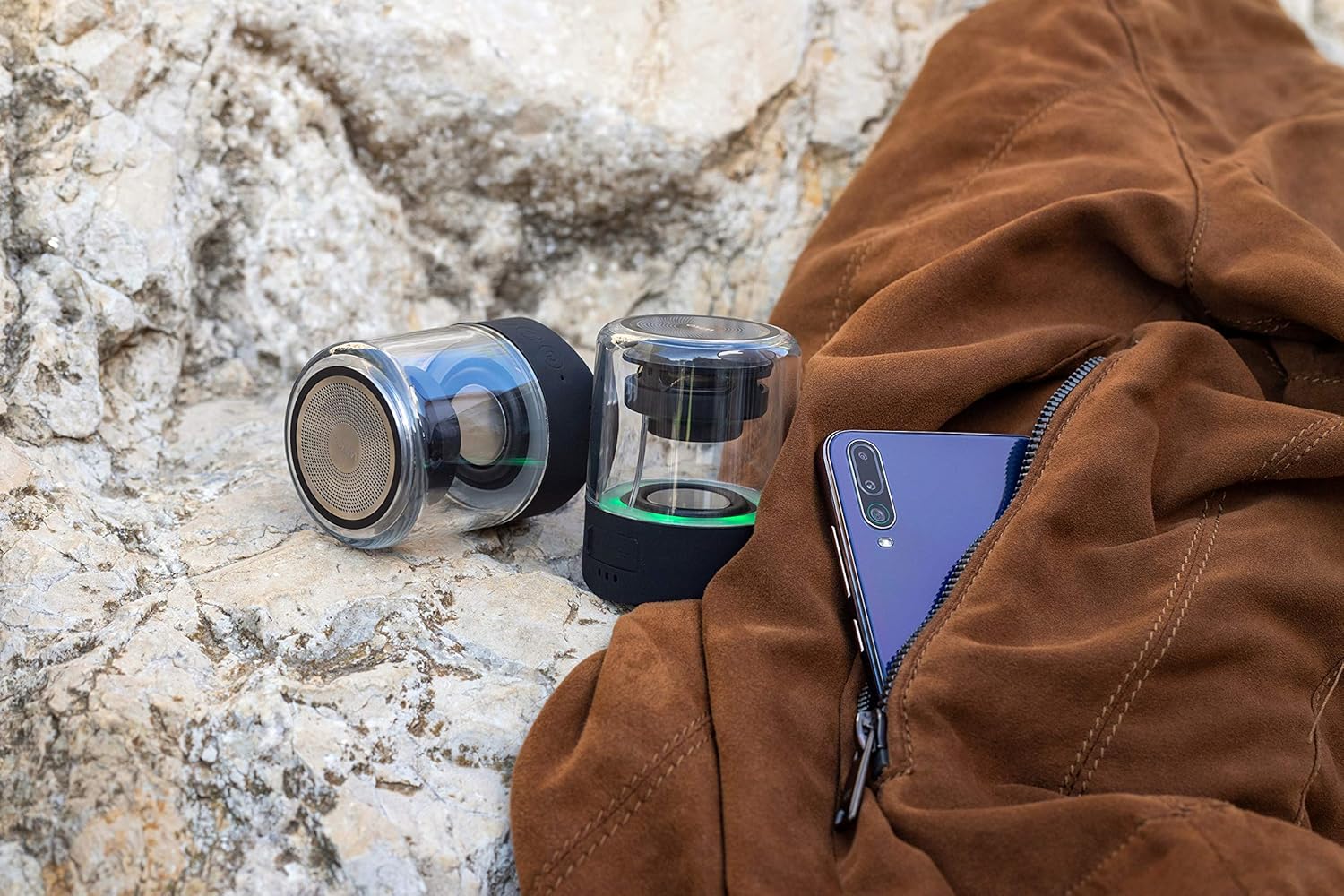
Image: Two Wiko WiSHAKE Vibes speakers placed on a rocky surface next to a jacket, illustrating their compact size and portability.
Nchọpụta nsogbu
- Enweghị ike: Ensure the speakers are fully charged. Connect them to a power source and allow them to charge for at least 30 minutes before attempting to power on again.
- Enweghị ụda:
- Check that the speakers are powered on and successfully paired with your device.
- Increase the volume on both the speakers and your connected device.
- Ensure no other Bluetooth devices are connected to the speakers.
- Okwu ijikọ:
- Gbanyụọ wee gbanye Bluetooth na ngwaọrụ gị.
- Power off and then power on the speakers.
- Forget the 'Wiko WiSHAKE Vibes' from your device's Bluetooth list and attempt to re-pair.
- Ensure the speakers are within the effective Bluetooth range (typically 10 meters/33 feet).
- Ụda agbagọ:
- Move the speakers closer to your connected device.
- Ensure there are no obstructions or sources of interference (e.g., Wi-Fi routers, other Bluetooth devices) between the speakers and your device.
- Lower the volume on your device or the speakers if the distortion occurs at high volumes.
Nkọwapụta

Foto: Ime view of a single Wiko WiSHAKE Vibes speaker.
| Njirimara | Nkọwa |
|---|---|
| Ụdị | Wiko |
| Nọmba nlereanya | WKAUNPKBWV |
| Agba | Nwa |
| Akụkụ ngwaahịa (L x W x H) | 6 x 6 x 7.5 cm |
| Ibu Ibu | 335 grams |
| Isi Iyi Ike | Akwanyere batrị |
| Ụdị batrị | 2 Lithium-polymer batteries required |
| Teknụzụ ikuku | Bluetooth 5.0 |
| Ike mmepụta okwu | 2 x 5W |
| Ọnọdụ mmepụta ọdịyo | Stereo |
| Nha Ọkà Okwu | 1 inch |
| Battery Life (Playback Time) | Ruo awa 8 |
| Usoro njikwa | Metụ aka |
| Atụmatụ pụrụ iche | 360° Stereo Sound, Magnetic Clip, Colored LED Lights |
| Waterproof | Mba |
| Eji akwadoro | Maka ama ma ọ bụ mbadamba |
| Ngwa dakọtara | Game console, Smartphone, Tablet |
Ozi akwụkwọ ikike
The Wiko WiSHAKE Vibes speakers come with a Akwụkwọ ikike ndụ. Please retain your proof of purchase for any warranty claims. For specific terms and conditions, refer to the warranty card included with your product or contact Wiko customer support.
Nkwado ndị ahịa
For further assistance, technical support, or warranty inquiries, please visit the official Wiko website or contact their customer service department. Contact information can typically be found on the Wiko websaịtị ma ọ bụ na nkwakọ ngwaahịa.