
Okwu mmalite
This manual provides instructions for the ZdalaMit NH000UD Replacement Remote Control, designed for use with various Emerson TV models including LC320EMFX, LC195EMX, LC320EMXF, LC320EMXFB2, and LC320EMX. This remote control is pre-programmed and requires no additional setup beyond battery installation.
Melite
To begin using your NH000UD replacement remote control, follow these simple steps:
- Mepee ngalaba batrị: Chọta mkpuchi nke ebe batrị dị n'azụ ihe njikwa remote. Mee ka ọ dị mfe ma ọ bụ pịa mkpọchi ahụ iji mepee ya.
- Fanye batrị: Insert two (2) AAA alkaline batteries into the compartment. Ensure the positive (+) and negative (-) terminals of the batteries match the markings inside the compartment.
- Mechie ogige batrị: Dochie mkpuchi nke batrị batrị, hụ na ọ pịrị na ebe nchekwa.
- Enweghị mmemme achọrọ: The NH000UD remote control is pre-programmed for compatible Emerson TV models. No additional programming or code entry is necessary. It is ready for use immediately after battery installation.
Ntuziaka ọrụ
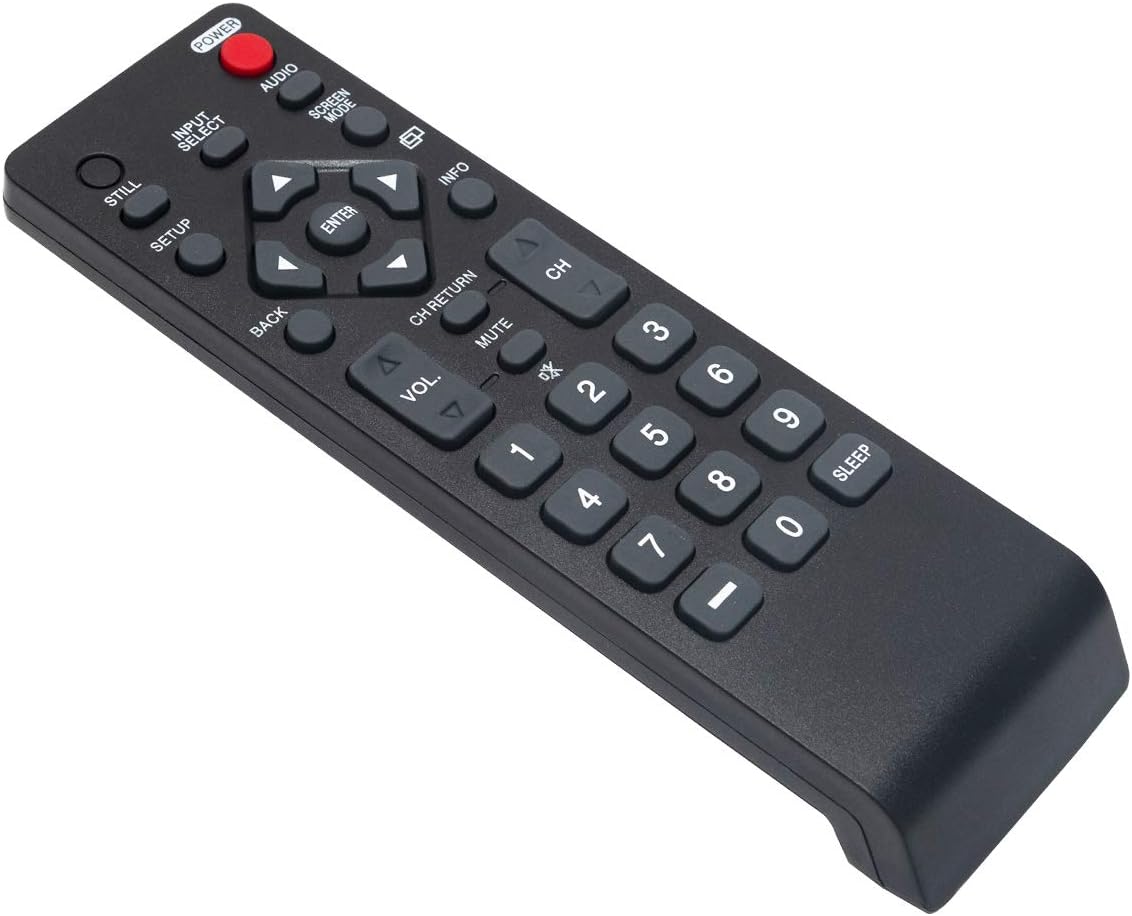
The NH000UD remote control provides full functionality for your compatible Emerson TV. Point the remote directly at the TV's infrared sensor for optimal performance.
- bọtịnụ ike (IKE): Pịa ka ịgbanwuo ma ọ bụ gbanyụọ TV.
- Input Select (Ntinye nhọrọ): Na-agagharị site na isi mmalite ntinye dị (dịka ọmụmaatụ, HDMI, AV, Component).
- Volume Control (Vol +/-): Na-agbanwe ọkwa olu TV.
- Channel Control (AK +/-): Na-agbanwe ọwa TV elu ma ọ bụ ala.
- Ogbi (MUTU): Silences the TV audio. Press again to restore sound.
- Navigation Buttons (Arrows and Banye): A na-eji ịnyagharịa menu ma kwado nhọrọ.
- Azu (Azụ): Na-alaghachi na menu ma ọ bụ ihuenyo gara aga.
- Ozi (Ozi): Na-egosi ozi gbasara mmemme ma ọ bụ ntinye dị ugbu a.
- Screen Mode (Ụdị ihuenyo): Adjusts the screen display mode.
- Audio (AUDIO): Selects audio tracks or modes.
- Ahụigodo ọnụọgụ (0-9): Tinye nọmba ọwa ozugbo.
- Ụra (Ụra): Sets a timer for the TV to automatically turn off.
Nlekọta
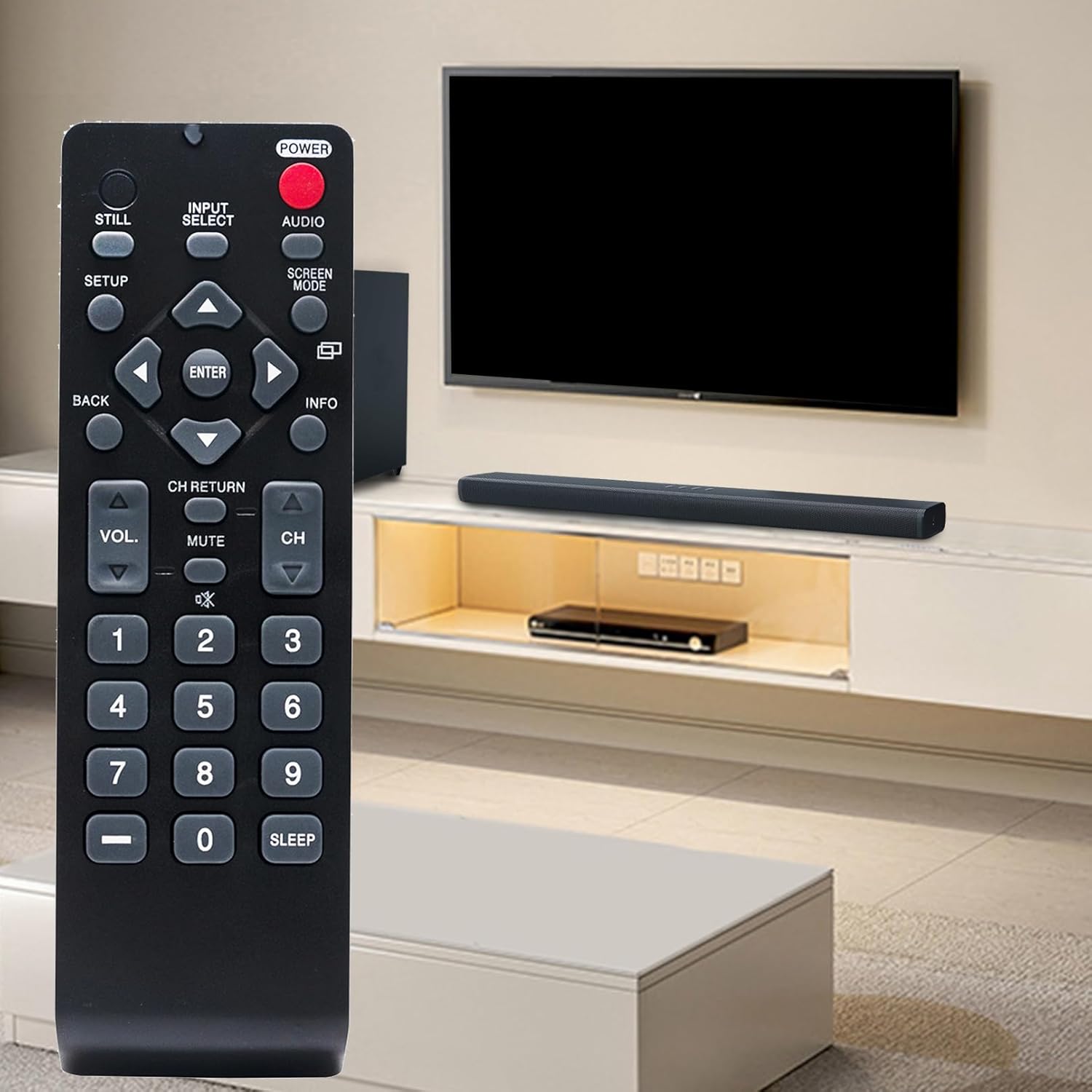
- Ngbanwe batrị: Replace batteries when the remote's range decreases or buttons become unresponsive. Always replace both batteries simultaneously with new AAA alkaline batteries. Do not mix old and new batteries, or different types of batteries.
- Nhicha: Jiri ákwà dị nro ma kpọọ nkụ hichaa ihe njikwa remote. Ejila ihe nhicha mmiri, ihe fesa, ma ọ bụ ihe ndị na-eme ka ihe dị nro, n'ihi na ihe ndị a nwere ike imebi elu remote ma ọ bụ ihe dị n'ime ya.
- Nchekwa: Chekwaa ebe dịpụrụ adịpụ n'ebe dị jụụ, kpọrọ nkụ na-adịghị na ìhè anyanwụ kpọmkwem na oke okpomọkụ. Ọ bụrụ na agaghị eji ebe nchekwa ahụ ruo ogologo oge, wepụ batrị ahụ ka ọ ghara ịpụpụ.
Nchọpụta nsogbu
- Remote anaghị aza:
- Hụ na etinyere batrị nke ọma na polarity ziri ezi.
- Replace old batteries with new AAA alkaline batteries.
- Lelee ma ọ bụrụ na ihe mgbochi ọ bụla dị n'etiti njikwa remote na sensọ infrared nke TV.
- Ensure you are within the effective operating range (up to 33 feet) and pointing the remote directly at the TV.
- Bọtịnụ ndị a kapịrị ọnụ anaghị arụ ọrụ:
- This may indicate low battery power. Try replacing the batteries.
- Inspect the button for any physical damage or debris that might be preventing it from pressing correctly.
Nkọwapụta
| Ụdị | ZdalaMit |
| Aha Nlereanya | NH000UD |
| Nọmba nlereanya | NH000UD |
| Ngwa dakọtara | Emerson Televisions (e.g., LC320EMFX, LC195EMX, LC320EMXF, LC320EMXFB2, LC320EMX) |
| Teknụzụ Njikọta | Infrared |
| Ọnụọgụ bọtịnụ | 20 |
| Oke kacha | 33 ụkwụ |
| Ụdị batrị | Batrị Alkaline AAA 2 x (anaghị etinye ya) |
| Akụkụ ihe (L x W x H) | 6.55" x 1.99" x 0.55" |
| Ibu Ibu | 2.1 ounces |

Ozi akwụkwọ ikike
This ZdalaMit NH000UD Replacement Remote Control comes with a 1-afọ akwụkwọ ikike from the date of purchase. This warranty covers manufacturing defects under normal use. It does not cover damage caused by misuse, accidents, unauthorized modifications, or battery leakage. Please retain your proof of purchase for warranty claims.
Nkwado ndị ahịa
Should you have any questions, require assistance, or encounter issues not covered in this manual, please do not hesitate to contact ZdalaMit customer support. Refer to your product packaging or the retailer's websaịtị maka nkọwa kọntaktị akọwapụtara.
For further information or support, you may visit the official ZdalaMit websaịtị ma ọ bụ ikpo okwu ebe a zụrụ ngwaahịa ahụ.