
Okwu mmalite
This manual provides comprehensive instructions for the safe and efficient use of your TUINYO TP19 Bluetooth Wireless Over-Ear Headphones. Please read this manual thoroughly before operating the device and retain it for future reference.

Image: TUINYO TP19 Bluetooth Wireless Over-Ear Headphones, showcasing the sleek design in black and blue.
Ozi nchekwa
- Zere ikpughe ogologo oge n'ogo dị elu iji gbochie mmebi ntị.
- Do not use headphones while driving, cycling, or in situations where inability to hear ambient sounds could be dangerous.
- Debe ngwaọrụ ahụ pụọ na mmiri, mmiri, na oke okpomọkụ.
- Agbalịla ịgbasa ma ọ bụ gbanwee ekweisi. Nke a nwere ike imebi nkwa ahụ ma mebie ya.
- Clean the headphones with a soft, dry cloth. Avoid using harsh chemicals.
Ihe ngwugwu
- TUINYO TP19 Bluetooth Wireless Over-Ear Headphones
- Igwe chaja USB Micro
- 3.5mm Audio USB
- Okwu nchekwa
- Akwụkwọ ntuziaka (akwụkwọ a)

Image: All items included in the TUINYO TP19 headphone package: the headphones, a protective case, a micro USB charging cable, and a 3.5mm audio cable.
Ngwaahịa gafereview
The TUINYO TP19 headphones feature a comfortable over-ear design with soft memory-protein earmuffs and an adjustable stainless steel headband for a perfect fit. Controls are intuitively placed on the earcup.

Foto: Zuru ezu view of the headphone's ergonomic features: leather-padded headband, adjustable headband mechanism, soft memory-protein earmuffs, and the equalizer (EQ) button.
Akụkụ ndị bụ isi:
- High Fidelity Stereo Sound: Powered by 40mm neodymium drivers for immersive audio.
- Nhazi dị mma: Memory-protein ear cushions and adjustable headband for extended wear.
- Ụkpụrụ Abụọ: Supports both wireless Bluetooth and wired 3.5mm audio connections.
- Ogologo ndụ batrị: Ruo awa iri na abụọ nke oge egwuregwu n'otu ụgwọ.
- Igwe okwu arụnyere n'ime ya: Maka oku na-enweghị aka na iwu olu.
- Nhazi a na-agbanwe agbanwe: For easy portability and storage.
Melite
1. Ịchaji ekweisi
- Connect the micro USB charging cable to the charging port on the headphones.
- Jikọọ nsọtụ nke ọzọ nke eriri na ihe nkwụnye ọkụ USB (anaghị etinye ya) ma ọ bụ ọdụ ụgbọ USB nke kọmputa.
- The LED indicator will show charging status (typically red while charging, off or blue when fully charged).
- A full charge takes approximately 2-2.5 hours and provides up to 40 hours of music playtime.

Image: Graphic illustrating the impressive battery duration, highlighting up to 35 hours of battery life and a quick charge feature where 15 minutes of charging provides 3 hours of playtime.
2. Gbanyụọ / gbanyụọ
- Ike Na: Press and hold the Power button (usually the multi-function button) for a few seconds until the LED indicator lights up and you hear a power-on prompt.
- Gbanyụọ: Press and hold the Power button again for a few seconds until the LED indicator turns off and you hear a power-off prompt.
3. Njikọ Bluetooth
- Gbaa mbọ hụ na agbanyụrụ ekweisi.
- Press and hold the Power button for approximately 5-7 seconds until the LED indicator flashes red and blue alternately, indicating pairing mode.
- Na ngwaọrụ gị (smartphone, tabletị, PC), gbanye Bluetooth wee chọọ ngwaọrụ dị.
- Select "TP 19" from the list of devices.
- Once paired, the LED indicator will flash blue slowly, and you will hear a connection confirmation.
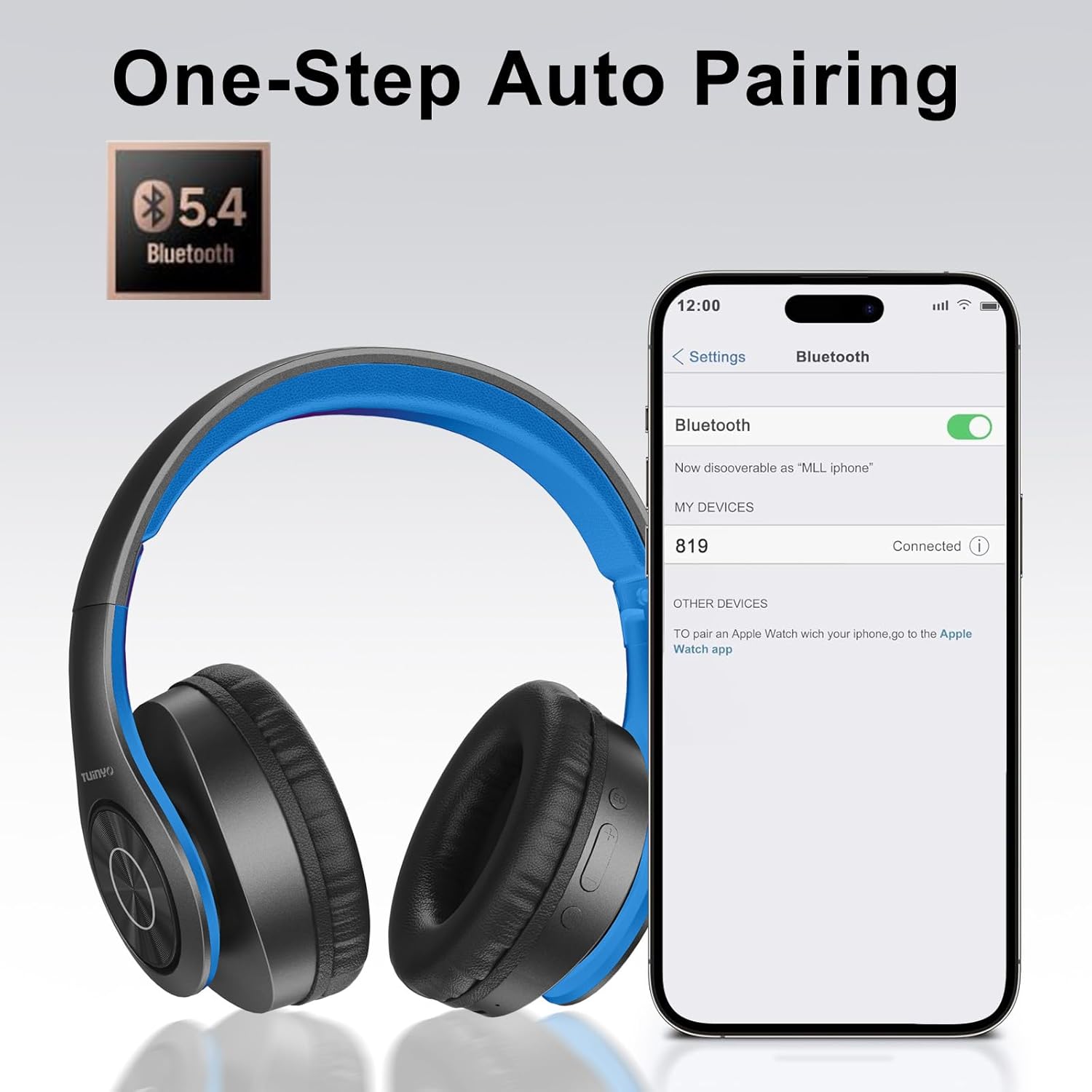
Image: A smartphone screen displaying the Bluetooth settings, showing the "819" (representing the TP19 headphones) successfully connected, illustrating the one-step auto pairing feature.
Video: An official TUINYO video demonstrating the Bluetooth pairing process and showing the headphones in use. This video highlights the ease of connecting the headphones to a device.
Ntuziaka ọrụ
1. Wireless Mode
- Gwuo/kwụsịtụ: Pịa bọtịnụ Multi-function ozugbo.
- Olu elu: Pịa bọtịnụ "+".
- Olu ala: Pịa bọtịnụ "-".
- Track na-esote: Pịa ma jide bọtịnụ "+".
- Gara aga Track: Pịa ma jide bọtịnụ "-".
2. Ọnọdụ ikuku
When the battery is low or if you prefer a wired connection, you can use the included 3.5mm audio cable.
- Connect one end of the 3.5mm audio cable to the audio input port on the headphones.
- Connect the other end to your audio device's 3.5mm jack.
- In wired mode, controls on the headphones may be limited, and playback will be controlled by your connected device.
3. Ọrụ oku
- Azịza/Kwụsị Oku: Pịa bọtịnụ Multi-function ozugbo.
- Jụ oku: Pịa ma jide bọtịnụ ọtụtụ ọrụ maka sekọnd iri na abụọ.
- Nọmba Ikpeazụ emegharịgharịrị: Pịa bọtịnụ Multi-function ugboro abụọ.
4. Onye enyemaka olu
The headphones support voice-enabled assistants like Siri. Press the Multi-function button twice to activate your device's voice assistant.
5. Sound Effects (EQ Mode)
The headphones feature multiple sound effects (EQ modes) to customize your listening experience. Press the EQ button (often labeled "EQ" or a similar icon) to cycle through available modes such as Normal, Rock, Pop, Classic, Jazz, and Country.
Video: An official TUINYO video showcasing the various sound modes and controls on the headphones, demonstrating how to switch between different equalizer settings.
Nlekọta
- Store the headphones in the protective case when not in use to prevent damage.
- Keep the charging port and audio jack free of dust and debris.
- Avoid exposing the headphones to direct sunlight or extreme heat for extended periods.
- Do not use abrasive cleaners or solvents on the headphones.
Nchọpụta nsogbu
| Nsogbu | Ngwọta |
|---|---|
| Ekweisi agaghị agbanyụ. | Hụ na ekweisi ndị ahụ chajịchara nke ọma. Jikọọ na isi iyi ọkụ wee nwaa ọzọ. |
| Enweghị ike ijikọ na ngwaọrụ. |
|
| Enweghị ụda n'ụdị ikuku. |
|
| No sound in wired mode. |
|
Nkọwapụta
| Njirimara | Nkọwa |
|---|---|
| Aha Nlereanya | TP 19 |
| Teknụzụ Njikọta | Ikuku (Bluetooth) |
| Teknụzụ nzikọrịta ozi ikuku | Bluetooth 5.1 |
| Oke Bluetooth | 10 mita |
| Ụdị ọkwọ ụgbọ ala ọdịyo | Ọkwọ ụgbọala dị ike |
| Nha ọkwọ ụgbọ ala ọdịyo | 40 millimeters |
| Nzaghachi ugboro ugboro | 20 kHz |
| Mgbochi | 32 ohms |
| Ndụ batrị | Awa 40 |
| Oge Nchaji | Awa 2.5 |
| Jack ekweisi | 3.5mm ọkpụrụkpụ |
| Ụdị njikwa | Njikwa Olu, Metụ Aka |
| Njirimara Pụrụ Iche | Enwere ike mpịaji |
| Ibu Ibu | 8.9 ounce (gram 251) |
| Akụkụ ngwaahịa | 6.85 x 3.9 x 9.72 sentimita asatọ |
| Ihe onwunwe | Plastic |
| Ngwa gụnyere | Cable, Protective Case, micro usb cable |
Akwụkwọ ikike na nkwado
By choosing TUINYO, you are covered by a 30-day hassle-free return policy and a one-year warranty. For any inquiries or assistance, please contact our prompt and friendly customer service, available 24/7.
For further support, visit the official TUINYO store: TUINYO Store