
femometer DET-306
femometer Infrared Forehead Thermometer DET-306 User Manual
Non-Contact Digital Thermometer for Infants and Adults
1. Okwu mmalite
Thank you for choosing the femometer Infrared Forehead Thermometer DET-306. This device is designed for safe and accurate temperature measurement of the human body, objects, and ambient room temperature without contact. Please read this manual thoroughly before use to ensure proper operation and to maintain the device's accuracy and longevity.
Ozi nchekwa dị mkpa:
- Anwala ịkwasa ma ọ bụ rụkwaa temometa.
- Debe ngwaọrụ ahụ ka ọ ghara ịta ìhè anyanwụ kpọmkwem, uzuzu, na oke okpomọkụ.
- Ensure the measurement area (forehead) is clean and dry for accurate readings.
- This thermometer is intended for household use. Consult a medical professional for any health concerns.
2. Ngwaahịa gafereview
2.1 Ngwa ngwaọrụ

Image: The femometer Infrared Forehead Thermometer DET-306 shown with its retail packaging, highlighting its non-contact feature, 1-second instant reading, and LCD backlight.

Image: A detailed diagram of the thermometer's LCD display and control buttons, including the Start Button, Forehead/Object Mode Button, and Power Button. It also illustrates the color-coded fever alarm system (Green, Orange, Red) and various display icons.
2.2 Atụmatụ
- 3-in-1 Measurement: Measures body, object, and room temperature.
- Non-Contact: Safe and hygienic measurement from a distance.
- Instant & Accurate Readings: Provides results in 1 second with high precision.
- Mkpu ọkụ: Color-coded LCD display (Green, Orange, Red) indicates temperature status.
- Ncheta ebe nchekwa: Stores up to 10 previous readings with exact time.
- Ngosipụta LCD backlit: Clear readings day or night.
- Ngalaba ndị a na-agbanwe agbanwe: Gbanwee n'etiti Celsius (°C) na Fahrenheit (°F) ngwa ngwa.
- Nwepu akpaaka: Na-echekwa ndụ batrị.
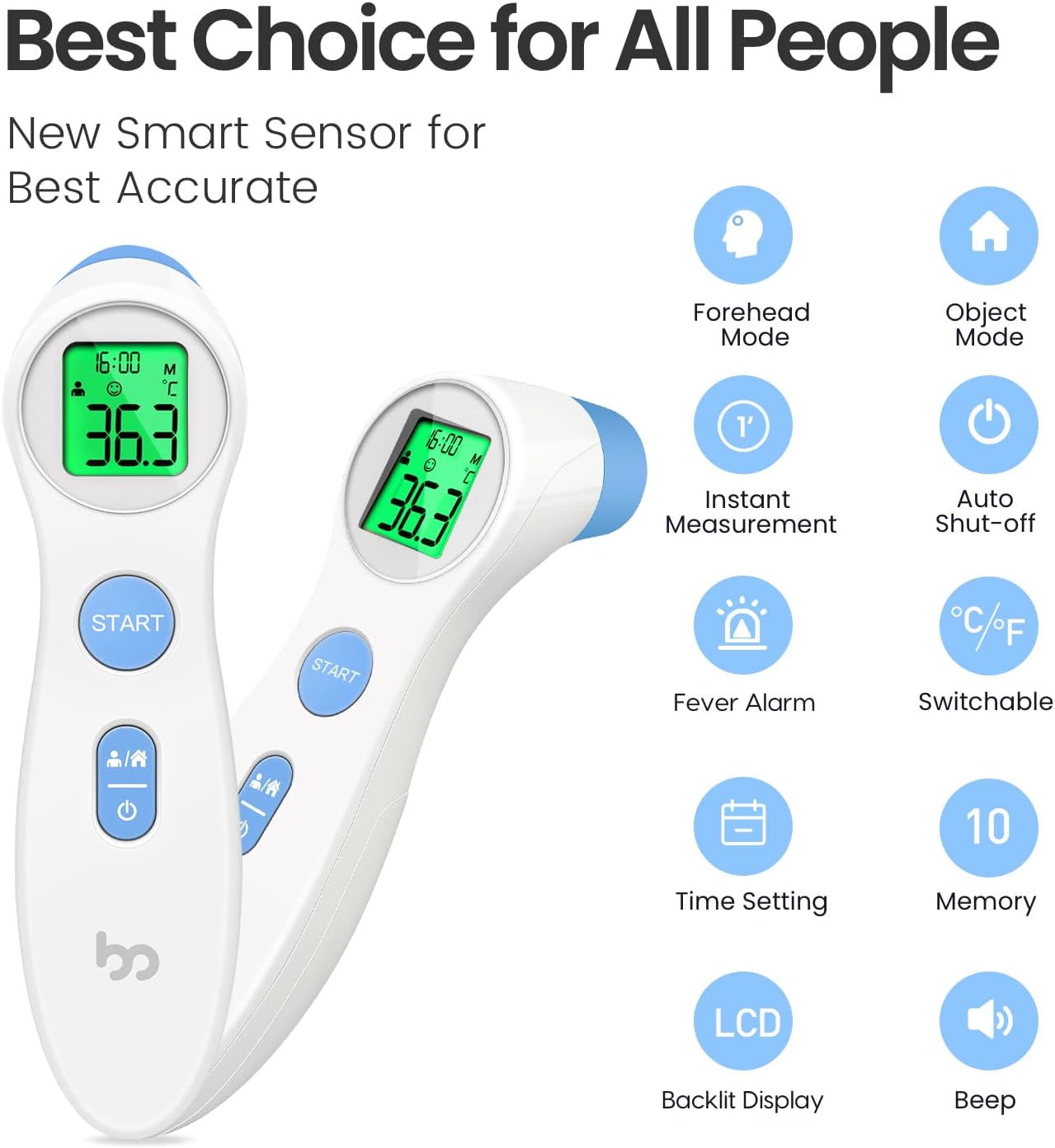
Image: An infographic summarizing the key features of the femometer infrared thermometer, including Forehead Mode, Object Mode, Instant Measurement, Auto Shut-off, Fever Alarm, °C/°F Switchable, Time Setting, 10 Memory Recall, LCD Backlit Display, and Beep function.
3. Nhazi
3.1 Ntinye batrị
The femometer DET-306 thermometer requires 2 AAA batteries (included). To install or replace batteries:
- Chọta mkpuchi nke batrị n'azụ ngwaọrụ.
- Mepee mkpuchi ahụ oghe.
- Tinye batrị AAA abụọ, hụ na polarity ziri ezi (+ na -) dịka egosiri n'ime ngalaba ahụ.
- Mechie mkpuchi nke batrị batrị nke ọma.
The device will emit a short beep and the display will show all segments briefly, indicating successful battery installation.
4. Ntuziaka ọrụ
4.1 Gbanyụọ / gbanyụọ
- Ka ịgbanwuo: Pịa bọtịnụ ike (I/O). The display will show all segments, then the last measurement, and finally enter standby mode.
- Ịgbanyụ: The device will automatically shut off after approximately 30 seconds of inactivity to conserve battery. You can also manually turn it off by pressing and holding the Power Button for a few seconds.
Ụdị nha 4.2
The thermometer has two main measurement modes: Forehead Mode (for body temperature) and Object Mode (for surface/room temperature).
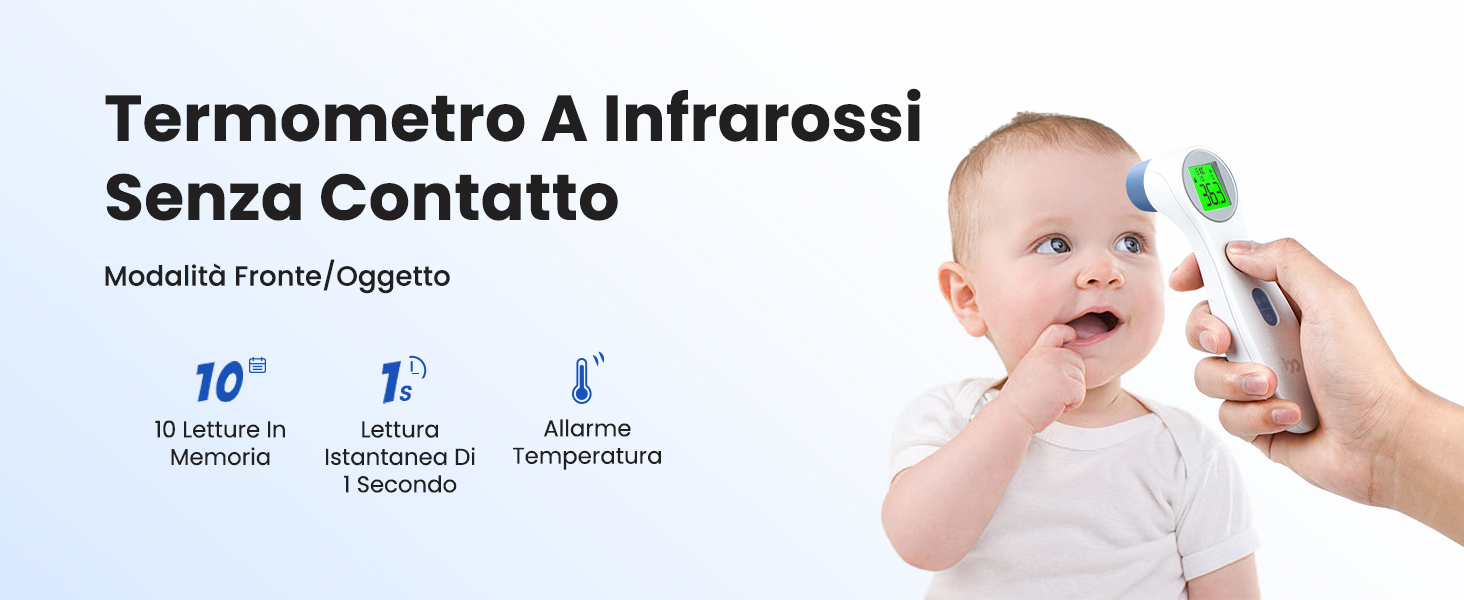
Image: A baby being measured with the non-contact infrared thermometer, illustrating its ease of use for infants. Key features like 10 memory readings, 1-second instant reading, and temperature alarm are highlighted.

Image: Demonstrates the thermometer in use for Forehead Mode (measuring a person's temperature) and Object Mode (measuring food and room temperature), showcasing ya versatility.
To switch between modes, press the Forehead/Object Button (person/house icon). The corresponding icon will appear on the LCD display.
4.3 Inyocha ihe
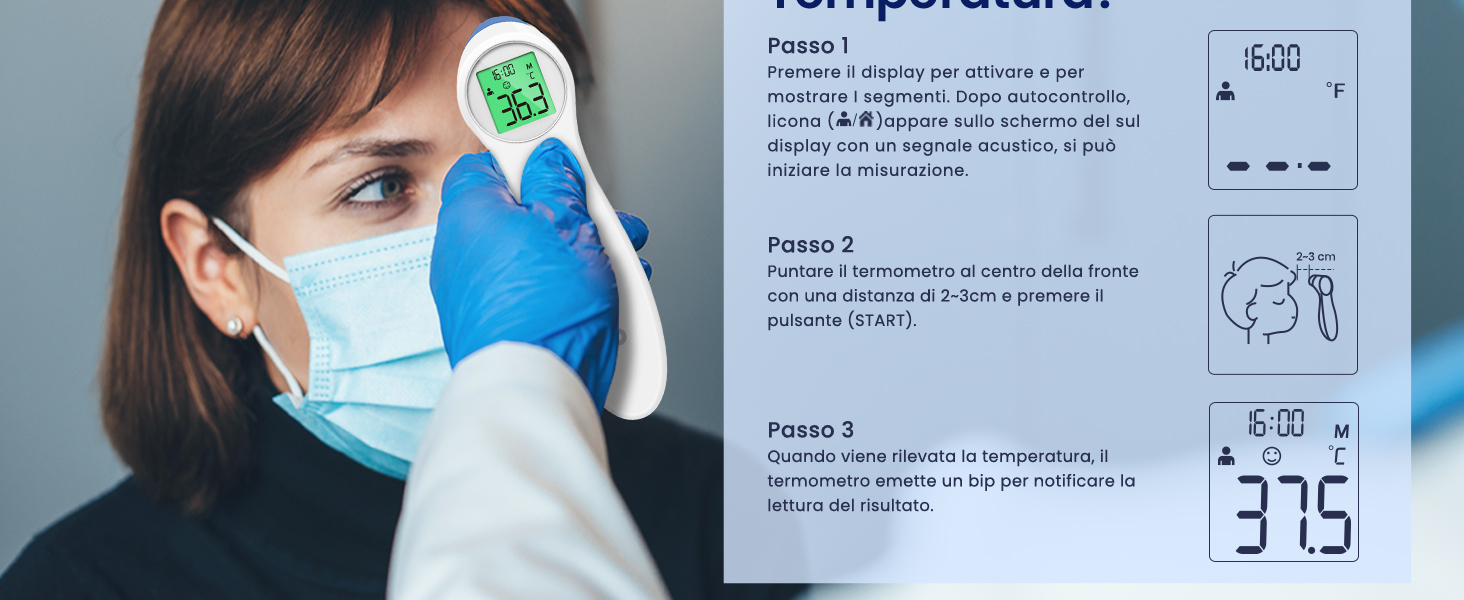
Image: A visual guide demonstrating the three steps to measure temperature: 1. Power on and select mode. 2. Point thermometer 2-3 cm from the forehead and press START. 3. Read the temperature after a short beep.
- Ensure the thermometer is in the desired mode (Forehead or Object).
- Position the thermometer 1-3 cm (0.4-1.2 inches) away from the center of the forehead (for body temperature) or the object/surface.
- Pịa Malite bọtịnụ.
- The measurement will be completed after a short beep, and the temperature reading will be displayed on the LCD screen.
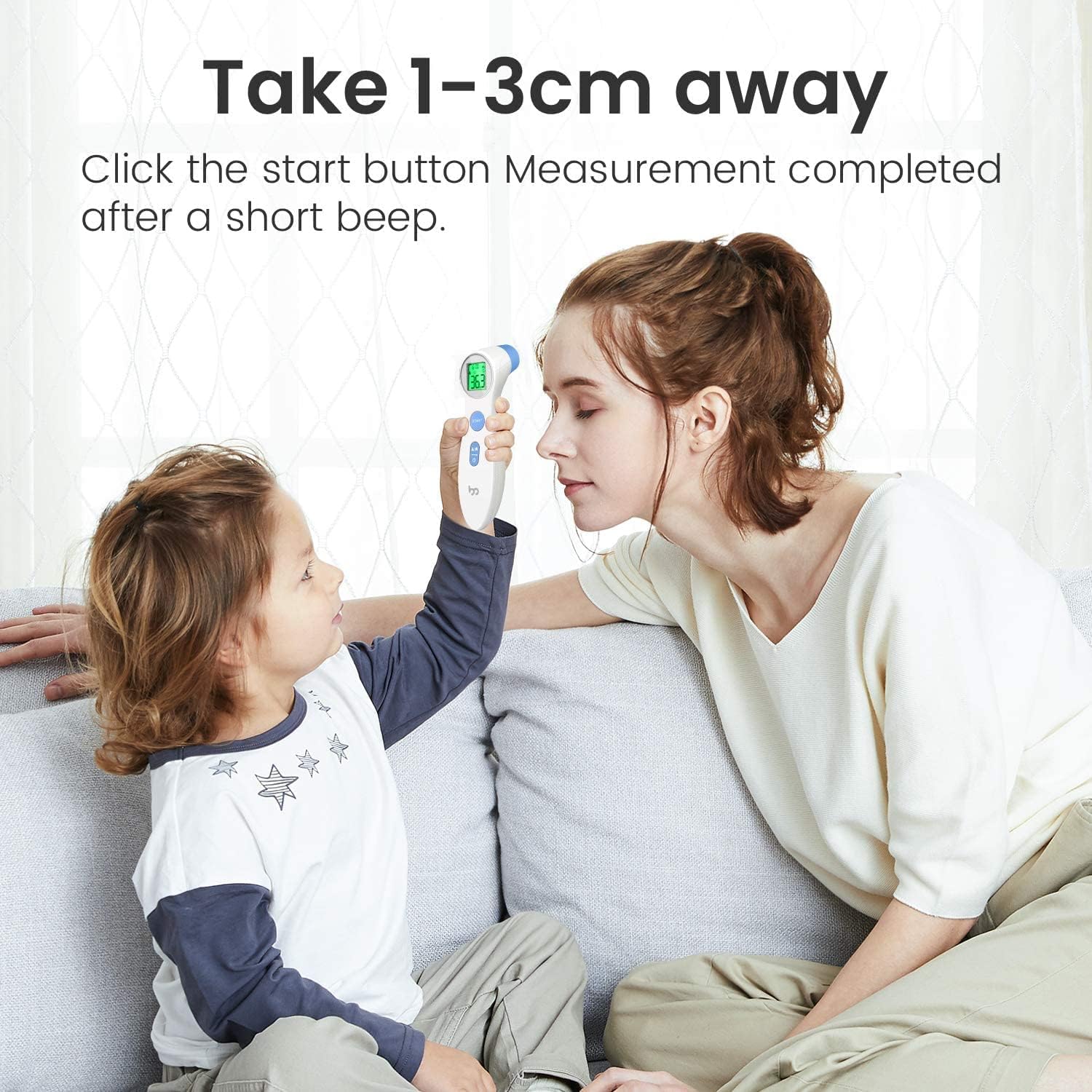
Image: Illustrates the recommended measurement distance of 1-3 cm from the forehead for accurate readings, showing a child and adult using the thermometer.
4.4 Switching Temperature Units (°C/°F)
Ka ịgbanwee n'etiti Celsius (°C) na Fahrenheit (°F):
- Ensure the thermometer is in the OFF state.
- Pịa ma jide Malite bọtịnụ maka 3-5 sekọnd.
- The display will show the current unit, and then switch to the other unit. Release the button when the desired unit is displayed.

Image: Shows how to switch the temperature unit between Celsius (°C) and Fahrenheit (°F) by pressing the start button, with examples of both displays.
4.5 Fever Alarm Interpretation
The thermometer's LCD backlight changes color to indicate temperature status:
- Akwụkwọ ndụ akwụkwọ ndụ: Normal body temperature (T ≤ 37.3°C / 99.1°F).
- Oroma: Low-grade fever (37.3°C < T < 37.7°C / 99.1°F < T < 99.9°F).
- Uhie: High fever (T ≥ 37.7°C / 99.9°F).
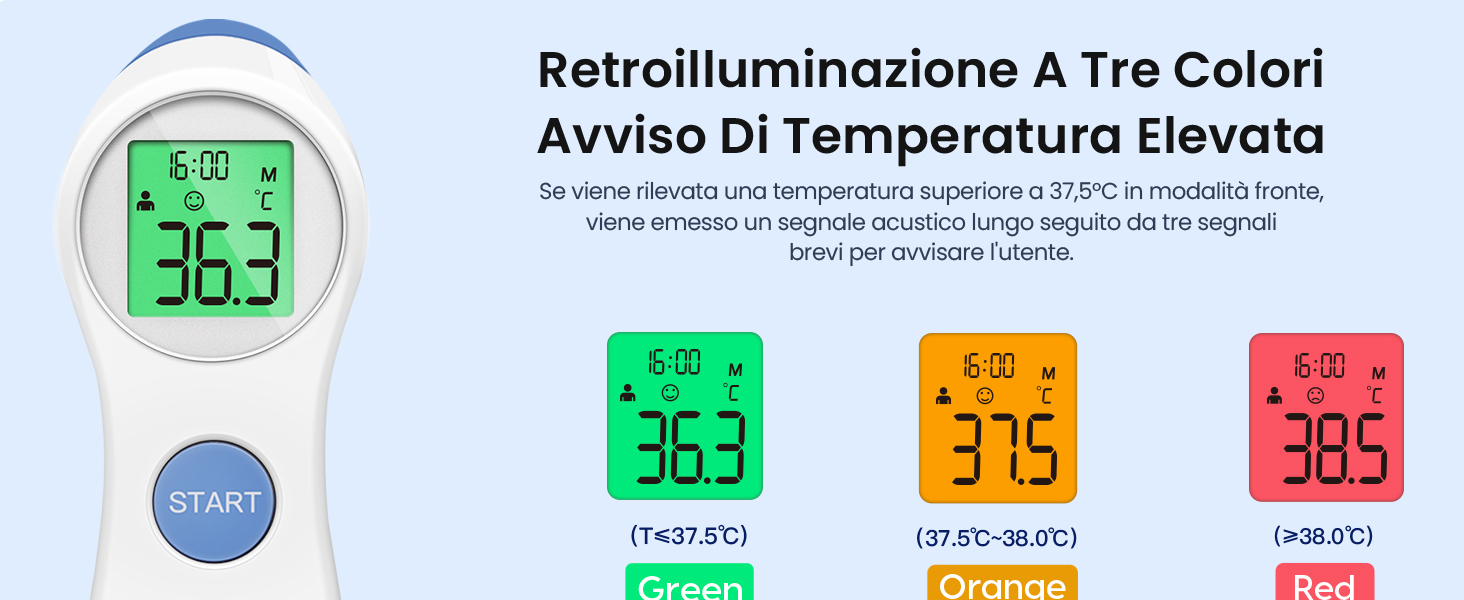
Image: Illustrates the three-color backlight system for temperature alerts: Green for normal, Orange for elevated, and Red for high temperature, with corresponding temperature ranges.
4.6 Ncheta Ncheta
The thermometer automatically stores the last 10 temperature readings with the exact time. To access memory recall:
- Gbanye temometa.
- Press the Forehead/Object Button (person/house icon) repeatedly to cycle through the stored readings.
- Each press will display the next stored reading, starting from the most recent.

Image: Shows the thermometer being used in a dark room, demonstrating its backlit LCD display for clear readings at night without disturbing others.
5. Nlekọta
5.1 Nhicha
- Wipe the thermometer body with a soft, dry cloth.
- For the probe, gently clean with an alcohol swab (70% isopropyl alcohol) or a cotton swab moistened with alcohol. Allow it to air dry completely before use.
- Do not immerse the thermometer in water or any cleaning solutions.
5.2 Nchekwa
- Chekwaa temometa n'ebe dị jụụ, kpọrọ nkụ, pụọ na ìhè anyanwụ kpọmkwem na oke okpomọkụ.
- If not in use for an extended period, remove the batteries to prevent leakage.
6. Nchọpụta nsogbu
| Nsogbu | Ihe nwere ike ime | Ngwọta |
|---|---|---|
| Enweghị ngosi/ngwaọrụ agaghị agbanwu | Dead batteries, incorrect battery installation. | Dochie batrị ahụ, hụ na ọ dị mma iji ya. |
| Ọgụgụ na-ezighi ezi | Incorrect measurement distance, dirty probe, environmental factors (drafts, direct sunlight), recent activity (eating, exercising). | Ensure 1-3 cm distance, clean probe, measure in stable environment, wait 30 minutes after activity. |
| Display shows 'Lo' or 'Hi' | Okpomọkụ dị n'èzí ebe enwere ike ịlele. | Ensure measurement is within specified operating range (e.g., 32°C-42.9°C for body). |
| Ngosipụta na-egosi 'Err' | System error or malfunction. | Remove and reinsert batteries. If error persists, contact customer support. |
7. Nkọwapụta
- Ụdị: NKM-306
- Oke nha:
- Body: 32.0°C – 42.9°C (89.6°F – 109.2°F)
- Object: 0°C – 100°C (32°F – 212°F)
- izi ezi: ±0.2°C (±0.4°F) for body temperature within 35.0°C – 42.0°C (95.0°F – 107.6°F)
- Ogologo Ogologo: 1-3 cm
- Ngosipụta: LCD nwere ọkụ azụ
- Ebe nchekwa: 10 agụ
- Isi mmalite ike: 2 x AAA batteries (DC 3V)
- Nwepu akpaaka: Ihe ruru. 30 sekọnd
- Akụkụ: 15 x 4 x 4 cm
- Arọ: 124 grams (ya na batrị)
- Ihe: Plastic
- Ngwa gụnyere: 1 Thermometer, 2 AAA Batteries
8. Akwụkwọ ikike na nkwado
femometer is committed to providing high-quality products and excellent customer service. We offer many years of friendly customer service for our products.
If you have any questions, concerns, or require assistance with your femometer Infrared Forehead Thermometer DET-306, please do not hesitate to contact our customer support team. Refer to the product packaging or the official femometer websaịtị maka nkọwa kọntaktị.

Image: The official femometer brand logo.
Ask a question about this manual
Ask about setup, troubleshooting, compatibility, parts, safety, or missing instructions. Manuals+ will review the question and use this page’s manual context to help answer it.