
1. Okwu mmalite
This manual provides instructions for the ZdalaMit XRT136 Replacement Remote Control. This remote is designed to function as a direct replacement for your original Vizio Smart TV remote without requiring any programming or pairing.
Compatible Vizio Smart TV Models:
- M657-G0
- M557-G0
- PX65-G1
- P659-G1
- P759-G1
- D60-F3
2. Ihe ngwugwu
Gbaa mbọ hụ na ihe niile dị na ngwugwu:
- 1 x ZdalaMit XRT136 Replacement Remote Control
3. Nhazi
3.1 Ntinye batrị
The remote control requires two (2) AAA alkaline batteries (not included) for operation.
- Chọta ebe batrị dị n'azụ nke njikwa anya.
- Mikpuo mkpuchi nke ebe batrị ahụ ala iji mepee ya.
- Tinye batrị AAA ọhụrụ abụọ, hụ na njedebe ndị dị mma (+) na nke na-adịghị mma (-) kwekọrọ na akara ndị dị n'ime ngalaba ahụ.
- Weghachite mkpuchi nke batrị batrị n'ime ebe ruo mgbe ọ pịrị na nchekwa.

Foto: Azụ view of the XRT136 remote control, illustrating the battery compartment location.
Once batteries are installed, the remote is ready for use. No programming or pairing is required.
4. Ntuziaka ọrụ
To operate your Vizio Smart TV, point the ZdalaMit XRT136 remote control directly at the television's infrared receiver. Press the desired buttons to control your TV's functions.

Foto: N'ihu view of the XRT136 remote control, displaying the layout of all buttons.
4.1 Isi ọrụ gafereview
The remote features standard television control buttons, including:
- Bọtịnụ ike: Gbanyụọ ma ọ bụ gbanyụọ TV.
- Bọtịnụ ntinye: Selects video input sources (HDMI, AV, etc.).
- Mpempe igodo nsoroụzọ (elu, ala, aka ekpe, aka nri, OK): Maka igodo menu na nhọrọ.
- Elu elu/ala: Na-edozi olu telivishọn.
- Ọwa elu/ala: Changes television channels.
- Oghere bọtịnụ: Na-emechi ụda telivishọn.
- Nọmba akara (0-9): For direct channel entry.
- Bọtịnụ Azụ/Ọpụpụ: Navigates back in menus or exits current functions.
- Menu/Info Buttons: Accesses TV menus and displays information.
- Bọtịnụ ngwa raara onwe ya nye: Quick access to streaming services (e.g., VUDU, Netflix, Amazon, Xumo, Crackle, iHeartRadio).

Image: A user holding the XRT136 remote control, demonstrating typical usage by pointing it at a television.
5. Nlekọta
5.1 Nhicha
Iji hichaa njikwa remote, jiri ákwà dị nro ma kpọọ nkụ. Ejila ihe nhicha mmiri, ihe fesa, ma ọ bụ ihe ndị na-emebi emebi, n'ihi na ihe ndị a nwere ike imebi elu remote ma ọ bụ ihe dị n'ime ya.
5.2 Nlekọta batrị
- Replace batteries when the remote's performance diminishes or stops working.
- Ejikọtala batrị ochie na nke ọhụrụ, ma ọ bụ ụdị batrị dị iche iche.
- Remove batteries if the remote will not be used for an extended period to prevent leakage.
- Tụfuo batrị eji eme ihe dịka iwu mpaghara siri dị.
6. Nchọpụta nsogbu
6.1 Remote anaghị aza
- Lelee batrị: Hụ na etinyere batrị nke ọma site na iji polarity ziri ezi (+/-).
- Dochie batrị: If the batteries are old or depleted, replace them with two new AAA alkaline batteries.
- Ahịrị nke anya: Ensure there are no obstructions between the remote control and the TV's infrared receiver. Point the remote directly at the TV.
- Ogologo: Confirm you are within the effective operating range (up to 33 feet).
6.2 Limited Functionality
- Verify that your Vizio Smart TV model is listed under the compatible models in Section 1.
- Some advanced TV features or smart functions may require the original remote or specific TV settings. This remote is designed for primary control functions.
7. Nkọwapụta
| Ụdị | ZdalaMit |
| Aha Nlereanya | XRT136 (Mfr Part Number: fghea-593) |
| Ngwa dakọtara | Vizio Smart Televisions (M657-G0, M557-G0, PX65-G1, P659-G1, P759-G1, D60-F3) |
| Teknụzụ Njikọta | Infrared |
| Ụdị njikwa | Njikwa bọtịnụ |
| Ọnụọgụ bọtịnụ | 18 |
| Ịnye ọkụ | Batrị Alkaline AAA 2 x 1.5V |
| Oke kacha | 33 ụkwụ (10 mita) |
| Akụkụ ihe (L x W x H) | 6.75" x 1.79" x 0.55" (17.15 cm x 4.55 cm x 1.4 cm) |
| Ibu Ibu | 1.6 ounces (45 grams) |
| Njirimara Pụrụ Iche | Ergonomic imewe |
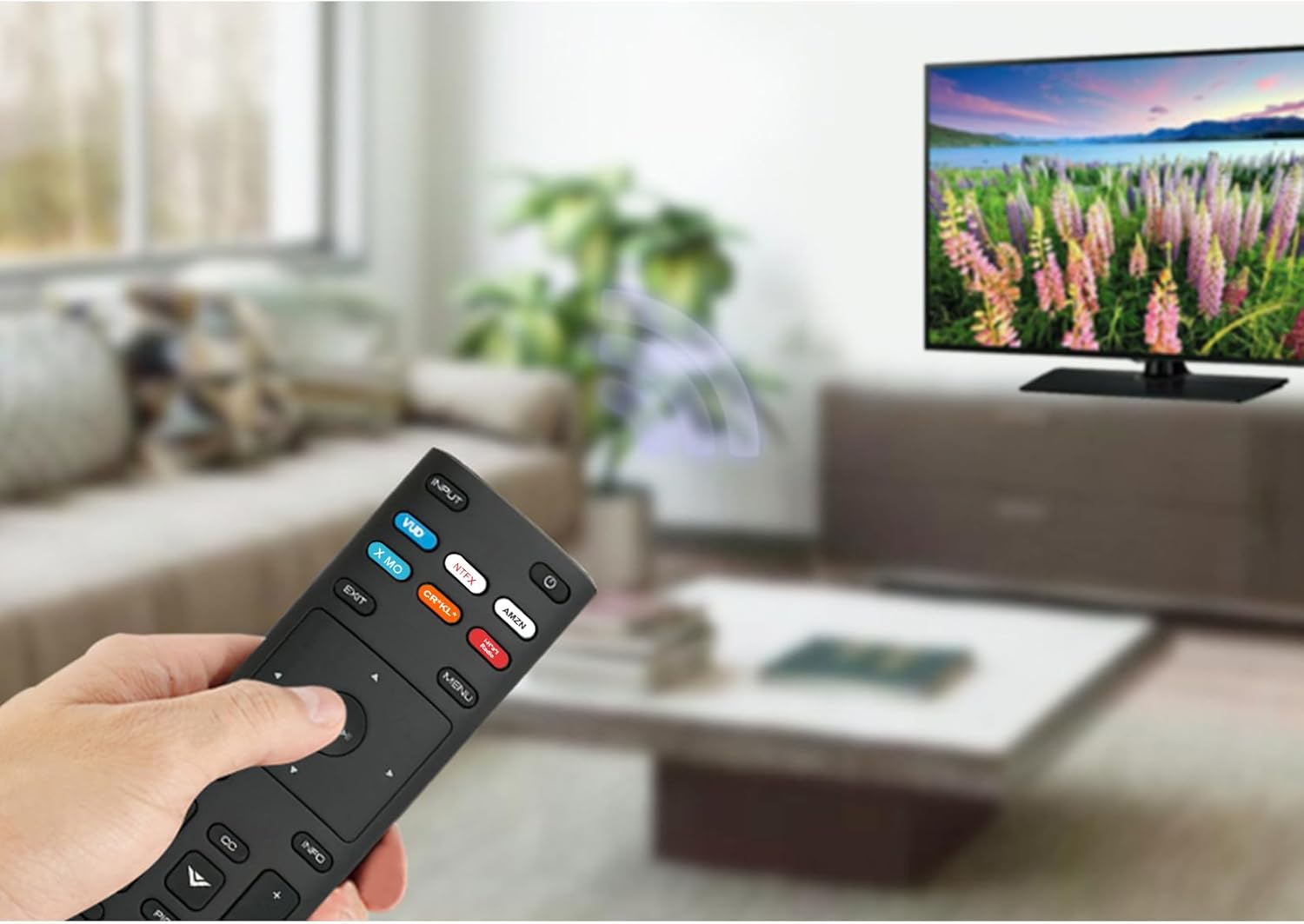
Image: The XRT136 remote control with its physical dimensions highlighted.
8. Akwụkwọ ikike Ozi
This ZdalaMit product comes with a 1-afọ akwụkwọ ikike from the date of purchase. This warranty covers manufacturing defects under normal use. It does not cover damage caused by misuse, accidents, unauthorized modifications, or battery leakage.
9. Nkwado
If you encounter any issues or have questions regarding your ZdalaMit XRT136 Replacement Remote Control that are not addressed in this manual, please contact the seller or manufacturer for assistance. Provide your product model (XRT136) and a detailed description of the issue for efficient support.

