
Okwu mmalite
The August Audar Smart Band KERi is a versatile health and fitness tracker designed to monitor various aspects of your well-being. This manual provides detailed instructions for setting up, operating, maintaining, and troubleshooting your device to ensure optimal performance and a seamless user experience. Please read this manual thoroughly before using your Smart Band.
Melite
1. Charging the Smart Band
Before initial use, fully charge your Audar Smart Band KERi. The device features a convenient integrated USB charger. Simply remove the strap from one end of the tracker to reveal the USB connector.

Image: The Audar Smart Band KERi being plugged into a USB port for charging. The image highlights the integrated USB connector on the device.

Foto: nkọwa zuru ezu view of the Audar Smart Band KERi's integrated USB charging port, showing how it connects to a power source.
- Connect the USB connector to any standard USB charging port (e.g., computer, USB wall adapter).
- Ihe ngosi batrị na ihuenyo ga-egosi ọganihu nchaji.
- A full charge can provide up to 30 days of battery life.
2. Installing the Audar App
To unlock the full potential of your Smart Band and view your health data, download the official Audar app on your smartphone.
- Scan the QR code provided in the product packaging or search for "Audar" in your device's app store.
- The app is compatible with both Android and iPhone devices.

Image: Screenshot of the Audar app interface, displaying health data and showing icons for Google Play and Apple App Store downloads.
3. Ijikọ na ekwentị mkpanaaka gị
- Gbaa mbọ hụ na agbanyere Bluetooth na ekwentị gị.
- Open the Audar app and follow the on-screen instructions to search for and connect to your KERi Smart Band.
- Confirm the pairing request on both your phone and the Smart Band if prompted.
4. Nhazi mmalite
- Once paired, the app will guide you through setting up your personal profile, including age, height, weight, and gender, for accurate data tracking.
- Synchronize the time and date with your phone.
Ntuziaka ọrụ
1. Nsoro ụzọ
The Audar Smart Band KERi features a color touchscreen display for easy navigation.
- Kpatụ: To select an option or wake the screen.
- Mịpụta: To scroll through different menus and data screens.
2. Nlekota Ọrụ
The Smart Band automatically tracks your daily activity.

Image: A person running outdoors with the Audar Smart Band KERi on their wrist, showing the display with steps, distance, and calorie data.
- Nzọụkwụ: Counts the number of steps taken throughout the day.
- Ogologo: Estimates the distance covered based on your steps and profile data.
- Kalori: Calculates calories burned during activity.
- GPS Ndepụta: When connected to your smartphone, the app can use your phone's GPS to map your route during outdoor activities.
3. Nlekọta ahụike
The KERi Smart Band provides continuous and on-demand health monitoring.
- Nyochaa Ọnụọgụgụ Obi: Measures your heart rate in real-time. Access this feature from the band's menu or through the app.
- Nyochaa Ọbara Ọbara: Provides an estimate of your blood pressure. For accurate medical readings, consult a healthcare professional.
- Nyocha ọbara oxygen: Na-enyocha ọkwa oxygen dị n'ọbara gị.
- Nyochaa ụra: Na-esochi usoro ụra gị na akpaghị aka, gụnyere ụra miri emi, ụra dị mfe, na oge ịmụrụ anya. View detailed analysis in the Audar app.
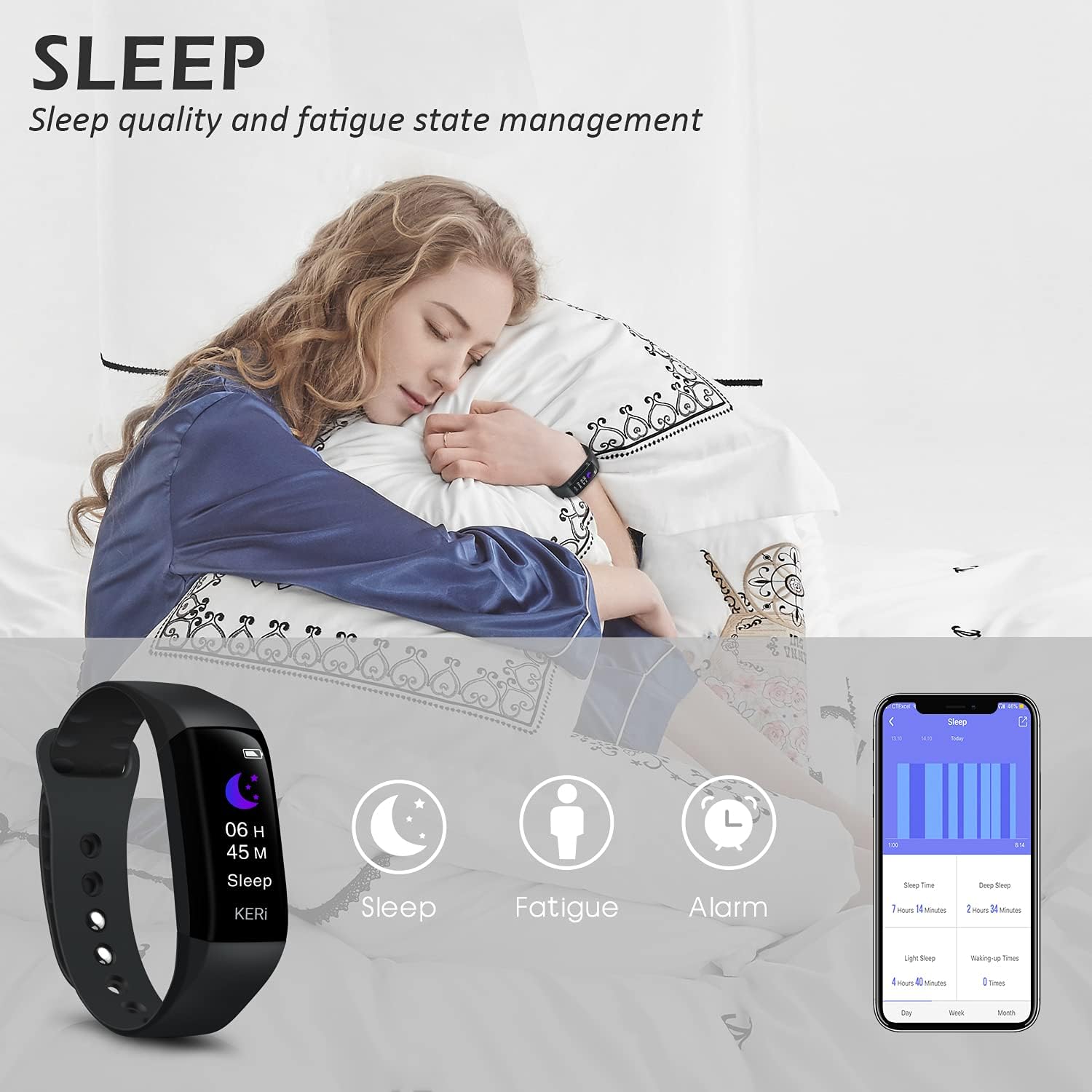
Image: A person sleeping with the Audar Smart Band KERi on their wrist, showing the band's display indicating sleep duration and an accompanying smartphone app displaying sleep analysis.
4. Amamọkwa
Receive alerts directly on your wrist when connected to your smartphone.

Image: A close-up of a wrist wearing the Audar Smart Band KERi, with the screen showing an incoming call notification.
- Ịdọ Aka Na Ntị Oku: Displays incoming call notifications.
- Mkpu ozi: Shows notifications for SMS, WhatsApp, Messenger, and other selected apps.
- Configure which app notifications you wish to receive through the Audar app settings.
5. Akụkụ ndị ọzọ
- Remote Camera Control (Shake Shooting): Use the band to remotely trigger your smartphone's camera by shaking your wrist.
- Chọta ekwentị m: Activate this feature from the band to make your paired phone ring, helping you locate it.
- Elekere mkpu: Set silent vibrating alarms through the app.
- CareMate Function: Share your health data with family members through the app, allowing them to monitor your well-being remotely.

Image: Screenshots of the Audar app demonstrating the CareMate function, showing how users can subscribe to and view family members' health data.
Nlekọta
1. Nhicha
- Regularly clean your Smart Band and strap to prevent skin irritation and maintain device hygiene.
- Jiri nwayọ hichaa ngwaọrụ ahụ, damp akwa . Zere iji kemịkalụ siri ike ma ọ bụ ihe nchacha.
- Gbaa mbọ hụ na kọntaktsị chajị dị ọcha na akpọnwụwo tupu chajịa.
2. Mmiri Nguzogide
The Audar Smart Band KERi is IP67 waterproof.

Image: The Audar Smart Band KERi being splashed with water, illustrating its IP67 waterproof capability. Icons for heart rate, calories, steps, distance, SMS alerts, and blood oxygen are also visible.
- It is resistant to rain, sweat, and can be submerged up to 1 meter underwater for a limited time.
- It is suitable for showering and swimming in shallow water.
- Avoid prolonged exposure to hot water, steam, or high-velocity water.
3. Nchekwa
- Chekwaa ngwaọrụ ahụ n'ebe dị jụụ, kpọrọ nkụ mgbe ọ naghị eji ya.
- Zere oke okpomọkụ.
Nchọpụta nsogbu
If you encounter issues with your Audar Smart Band KERi, refer to the following common solutions:
| Nsogbu | Ihe nwere ike ime | Ngwọta |
|---|---|---|
| Device does not turn on or respond | Batrị dị ala | Chajịa ngwaọrụ maka opekata mpe nkeji iri atọ. |
| Enweghị ike ijikọ na smartphone | Bluetooth off, app issue, device out of range | Ensure Bluetooth is on. Restart phone and band. Reinstall app. Move band closer to phone. |
| Ọgụgụ ahụike ezighi ezi | Improper fit, movement during measurement, sensor obstruction | Ensure band is snug but comfortable. Remain still during measurements. Clean sensor on back of band. |
| No data synchronization to app | Bluetooth connection lost, app not running in background | Check Bluetooth connection. Ensure app has necessary permissions and is running. Manually sync from app. |
| Ndụ batrị dị mkpụmkpụ | Frequent notifications, continuous monitoring, old battery | Reduce notification frequency. Disable continuous monitoring for certain features. Ensure full charge. |
If the problem persists, please refer to the support section for further assistance.
Nkọwapụta

Image: A diagram illustrating the dimensions of the Audar Smart Band KERi, including screen size and band length.
| Njirimara | Nkọwa |
|---|---|
| Aha Nlereanya | KERi |
| Ụdị | Ọgọst |
| Nha ihuenyo | 0.96 sentimita asatọ |
| Ụdị ngosi | LCD |
| Mkpebi | 240 x240 |
| Teknụzụ Njikọta | Bluetooth, USB |
| Ikuku Communication Standard | Bluetooth |
| Sistemụ nrụọrụ | Android (Compatible with Android & iPhone) |
| Metrics tụrụ | Heart Rate, Blood Pressure, Sleep Duration, Blood Oxygen |
| Atụmatụ pụrụ iche | Alarm Clock, Calorie Tracker, Notifications, GPS (via phone), Remote Camera Control |
| Ọkwa Nguzogide mmiri | IP67 (Waterproof up to 1 meter) |
| Ụdị cell batrị | Lithium polymer |
| Nkezi Ndụ batrị | Ruo ụbọchị 30 |
| Ụdị ihe Band | Rubber or Silicone |
| Ụdị Ihe Omume | Ceramic |
| Ibu Ibu | 29 grams |
| Akụkụ akụkụ | 25.8 x 2.2 x 1.3 centimita |
| Ogologo band | 130 - 190 Millimetres |
| Agba | Nwa |
Ozi akwụkwọ ikike
For detailed warranty information regarding your August Audar Smart Band KERi, please refer to the warranty card included in your product packaging or visit the official August websaịtị. Usoro na ọnọdụ akwụkwọ ikike nwere ike ịdị iche site na mpaghara na onye na-ere ahịa.

Image: The contents of the Audar Smart Band KERi product box, showing the smart band, charging cable, and instruction manuals.
Nkwado ndị ahịa
If you require further assistance or have questions not covered in this manual, please contact August customer support through one of the following channels:
- Nkwado n'ịntanetị: Visit the official August websaịtị maka FAQ, akụkọ nkwado na ụdị kọntaktị.
- Nkwado email: Refer to your product packaging or the August webebe nrụọrụ weebụ maka adreesị ozi-e ọrụ ndị ahịa.
- Ụlọ ahịa ika: Ị nwekwara ike ịga na August Brand Store maka ozi ngwaahịa na akụrụngwa nkwado.