
Okwu mmalite
Thank you for choosing the LeadsaiL LX-002 2.4G Wireless Mouse. This manual provides detailed instructions for setting up, operating, and maintaining your new wireless mouse. Please read this manual carefully to ensure proper use and optimal performance.
Kedu ihe dị na Igbe ahụ
- 1 x LeadsaiL LX-002 Wireless Mouse
- 1 x USB nnata (echekwara n'ime òké)
- 1 x Akwụkwọ ntuziaka onye ọrụ
Ngwaahịa gafereview
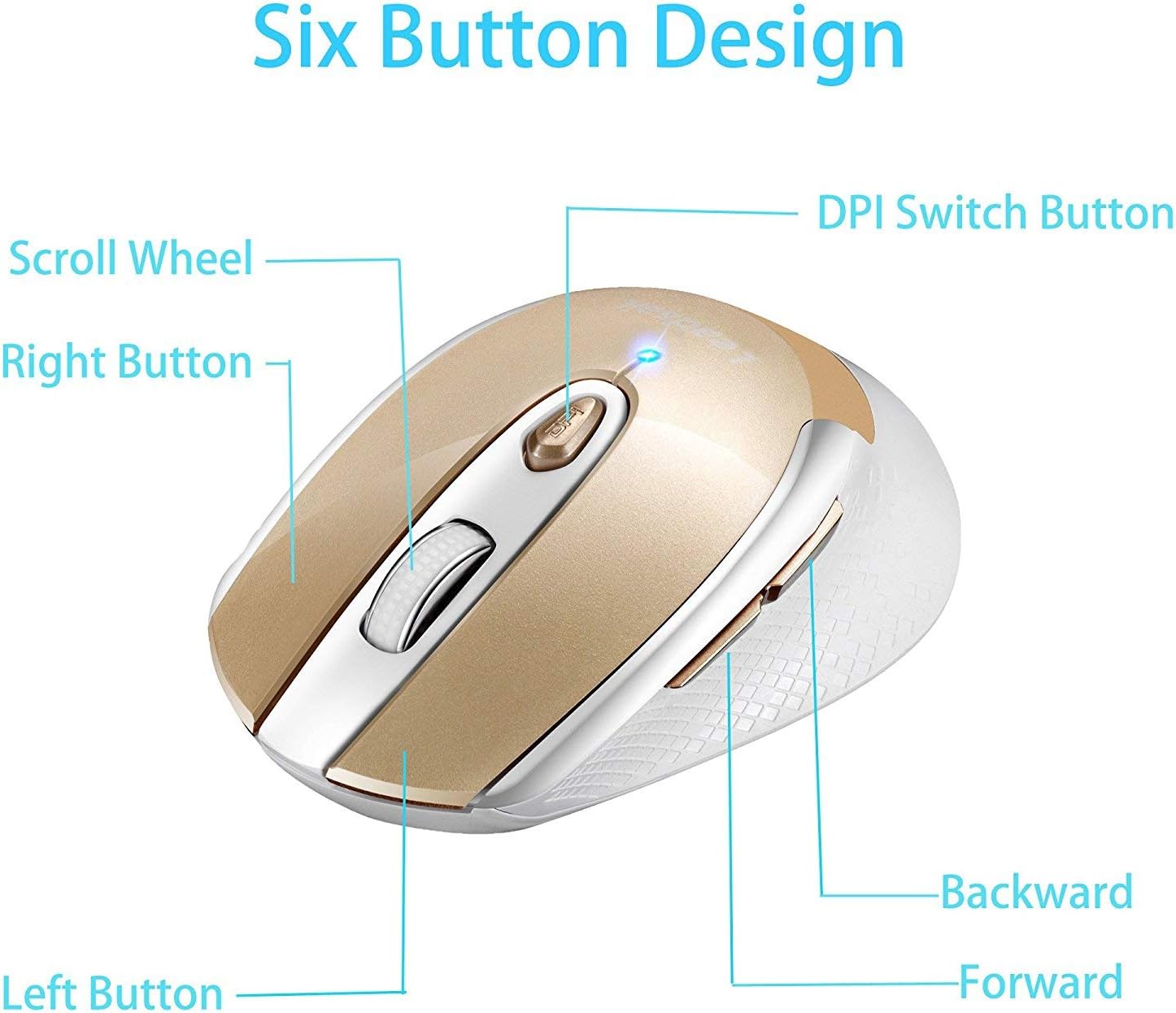
Figure 1: Six Button Design. Foto a gosipụtara elu ya view of the LeadsaiL LX-002 wireless mouse, highlighting its six buttons: Left Button, Right Button, Scroll Wheel, DPI Switch Button, Backward Button, and Forward Button.
The LeadsaiL LX-002 wireless mouse features a 6-button design for enhanced functionality and an ergonomic shape for comfortable use. Key features include:
- Pịa jụụ: Designed for quiet operation, minimizing noise during use.
- DPI nwere ike imeghari: Three DPI levels (800, 1200, 1600) allow for customizable cursor sensitivity.
- Nhazi Ergonomic: Slim, sweat-resistant, and skin-friendly finish for maximum comfort, including a thoughtful ring and little finger rest.
- Teknụzụ ikuku ikuku 2.4GHz: Provides a stable and reliable connection with a transmission distance of up to 15 meters (50 feet).
- Ọnọdụ Nchekwa Ike: Na-abanye na ọnọdụ ụra na-akpaghị aka ka nkeji 15 enweghị ọrụ iji chekwaa ndụ batrị.
Ntuziaka nhazi
1. Wụnye batrị
- Chọta ebe batrị dị n'okpuru òké.
- Gently slide open the battery compartment cover.
- Insert one AA battery (not included) into the compartment, ensuring correct polarity (+/-).
- Mechie mkpuchi nke batrị batrị nke ọma.

Figure 2: Battery and USB Receiver Location. This image shows the bottom of the mouse, indicating where to insert the AA battery and where the USB receiver is stored.
2. Connect USB Receiver
- Remove the mini USB receiver from its storage slot within the battery compartment.
- Plug the USB receiver into an available USB port on your computer (laptop, desktop, or netbook PC).
- No driver installation is required; the mouse is plug-and-play.

Figure 3: Wireless Connection. This image illustrates the 2.4G wireless connection between the mouse and a laptop via the USB receiver, indicating a lag-free experience.
3. Power On the Mouse
- Slide the ON/OFF switch, located on the underside of the mouse, to the "ON" position.
- Òké adịla njikere maka ojiji.
Ntuziaka ọrụ
Na-emezi Mmetụta DPI
- Pịa Bọtịnụ mgbanwe DPI (located below the scroll wheel) to cycle through the three available DPI settings: 800, 1200, and 1600.
- Select the DPI setting that best suits your activity for optimal cursor speed and precision.

Figure 4: DPI Adjustment. This image shows the mouse with an overlay indicating the DPI switch button and the three adjustable DPI levels (800, 1200, 1600).
Ụdị Nchekwa Ike
- The mouse will automatically enter sleep mode after 15 minutes of no operation to save power.
- To wake the mouse, simply press any button.
Ndakọrịta
The LeadsaiL LX-002 wireless mouse offers wide compatibility with various operating systems:
- Windows XP
- Windows Vista
- Windows 7
- Windows 8
- Windows 10
- Mac OS X
- Linux
- Chrome OS
- DOS
- Windows 2000 Server
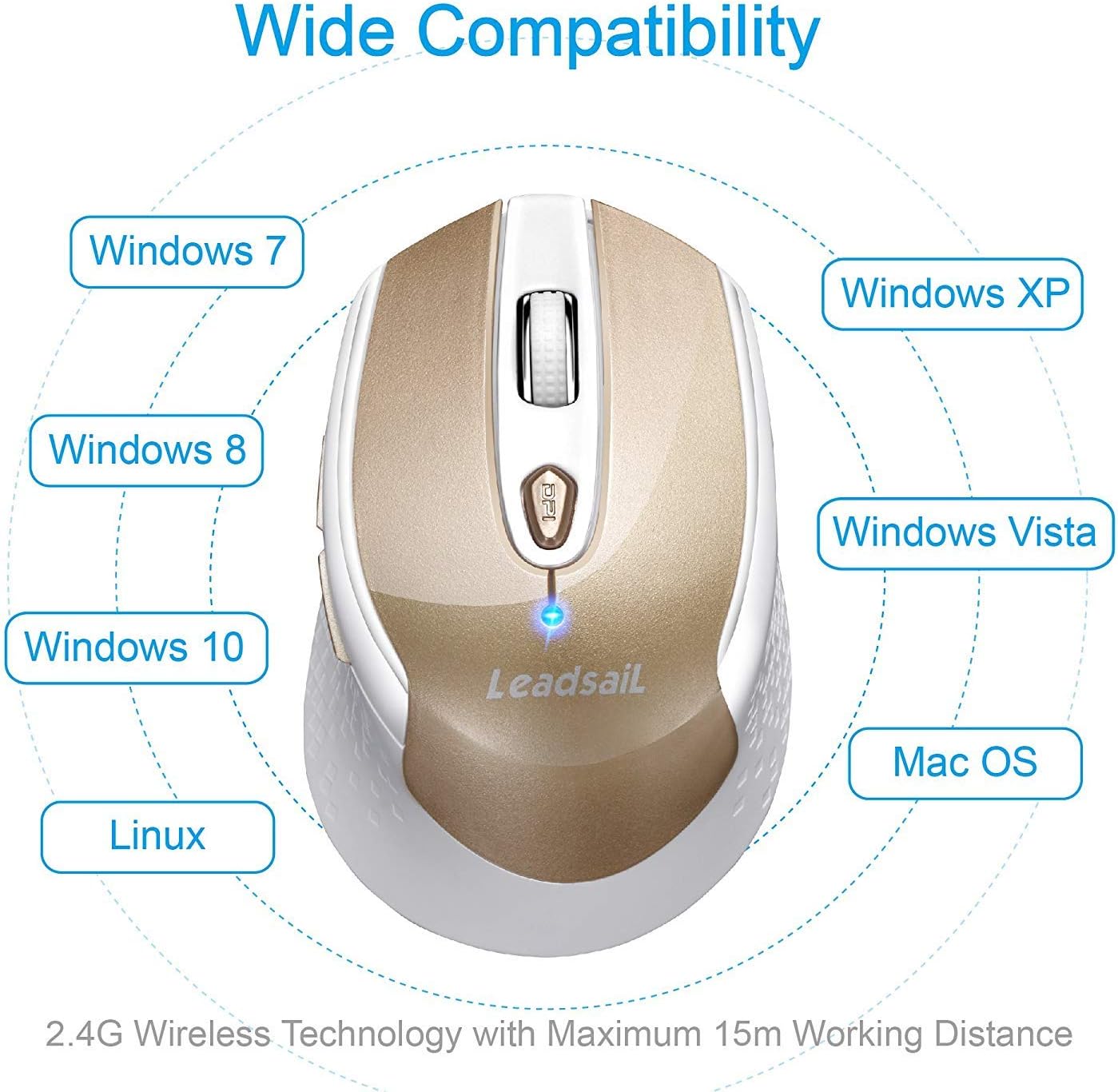
Figure 5: Wide Compatibility. This image visually represents the broad compatibility of the mouse with various operating systems, including Windows, Mac OS, and Linux.
Nlekọta
- Keep the mouse clean by wiping it with a soft, dry cloth. Avoid using harsh chemicals or abrasive cleaners.
- Ensure the optical sensor on the underside of the mouse is free from dust and debris for accurate tracking.
- When not in use for extended periods, turn off the mouse using the ON/OFF switch to further conserve battery life.
- Store the USB receiver inside the mouse's battery compartment when traveling to prevent loss.
Nchọpụta nsogbu
| Nsogbu | Ngwọta |
|---|---|
| Mouse not responding / Cursor not moving |
|
| Cursor movement is erratic or jittery |
|
| Nsogbu njikọ ikuku |
|
Nkọwapụta
| Njirimara | Nkọwa |
|---|---|
| Ụdị | LeadsaiL |
| Nọmba nlereanya | LX-002 |
| Teknụzụ Njikọta | Ikuku 2.4GHz (USB nnata) |
| Nchọpụta mmegharị | Ngwa anya |
| Ọkwa DPI | 800, 1200, 1600 |
| Bọtịnụ | 6 (aka ekpe, aka nri, pịgharịa n'ụkwụ, DPI mgbanwe, gawa n'ihu, azu) |
| Isi Iyi Ike | Batrị 1 x AA (anaghị etinye ya) |
| Ibu Ibu | 2.89 ounces (ihe dị ka 82g) |
| Akụkụ ngwaahịa (LxWxH) | 4.09 x 2.6 x 0.1 sentimita (ihe dịka 10.4 x 6.6 x 0.25 cm) |
| Sistemu eji arụ ọrụ | Windows XP/Vista/7/8/10, Mac OS X, Linux, Chrome OS, DOS, Windows 2000 Server |
| Atụmatụ pụrụ iche | Ergonomic Design, Lightweight, Portable, Silent Click, Wireless |
Akwụkwọ ikike na nkwado
LeadsaiL products are designed for durability and performance. For any questions, technical support, or warranty claims, please refer to the contact information provided on the product packaging or visit the official LeadsaiL websaịtị. Biko dowe ihe akaebe nke ịzụrụ ihe maka ebumnuche ikike.