
Okwu mmalite
This manual provides comprehensive instructions for the setup, operation, and maintenance of your Oneconcept Beaufort Silver Edition Weather Station. Please read this manual thoroughly before using the device to ensure correct installation and optimal performance. This weather station is designed to provide accurate measurements of temperature, humidity, wind direction, wind speed, and rainfall.
Ngwa ngwaahịa
The Oneconcept Beaufort Silver Edition Weather Station includes the following main components:
- Outdoor Sensor Array: Measures wind speed, wind direction, rainfall, temperature, and humidity.
- Indoor Display Unit: Receives and displays data from the outdoor sensor, provides alarm functions, and stores historical data.
- Mounting Hardware: For securing the outdoor sensor array.
- Instruction Manual: This document.
- Batteries: 5 AA batteries are included for operation.

Nkọwa onyonyo: A doro anya view of the Oneconcept Beaufort Silver Edition Weather Station, showing the white outdoor sensor array with wind cups, wind vane, rain collector, and temperature/humidity sensor, alongside the silver-framed indoor display unit with a green backlit screen showing various weather readings.
Melite
1. Ịkwapụ ihe na ntinye batrị
- Jiri nlezianya wepụ ihe niile dị na nkwakọ ngwaahịa.
- For the Outdoor Sensor Array: Locate the battery compartment. Insert the required AA batteries, ensuring correct polarity. Close the compartment securely.
- For the Indoor Display Unit: Locate the battery compartment. Insert the required AA batteries, ensuring correct polarity. Alternatively, connect the display unit to a USB power source using the provided cable. Close the compartment securely.
2. Outdoor Sensor Array Placement
Proper placement of the outdoor sensor array is crucial for accurate readings.
- Choose an open location, free from obstructions like buildings, trees, or other structures that could interfere with wind, rain, or sunlight.
- Mount the sensor array securely using the provided hardware. Ensure it is level to guarantee accurate rain collection and wind direction.
- The recommended height for wind measurement is at least 2 meters (6.5 feet) above ground level.
- Ensure the wind vane is oriented correctly (e.g., pointing North) if calibration is required by the device. Refer to the display unit's initial setup for specific calibration steps.

Nkọwa onyonyo: The outdoor sensor array is shown mounted on a pole extending from a rooftop, with the indoor display unit visible in the foreground. This illustrates a typical installation scenario for accurate weather data collection.
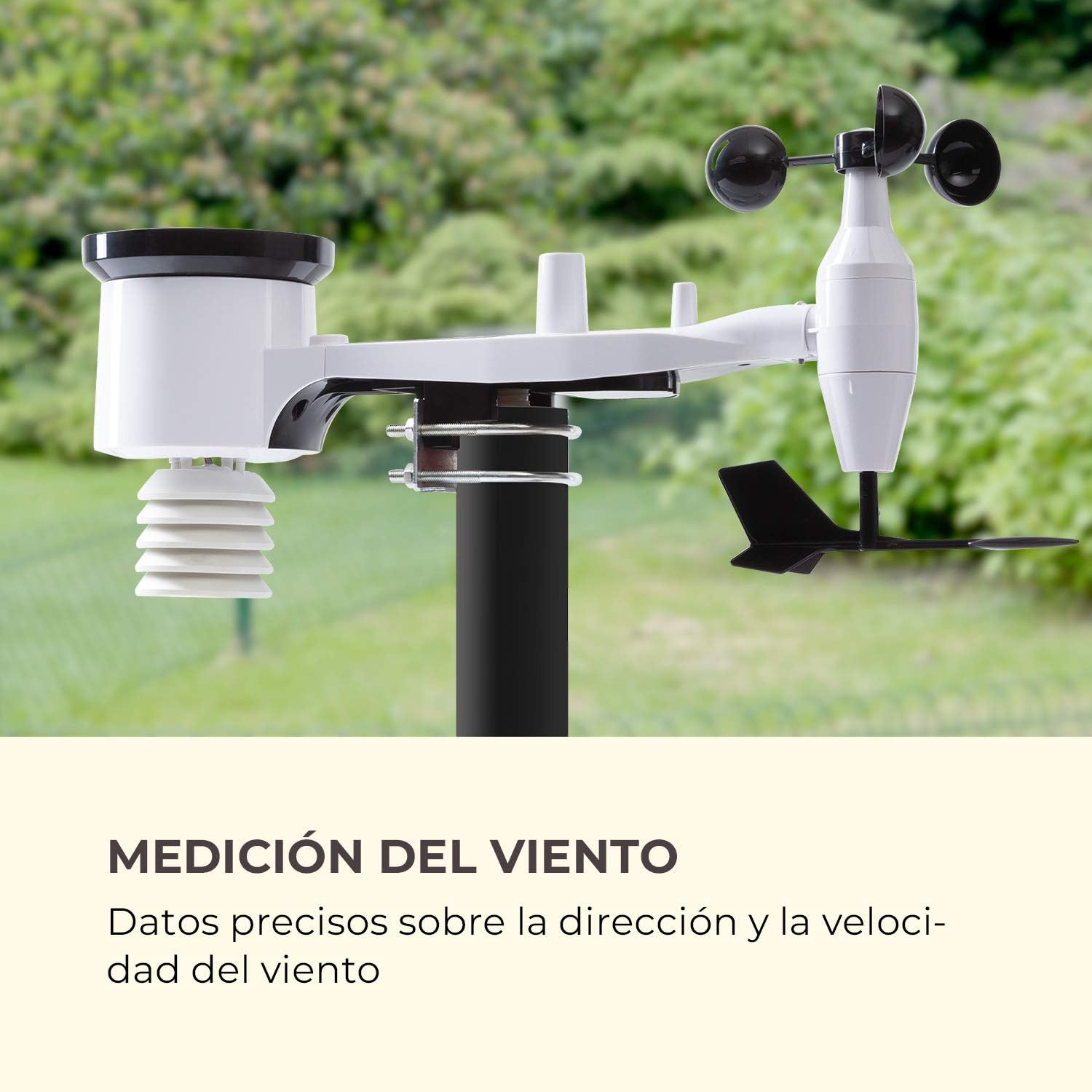
Nkọwa onyonyo: A zuru ezu view of the outdoor sensor array, highlighting the wind cups for speed measurement and the wind vane for direction, against a blurred green background of trees, emphasizing its function for wind data collection.
3. Indoor Display Unit Setup
- Place the indoor display unit in a convenient location within the wireless range (up to 100m) of the outdoor sensor array.
- Avoid placing the unit near large metal objects or electronic devices that could cause interference.
- Once powered on, the display unit will automatically attempt to connect with the outdoor sensor. This may take a few minutes.
- Set the time, date, and preferred units of measurement (e.g., °C/°F, km/h/mph, hPa/inHg) using the buttons on the display unit. Refer to the specific button functions outlined in the Operating Instructions section.

Nkọwa onyonyo: The indoor display unit is positioned on a modern coffee table in a living room setting, next to a cup of coffee and a smartphone, illustrating its wireless and practical nature for indoor use.
Ntuziaka ọrụ
The indoor display unit provides various functions and displays for monitoring weather conditions.
Gosipụtaview

Nkọwa onyonyo: A detailed close-up of the indoor display unit's screen, showing indoor and outdoor temperature and humidity, wind speed and direction, rainfall, atmospheric pressure, time, and date, highlighting its versatile data display capabilities.
- IN TEMP / OUT TEMP: Displays indoor and outdoor temperature.
- ỊDỊ umeala n'obi: Shows indoor and outdoor humidity levels.
- IFUFE: Indicates wind speed and direction.
- MMỤỌ: Displays rainfall data (e.g., hourly, daily, weekly).
- Nrụgide: Shows atmospheric pressure and historical trends.
- TENDENCY: Provides a weather forecast icon (e.g., sunny, cloudy, rainy).
- OGE/ỤBỤTA: Oge ugbu a na ụbọchị.
Ọrụ bọtịnụ
Specific button functions may vary slightly. Refer to the icons on your device for precise controls.
- Edị: Toggles between different display modes or settings.
- WEP :TARA: Enters settings mode or confirms selections.
- UP/DOWN (or +/-): Adjusts values in settings or cycles through historical data.
- ỌRAR: Activates or deactivates the alarm function, or sets alarm parameters.
- Oke/MIN: Displays maximum and minimum recorded values for various parameters.
Ịtọ ntọala Mkpu
The weather station features an alarm function. To set an alarm:
- Pịa Mkpu bọtịnụ iji tinye ọnọdụ ntọala mkpu.
- Jiri ihe Elu/ala buttons to adjust the desired alarm time or weather threshold (e.g., temperature, wind speed).
- Pịa SET iji gosi ntọala ọ bụla.
- Ensure the alarm is activated (an alarm icon should appear on the display).
Nlekọta
Nlekọta mgbe niile na-eme ka ebe ị na-ahụ maka ihu igwe gị dị ogologo ma dịkwa mfe.
- Nhicha: Na-ehicha ihe mmetụta dị n'èzí mgbe niile, ọkachasị ihe mmetụta mmiri ozuzo na ikuku, iji wepụ unyi, akwụkwọ, ma ọ bụ ihe ndị nwere ike imetụta ọgụgụ. Jiri ihe dị nro, damp akwa . Ejila ihe nhicha abrasive.
- Ngbanwe batrị: Replace batteries in both the outdoor sensor and indoor display unit when the low battery indicator appears on the display. Use high-quality AA batteries.
- Nyochaa ihe mmetụta: Occasionally check the outdoor sensor array for any physical damage or loose connections. Ensure the mounting is still secure.
- Nlekọta oge oyi: In areas with heavy snowfall or freezing rain, ensure the rain collector and wind sensors are clear of ice and snow to prevent damage and ensure accurate readings.
Nchọpụta nsogbu
| Nsogbu | Ihe nwere ike ime | Ngwọta |
|---|---|---|
| Enweghị data mpụga egosiri. |
|
|
| Ọgụgụ okpomọkụ/iru mmiri na-ezighi ezi. |
|
|
| Ọsọ ọsọ/ntụziaka ikuku na-ezighi ezi. |
|
|
| Rainfall readings are incorrect or zero. |
|
|
Nkọwapụta
| Njirimara | Nkọwa |
|---|---|
| Nọmba nlereanya | WTH3-3400-eauf |
| Ụdị | Oneconcept |
| Ikuku iche | Up to 100 meters (328 feet) in open air |
| Isi Iyi Ike (Sensọ n'èzí) | Batrị 5 AA (gụnyere) |
| Power Source (Indoor Display) | Batteries, USB |
| Njirimara Pụrụ Iche | Ọrụ mkpu |
| Ihe onwunwe | Metal (housing) |
| Teknụzụ Njikọta | USB (for display unit power/data) |
| Ngwa gụnyere | Temperature and Humidity Sensor, Wind Sensor, Instruction Manual |
| Ihe Nchịkwa Ihe Nchịkwa | Ultrasonic, Motion |
| Akụkụ ngwugwu | 46.4 x 29.8 x 19.4 cm |
| Ibu ngwugwu | 2.38 n'arọ |
Akwụkwọ ikike na nkwado
For warranty information and technical support, please refer to the documentation provided with your purchase or visit the official Oneconcept websaịtị. Debe ihe akaebe nke ịzụrụ maka akwụkwọ ikike.
Ozi mkpọtụrụ: Please consult the manufacturer's website or your retailer for the most up-to-date contact details for customer service and technical support.