
Okwu mmalite
This manual provides essential information for the proper setup, operation, and maintenance of your Midland T290VP4 GMRS Two-Way Radios. Please read this manual thoroughly before using your radios to ensure optimal performance and safety.
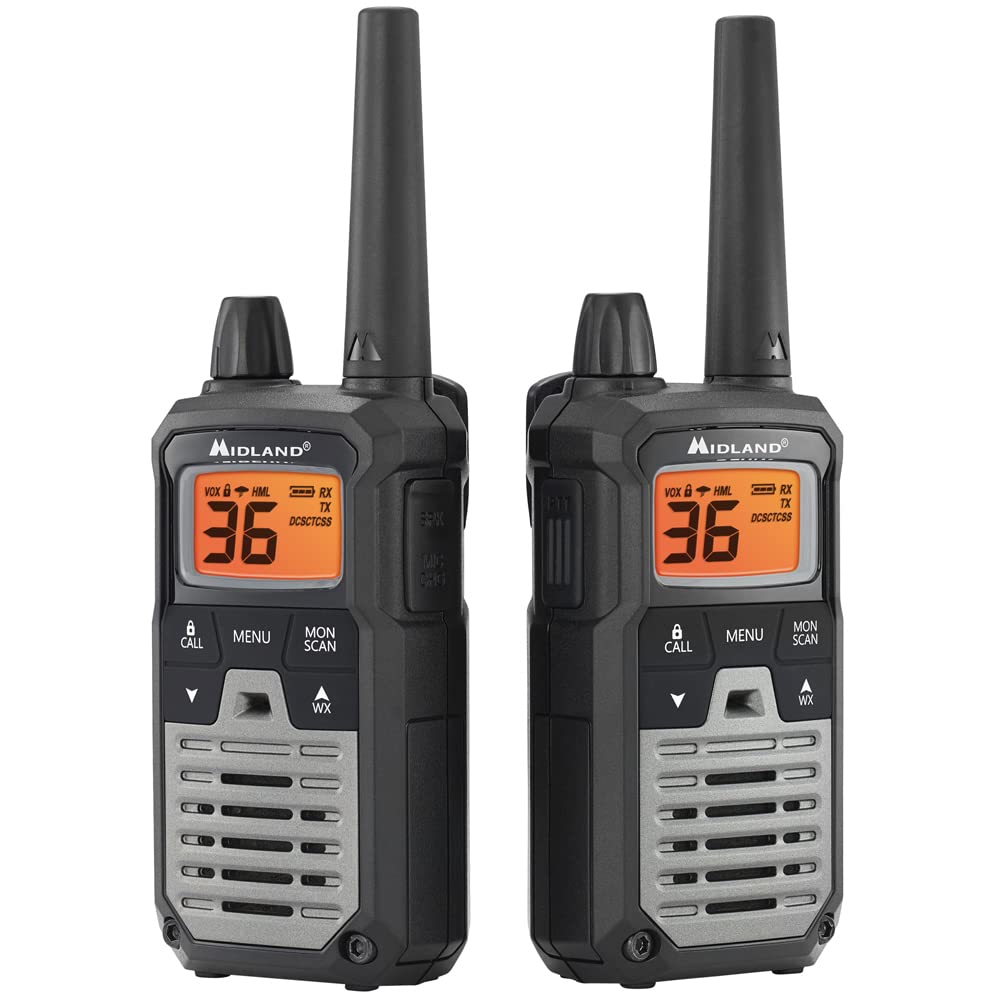
Image: A single Midland T290VP4 GMRS Two-Way Radio, showcasing its front panel with display and controls.
Melite
Ngwa gụnyere
The Midland T290VP4 package includes the following items:
- Four Midland X-TALKER T290 two-way radios with belt clips
- Four headsets with boom microphones
- Four 700 mAh NiMH rechargeable battery packs
- Two desktop chargers
- Two AC adapters
- Two micro USB charging cables
- Akwụkwọ ntuziaka onye nwe
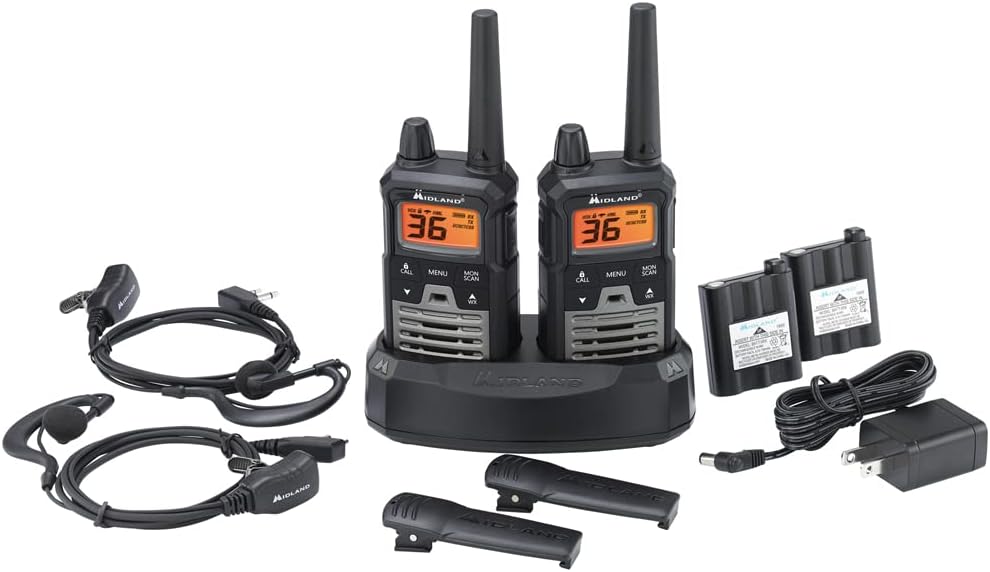
Image: All components of the Midland T290VP4 4-pack bundle, including four radios, headsets, battery packs, desktop chargers, AC adapters, and micro USB cables, laid out on a white surface.
Batrị nwụnye na Nchaji
- Open the battery compartment cover on the back of each radio.
- Insert the 700 mAh NiMH rechargeable battery pack, ensuring correct polarity.
- Mechie mkpuchi nke batrị batrị nke ọma.
- Place the radios into the desktop chargers.
- Connect the AC adapters to the desktop chargers and plug them into a standard wall outlet.
- Allow the batteries to charge fully before first use. The charging indicator on the radio or charger will typically change color or turn off when charging is complete.
Attaching Belt Clips
Align the belt clip with the grooves on the back of the radio and slide it down until it clicks into place. To remove, lift the tab on the belt clip and slide it upwards.
Ntuziaka ọrụ
Gbanyụọ/ Gbanyụọ na olu
- To power on, rotate the On/Off/Volume knob clockwise until you hear a click and the display illuminates.
- Iji gbanyụọ, tụgharịa igodo ahụ n'aka elekere ruo mgbe ị nụrụ otu ọpịpị.
- Adjust the volume by rotating the On/Off/Volume knob.

Image: A hand holding a Midland T290VP4 GMRS Two-Way Radio, demonstrating its compact size and ergonomic design.
Nhọrọ ọwa
- Pịa MENU bọtịnụ ịbanye na menu.
- Jiri ihe UP or N'ala arrow buttons to navigate to the channel selection option.
- Pịa MENU again to confirm, then use UP or N'ala to select one of the 22 GMRS channels or 14 pre-programmed privacy code channels.
- Pịa MENU ịtọ ọwa.
Privacy Codes (CTCSS/DCS)
The T290VP4 features 121 CTCSS (Continuous Tone-Coded Squelch System) privacy codes. These codes help filter out unwanted conversations on a channel. To use privacy codes, both transmitting and receiving radios must be set to the same channel and privacy code.
- Pịa MENU until the privacy code setting appears.
- Jiri UP or N'ala to select a CTCSS or DCS code.
- Pịa MENU iji gosi.
Gbasa na cenata
- Ka ịnyefe, pịa ma jide PTT (Push-To- Talk) bọtịnụ dị n'akụkụ redio. Kwuo nke ọma n'ime igwe okwu.
- Hapụ ya PTT bọtịnụ ịnata.
- Ensure all radios are on the same channel and privacy code for communication.
Nyocha ihu igwe NOAA + mkpu
- Weather Scan: Pịa WX button to activate NOAA Weather Scan. The radio will automatically scan through 10 available weather (WX) band channels and lock onto the strongest weather channel to provide updates.
- Mkpuchi ihu igwe: When Weather Alert is enabled, the radio will sound an alarm indicating a risk of severe weather in your area, even if the radio is on a GMRS channel.
Atụmatụ ndị ọzọ
- e-VOX Voice Activation: Allows hands-free operation with 9 adjustable sensitivity levels.
- High/Medium/Low Power Settings: Adjust transmit power to conserve battery or extend range.
- Nyocha ọwa: Scans all channels for activity.
- Ụdị nlekota: Na-eme ka squelch ghara ịdị irè nwa oge iji gee ntị maka akara ngosi na-adịghị ike.
- Ọrụ nkpuchi nkịtị: Turns off all tones for discreet use.
- Mkpọchi ahụ igodo: Na-egbochi mgbanwe mberede na ntọala.
- Ụda oku: Select from 5 different call tones.
Nlekọta
Nlekọta izugbe
- Jiri nwayọ hichaa redio, damp akwa . Ejila ihe nchacha abrasive ma ọ bụ ihe mgbaze.
- Avoid exposing the radio to extreme temperatures, direct sunlight for extended periods, or moisture. The radio is not water resistant.
- Keep the radio away from dust and dirt.
Nlekọta batrị
- Always use the specified NiMH rechargeable battery packs and chargers provided by Midland.
- Anwala ịchaji batrị anaghị ebugharị.
- If the radio will not be used for an extended period, remove the battery pack.
- Chekwaa batrị n'ebe dị jụụ, kpọrọ nkụ.
Nchọpụta nsogbu
| Nsogbu | Ihe nwere ike ime | Ngwọta |
|---|---|---|
| Enweghị ike | Batrị dị ala ma ọ bụ etinyeghị ya nke ọma. | Charge battery pack or ensure it is properly installed. |
| Enweghị ike ịnyefe ma ọ bụ nata | Radios not on the same channel/privacy code; out of range. | Verify channel and privacy code settings. Move closer to the other radio. |
| Ogo ọdịyo adịghị mma | Low battery; interference; out of range. | Charge battery. Move away from sources of interference. Move closer to the other radio. |
| Oke oke | Obstructions (buildings, terrain); environmental factors. | Radio range is highly dependent on terrain and conditions. Optimal range is achieved in open areas with clear line of sight. Reduce obstructions or move to higher ground. |
| Weather Alert not working | Weather Alert feature not enabled; no NOAA signal in area. | Ensure Weather Alert is activated in the menu. Check for NOAA signal availability. |
Nkọwapụta
| Njirimara | Nkọwa |
|---|---|
| Ụdị | Midland |
| Nọmba nlereanya | FBA-4PK-T290VP4 |
| Agba | Silver (Radios are black with green accents) |
| Ọnụọgụ nke ọwa | 36 (22 GMRS + 14 Privacy Code Channels) |
| Oke ugboro ugboro | 400-470 MHz |
| Koodu nzuzo | 121 CTCSS |
| Oke Okwu Kachasị | Up to 40 Miles (in optimal conditions) |
| Ọkwa Nguzogide mmiri | Ọ bụghị mmiri na-eguzogide |
| Akụkụ ngwaahịa (D x W x H) | 6.5" x 6.5" x 7.5" (Package dimensions, individual radio dimensions not specified) |
| Ụdị batrị | NiMH Rechargeable Battery Packs (700 mAh) |
| Nkezi Ndụ batrị | Awa 8 |
| Protocol Njikọta | GMRS |
| Atụmatụ pụrụ iche | NOAA Weather Scan + Alert, e-VOX Voice Activation (9 levels), High/Medium/Low Power Settings, Channel Scan, Monitor Mode, Silent Operation, Keypad Lock, 5 Call Tones |
Akwụkwọ ikike & Nkwado
Akwụkwọ ikike nke onye nrụpụta
The Midland T290VP4 GMRS Two-Way Radios come with a 3-afọ emeputa akwụkwọ ikike from Midland. Please retain your proof of purchase for warranty claims.
Nkwado ndị ahịa
For technical assistance, warranty inquiries, or additional support, please contact Midland customer service. Refer to the official Midland website or the packaging for the most current contact information.


