
Bytech BYLPCA161AC
Bytech Rainbow LIGHTINING Cable (BYLPCA161AC) User Manual
Model: BYLPCA161AC
Ngwaahịa gafereview
The Bytech Rainbow Lightning Cable (Model: BYLPCA161AC) is designed for connecting Apple Lightning-compatible devices to computers, chargers, or other devices with a USB port. This cable facilitates both charging and data synchronization, offering wide compatibility with various Apple products.
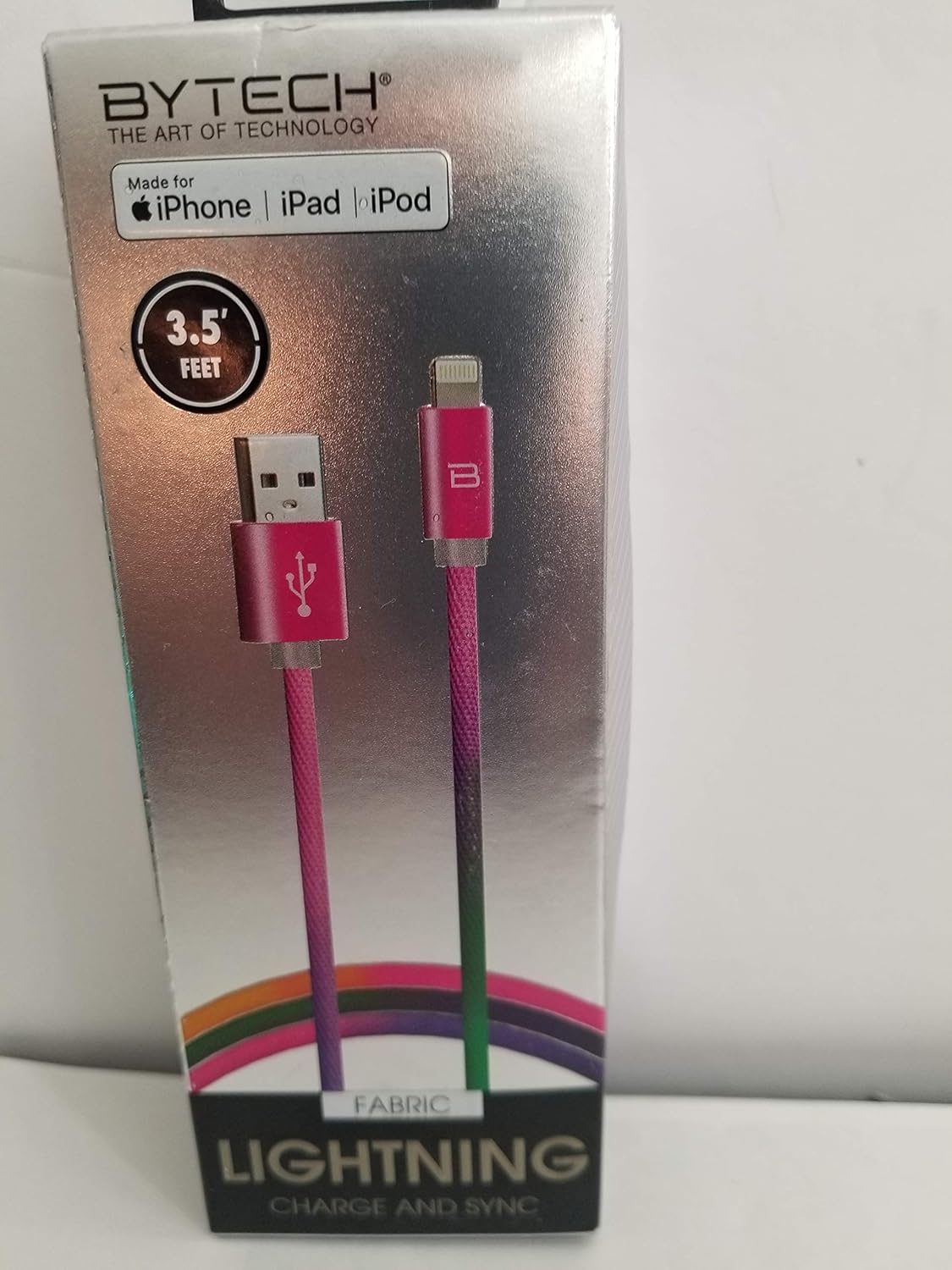
Image: The Bytech Rainbow Lightning Cable, still in its retail packaging. The packaging highlights the brand "BYTECH" and states "Made for iPhone | iPad | iPod". It also indicates the cable length as "3.5 FEET". The cable itself is visible, featuring a vibrant, rainbow-like color gradient along its fabric-braided length, with pink USB-A and Lightning connectors. The packaging also mentions "FABRIC" and "LIGHTNING CHARGE AND SYNC".
Kedu ihe dị na Igbe ahụ
- One (1) Bytech Rainbow LIGHTINING Cable (BYLPCA161AC)
Ntọala na Njikọ
- Chọpụta njikọ: The cable has two distinct ends: a standard USB-A connector and a Lightning connector.
- Jikọọ na Isi Iyi Ike ma ọ bụ Kọmputa: Insert the USB-A connector into a compatible USB port on a wall charger, car charger, power bank, or a computer. Ensure the port is functioning correctly.
- Connect to Apple Device: Insert the Lightning connector into the Lightning port of your compatible Apple device (iPhone, iPad, or iPod). Ensure the connector is fully seated.
- Nyochaa njikọ: Your device should indicate that it is charging or connected for data transfer.
Ntuziaka ọrụ
Ịchaji ngwaọrụ gị
Once connected to a power source, the Bytech Rainbow Lightning Cable will begin charging your Apple device. The charging speed may vary depending on the power output of the USB port and the device's battery status.
Mmekọrịta data
When connected to a computer, the cable enables data transfer between your Apple device and the computer. This allows for syncing photos, videos, music, and other files using iTunes or Finder (macOS Catalina and later).
- Ensure your computer recognizes the connected device.
- Follow the prompts on your computer or device to authorize the connection for data transfer.
Nlekọta na nlekọta
- Nchekwa: Store the cable in a cool, dry place away from direct sunlight and extreme temperatures. Avoid tightly coiling or bending the cable, especially near the connectors, to prevent internal damage.
- Nhicha: If necessary, gently wipe the cable and connectors with a soft, dry, lint-free cloth. Do not use harsh chemicals or abrasive cleaners.
- Ijikwa: Always grasp the connector housing when plugging or unplugging the cable, rather than pulling on the cable itself. This helps prevent damage to the internal wires and connectors.
- Zenarị mmiri: Keep the cable away from water and other liquids.
Nchọpụta nsogbu
- Ngwaọrụ anaghị akwụ ụgwọ:
- Gbaa mbọ hụ na ejikọrọ akụkụ abụọ nke eriri ahụ nke ọma.
- Gbalịa ọdụ ụgbọ USB ma ọ bụ ihe nkwụnye ọkụ dị iche.
- Check if your Apple device's Lightning port is clean and free of debris.
- Test the cable with another compatible Apple device, if available.
- Device Not Syncing Data:
- Ensure the cable is connected to a computer, not just a power adapter.
- Verify that iTunes or Finder is updated to the latest version.
- Restart both your Apple device and your computer.
- Check your device's trust settings when prompted to "Trust This Computer."
- Njikọ na-adịte aka:
- Inspect the cable for any visible damage, such as fraying or bent connectors.
- Ensure the connection points are stable and not loose.
Nkọwapụta
| Njirimara | Nkọwa |
|---|---|
| Ụdị | Bytech |
| Aha Nlereanya | Rainbow LIGHTINING Cable |
| Nọmba Nlereanya ihe | BYLPCA161AC |
| Ụdị njikọ | Ọkụ, USB-A |
| Ụdị USB | Àmụmà |
| Ngwa dakọtara | Apple Lightning-compatible devices (iPhone, iPad, iPod) |
| Eji akwadoro | Connecting Apple devices to computers, chargers, or other devices with a USB port |
| Agba | Black (with rainbow gradient) |
| Njikọ okike | Nwoke-na-Nwanyị |
| Ọnụọgụ nke ntụtụ | 4 (USB-A), 8 (Lightning) |
| Akụkụ ngwaahịa | 1 x 1 x 1 inch (nkwakọ ngwaahịa) |
| Ibu Ibu | 1.65 ounces |
| UPC | 805112046942 |
Akwụkwọ ikike na nkwado
Specific warranty information for the Bytech Rainbow Lightning Cable (BYLPCA161AC) is typically provided at the point of purchase or within the product packaging. For detailed warranty terms, conditions, and customer support, please refer to the documentation included with your product or contact Bytech customer service directly.
Note: Amazon's return policy for this item is 30 days from receipt of shipment.
Ask a question about this manual
Ask about setup, troubleshooting, compatibility, parts, safety, or missing instructions. Manuals+ will review the question and use this page’s manual context to help answer it.