
Okwu mmalite
Thank you for choosing the iFrogz Neckband 2 Wireless Bluetooth Earphones. These earphones are designed to provide quality sound and a comfortable, secure fit for your daily activities. Featuring Bluetooth connectivity, an integrated microphone, and magnetic earbuds, they offer a convenient audio experience.
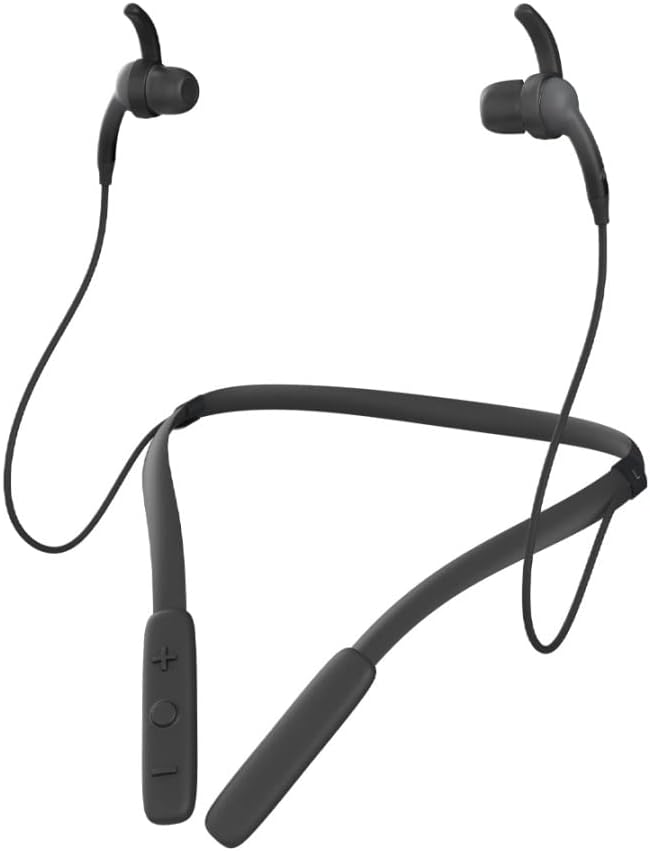
Foto: N'ihu view of the iFrogz Neckband 2 Wireless Bluetooth Earphones, showcasing the neckband design and earbuds.
Ihe ngwugwu
Biko lelee igbe maka ihe ndị a:
- iFrogz Neckband 2 Wireless Earphones
- Igwe nchaji USB
- Multiple sizes of earbud tips (three sizes)
- Removable sport wings (one set)

Foto: N'ihu view of the iFrogz Neckband 2 retail packaging, showing the product and key features.

Foto: Azụ view of the iFrogz Neckband 2 retail packaging, detailing features like 8mm neodymium drivers, magnetic earbuds, IPX2 sweat resistance, and up to 8 hours of battery life.
Melite
1. Ịchaji ekwe ntị gị
Before first use, fully charge your iFrogz Neckband 2 earphones. Connect the provided USB charging cable to the charging port on the neckband and plug the other end into a USB power source. The LED indicator will show charging status.
- Charging Time: Approximately 1-2 hours for a full charge.
- Battery Life: Up to 8 hours of playback time.
2. Njikọ Bluetooth
- Ensure your earphones are charged and turned off.
- Press and hold the multi-function button (usually the power button) until the LED indicator flashes red and blue, indicating pairing mode.
- Na ngwaọrụ gị (smartphone, tabletị, wdg), gbanye Bluetooth wee chọọ ngwaọrụ dịnụ.
- Select "iFrogz Neckband 2" from the list of devices.
- Once connected, the LED indicator will turn solid blue or flash slowly.
3. Na-edozi Fit
For optimal sound quality and comfort, choose the earbud tips and sport wings that best fit your ears. The iFrogz Neckband 2 comes with three sizes of earbud tips and one set of removable sport wings.
- Experiment with different tip sizes to find a snug seal in your ear canal.
- Attach the sport wings if you need extra stability during active use.
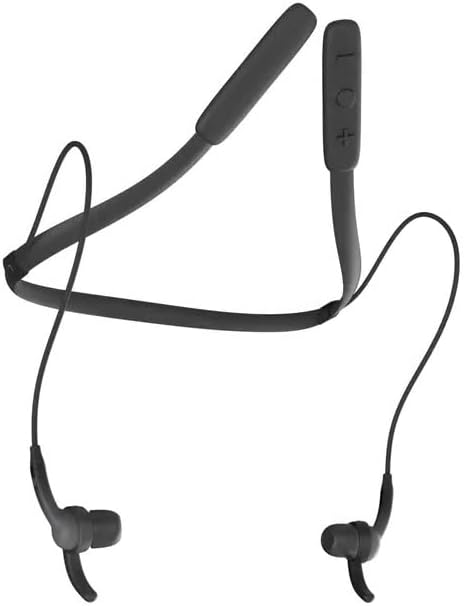
Foto: N'elu-ala view of the iFrogz Neckband 2, showing the flexible neckband and earbud placement.
Ntuziaka ọrụ
Njikwa agafelaview
The control buttons are located on the neckband for easy access.
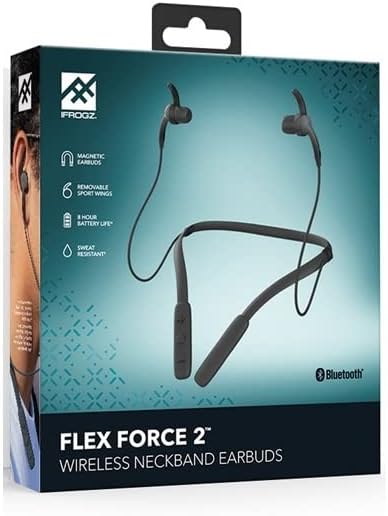
Image: Close-up of the control panel on the iFrogz Neckband 2, showing the volume and multi-function buttons.
| Bọtịnụ/Ihe omume | Ọrụ |
|---|---|
| Bọtịnụ Ike / Bọtịnụ Ọrụ Dị Iche Iche |
|
| Elu elu (+) |
|
| Olu ala (-) |
|
Igwe ntị magnetik
The iFrogz Neckband 2 features magnetic earbuds. When not in use, the earbuds can be magnetically attached together, helping to keep them secure around your neck and prevent tangling.
Nlekọta
Nhicha
To maintain the performance and hygiene of your earphones:
- Gently wipe the earbuds and neckband with a soft, dry, lint-free cloth.
- Remove earbud tips and clean them with mild soap and water if necessary. Ensure they are completely dry before reattaching.
- Zere iji kemịkalụ siri ike ma ọ bụ ihe na-emebi emebi.
Nchekwa
Store your earphones in a cool, dry place away from direct sunlight and extreme temperatures. When storing, you can use the magnetic feature to keep the earbuds together.
Nlekọta batrị
Ka ịgbatị ndụ batrị:
- Zere ịchaji batrị ugboro ugboro.
- Charge the earphones regularly, even if not in frequent use.
- Do not expose the earphones to extreme heat or cold.
Nchọpụta nsogbu
| Nsogbu | Ngwọta enwere ike |
|---|---|
| Ekwe ntị anaghị agba ọkụ. | Ensure the earphones are fully charged. Connect to a power source and check the charging indicator. |
| Enweghị ike ijikọ na ngwaọrụ. |
|
| Enweghị ụda ma ọ bụ obere olu. |
|
| Ogo ụda adịghị mma. |
|
| Ndụ batrị dị mkpụmkpụ. |
|
Nkọwapụta
| Njirimara | Nkọwa |
|---|---|
| Nọmba nlereanya | 304001790 |
| Njikọta | Bluetooth ikuku |
| Atụmatụ pụrụ iche | Volume Control, Integrated Microphone, Neckband Design, Magnetic Earbuds |
| Ụdị Ihe | N'ime ntị |
| Agba | Nwa |
| Ihe onwunwe | Plastic |
| Ndị ọkwọ ụgbọ ala | 8mm Neodymium (from box image) |
| Nguzogide ọsụsọ | IPX2 (from box image) |
| Ndụ batrị | Up to 8 hours (from box image) |
Akwụkwọ ikike na nkwado
Ozi akwụkwọ ikike
The iFrogz Neckband 2 includes a "Earbud Tips for Life™" limited lifetime warranty. This warranty covers the earbud tips. If your earbud tips get worn or damaged, they may be replaced. Please refer to the manufacturer's official website or contact their support for full warranty terms and conditions.
Nkwado ndị ahịa
For further assistance, technical support, or warranty claims, please visit the official iFrogz websaịtị ma ọ bụ kpọtụrụ ngalaba ọrụ ndị ahịa ha. Enwere ike ịhụ ozi kọntaktị na nkwakọ ngwaahịa ma ọ bụ nke onye nrụpụta websaịtị.