
1. Ngwaahịa gafereview
The Ciglow IP54 Motion Sensor is an infrared PIR (Passive Infrared) motion detector designed for both indoor and outdoor use. It functions as a switch, activating connected lighting or other indicators upon detecting human movement. Its IP54 rating ensures protection against dust and splashing water, making it suitable for various environments.
Akụkụ ndị bụ isi:
- Detects human movement to trigger connected devices.
- Adjustable time delay for device activation.
- Adjustable ambient light sensitivity (LUX setting) for day/night operation.
- IP54 waterproof rating for outdoor installation.
- Wide detection range of 120-140 degrees.

Foto 1.1: N'ihu view of the Ciglow IP54 Motion Sensor, showing the PIR lens.
2. Ozi nchekwa
Please read all instructions carefully before installation and use. Improper installation can lead to electrical shock, fire, or damage to the device and connected equipment. Always consult a qualified electrician if you are unsure about any part of the installation process.
- Ịdọ aka ná ntị: Disconnect power at the circuit breaker before installing or servicing the sensor.
- Gbaa mbọ hụ na ọkọnọ ọkụ voltage (AC 110-240V) matches the sensor's requirements.
- Do not exceed the maximum rated load of 100W.
- Avoid installing near heat sources, air conditioning vents, or in direct sunlight, as this may affect sensor performance.
- The IP54 rating protects against splashing water, but the sensor should not be submerged in water.
3. Nwụnye na Ntọala
3.1 Ebe nrịgo
The sensor can be installed via plane installation, internal angle mounting, or outer corner mounting. For optimal performance, consider the following:
- Ogologo nwụnye: 1.8 - 2.5 meters (approximately 5.9 - 8.2 feet) from the ground.
- Sensing iche: 3 - 12 meters (approximately 9.8 - 39.4 feet).
- Akụkụ nchọpụta: 120-140 degrees.
- Ensure the sensor has a clear line of sight to the desired detection area.

Image 3.1: Illustration of the motion sensor's detection range and angle.
3.2 eserese waya
The sensor requires a 3-wire connection. Refer to the diagram below for correct wiring. Incorrect wiring can damage the sensor or connected devices.

Image 3.2: Detailed wiring diagram for the motion sensor, showing connections to power and a light fixture. The brown wire connects to Live (L), the blue wire to Neutral (N), and the red wire to the switched Live (L1) for the load.
Njikọ waya:
- Brown Wire (L): Connect to the Live (Hot) wire of your AC power supply (110-240V).
- Blue Wire (N): Connect to the Neutral wire of your AC power supply.
- Red Wire (L1): Connect to the Live (Hot) input of the load (e.g., light fixture). The Neutral of the load should connect directly to the AC Neutral.
Video 3.1: An official video demonstrating the wiring and application of the Ciglow Motion Sensor.
4. Ntuziaka ọrụ
The Ciglow Motion Sensor features adjustable settings to customize its operation:
4.1 Time Delay Adjustment
The time delay determines how long the connected device remains active after motion is detected and then stops. The delay can be adjusted from 10 seconds (±3 seconds) to 15 minutes (±2 minutes). Locate the 'TIME' adjustment knob on the sensor and rotate it to set the desired duration.
4.2 Ambient Light (LUX) Adjustment
The LUX setting controls the ambient light level at which the sensor will activate. This allows you to set the sensor to operate only at night, or both day and night.
- Rotate the 'LUX' adjustment knob towards the 'sun' symbol for day and night operation (higher LUX value, e.g., 2000LUX).
- Rotate the 'LUX' adjustment knob towards the 'moon' symbol for night-only operation (lower LUX value, e.g., <3LUX).
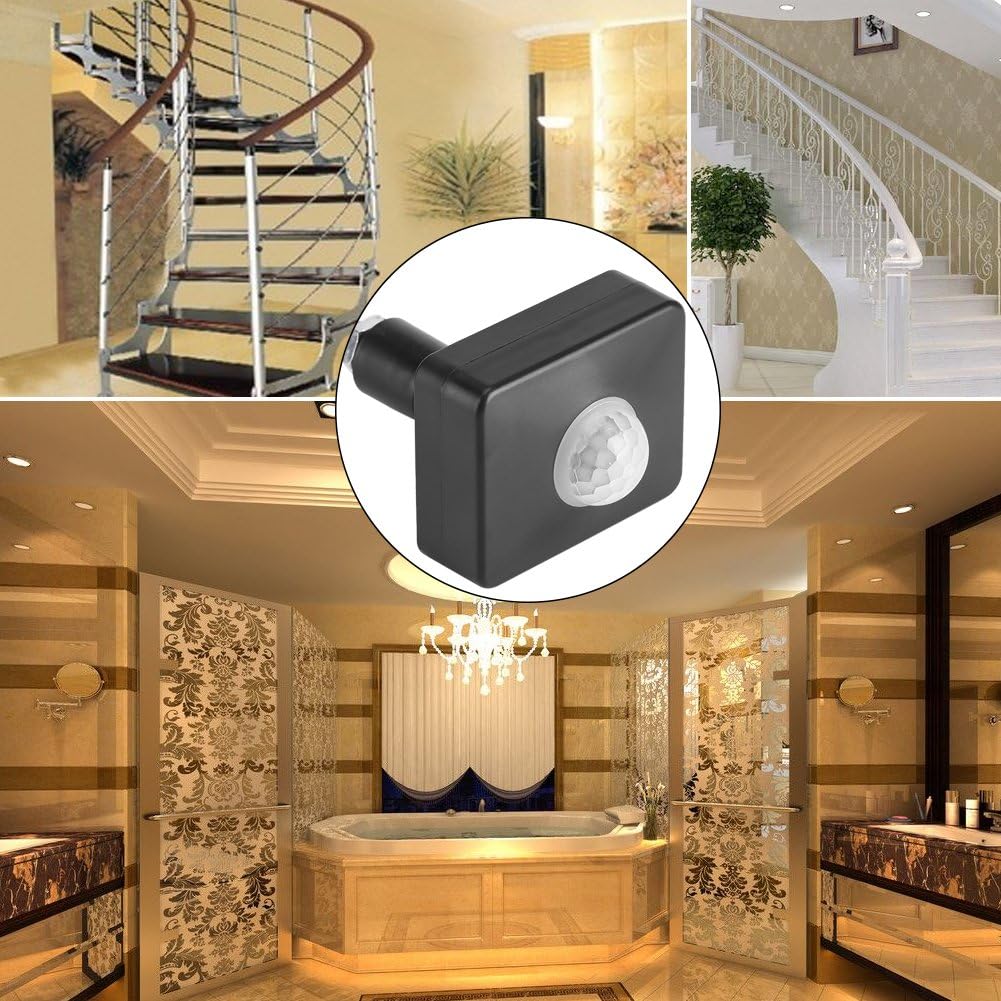
Foto 4.1: Ọpụamples of common application areas for the motion sensor, including stairwells, bathrooms, and hallways.
5. Nlekọta
The Ciglow Motion Sensor requires minimal maintenance. To ensure optimal performance and longevity:
- Nhicha: Periodically wipe the sensor lens and housing with a soft, dry cloth to remove dust or dirt. Do not use abrasive cleaners or solvents.
- Nyocha: Regularly check the wiring connections for any signs of wear, corrosion, or looseness.
- Ihe na-akpata gburugburu: Ensure the sensor is not obstructed by new objects or vegetation that could block its detection field.
6. Nchọpụta nsogbu
If the motion sensor is not functioning as expected, refer to the following troubleshooting guide:
| Nsogbu | Ihe nwere ike ime | Ngwọta |
|---|---|---|
| Ìhè anaghị agbanye ma a chọpụta mmegharị ahụ. |
|
|
| Ìhè na-anọgide na-enwu. |
|
|
| Light turns on/off too frequently. |
|
|
7. Nkọwapụta
| Nkọwapụta | Nkọwa |
|---|---|
| Nọmba nlereanya | Ciglowh48dsvn29i |
| Ihe onwunwe | PC |
| Agba | Nwa |
| Ngosi nke enweghị mmiri | IP54 (Outdoor Use) |
| Oke nchọpụta | 120-140 degrees |
| Ịnye ọkụ | AC 110-240V |
| Ugboro ike | 50/60Hz |
| Ebugo gosiri | Ruo 100W |
| Elu nwụnye | 1.8-2.5 mita |
| Oke nghọta | 3-12 mita |
| Oge igbu oge | 10 seconds ± 3 seconds to 15 minutes ± 2 minutes (adjustable) |
| Ambient Light | <3-2000LUX (mgbanwe) |
| Akụkụ (L x W x H) | 62 x 49.7 x 21.7 MM (2.44" x 1.96" x 0.85") |
| Nhọrọ nkwụnye | Plane installation, internal angle mounting, outer corner mounting |

Image 7.1: Diagram showing the physical dimensions of the motion sensor.
8. Akwụkwọ ikike na nkwado
Specific warranty information for the Ciglow IP54 Motion Sensor is not provided in this manual. For details regarding warranty coverage, returns, or technical support, please refer to the product packaging or contact the retailer or manufacturer directly.