
Okwu mmalite
Thank you for choosing the Conceptronic REGAS01B Optical Desktop Mouse. This manual provides essential information for setting up, operating, and maintaining your new mouse. Please read these instructions carefully before use to ensure proper functionality and longevity of your device.
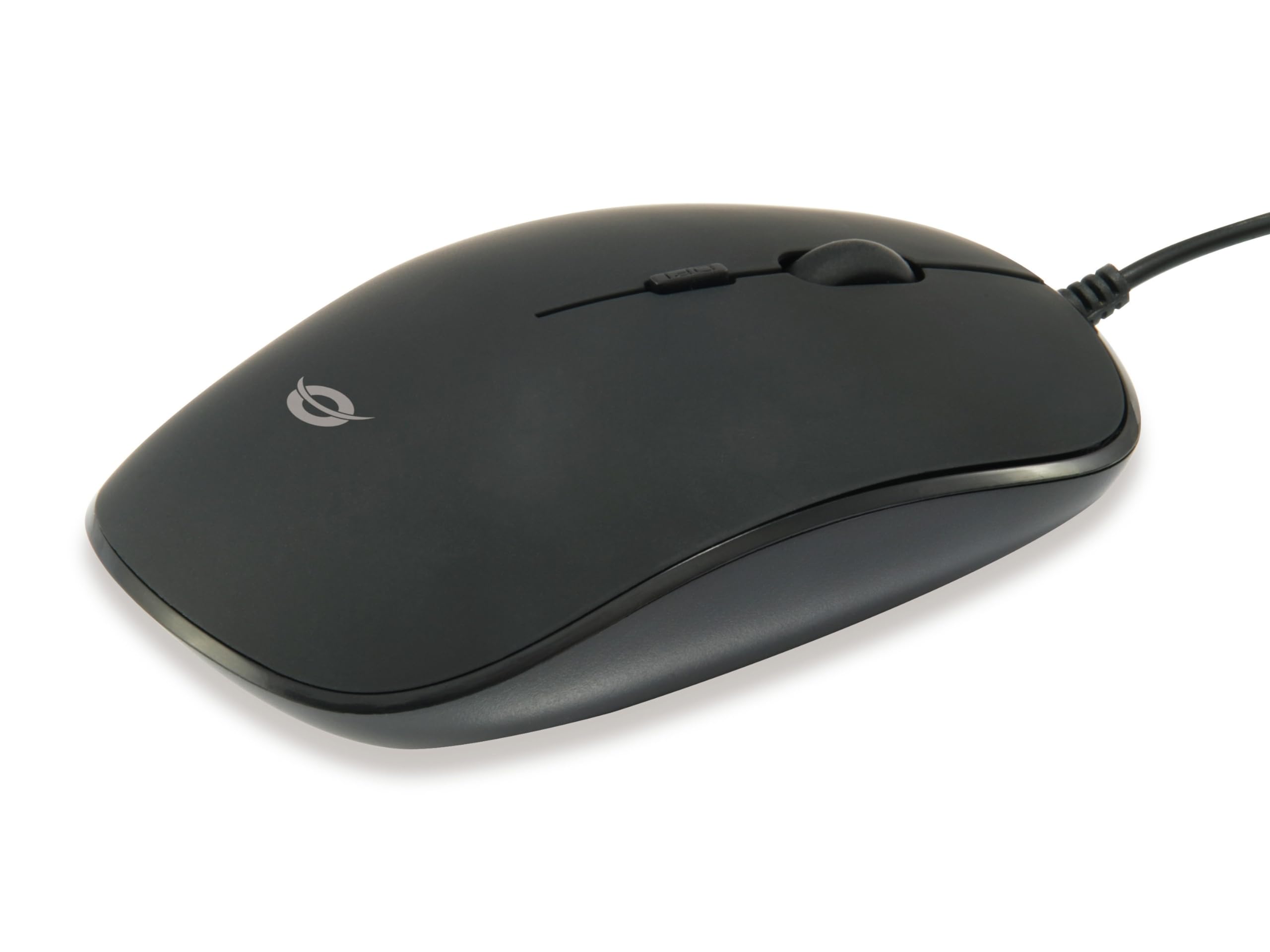
Foto: Top view of the Conceptronic REGAS01B Optical Desktop Mouse, showcasing its ergonomic black design.
Ihe ngwugwu
Gbaa mbọ hụ na ihe niile dị na ngwugwu:
- Conceptronic REGAS01B Optical Desktop Mouse
- Akwụkwọ ntuziaka (akwụkwọ a)
- Note: This is a wired USB mouse and does not require external batteries for operation, despite some generic product data indicating otherwise.
Atụmatụ
- Ngbanwe DPI: Adjustable sensitivity (800/1000/1200 DPI) for precise control.
- Nkwụnye ma kpọọ: Easy installation without the need for additional drivers.
- Ambidextrous imewe: Comfortable for both left and right-handed users.
- Rubberized Surface: Provides enhanced grip and comfort during extended use.
- Nyocha anya: Mmegharị kọsọ a pụrụ ịtụkwasị obi na nke ziri ezi.
- Njikọ USB: Standard wired connection for stable performance.
Melite
- Jikọọ òké: Locate an available USB port on your computer. Insert the USB connector of the Conceptronic REGAS01B mouse into the USB port.
- Nwụnye akpaaka: Your operating system (Windows, Linux, etc.) will automatically detect and install the necessary drivers. This process typically takes a few seconds.
- Dị njikere maka ojiji: Once the installation is complete, the mouse is ready for immediate use. No additional software is required.

Foto: nso nso view of the mouse's scroll wheel and the DPI switch button, located behind the scroll wheel.
Ntuziaka ọrụ
Ọrụ ndị bụ isi
- Pịa aka ekpe: Press the left button to select items, open files, or activate functions.
- Pịa aka nri: Pịa bọtịnụ aka nri ka imepe menu onodu ma ọ bụ nweta nhọrọ ndị ọzọ.
- Mpempe akwụkwọ mpịakọta: Tụgharịa wiil mpịakọta elu ma ọ bụ ala iji lelee akwụkwọ na web pages. The scroll wheel can also be pressed for a middle-click function, depending on software configuration.
Na-emezi Mmetụta DPI
The Conceptronic REGAS01B mouse features a DPI switch to adjust cursor sensitivity on the fly. This allows you to quickly change between different tracking speeds for various tasks, such as precise editing or fast-paced gaming.
- Bọtịnụ Mgbanwe DPI: Located behind the scroll wheel.
- Ọkwa mmetụta: Press the DPI switch button to cycle through 800, 1000, and 1200 DPI settings.
- Nhọrọ: Each press will change the sensitivity, allowing you to find the optimal speed for your current activity.
Nlekọta
- Nhicha: Use a soft, dry cloth to clean the mouse surface. For stubborn dirt, slightly dampen akwa na mmiri ma ọ bụ a nwayọọ ihicha ngwọta. Zere kemịkalụ siri ike ma ọ bụ ihe na-emebi emebi.
- Ihe mmetụta anya: Debe ihe mmetụta anya dị n'okpuru òké ahụ ka ọ dị ọcha na enweghị ntụ ma ọ bụ irighiri ihe iji hụ na nsochi ziri ezi.
- Nchekwa: When not in use, store the mouse in a clean, dry environment.
- Zere Mmiri mmiri: Do not expose the mouse to excessive moisture or immerse it in liquids.
Nchọpụta nsogbu
Òké Anaghị aza
- Lelee njikọ USB: Hụ na eriri USB ahụ dị n'ime ọdụ USB na-arụ ọrụ nke ọma na kọmputa gị. Nwaa ọdụ USB ọzọ.
- Malitegharịa kọmputa: Mgbe ụfọdụ, ịmalitegharị kọmputa dị mfe nwere ike idozi nsogbu njikọ.
- Nwalee na Kọmputa ọzọ: Ọ bụrụ na o kwere mee, nwalee òké ahụ na kọmputa ọzọ iji chọpụta ma nsogbu ahụ ọ bụ òké ahụ ma ọ bụ ntọala kọmputa gị.
Inaccurate Cursor Movement
- Ihe mmetụta anya dị ọcha: Hụ na ihe mmetụta anya dị n'ala òké ahụ dị ọcha ma ghara inwe uzuzu ma ọ bụ ihe mkpofu.
- Pad/Ihu òké: Use the mouse on a clean, non-reflective, and uniform surface. Avoid highly reflective or transparent surfaces.
- Adjust DPI: Experiment with the DPI switch to find a sensitivity setting that provides accurate tracking for your needs.
Nkọwapụta
| Njirimara | Nkọwa |
|---|---|
| Ụdị | Conceptronic |
| Aha Nlereanya | REGAS01B |
| Agba | Nwa |
| Teknụzụ Njikọta | USB (Ejikere) |
| Teknụzụ nchọpụta ngagharị | Ngwa anya |
| Ntọala DPI | 800/1000/1200 DPI (nwere ike idozi) |
| Ọnụọgụ bọtịnụ | 3 (Left, Right, Scroll Wheel/Middle Click) + DPI Switch |
| Ntuzi aka | Ambidextrous |
| Ngwa dakọtara | Kọmputa nkeonwe |
| Ndakọrịta sistemụ arụmọrụ | Linux, Windows 7, Windows XP (and newer versions) |
| Ibu Ibu | 61 grams |
| Atụmatụ pụrụ iche | Ergonomic Design, Rubberized Surface, Plug & Play |
| Nọmba nke onye nrụpụta | REGAS01B |
| GTIN (UPC) | 04015867208526 |
Akwụkwọ ikike na nkwado
For warranty information and technical support, please refer to the official Conceptronic websaịtị ma ọ bụ kpọtụrụ onye na-ere ahịa mpaghara gị. Debe ihe akaebe nke ịzụrụ ihe maka akwụkwọ ikike.
- Nkwado n'ịntanetị: Gaa leta www.conceptronic.net (Rịba ama: Nke a bụ ebe njide ihe URL, please replace with the actual support URL ọ bụrụ na ọ dị.)
- Kpọtụrụ: Refer to the contact information provided on the product packaging or the Conceptronic websaịtị maka ọrụ ndị ahịa.