
1. Okwu mmalite
The Glorious Model O- (Minus) is a compact, wired gaming mouse designed for speed, control, and comfort. Featuring a superlight honeycomb design, customizable RGB lighting, a high-precision Pixart 3360 sensor, and durable Omron switches, it is engineered for competitive gaming. Its ambidextrous shape is ideal for users with medium and small hands.
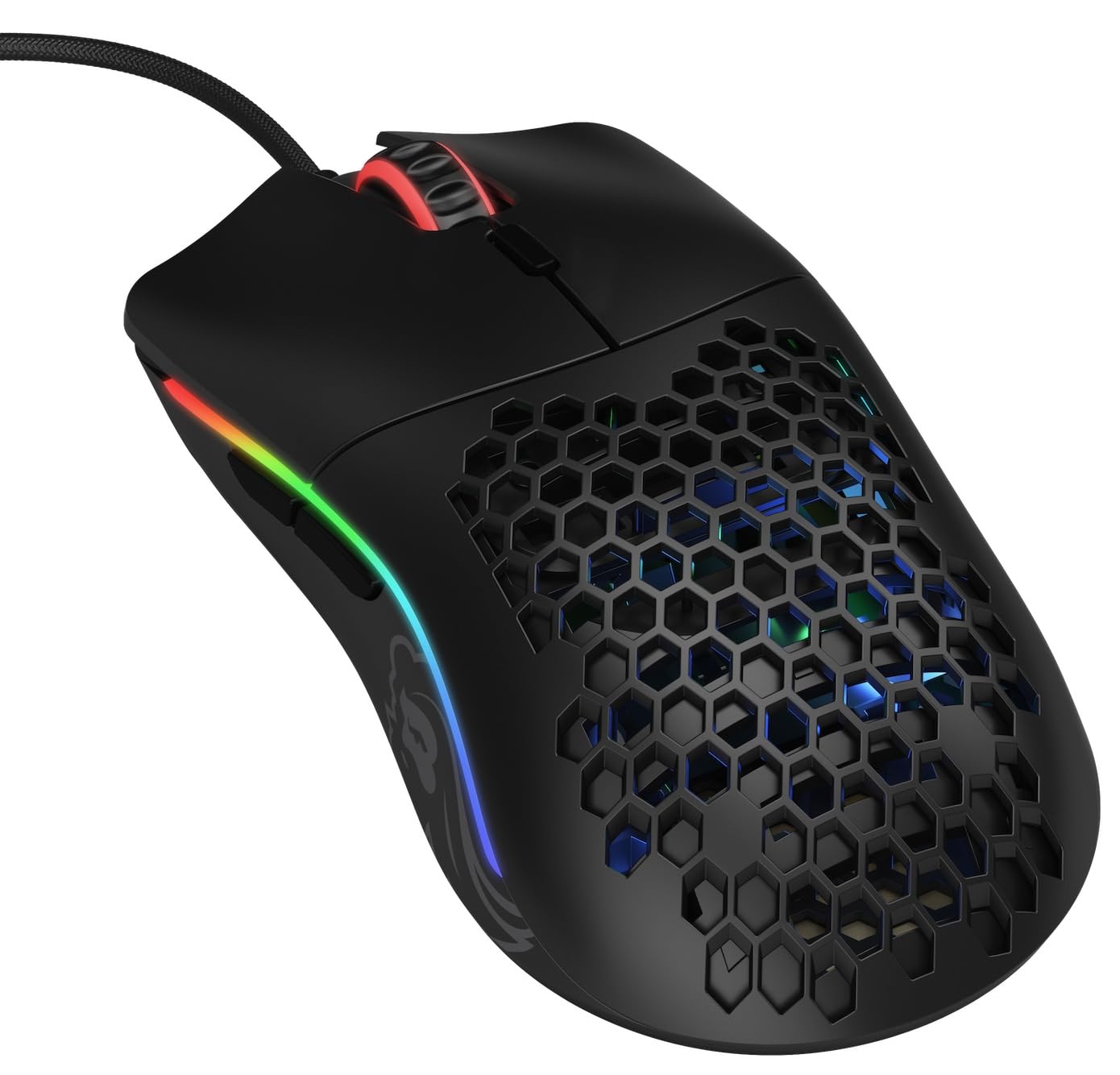
Foto: N'elu-ala view of the Glorious Model O- (Minus) mouse, showcasing its honeycomb shell and RGB lighting.
2. Nhazi
- Mepee òké ahụ: Carefully remove the Glorious Model O- (Minus) mouse and its Ascended Cord from the packaging.
- Jikọọ na Kọmputa: Plug the USB connector of the mouse's Ascended Cord into an available USB port on your computer.
- Nwụnye ọkwọ ụgbọala: Your operating system (Windows, macOS, Linux) should automatically detect and install the necessary drivers. Allow a few moments for this process to complete.
- Nwụnye ngwanrọ (Nhọrọ): For advanced customization of DPI settings, RGB lighting, and button macros, download and install the official Glorious Core software from the GLORIOUS websaịtị.

Image: The Glorious Model O- (Minus) mouse connected via its lightweight, flexible Ascended Cord.
3. Ntuziaka ọrụ
- Ọrụ bụ isi: Once connected, the mouse will function immediately for basic navigation and clicking.
- Ndozi DPI: Use the dedicated DPI button located on the top of the mouse, behind the scroll wheel, to cycle through preset DPI levels. The RGB lighting will change to indicate the current DPI setting.
- Bọtịnụ akụkụ: The mouse features two side buttons, typically used for forward and backward navigation in web browsers or customizable functions in games.
- Nhazi RGB: Utilize the Glorious Core software to personalize the RGB lighting effects, colors, and brightness.
- Macro Support: The software also allows for programming the 6 buttons with custom macros for enhanced productivity or gaming performance.
Vidiyo: Oge dị mkpirikpiview of the Glorious Model O mouse, highlighting its design and features.
4. Atụmatụ igodo
- Superlight Honeycomb Design: Weighing only 58 grams, the mouse's honeycomb shell reduces weight without compromising durability, allowing for swift and precise movements. This design also aids in ventilation, keeping your hand cool during extended use.
- Ascended Paracord Cable: The ultra-flexible, braided cable is designed to minimize drag, providing a near-wireless feel and unrestricted mouse movement.
- G-Skates Premium Mouse Feet: Made from 100% pure Virgin PTFE, these mouse feet ensure an incredibly smooth glide across any surface, offering superior control.
- Pixart 3360 Sensor: Experience pixel-perfect tracking with zero mouse acceleration and no spinouts. The sensor supports up to 12000 DPI and a 1000 Hz polling rate, with a lift-off distance of less than 0.7mm.
- Omron Switches: Equipped with state-of-the-art Omron switches, rated for 20 million clicks, ensuring long-lasting responsiveness and durability.
- Ambidextrous imewe: The symmetrical shape of the mouse is comfortable for both left and right-handed users, catering to various grip styles.
Video: A brief promotional video by Glorious PC Gaming showcasing the Model O mouse.
5. Nkọwapụta
| Ụdị | Ebube |
| Aha Nlereanya | Glorious Model O Minus |
| Nọmba nlereanya | GOM-BLACK |
| Teknụzụ Njikọta | USB |
| Teknụzụ nchọpụta ngagharị | Ihe mmetụta anya (Pixart 3360 Sensọ) |
| Mmetụta kachasị | 12000 DPI |
| Ọnụego ntuli aka | 1000 Hz |
| Anya ebuli-apụ | Ihe na-erughị 0.7mm |
| Ọnụọgụ bọtịnụ | 6 (nwere ike ime) |
| Ngbanwe Ụdị | Omron (rated for 20M clicks) |
| Ntuzi aka | Ambidextrous |
| Ibu Ibu | 58 grams |
| Akụkụ ihe (L x W) | 4.72"L x 2.48"W |
| Ụdị USB | Ascended Paracord |
| Mouse Feet Material | 100% Pure Virgin PTFE (G-Skates) |

Image: Diagram showing the dimensions of the Glorious Model O- (Minus) mouse.
6. Nlekọta
- Nhicha: Regularly clean the mouse surface with a soft, dry cloth. For the honeycomb areas, use compressed air to remove dust and debris. Avoid using harsh chemicals or abrasive materials.
- Nlekọta ihe mmetụta: Keep the optical sensor on the underside of the mouse clean and free from obstructions to ensure optimal tracking performance.
- Njikwa USB: While the Ascended Cord is flexible, avoid sharp bends or excessive pulling to prolong its lifespan. Consider using a mouse bungee to prevent cable drag and wear.
- Nchekwa: Mgbe ejighị ya, chekwaa òké na ebe dị ọcha, kpọrọ nkụ pụọ na oke okpomọkụ.
7. Nchọpụta nsogbu
- Òké anaghị aza:
- Hụ na eriri USB ahụ dị na kọmputa gị nke ọma.
- Gbalịa itinye òké n'ọdụ ụgbọ mmiri USB dị iche.
- Malitegharịa ekwentị gị na kọmputa.
- Nsogbu Nsochi:
- Hichaa ihe mmetụta anya dị n'okpuru òké ahụ.
- Ensure you are using the mouse on a clean, uniform surface or a high-quality mouse pad.
- Check DPI settings via the mouse button or Glorious Core software.
- Ọkụ RGB anaghị arụ ọrụ / ezighi ezi:
- Verify that the Glorious Core software is installed and running.
- Check RGB settings within the software.
- Hụ na ngwa nrụmụ òké ahụ dị ọhụrụ.
- Bọtịnụ ndị na-anaghị arụ ọrụ:
- Check for any software conflicts or re-map buttons using the Glorious Core software.
- Hụ na ngwa nrụmụ òké ahụ dị ọhụrụ.
8. Akwụkwọ ikike na nkwado
The Glorious Model O- (Minus) Compact Wired Gaming Mouse comes with a 2-afọ emeputa akwụkwọ ikike. For technical support, warranty claims, or further assistance, please visit the official GLORIOUS webma ọ bụ kpọtụrụ ndị ahịa ha ozugbo. Debe ihe akaebe nke ịzụrụ ihe gị maka nkwenye akwụkwọ ikike.
For more information and resources, visit the GLORIOUS Store on Amazon.