
1. Okwu mmalite
This manual provides essential information for the safe and efficient use of your TCL 32B400 32-inch HD LCD TV. Please read it thoroughly before operating the television and retain it for future reference.
The TCL 32B400 features a direct-lit LED backlight for uniform high brightness and image quality. Its VA panel technology delivers superior contrast, allowing for natural expression of subtle light and dark details. Equipped with a dual tuner, this TV supports terrestrial digital, BS digital, and 110-degree CS digital broadcasts, enabling simultaneous recording of one program while watching another. It supports various recording functions including instant, scheduled, daily/weekly repeat, and event recording. Connectivity options include two HDMI Ver1.4a input terminals (Port 1 supports ARC) and one USB2.0 input/output terminal, allowing connection to Blu-ray/DVD players/recorders and external speakers via ARC.

Foto 1: N'ihu view of the TCL 32B400 TV.
2. Nhazi
2.1 Unboxing na Nyocha akụrụngwa
Jiri nlezianya wepụ ihe niile dị na nkwakọ ngwaahịa. Gbaa mbọ hụ na ihe niile edepụtara n'okpuru dị:
- Ime akara x1
- Batrị AAA x2
- miniB-CAS card x1
- Ụdọ ọkụ x1
- Tip-over prevention parts set x1
- Guzo x2
- Screws (ST4, 20mm) x4 (for 32-inch model)
- Akwụkwọ ntuziaka
- Ntuziaka ngwa ngwa
- Akwụkwọ ikike kaadị

Ọgụgụ 2: Ngwa gụnyere.
2.2 Nwụnye guzoro
- Tinye ihuenyo TV gbadaa n'elu ala dị nro ma dịkwa larịị iji gbochie mmebi.
- Align the stands with the corresponding slots on the bottom of the TV.
- Secure each stand using the provided screws (ST4, 20mm).
2.3 Njikọ eriri
Connect the necessary cables to the appropriate ports on the TV. Refer to the connection diagram below.
- eriri ike: Jikọọ eriri ọkụ na ntinye ike TV wee tinye ya na mgbidi.
- Antenna: Connect your terrestrial digital antenna cable to the 'Antenna Input' port. For BS/CS broadcasts, connect the satellite antenna cable to the 'BS/CS 110°' port.
- Ngwa HDMI: Connect external devices like Blu-ray players or game consoles to the HDMI input ports. HDMI Port 1 supports Audio Return Channel (ARC).
- Ngwa USB: Connect external USB storage devices for recording to the USB port.
- miniB-CAS Card: Insert the miniB-CAS card into its dedicated slot.

Figure 3: Connection terminals overview.
2.4 Ntọala mbụ
After connecting all cables and powering on the TV, follow the on-screen instructions to complete the initial setup, including channel tuning and network configuration (if applicable).
3. Ntuziaka ọrụ
3.1 Basic Arụmọrụ
- Gbanyụọ/ Gbanyụọ: Pịa bọtịnụ ike na njikwa anya ma ọ bụ TV.
- Nhọrọ ọwa: Use the 'CH +/-' buttons or number buttons on the remote control.
- Ndozi olu: Use the 'VOL +/-' buttons on the remote control.
- Isi mmalite ntinye: Press the 'Input' button on the remote to select between HDMI, TV, and other connected sources.
3.2 Recording Programs
Your TCL 32B400 TV supports recording to an external USB Hard Disk Drive (HDD) thanks to its dual tuner. This allows you to record one program while watching another.
- Connect a compatible external USB HDD to the TV's USB port.
- Format the HDD if prompted by the TV.
- To record, select the desired program and use the recording options in the TV menu (e.g., instant recording, scheduled recording via EPG).

Figure 4: Dual tuner allows watching one program while recording another.
3.3 Ntọala foto na ụda
Access the TV's menu to adjust picture (brightness, contrast, color, sharpness) and sound (bass, treble, balance, sound mode) settings to your preference.
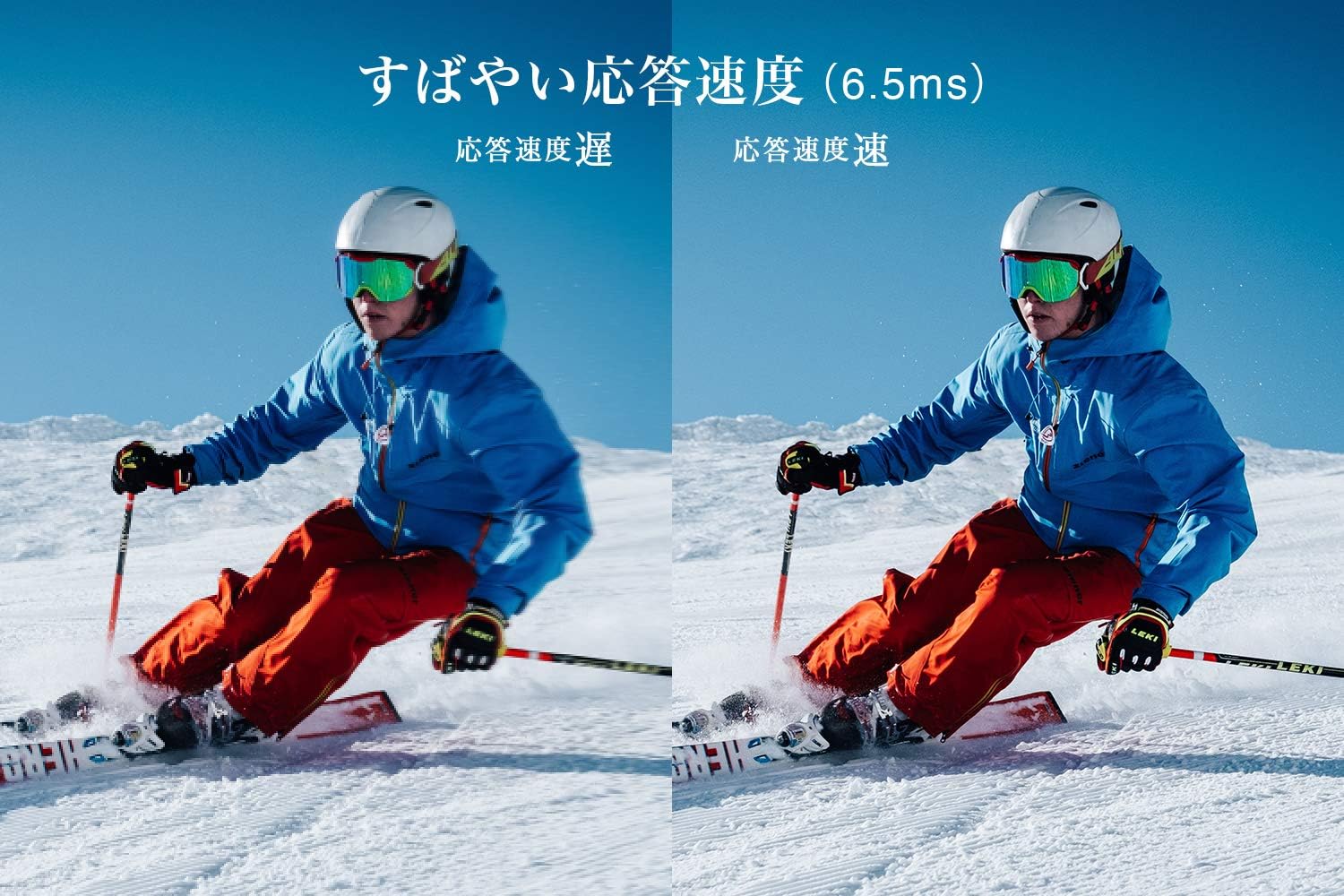
Figure 5: The TV features a fast response speed of 6.5ms for clear motion.
4. Nlekọta
4.1 Na-ehicha ihuenyo ahụ
Jiri nwayọ hichaa ihuenyo ahụ site na iji akwa dị nro, kpọrọ nkụ, akwa enweghị akwa. Maka akara ndị isi ike, dị obere dampen the cloth with water or a specialized screen cleaner (ensure it's suitable for LCD screens) and wipe carefully. Avoid applying excessive pressure.
4.2 Na-ehicha ahụ TV
Wipe the TV body with a soft, dry cloth. Do not use abrasive cleaners, waxes, or solvents as they can damage the finish.
4.3 Nlekọta n'ozuzu
- Zere ikpughe TV na ìhè anyanwụ kpọmkwem ma ọ bụ oke okpomọkụ.
- Gbaa mbọ hụ na ikuku zuru oke na gburugburu TV iji gbochie ikpo oke ọkụ.
- Kwụpụ TV na oghere ọkụ n'oge oké ifufe ma ọ bụ mgbe ọ ga-adị ogologo oge.
5. Nchọpụta nsogbu
If you encounter issues with your TV, refer to the following common troubleshooting steps. If the problem persists, contact customer support.
5.1 Enweghị ike
- Check if the power cord is securely connected to both the TV and the wall outlet.
- Nyochaa na oghere mgbidi ahụ na-arụ ọrụ site na itinye na ngwaọrụ ọzọ.
- Pịa bọtịnụ ike na TV n'onwe ya, ọ bụghị naanị nke dịpụrụ adịpụ.
5.2 No Picture/No Signal
- Hụ na ahọpụtara isi iyi ntinye ziri ezi (dịka ọmụmaatụ, HDMI 1, TV).
- Lelee njikọ eriri niile (HDMI, antenna) maka ịtọhapụ ma ọ bụ mmebi.
- Ọ bụrụ na ị na-eji ngwaọrụ mpụga, hụ na ọ na-agba ọkụ ma na-arụ ọrụ nke ọma.
- Perform a channel scan if you are watching broadcast TV.
5.3 Enweghị ụda
- Lelee ọkwa olu ma hụ na TV anaghị agbachi nkịtị.
- Ọ bụrụ na ị na-eji igwe okwu mpụga, hụ na ejikọrọ na agbanyere ha nke ọma.
- Lelee ntọala ọdịyo na menu TV.
5.4 Remote Control anaghị arụ ọrụ
- Dochie batrị ndị ọhụrụ.
- Gbaa mbọ hụ na onweghị ihe mgbochi n'etiti ime ime na ihe mmetụta IR nke TV.
6. Nkọwapụta
| Njirimara | Nkọwapụta |
|---|---|
| Ngosipụta nha | 32 sentimita asatọ |
| Ngosipụta teknụzụ | LCD |
| Mkpebi | HD (1366 x 768) |
| Ọnụego ume ọhụrụ | 60 Hz |
| Akụkụ akụkụ | 16:9 |
| Ọnụọgụ ọdịiche | 3000:1 |
| Viewna n'akuku | 178/178 degrees (JEITA standard, CR>=10) |
| Ụdị ọkụ azụ | Igwe ọkụ ọkụ ọkụ ozugbo |
| Ọsọ nzaghachi | 6.5ms |
| Akụkụ (ya na nkwụnye) | W731 x H491 x D186 mm |
| Akụkụ (na-enweghị nkwụnye) | W731 x H436 x D76 mm |
| Ibu (ya na nkwụnye) | 4.4 n'arọ |
| Ibu (na-enweghị nkwụnye) | 4.3 n'arọ |
| Wall Mount (VESA) | 100x100mm |
| Oriri ike kwa afọ | 45 kWh / afọ |
| ọdụ ụgbọ mmiri HDMI | 2 (HDMI Ver1.4a, Port 1 supports ARC) |
| ọdụ ụgbọ mmiri USB | 1 (USB2.0) |
| Ụdị Tuner | Terrestrial Digital, BS Digital, 110-degree CS Digital (Dual Tuner) |
| Afọ Nlereanya | 2019 |

Figure 6: TV dimensions and recommended viewebe di anya.

Figure 7: VA panel technology provides superior contrast and depth.
7. Akwụkwọ ikike na nkwado
7.1 Akwụkwọ ikike nke onye nrụpụta
Ngwaahịa a na-abịa na akwụkwọ ikike onye nrụpụta otu afọ site na ụbọchị azụrụ ya. Biko dowe ihe akaebe nke ịzụrụ ihe maka akwụkwọ ikike.
7.2 Nkwado ndị ahịa
For any inquiries, technical assistance, or repair requests, please contact TCL customer support. Our dedicated Japanese staff are available to assist you.
- Ekwentị: 0120-955-517
- Oge ọrụ: 9:00 - 18:00 (Weekdays and Holidays, excluding year-end and New Year holidays)
- Websaịtị: https://www.tcl.com/jp/ja/services.html
Nationwide repair service is available.
Figure 8: TCL Customer Support details.