
1. Okwu mmalite
Daalụ maka ịzụrụasing the Flylinktech 22000mAh 2000A Peak 12V Jump Starter, Model CF100. This device is designed to provide reliable jump-starting for your vehicle and serve as a portable power bank for your electronic devices. Please read this manual thoroughly before use to ensure safe and effective operation. Keep this manual for future reference.
2. Ozi nchekwa dị mkpa
Ọdịda ịgbaso ntuziaka nchekwa ndị a nwere ike ibute ujo eletrik, ọkụ ma ọ bụ mmerụ ahụ dị egwu.
- Yiri mkpuchi anya na uwe mkpuchi mgbe niile mgbe ị na-arụ ọrụ na batrị.
- Do not allow the jump starter clamps imetụ ibe gị aka ma ọ bụ jikọọ na otu mpempe ígwè.
- Anwala ima elu malite batrị oyi kpọnwụrụ.
- Ensure the vehicle is in park (P) or neutral (N) and the parking brake is engaged before jump starting.
- Debe ebe ụmụaka na-apụghị iru.
- Ekpughela ngwaahịa ka mmiri zoo ma ọ bụ iru mmiri.
- Do not disassemble, modify, or attempt to repair the unit.
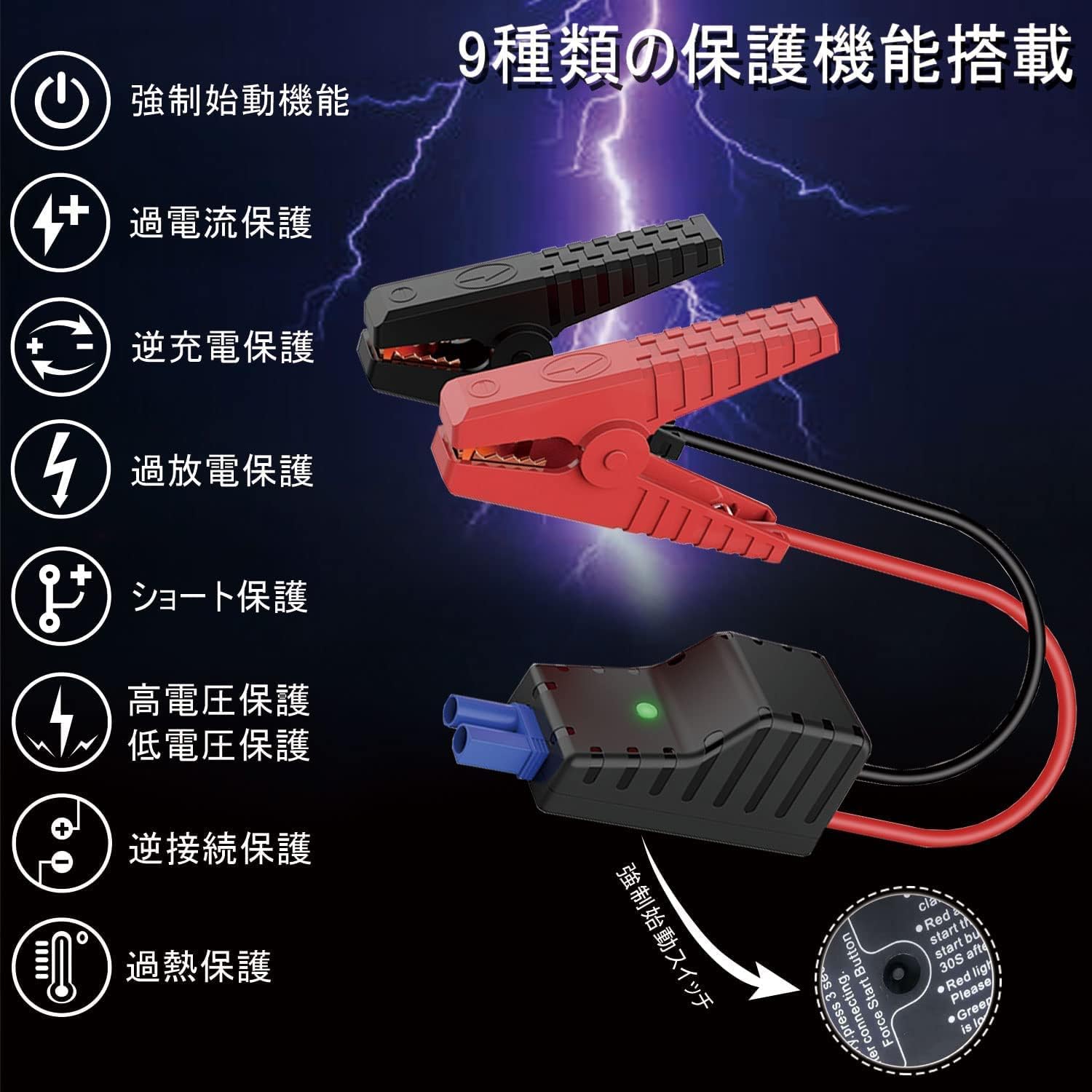
- This jump starter is equipped with 9 protection functions: short circuit protection, reverse connection protection, over-discharge protection, over-current protection, reverse charge protection, high voltage nchebe, obere voltage protection, forced start function, and overheat protection. These features are designed to prevent various dangers and ensure safe operation.
3. Ihe ngwugwu
Chọpụta na ihe niile dị na ngwugwu gị:
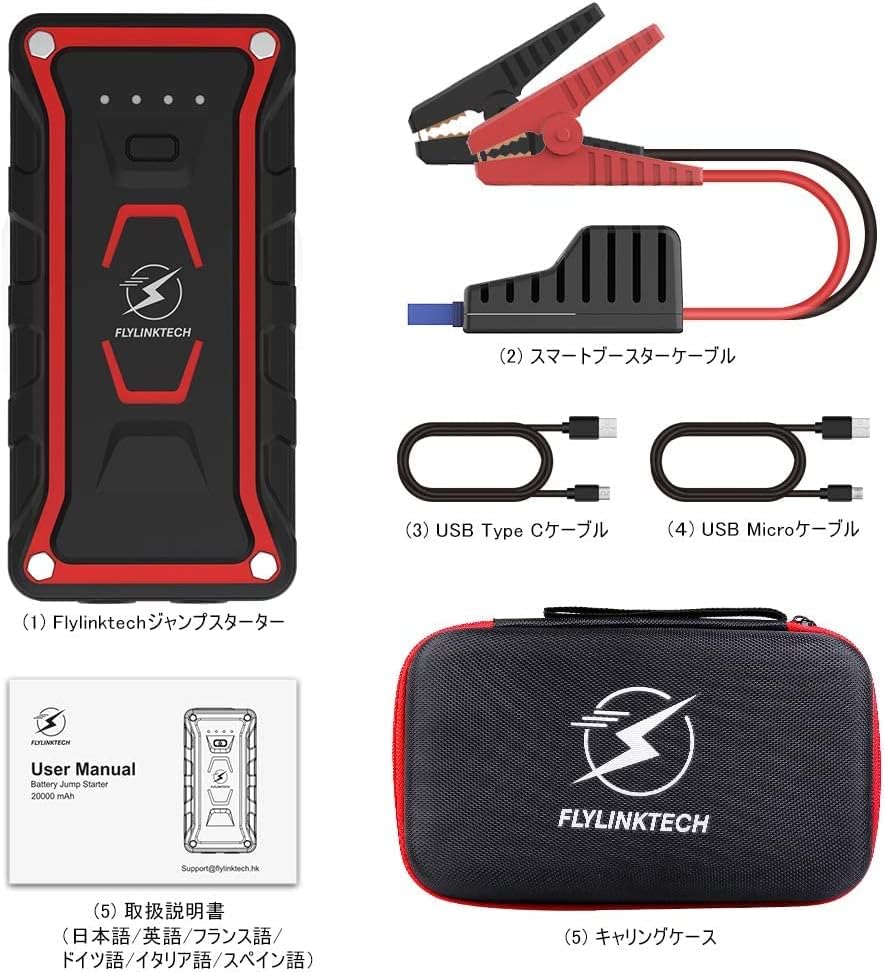
- Flylinktech Jump Starter Unit (1)
- Smart Jump Starter Cables (1 set)
- USB Type-C Cable (1)
- Igwe USB USB (1)
- Dedicated Carrying Case (1)
- Akwụkwọ ntuziaka (1)
4. Akụrụngwa Ngwaahịa
- High Capacity & Peak Current: 22000mAh battery capacity with 2000A peak current, capable of jump-starting all gasoline vehicles and diesel vehicles up to 7.0L.
- Multi-functional LED Light: Equipped with 2 high-brightness LEDs, offering three modes: illumination, strobe, and SOS signal.
- Ogo IP68 enweghị mmiri: Complies with IP68 protection class (dustproof class: 6, waterproof class: 8) based on IEC and JIS standards, protecting the unit from water and dust when terminal covers are closed.
- Ụlọ akụ ọkụ nwere ike ibugharị: Features two USB output ports for simultaneous fast charging of two USB devices, including smartphones, tablets, cameras, and more.

5. Setup and Charging the Jump Starter
5.1 Nchaji izizi
Before using the jump starter for the first time, ensure it is fully charged. It is recommended to fully charge the unit every 3-6 months to maintain battery health, even when not in use.
5.2 Ịchaji nkeji
The jump starter can be charged using either the Micro USB input port or the USB Type-C input port. Connect the provided USB cable to a 5V/3A, 9V/2A, or 12V/1.5A USB charger (not included). The indicator lights on the unit will show the charging status.

6. Operating Instructions: Jump Starting a Vehicle
Follow these steps carefully to jump start your vehicle:
- Gbaa mbọ hụ na akwụchara onye na-awụli elu.
- Turn off your vehicle's ignition and all accessories (lights, radio, etc.).
- Jikọọ uhie (+) clamp of the smart jump starter cable to the positive (+) terminal of your vehicle's battery.
- Jikọọ ojii (-) clamp of the smart jump starter cable to the negative (-) terminal of your vehicle's battery.
- Plug the smart jump starter cable connector into the jump starter unit's output port. Ensure a secure connection.
- Once connected, the indicator on the smart cable should turn green, indicating it's ready to start. If it's red, check connections or refer to troubleshooting.
- Start your vehicle's engine. If it doesn't start immediately, wait 30 seconds and try again. Do not crank for more than 3 seconds per attempt.
- Once the vehicle starts, immediately disconnect the smart jump starter cable from the jump starter unit.
- Mgbe ahụ, wepụ ihe ojii (-) cl ahụamp from the vehicle battery, followed by the red (+) clamp.

7. Operating Instructions: Power Bank Function
The Flylinktech jump starter can also function as a portable power bank to charge your electronic devices.
- Connect your electronic device (smartphone, tablet, etc.) to one of the two USB output ports on the jump starter using an appropriate USB cable.
- The jump starter will automatically begin charging your device. The unit supports QC3.0 fast charging for compatible devices.
- Ị nwere ike ịgba ụgwọ ngwaọrụ abụọ n'otu oge.
8. Operating Instructions: LED Light Function
The integrated LED light provides illumination for various situations:
- Press and hold the power button for 3 seconds to turn on the LED light (illumination mode).
- Press the power button once more to switch to Strobe mode.
- Press the power button again to switch to SOS signal mode.
- Press the power button one more time to turn off the LED light.

9. Nchọpụta nsogbu
Ọ bụrụ na ị na-enwe nsogbu, rụtụ aka na nsogbu ndị a na-ahụkarị na ngwọta ndị a:
- Jump Starter not turning on: Ensure the unit is charged. If the battery is completely depleted, it may take a few minutes of charging before it responds.
- Ụgbọ ala anaghị amalite:
- Check that the smart jump starter cable clampA na-ejikọ s na njedebe batrị ziri ezi nke ọma (uhie ruo na mma, ojii ruo na adịghị mma).
- Ensure the smart cable connector is fully inserted into the jump starter unit.
- Verify the jump starter has sufficient charge.
- If the smart cable indicator is red, refer to the cable's specific error codes (if any) or recheck connections.
- Anwala crank engine ruo ogologo oge. Kwe ka onye na-amali elu dajụọ n'etiti mgbalị.
- Device not charging via USB: Ensure the jump starter is powered on and has sufficient battery. Try a different USB cable or port.
Ọ bụrụ na nsogbu ka dị, biko kpọtụrụ nkwado ndị ahịa.
10. Nkọwapụta
| Njirimara | Nkọwapụta |
|---|---|
| Ụdị | FLYLINKTECH |
| Nọmba nlereanya | CF100 |
| Ike batrị | 22000 mAh |
| Ọnụ ugbu a | 2000 A |
| Voltage | 12 volts |
| Ụdị batrị | Lithium-ion |
| Compatible Vehicle Types | All Gasoline Vehicles, Diesel Vehicles up to 7.0L |
| Ngosi nke enweghị mmiri | IP68 (Dustproof: 6, Waterproof: 8) |
| USB mmepụta | 2 Ports (QC3.0 Fast Charging) |
| Nchaji ntinye | Micro USB, USB Type-C (5V/3A, 9V/2A, 12V/1.5A) |
11. Mmezi na Nchekwa
- Jiri ákwà kpọrọ nkụ ma dị nro hichaa ihe ahụ. Ejila ihe nhicha ma ọ bụ ihe mgbaze.
- Store the jump starter in a cool, dry place, away from direct sunlight and extreme temperatures.
- For optimal battery life, fully charge the unit every 3-6 months, even if it has not been used.
- Keep the terminal covers closed when not in use to maintain the IP68 rating.
12. Akwụkwọ ikike na nkwado ndị ahịa
This Flylinktech jump starter comes with a Akwụkwọ ikike nke onye nrụpụta ọnwa iri na abụọ site na ụbọchị ịzụrụ. Akwụkwọ ikike a na-ekpuchi ntụpọ dị na ngwa na arụ ọrụ n'okpuru ojiji nkịtị.
For any questions, concerns, or warranty claims, please do not hesitate to contact our customer support team:
Email: Support@flylinktech.hk
Please have your purchase details and model number (CF100) ready when contacting support.