
1. Okwu mmalite
The Divoom Macchiato is a palm-sized, portable Bluetooth speaker with an integrated FM radio tuner, designed to deliver high-quality audio in a compact form factor.
2. Ihe ngwugwu
Biko lelee igbe maka ihe ndị a:
- Divoom Macchiato Bluetooth Speaker
- Igwe nchaji USB
- Akwụkwọ ntuziaka onye ọrụ
- (Additional accessories may vary by region)
3. Ngwaahịa gafereview
Mara onwe gị na akụkụ na njikwa ọkà okwu.
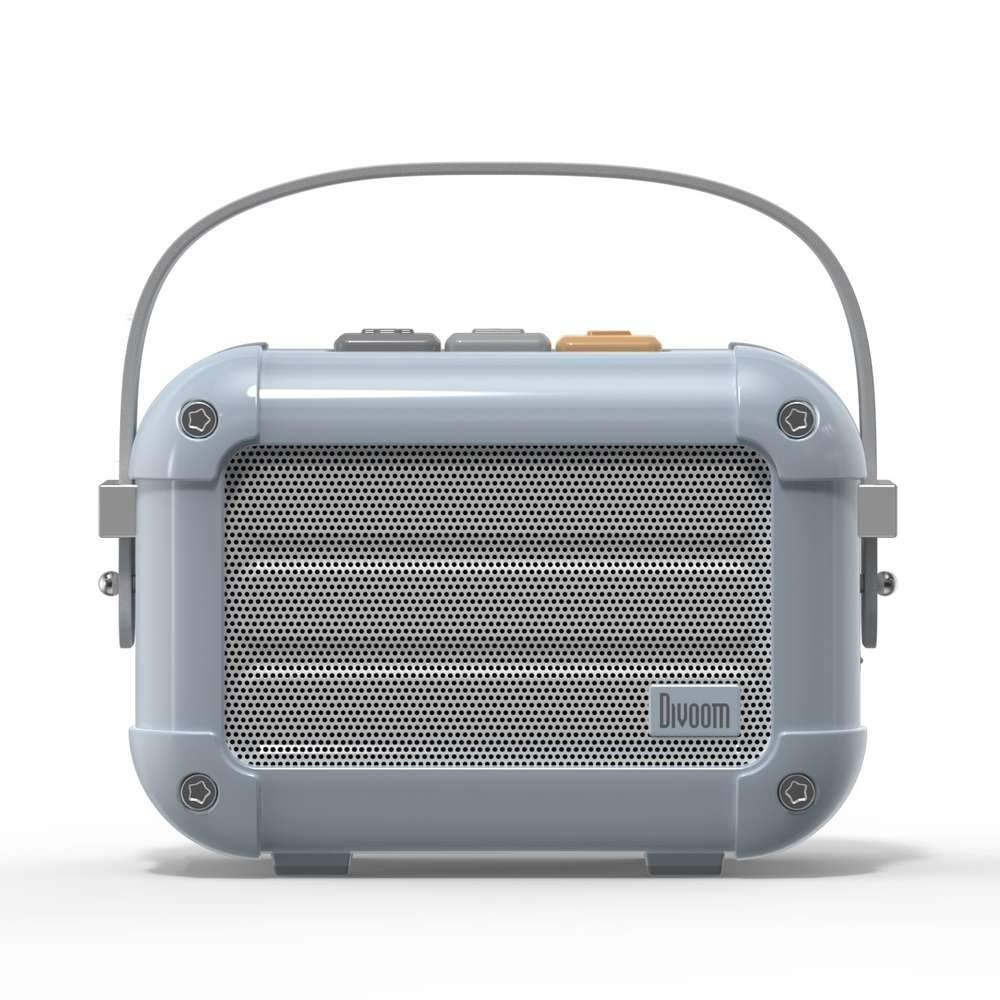
Foto 3.1: N'ihu view of the Divoom Macchiato Bluetooth Speaker in blue.
3.1 Njikwa na ọdụ ụgbọ mmiri
The Divoom Macchiato speaker features intuitive controls for easy operation.
- Top Buttons: Typically control power, volume, track navigation, and mode selection (e.g., Bluetooth, FM).
- Nchaji ọdụ ụgbọ mmiri: Usually a USB Type-C port for charging the device.
- Oghere TF Kaadị: Allows playback of music directly from a TF (MicroSD) card.
- Antenna FM: An extendable antenna for improved FM radio reception.

Ọgụgụ 3.2: Azụ view of the Divoom Macchiato Bluetooth Speaker, showing the charging port and TF card slot.
4. Nhazi
4.1 Gbanyụọ ma ọ bụ gbanyụọ
- Iji gbanye: Press and hold the power button (usually one of the top buttons) for approximately 2-3 seconds until you hear an audible cue or see an indicator light.
- Iji gbanyụọ: Press and hold the power button for approximately 2-3 seconds until you hear an audible cue or the indicator light turns off.
4.2 Njikọ Bluetooth
- Ensure the speaker is powered on and in Bluetooth pairing mode. The indicator light will typically blink rapidly.
- Na ekwentị mkpanaaka gị (ama, mbadamba, wdg), mee ka Bluetooth rụọ ọrụ.
- Chọọ maka "Divoom Macchiato" in the list of available Bluetooth devices.
- Select "Divoom Macchiato" to connect. Once connected, the speaker will provide an audible confirmation, and the indicator light will turn solid.
Rịba ama: Ọkà okwu ahụ ga-anwa ijikọghachi na ngwaọrụ ejikọtara ikpeazụ ozugbo mgbe agbanyere ya.
4.3 FM Radio Setup
- Gbatịa antenna FM ahụ nke ọma maka nnabata kacha mma.
- Switch the speaker to FM radio mode using the mode button (refer to your specific model's button layout).
- Use the track navigation buttons (usually +/-) to scan for available FM stations.
- Some models may allow saving favorite stations; refer to your specific model's instructions for details.
5. Ntuziaka ọrụ
5.1 Music Playback (Bluetooth/TF Card)
- Gwuo/kwụsịtụ: Press the Play/Pause button (often integrated with the power button or a dedicated button).
- Njikwa olu: Use the volume up (+) and volume down (-) buttons.
- Track na-esote: Press and hold or short press the next track button (often the + button).
- Gara aga Track: Press and hold or short press the previous track button (often the - button).
- Ngụghachi kaadị TF: Fanye kaadị TF nwere MP3 files into the TF card slot. The speaker should automatically switch to TF card mode or require manual selection via the mode button.
5.2 App Features (if applicable)
For enhanced functionality, download the Divoom companion app from your device's app store. The app may offer features such as:
- Customizing sound profiles.
- Accessing additional audio sources.
- Managing FM radio stations.
- Mmelite firmware.
6. Nlekọta
- Nhicha: Jiri ákwà dị nro ma kpọọ nkụ hichaa elu okwu ahụ. Ejila ihe nhicha ma ọ bụ ihe mgbaze.
- Nchekwa: Chekwaa ọkà okwu n'ebe dị jụụ, kpọrọ nkụ na-adịghị na ìhè anyanwụ kpọmkwem na oke okpomọkụ.
- Nlekọta batrị: Iji mee ka batrị dị ogologo, zere ịgbapụta batrị ahụ mgbe niile. Chajie igwe okwu mgbe niile, ọbụlagodi na ọ naghị eji ya ruo ogologo oge.
- Nguzogide mmiri: This model is NOT waterproof. Avoid exposure to water or high humidity.
7. Nchọpụta nsogbu
| Nsogbu | Ngwọta |
|---|---|
| Ọkà okwu anaghị agba ọkụ. | Ensure the battery is charged. Connect the speaker to a power source using the USB charging cable. |
| Enweghị ike ijikọ site na Bluetooth. |
|
| Enweghị ụda ma ọ bụ obere olu. |
|
| Nnabata redio FM na-adịghị mma. |
|
8. Nkọwapụta
| Njirimara | Nkọwa |
|---|---|
| Nọmba nlereanya | MACCHIATO |
| Ụdị | Divoom |
| Teknụzụ Njikọta | Bluetooth |
| Teknụzụ nzikọrịta ozi ikuku | Bluetooth |
| Ike Nwepu kacha elu | 6 Watt |
| Ụdị Ọkà Okwu | Igwe ụda ụda |
| Ụdị nkwụnye | Ugwu okpokoro |
| Eji akwadoro maka ngwaahịa | Egwu |
| Usoro njikwa | Olu |
| Waterproof | ỤGHA (Anaghị amị mmiri) |
9. Akwụkwọ ikike na nkwado
For warranty information and customer support, please refer to the documentation included with your product or visit the official Divoom websaịtị. Debe nnata nzụta gị dị ka ihe akaebe nke ịzụrụ maka nkwupụta ikike.