
Okwu mmalite
This manual provides comprehensive instructions for the Xgody 9-inch GPS Navigation System X4. Please read this manual carefully before using your device to ensure proper operation and to maximize its features. This system is designed to assist with navigation for various vehicle types, including cars, trucks, buses, and bicycles.
Ọdịnaya ngwugwu na nhazi
Tupu ịmalite, hụ na ihe niile dị na ngwugwu:
- Xgody 9-inch GPS Navigation Device
- eriri USB
- Ugwu iko mmiri
- Car Charger (12-36V/2A)
- Akwụkwọ ntuziaka
- Okwu nchekwa
Ịkwanye ngwaọrụ: Attach the suction cup mount to a clean, smooth surface on your dashboard or windshield. Ensure the device is securely fastened and does not obstruct your view of the road. Connect the GPS device to the mount.
Ịchaji ngwaọrụ: Connect the car charger to your vehicle's power outlet and to the GPS device's charging port. The device has a built-in Li-ion rechargeable 2000mAh battery, providing approximately 1 hour of working time. Full charging typically takes 2-3 hours.

Image: Package contents of the Xgody 9-inch GPS Navigation System X4, including the device, USB cable, suction cup, car charger, manual, and protective case.

Image: The Xgody 9-inch GPS Navigation System X4 mounted on a dashboard inside a truck, displaying a navigation route.
Mgbanye Ike na Nhazi Mbụ
Press and hold the power button to turn on the device. Follow the on-screen prompts to select your language, time zone, and initial map settings. Ensure the device has a clear view of the sky for optimal GPS signal acquisition.
Video: An official product video demonstrating the Xgody 9-inch GPS navigation system, highlighting its features, voice broadcast, and user interface for various vehicle types.
Ntuziaka ọrụ
The Xgody X4 features a 9-inch capacitive touchscreen for intuitive control. The main menu provides access to various functions including Navigation, System Info, RMVB Player, Video, FM, Settings, Music, Games, Photo, and Tools.
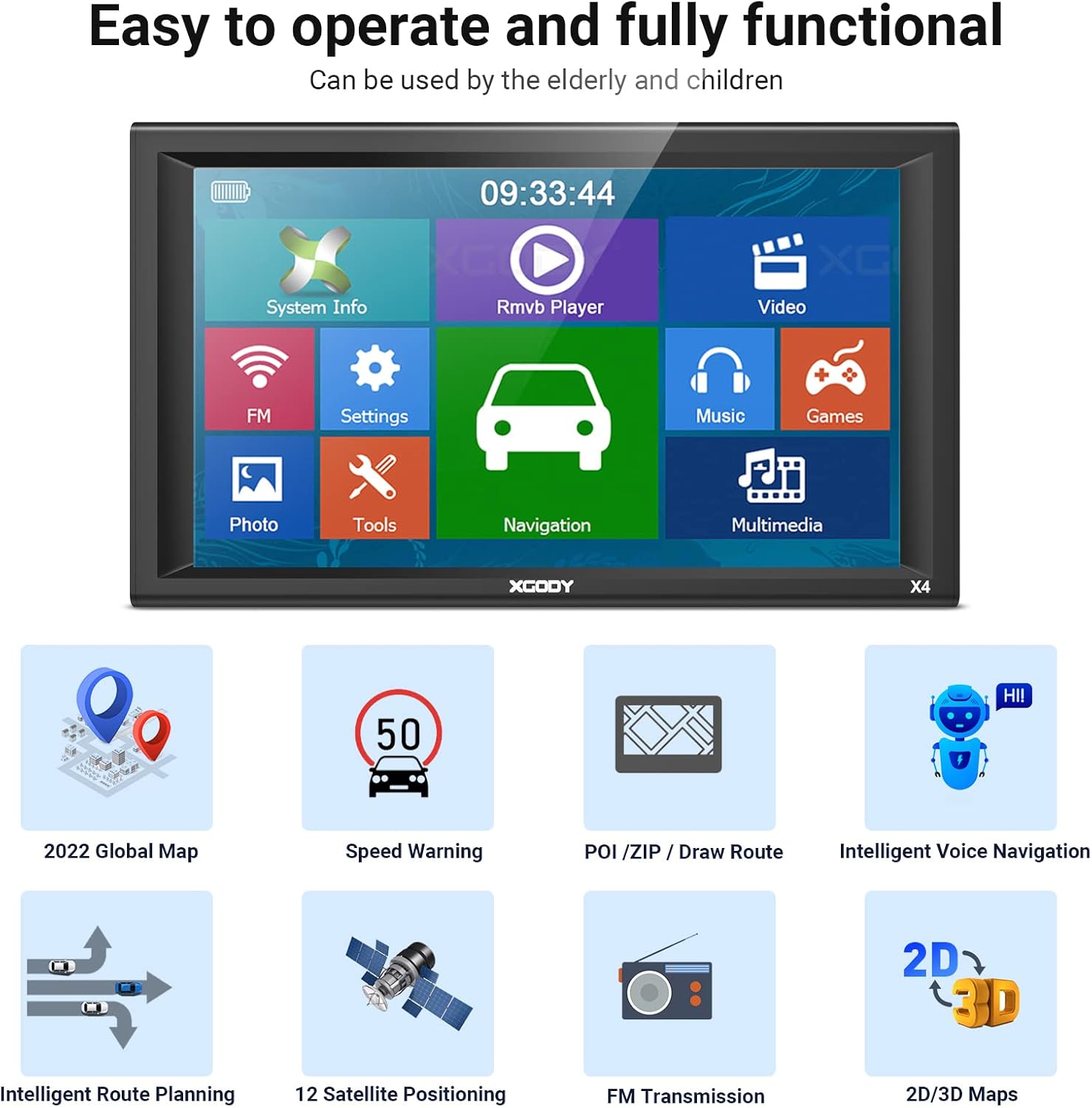
Image: The main menu screen of the Xgody 9-inch GPS, showing icons for System Info, RMVB Player, Video, FM, Settings, Music, Games, Photo, Tools, and Navigation.
Njirimara igodo
- Route Planning: Enter your destination, and the system will calculate the optimal route.
- Nduzi olu: Receive clear, spoken turn-by-turn directions.
- Ịdọ aka ná ntị ọsọ ọsọ: Alerts you when exceeding speed limits.
- POI (Points of Interest): Find nearby gas stations, restaurants, and other important locations.
- 2D/3D Maps: Switch between two-dimensional and three-dimensional map views for better spatial understanding.
- Truck Customization: Input your truck's dimensions (length, width, height, axles, weight) to receive routes that avoid low bridges, weight restrictions, and other truck-specific hazards.

Image: A detailed navigation screen on the Xgody GPS, showing a turn instruction, distance to next turn, estimated arrival time, and nearby gas stations.

Image: A screen demonstrating the truck customization feature, allowing users to input vehicle dimensions and weight to optimize routes for trucks, buses, and other large vehicles.
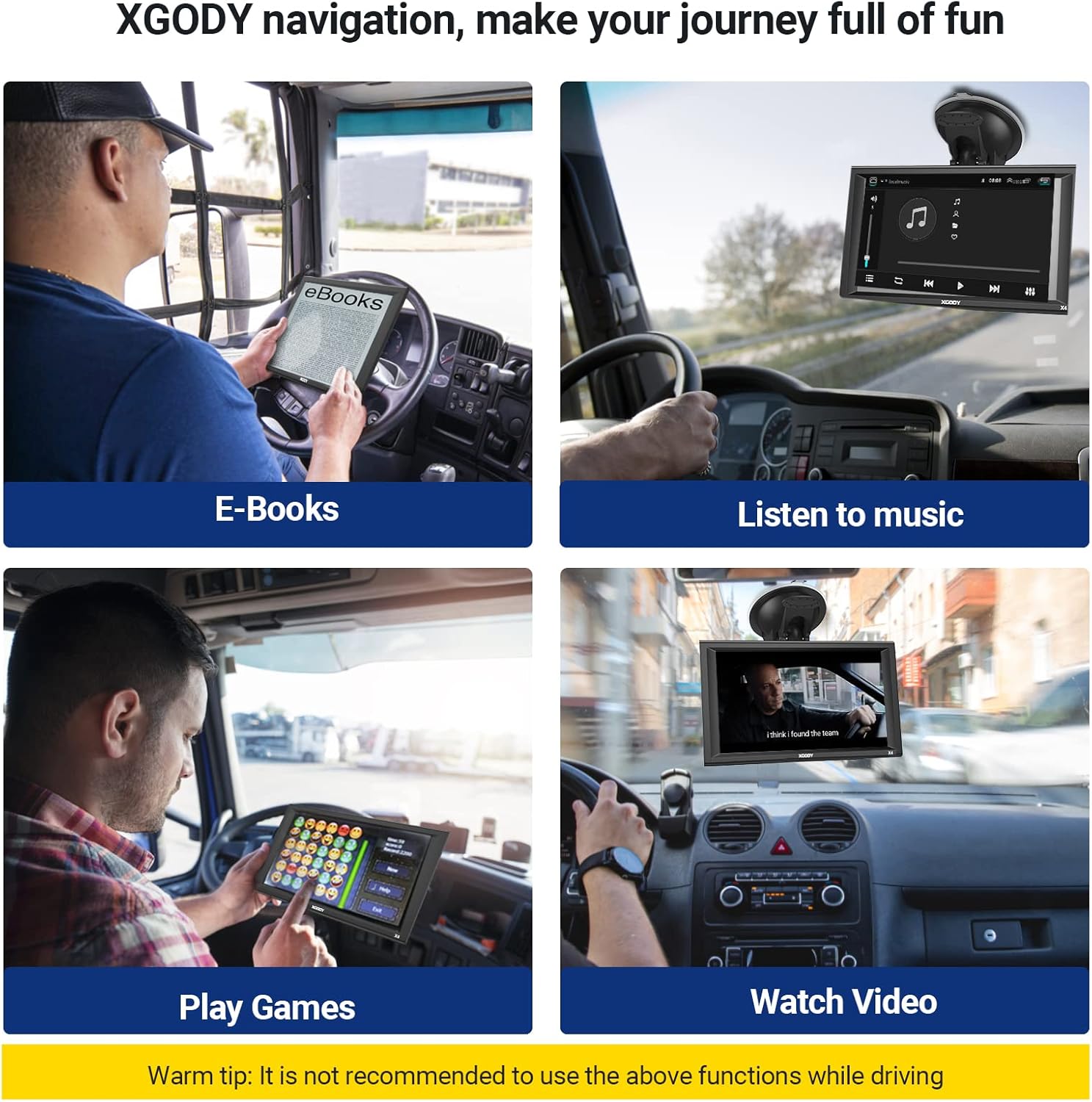
Image: Four panels illustrating entertainment features of the Xgody GPS: E-books, Music, Games, and Video playback. A warning advises against using these functions while driving.
Nlekọta
To ensure the longevity and optimal performance of your Xgody GPS, follow these maintenance guidelines:
- Mmelite map: The device supports lifetime map updates. Regularly check for and install the latest map data to ensure accurate navigation. Instructions for updating maps are typically found in the device's settings or on the manufacturer's websaịtị.
- Nlekọta ihuenyo: The 9-inch capacitive touchscreen should be cleaned with a soft, lint-free cloth. Avoid using harsh chemicals or abrasive materials that could damage the screen.
- Nlekọta batrị: To prolong battery life, avoid exposing the device to extreme temperatures. Charge the device fully before long trips and avoid completely draining the battery frequently.
- Nchekwa: When not in use for extended periods, store the device in a cool, dry place, preferably in its protective case.

Image: A screen showing the map downloading process for the Xgody GPS, indicating that the device offers free lifetime map updates.
Nchọpụta nsogbu
If you encounter issues with your Xgody GPS, refer to the following common problems and solutions:
- Ngwaọrụ anaghị agba ọkụ:
- Ensure the device is fully charged or connected to the car charger.
- Check the car charger connection and the vehicle's power outlet.
- Try a soft reset by pressing and holding the power button for 10-15 seconds.
- Enweghị akara GPS:
- Gbaa mbọ hụ na ngwaọrụ ahụ nwere nke doro anya view nke eluigwe, pụọ n'ụlọ ndị dị ogologo ma ọ bụ akwụkwọ ndụ dị oke.
- Bugharịa ụgbọala ahụ gaa n'ebe mepere emepe.
- Allow several minutes for the device to acquire a signal after power-on.
- Inaccurate Routing or Map Errors:
- Verify that the map data is up-to-date. Perform a map update if available.
- Check your vehicle type settings (car, truck, bus) to ensure routes are calculated correctly for your specific vehicle.
- Ensure all truck-specific parameters (height, weight, etc.) are accurately entered.
- Olu dị ala:
- Adjust the volume settings within the device's menu.
- Ensure the FM transmitter function (if enabled) is correctly configured with your vehicle's radio.
- Mount Not Sticking:
- Clean the mounting surface and the suction cup thoroughly.
- Ensure the surface is smooth and non-porous.
- Apply slight moisture to the suction cup before attaching.
- Screen Unresponsive or Flickering:
- Malitegharịa ngwaọrụ ahụ.
- Hụ na ihuenyo ahụ dị ọcha ma ghara inwe ihe ruru unyi.
- If the screen is physically damaged, contact customer support.
Nkọwapụta
| Njirimara | Nkọwa |
|---|---|
| Ụdị | Xgody |
| Nlereanya | X4 |
| Nha ihuenyo | 9 sentimita asatọ |
| Ụdị ngosi | LCD |
| Mkpebi | 800 x480 |
| Ụdị ihuenyo mmetụ | Capacitive |
| Modul GPS | High Sensitive GPS Receiver |
| Ebe nchekwa (RAM) | 256MB |
| Internal Memory (ROM) | 8GB |
| Oghere SD | Micro SD socket, MAX 32GB |
| Njikọta | USB (2.0 USB slot) |
| Bluetooth & AV-IN | Mba |
| Batrị | Built-in Li-ion Rechargeable 2000mAh |
| Oge ọrụ | Ihe dị ka elekere 1 |
| Oge Nchaji | 2-3 awa |
| Ntinye chaja ụgbọ ala | 12-36V/2A |
| Supported Navigation System | GPS |
| Servicedị Ọrụ hicgbọ | Bicycle, Bus, Car, Truck |
| Ụdị vidiyo akwadoro | ASF, AVI, WMV, 3GP, MP4, RMVB |
| Akụkụ ihe (L x W x H) | 9.07"L x 5.51"W x 0.58"H |
Ozi akwụkwọ ikike
For detailed warranty information regarding your Xgody 9-inch GPS Navigation System X4, please refer to the documentation included in your product packaging or visit the official Xgody websaịtị. Usoro na ọnọdụ akwụkwọ ikike nwere ike ịdị iche site na mpaghara na ụbọchị ịzụrụ.
Nkwado ndị ahịa
If you require further assistance, technical support, or have questions not covered in this manual, please contact Xgody customer service. Contact details can typically be found on the manufacturer's official websaịtị ma ọ bụ na nkwakọ ngwaahịa.
Maka ozi ịntanetị, ị nwere ike ịkpọtụrụ ebe a Xgody brand store on Amazon or the official Xgody websaịtị.