
1. Okwu mmalite
This manual provides essential information for the safe and efficient operation, maintenance, and troubleshooting of your Philips Series 3200 Super-Automatic Coffee Machine, model EP3221/40. Please read all instructions carefully before using the appliance and retain this manual for future reference.
2. Ozi nchekwa dị mkpa
Always follow basic safety precautions when using electrical appliances to reduce the risk of fire, electric shock, and injury. This appliance is intended for household use only.
- Ejila ngwa, eriri ọkụ, ma ọ bụ nkwụnye na mmiri ma ọ bụ mmiri mmiri ndị ọzọ.
- Gbaa mbọ hụ na voltage gosiri na ngwa ngwa kwekọrọ na mains mpaghara gị voltage tupu ejikọta.
- Debe ngwa na eriri ya ka ụmụaka ghara iru ya.
- Do not operate the appliance if the plug, power cord, or the appliance itself is damaged.
- Always unplug the appliance before cleaning, maintenance, or if it is not in use for an extended period.
- Use only original Philips accessories and parts.
3. Ngwaahịa gafereview
The Philips Series 3200 Super-Automatic Coffee Machine EP3221/40 is designed to deliver a variety of fresh coffee beverages with ease. Key features include an intuitive touch display, a classic milk frother, and a durable ceramic grinder.
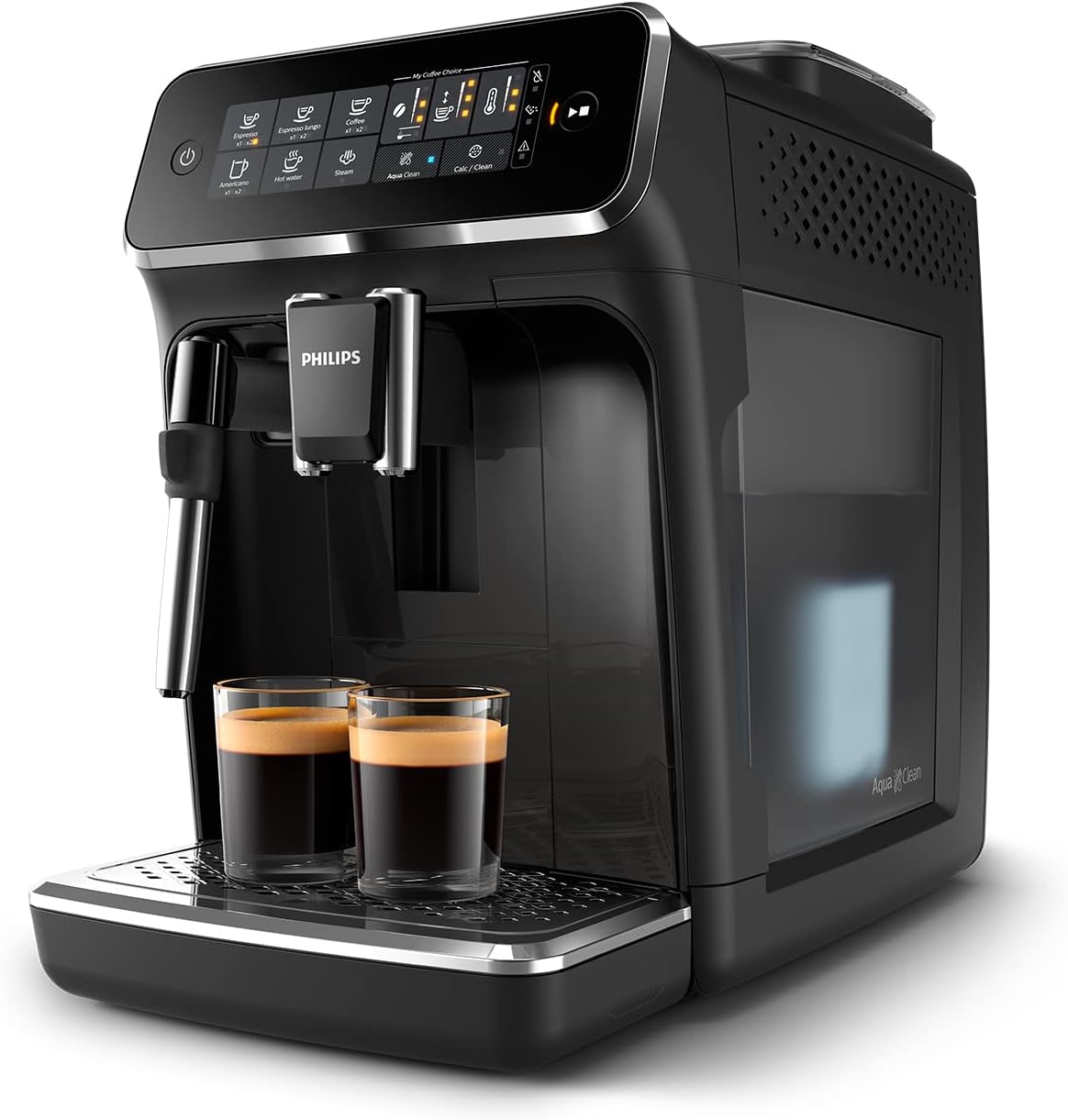
Image: Philips Series 3200 Super-Automatic Coffee Machine with two espresso cups on the drip tray.
4. Ntọala na ojiji mbụ
4.1 Mwepu na mkpochapụ mbụ
- Wepu ihe nkwakọ ngwaahịa niile na igwe.
- Wash the water tank, drip tray, and coffee grounds container with warm water and a mild detergent. Rinse thoroughly.
- Jiri nwayọ hichaa mpụta igwe, damp akwa .
4.2 Na-ejuputa tank mmiri
- Wepu tank mmiri na igwe.
- Jupụta tank ahụ na mmiri ọkpọkọ ọhụrụ ruo na ihe ngosi MAX.
- Tinye tank mmiri ahụ azụ n'ime igwe.
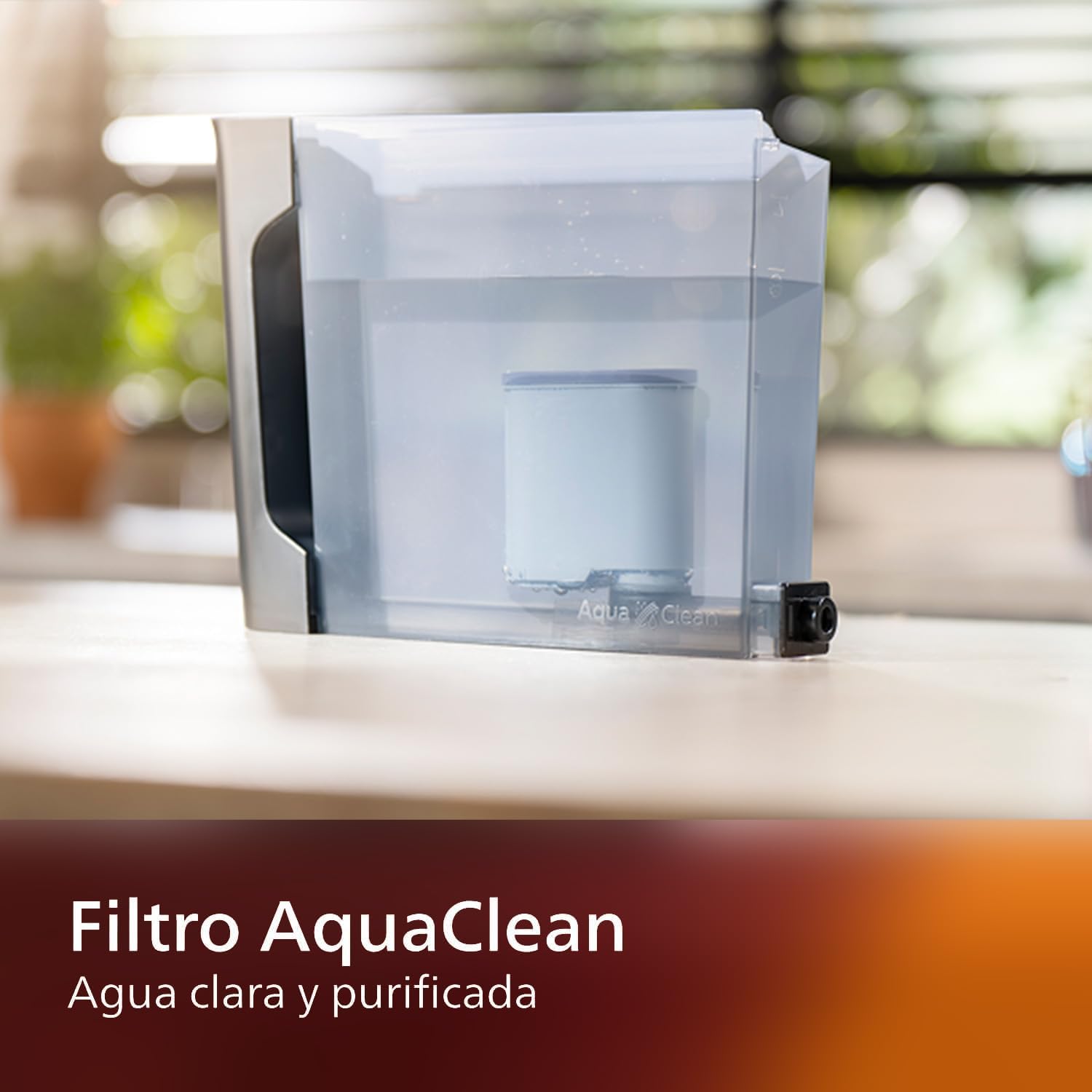
Image: AquaClean water filter installed in the water tank. The AquaClean filter helps ensure clear and purified water for your coffee.
4.3 Na-ejuputa Bean Hopper
- Open the coffee bean hopper lid.
- Wụsa agwa kọfị ọhụrụ n'ime ihe e ji ekpofu ihe. Ejula ya karịa ọkwa kachasị elu.
- Close the lid securely to preserve aroma.
4.4 Njikọ ike
- Tinye eriri ọkụ n'ime oghere mgbidi gbadoro ụkwụ.
- Press the power button to turn on the machine. The machine will perform an automatic rinse cycle.
5. Ntuziaka ọrụ
5.1 Ime Kọfị
The intuitive touch display allows for easy selection of your desired coffee beverage.
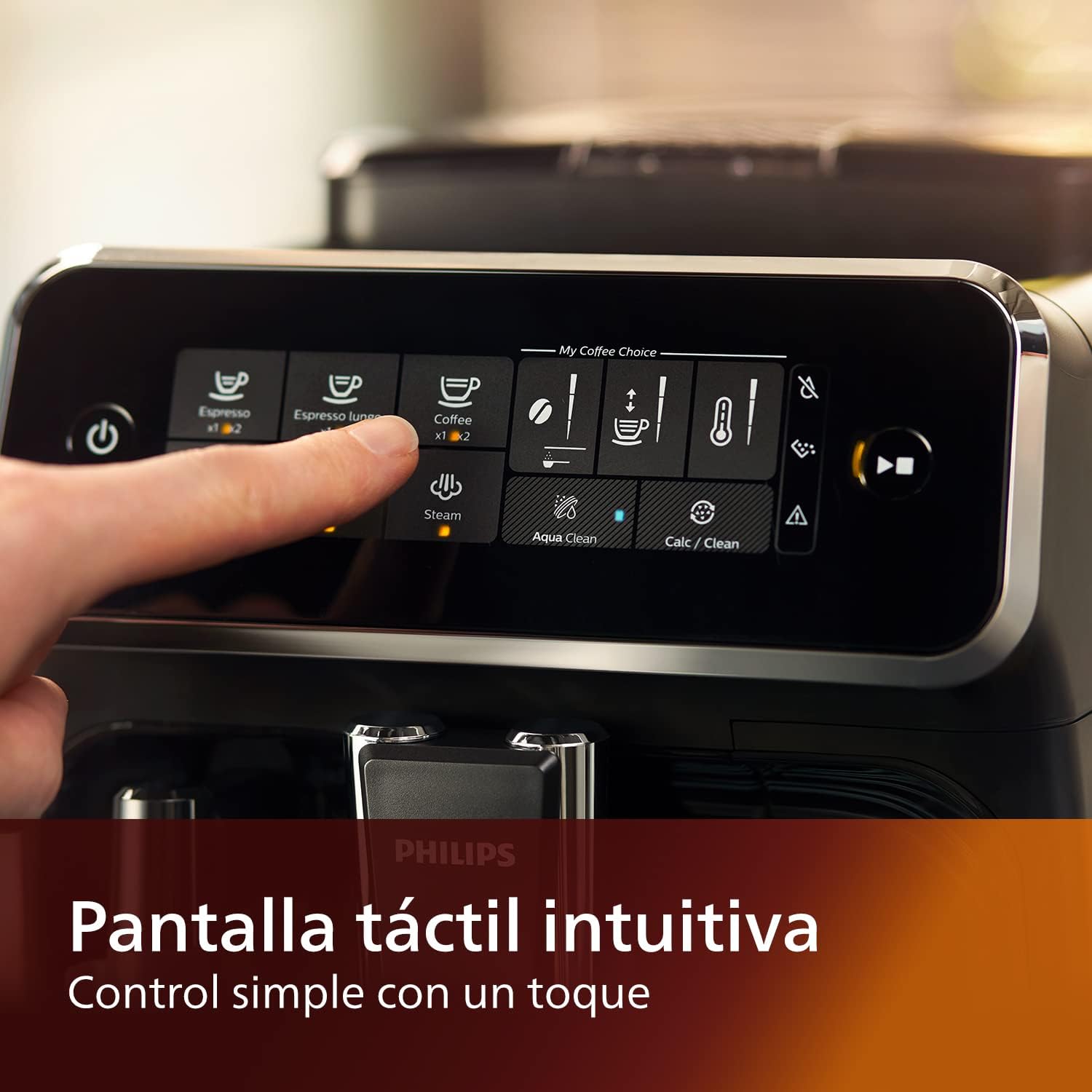
Image: Close-up of the intuitive touch display on the Philips Series 3200 coffee machine, showing various beverage options.
- Tinye otu iko n'okpuru kọfị kọfị.
- Select your desired coffee type (e.g., Espresso, Coffee, Americano) from the touch display.
- Igwe ahụ ga-egweri agwa ahụ ma mee kọfị gị na akpaghị aka.
5.2 Customizing Your Coffee (My Coffee Choice)
Use the My Coffee Choice menu to adjust intensity and quantity.

Image: The 'My Coffee Choice' screen on the touch display, illustrating options to adjust coffee intensity and volume.
- After selecting a beverage, tap the 'My Coffee Choice' icon.
- Adjust the coffee strength (intensity) and volume (quantity) using the on-screen controls. There are three settings for each.
- Confirm your selection to start brewing.
5.3 Iji ihe eji eme mmiri ara ehi ochie
The Panarello milk frother allows you to prepare smooth and silky milk foam for cappuccinos and lattes.

Image: The classic milk frother steaming milk directly into a glass cup, creating foam.
- Jupụta otu ite mmiri ara ehi na mmiri ara ehi oyi.
- Place the milk jug under the frother.
- Select the 'Steam' option on the touch display.
- Immerse the frother nozzle into the milk and turn the steam knob (if applicable) or press the steam button to start frothing.
- Ozugbo e nwetara ụfụfụ achọrọ, gbanyụọ uzuoku ahụ.
- Clean the frother immediately after use by wiping it with a damp ákwà ma hichaa obere uzuoku.
6. Nlekọta na nhicha
Ịsacha na idozi ya mgbe niile na-eme ka igwe kọfị gị rụọ ọrụ nke ọma ma na-adịte aka.
6.1 Nhicha kwa ụbọchị
- Wụpụ ihe dị n'ime tray mmiri na ihe e ji kọfị mee ma sachaa ya kwa ụbọchị.
- Wipe the coffee spout and milk frother with a damp akwa .
- Ghichaa tank mmiri ahụ.
6.2 AquaClean Filter
The AquaClean filter ensures clear and purified water, reducing the need for frequent descaling. Replace the filter when indicated by the machine, typically after approximately 5000 cups, depending on water hardness.

Image: A demonstration of the AquaClean water filter, showing its effectiveness in purifying water.
6.3 calhapụ ịda
Even with the AquaClean filter, descaling will eventually be required. The machine will prompt you when descaling is necessary. Follow the on-screen instructions and use a Philips-approved descaling solution.
6.4 Dishwasher Safe Parts
Note that the main appliance is not dishwasher safe. However, some removable parts, such as the drip tray and coffee grounds container, may be dishwasher safe. Refer to the specific instructions for each component.
7. Nchọpụta nsogbu
If you encounter issues with your coffee machine, consult the table below for common problems and solutions.
| Nsogbu | Ihe nwere ike ime | Ngwọta |
|---|---|---|
| A naghị enye kọfị. | Tankị mmiri tọgbọ chakoo. | Jupụta tank mmiri ahụ. |
| Kọfị esichaghịkwa ike. | Grind setting is too coarse. | Gbanwee grinder ka ọ bụrụ ebe kacha mma. |
| Mmiri ara ehi na-anaghị emepụta ụfụfụ. | Frother is clogged or not clean. | Clean the milk frother thoroughly. Ensure the nozzle is clear. |
| Machine displays a descaling alert. | Mwube nke limescale. | Mee usoro iwepụ ihe dịka igwe si kwuo. |
8. Nkọwapụta
| Njirimara | Nkọwa |
|---|---|
| Ụdị | Philips |
| Nọmba nlereanya | EP3221/40 |
| Ike agwa kọfị | 275 grams |
| Agba | Oji na-egbuke egbuke |
| Akụkụ ngwaahịa (D x W x H) | 25 x 36.6 x 32 centimita |
| Atụmatụ pụrụ iche | Integrated coffee grinder, Milk Frother, Water Filter, Programmable |
| Ụdị Onye na-eme kọfị | Igwe Espresso |
| Ihe onwunwe | Plastic |
| Ọrụ | Akpaaka zuru oke |
| Ike | 1500 Watt |
| Voltage | 230 volts |
| Ntinye Interface mmadụ | Ihuenyo mmetụ aka |
| Ụdị ntinye kọfị | Agwa zuru oke |
| Ụdị nzacha | A na-emegharịgharị (AquaClean) |
| Igwe efere dị mma | Mba (maka isi unit) |
| Afọ mmepụta | 2022 |
9. Akwụkwọ ikike na nkwado
9.1 Ozi akwụkwọ ikike
Your Philips Series 3200 Super-Automatic Coffee Machine is covered by a manufacturer's warranty. For detailed information regarding warranty terms, duration, and conditions, please refer to the warranty card included with your product or visit the official Philips websaịtị maka mpaghara gị.
9.2 Nkwado ndị ahịa
For technical assistance, spare parts, or service, please contact Philips Customer Support. You can find contact details (phone numbers, email, and online support) on the official Philips websaịtị ma ọ bụ na akwụkwọ enyere na ngwa gị.
When contacting support, please have your model number (EP3221/40) and purchase date ready.