
1. Okwu mmalite
This manual provides comprehensive instructions for the proper use and maintenance of your Zerone Replacement TV Remote Control, model BN59-01199G. This remote is designed as a direct replacement for compatible Samsung Smart TVs, ensuring seamless operation without complex setup.

Image 1.1: The Zerone Replacement TV Remote Control, showcasing its button layout and ergonomic design.
2. Ihe ngwugwu
- 1 x Zerone Replacement TV Remote Control (Model: BN59-01199G)
3. Nkọwapụta
| Njirimara | Nkọwa |
|---|---|
| Ihe onwunwe Shell | ABS |
| Anya njikwa anya | Greater than 8 meters (actual distance may vary based on TV model and environment) |
| Ụdị batrị | Batrị 2 x AA (anaghị etinye ya) |
| Akụkụ ngwaahịa | Ihe dị ka 175 x 45 x 20 mm (6.9 x 1.8 x 0.8 sentimita asatọ) |
| Ibu Ibu | Ihe ruru. 67g (2.46 ounces) |
| Ngwa dakọtara | Samsung Smart TVs requiring BN59-01199G remote |

Image 3.1: Dimensions of the remote control: 175mm (6.9in) length, 45mm (1.8in) width, and 20mm (0.8in) thickness.
4. Nhazi
4.1 Ntinye batrị
- Chọta ebe batrị dị n'azụ nke njikwa anya.
- Madaa mkpuchi batrị ala ka imepe ya.
- Tinye batrị AA abụọ (2), hụ na njedebe ndị dị mma (+) na nke na-adịghị mma (-) kwekọrọ na akara ndị dị n'ime ngalaba ahụ.
- Weghachite mkpuchi batrị n'ime ebe ruo mgbe ọ pịrị na nchekwa.
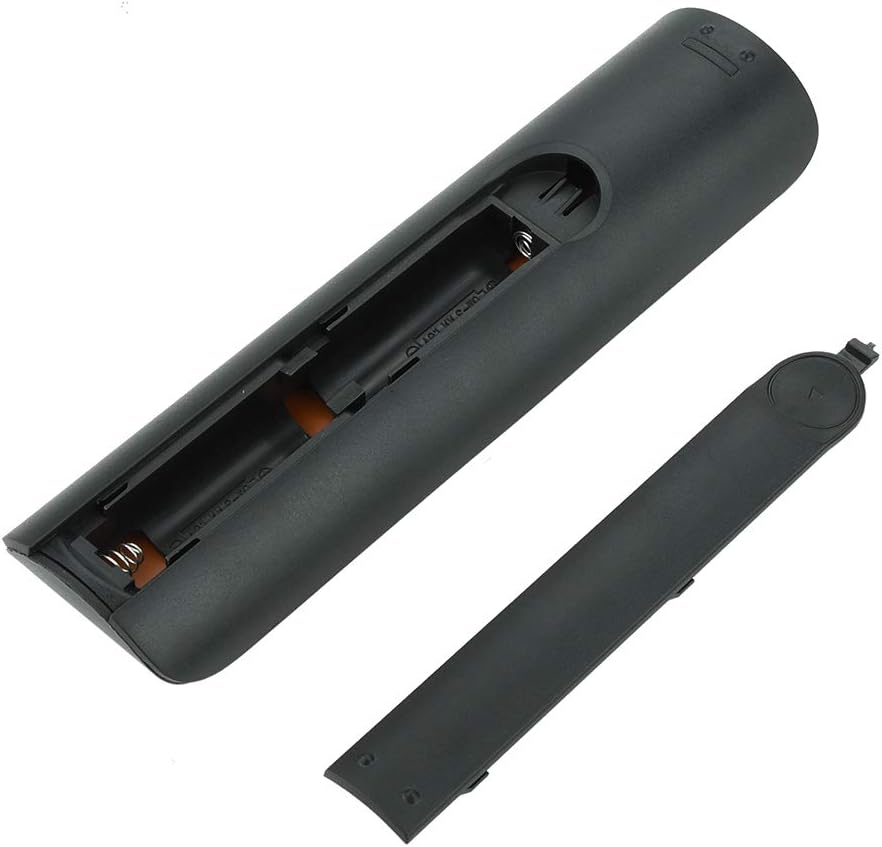
Foto nke 4.1: View of the remote control with the battery cover removed, showing the two AA battery slots.
4.2 Ojiji mbụ
This remote control is designed to work directly with compatible Samsung Smart TVs that originally used the BN59-01199G model. No programming or pairing is typically required. Simply install the batteries and point the remote towards your television.

Image 4.2: The remote control positioned near a television, illustrating its intended use with compatible Samsung models.
5. Ntuziaka ọrụ
The remote control features standard buttons for TV operation. Refer to the image below for a visual guide to the button layout.

Foto 5.1: nkọwa zuru ezu view of the remote control's buttons, including power, number pad, volume, channel, and smart functions.
- Bọtịnụ Ike (Uhie): Gbanyụọ ma ọ bụ gbanyụọ TV.
- Nọmba akara (0-9): Maka ntinye ọwa kpọmkwem.
- Elu elu/ala (+/-): Na-edozi olu TV.
- Ọwa Elu/Mbelata (CH +/-): Na-agbanwe ọwa TV.
- Mechie: Na-eme ka ụda TV ghara ịdị jụụ.
- Smart Hub: Accesses the Smart Hub interface for apps and streaming services.
- NchNhr: Mepee isi menu ihe onyonyo.
- Ngwa: Provides quick access to common TV functions.
- Ozi: Na-egosi ozi gbasara mmemme ma ọ bụ ntinye dị ugbu a.
- Paadị Ntugharị (Elu, Ala, Aka ekpe, Aka nri, Tinye): A na-eji ya agagharị na menus ma họrọ nhọrọ.
- laghachi: Na-alaghachi na ihuenyo gara aga ma ọ bụ menu.
- Ụzọ ọpụpụ: Closes the current menu or application.
- Bọtịnụ agba (A, B, C, D): Ọrụ dị iche iche dabere na ụdị TV na ngwa.
- Njikwa ọkpụkpọ: Kpọọ, kwụsịtụ, Kwụsị, Gaa n'ihu ngwa ngwa, laghachi azụ maka ịkpọghachi mgbasa ozi.
6. Nlekọta
6.1 Nhicha
Iji hichaa njikwa dịpụrụ adịpụ, jiri nwayọ hichaa ya na akwa dị nro. Maka unyi isi ike, ntakịrị dampJiri mmiri ma ọ bụ ihe nhicha dị nro, nke na-anaghị afụ ụfụ kpuchie ákwà ahụ. Zere iji kemịkalụ siri ike ma ọ bụ oke mmiri mmiri, n'ihi na ihe ndị a nwere ike imebi ihe eletrọniki nke remote ahụ.
6.2 nnọchi batrị
Replace batteries when the remote control's response becomes sluggish or stops working. Always replace both AA batteries at the same time with new ones. Do not mix old and new batteries, or different types of batteries.
7. Nchọpụta nsogbu
- Remote anaghị aza:
- Lelee ma etinyere batrị ndị ahụ nke ọma site na polarity ziri ezi.
- Dochie batrị ndị dị ọhụrụ.
- Ensure there are no obstructions between the remote control and the TV's infrared receiver.
- Gbaa mbọ hụ na a tụrụ anya na igwe onyonyo ozugbo na TV.
- Short remote control distance:
- This can indicate low battery power; replace the batteries.
- Environmental factors or strong light sources can interfere with the infrared signal. Try using the remote in different lighting conditions.
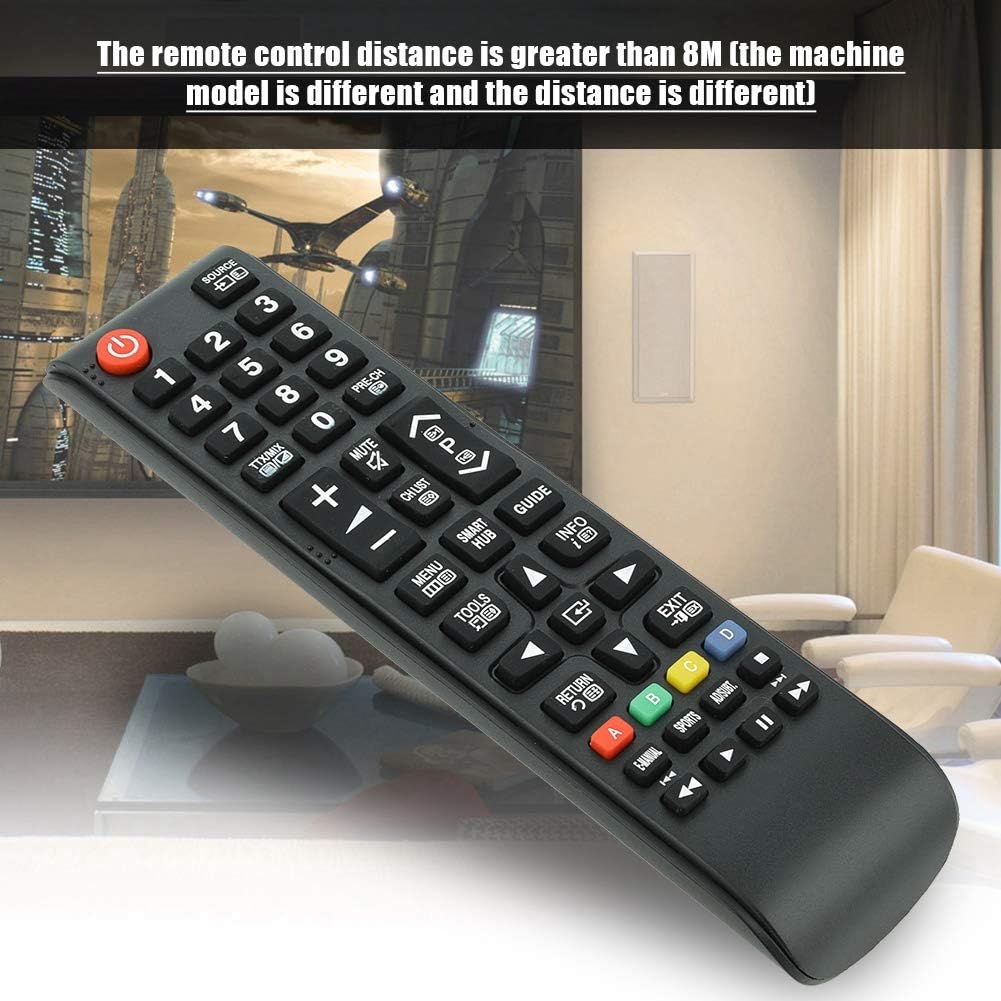
Image 7.1: The remote control in a typical home environment, demonstrating its effective range for TV operation.
8. Akwụkwọ ikike na nkwado
Zerone products are manufactured with quality in mind. If you encounter any issues or are not satisfied with your product, please contact the seller or manufacturer for support. Refer to your purchase documentation for specific warranty terms and contact information.