
1. Okwu mmalite
This manual provides detailed instructions for the safe installation, operation, and maintenance of your Hunter Minimus 59453 44-inch Indoor Ceiling Fan. Designed for indoor comfort, this low-profile fan features an ultra-quiet WhisperWind motor, an energy-efficient LED light kit, and convenient remote control operation. Please read all instructions carefully before beginning installation or use.
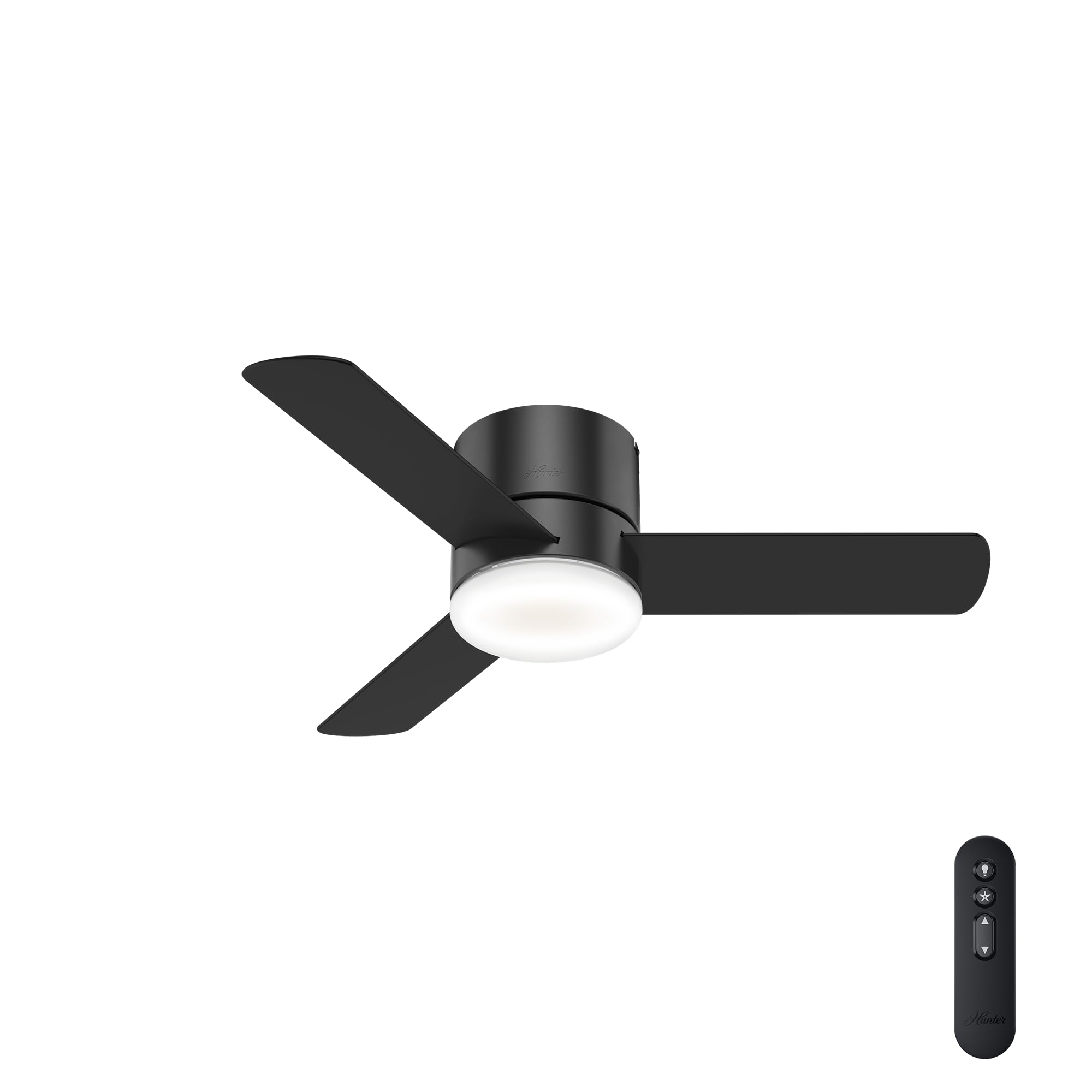
Image 1: Hunter Minimus 44-inch Matte Black Ceiling Fan with LED Light.
2. Ozi nchekwa
Always prioritize safety during installation and operation. Failure to follow these instructions may result in electric shock, fire, or personal injury.
- Turn off electrical breaker before installing. Ensure power is completely disconnected at the main circuit breaker or fuse box to prevent electrical shock.
- Ọ bụrụ na ị maghị waya, gakwuru ọkachamara ọkụ eletrik ruru eru.
- Mount the fan only to an outlet box marked 'Acceptable for Fan Support of 35 lbs (15.9 kg) or less' and use the mounting screws provided with the outlet box.
- Etinyela ihe njide agụba n'ime ya mgbe ị na-etinye ya, na-ahazi ya, ma ọ bụ na-ehicha ya.
- Do not operate the fan with damaged blades.
3. Ihe ngwugwu
Verify that all components are present before beginning installation. If any parts are missing or damaged, contact Hunter customer service.

Image 2: Included components of Hunter Minimus 44-inch Ceiling Fan: LED Bulb, 3 Reversible Blades, Handheld Remote.
- Igwe ọkụ ọkụ LED
- Agụba 3 A Na-agbanwe Agbanwe
- Njikwa Ime Ime Aka
- Ụlọ moto
- Ngwaike mgbakwasa
4. Ntọala na nwụnye
The Hunter Minimus 59453 is designed for straightforward installation, featuring a low-profile flush mount suitable for ceilings under 9 feet. For detailed visual guidance, refer to the 'Hunter Brand Video - Since 1886' and 'The Minimus Ceiling Fan by Hunter - Overview' videos.
Video 1: Hunter Brand Video - Since 1886. This video provides an overview of Hunter's commitment to quality and innovation, including features like SureSpeed and Hunter Express for easier installation.
Video 2: The Minimus Ceiling Fan by Hunter - Overview. This video offers a brief look at the Minimus fan's design and features.
4.1. Nzọụkwụ mbụ etinyere
- Ịkwụsị ike: Before starting, ensure the power is turned off at the circuit breaker.
- Wepu akụrụngwa: Carefully remove all parts from the packaging and lay them out to ensure nothing is missing.
- Review Akụkụ ndị fan: Confirm the fan's dimensions are suitable for your space.
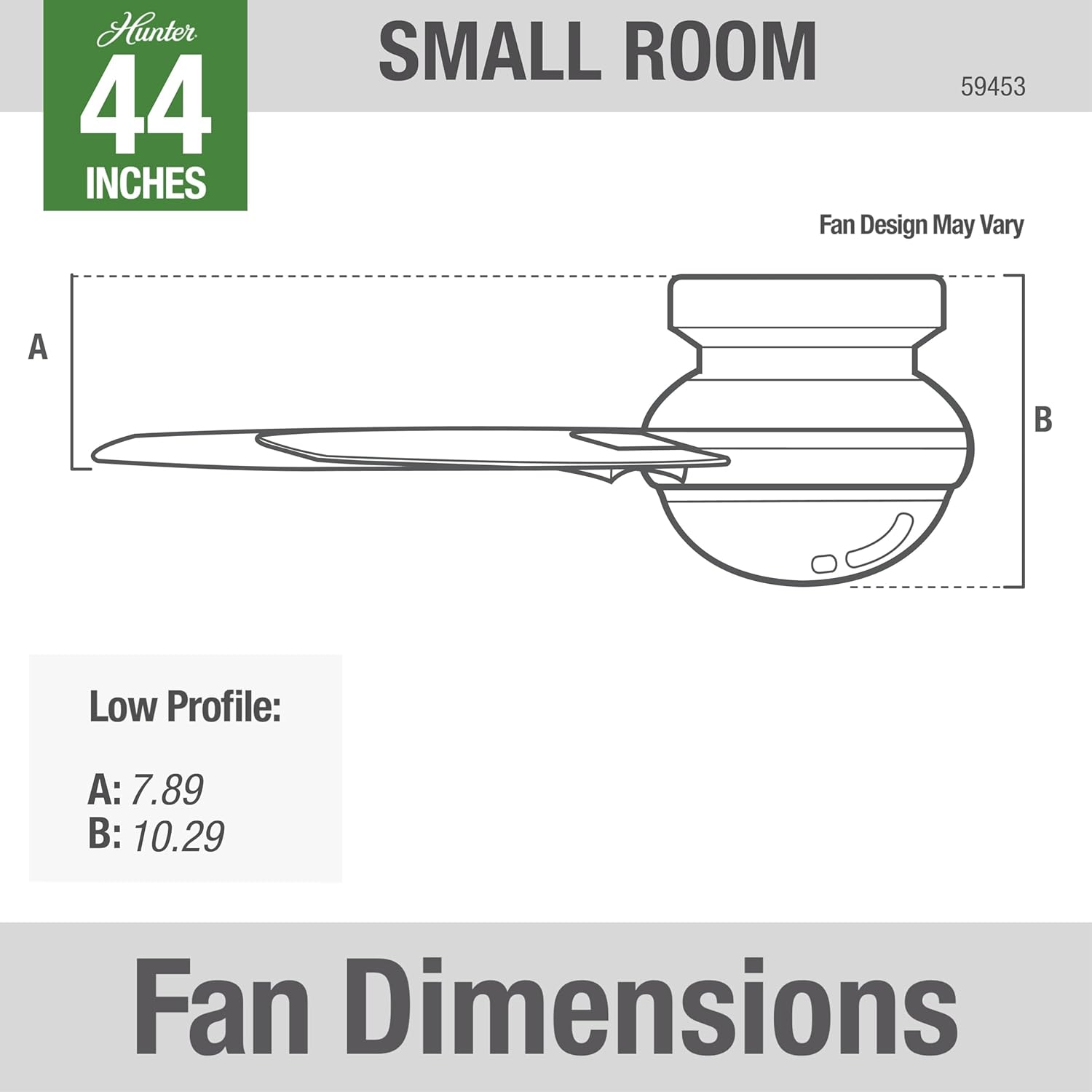
Image 3: Fan Dimensions for low profile installation. A: 7.89 inches, B: 10.29 inches.
4.2. Ịwụnye Fan
Follow the detailed instructions provided in your fan's installation guide for mounting the bracket, wiring, and attaching the fan body and blades. The pre-installed control receiver simplifies the wiring process.

Image 4: Hunter Minimus 44-inch Ceiling Fan installed in a modern home office setting.
5. Ntuziaka ọrụ
Your Hunter Minimus 59453 fan is operated using the included handheld remote control. This remote allows you to control the fan speed, light on/off, dimming, and fan direction.

Image 5: Hunter Minimus Remote Control with buttons for light, fan on/off, speed adjustment, and direction change.
Video 3: How to Use a Hunter Remote. This video demonstrates the functions of the Hunter remote control for light, fan speed, and direction.
5.1. Njikwa ọkụ
- Mgbanwu/ Gbanyụọ: Quick press the light bulb button to turn the light on or off.
- Igha: Press and hold the light bulb button to dim or brighten the light.
- Dimming Mode ON/OFF: Press and hold both the up and down fan speed arrows simultaneously to toggle dimming mode on or off.
5.2. Njikwa Fans
- Gbanyụọ/ Gbanyụọ: Quick press the fan button (star icon) to turn the fan on or off.
- Raise Fan Speed: Quick press the up arrow button to increase fan speed.
- Lower Fan Speed: Quick press the down arrow button to decrease fan speed.
- Fan Reverse (Seasonal Modes): Press and hold the fan button (star icon) to reverse the fan direction. This feature is typically used to switch between Summer and Winter modes. (Excludes fans with a physical reverse switch on the housing).
Video 4: Hunter Fan Company 59453 44". This short video provides a quick visual of the fan in operation.
6. Seasonal Modes
Adjust your fan's direction to optimize comfort and energy efficiency throughout the year.
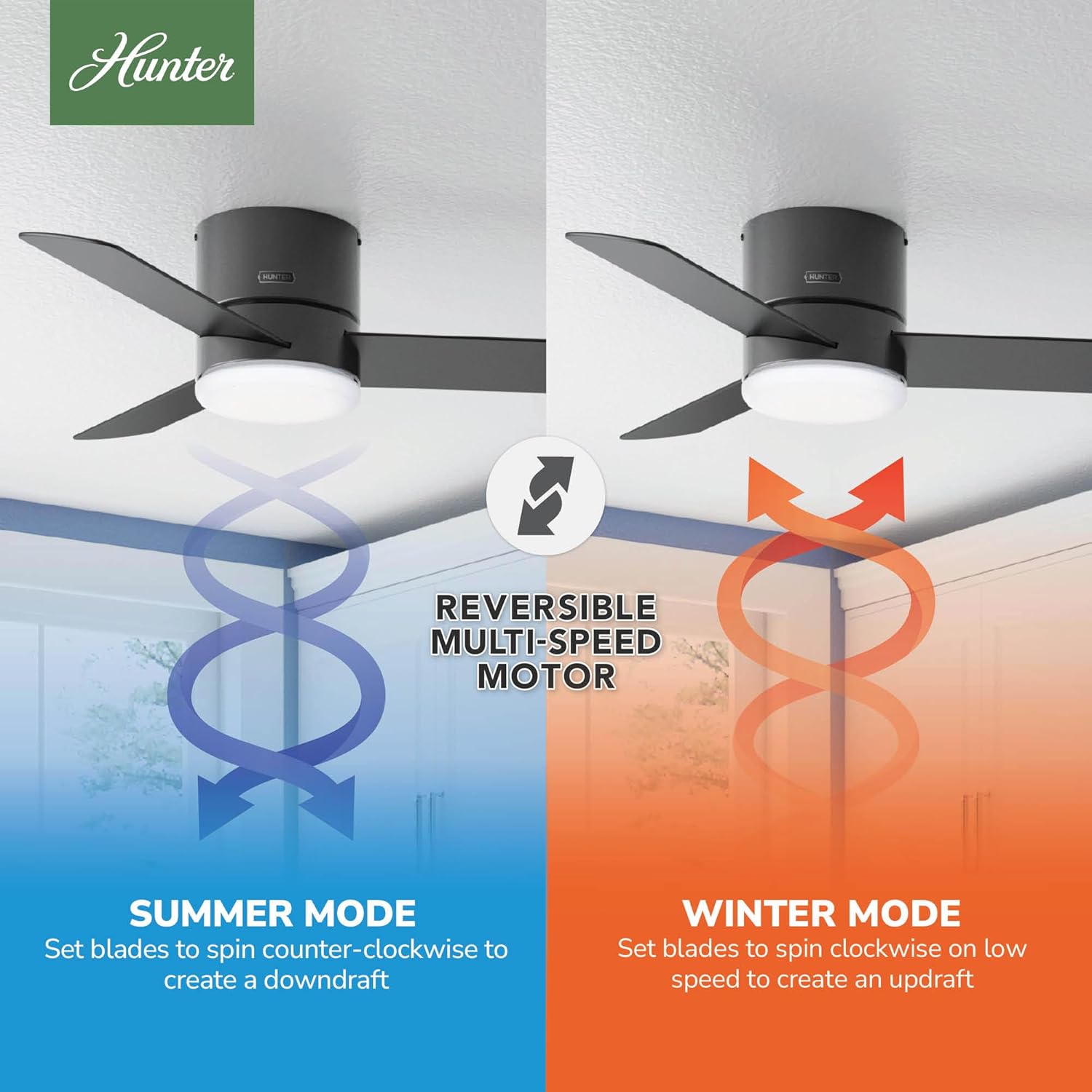
Image 6: Reversible Multi-Speed Motor showing Summer Mode (downdraft) and Winter Mode (updraft).
- Summer Mode (Counter-Clockwise): Set blades to spin counter-clockwise to create a downdraft, providing a cooling breeze.
- Ụdị oyi (na-aga elekere): Set blades to spin clockwise on low speed to create an updraft, circulating warm air near the ceiling without creating a direct draft.

Image 7: Using a ceiling fan can save energy and money by allowing you to adjust thermostat settings.
7. Nlekọta
Nlekọta anya mgbe niile na-eme ka arụmọrụ kacha mma na ogologo ndụ nke onye na-akwado uko ụlọ gị.
- Nhicha: Jiri ihe dị nro na-efesa agụba fan na ụlọ moto, damp ákwà. Zere iji ihe nhicha ihe na-eme ka ihe dị nro nke nwere ike imebi ihe ahụ.
- Mechie ngwa ngwa: Check all screws and fasteners on the fan and mounting assembly at least twice a year to ensure they are secure.
- Nyocha agụba: Inspect blades for any cracks or damage. Replace damaged blades immediately.
8. Nchọpụta nsogbu
If you experience issues with your fan, consult the following common troubleshooting tips:
- Onye ofufe anaghị ebido: Check that the circuit breaker is on and the wall switch (if applicable) is in the ON position. Ensure all wiring connections are secure. Verify the remote control battery is functional.
- Ìhè anaghị arụ ọrụ: Check the light bulb connection. Ensure the light is not in dimming mode if you expect full brightness.
- Ndị na-egwu egwu: Ensure all blade screws are tightened. Check that the mounting bracket is securely fastened to the ceiling outlet box.
- Ọrụ mkpọtụ: Verify all screws are tight. Check for proper blade alignment. Ensure the fan is not rubbing against any part of the ceiling or mounting.
9. Nkọwapụta
| Njirimara | Nkọwapụta |
|---|---|
| Ụdị | Dinta |
| Nọmba nlereanya | 59453 |
| Agba | Matte Black |
| Akụkụ ngwaahịa | 44"D x 44"W x 10.3"H |
| Ụdị ụlọ | Bedroom, Living Room, Kitchen, Home Office |
| Ụdị nkwụnye | Oke ugwu |
| Ụdị njikwa | Njikwa anya |
| Ọnụọgụ nke Ọsọ ọsọ | 3 |
| Ọkwa mkpọtụ | 44 decibel |
| Wattage | 42 watt |
| Ọnụọgụ agụba | 3 |
| Ike ikuku | 2238 Cubic Feet kwa nkeji |
| Voltage | 120V |
| Ụdị ọkụ | Ikanam |
| Ihe agụba | Plastic |
| Nkọwapụta Met | ETL, UL |
| UPC | 049694594532 |
10. Akwụkwọ ikike na nkwado
Your Hunter Minimus 59453 Ceiling Fan comes with a Akwụkwọ ikike moto nwere oke ndụ. For specific details regarding warranty coverage, claims, or technical support, please refer to the warranty documentation included with your product or visit the official Hunter Fan Company website. You can also contact Hunter customer service directly for assistance.