
1. Okwu mmalite
The Picun H12 Bluetooth Neckband Headset offers a comfortable and high-quality audio experience for various activities, including sports and daily use. Featuring Bluetooth 4.1 connectivity, a 13mm driver for clear sound, and IPX6 water resistance, these earphones are designed for durability and convenience. The magnetic earbuds and lightweight neckband design enhance portability and ease of use.
2. Kedu ihe dị na Igbe ahụ
- Picun H12 Bluetooth Neckband Headset
- Igwe nchaji USB
- Earbuds Covers (various sizes)
- Akwụkwọ ntuziaka onye ọrụ
3. Ngwaahịa gafereview
The Picun H12 headset is engineered for superior sound and extended battery life, ensuring an immersive audio experience.

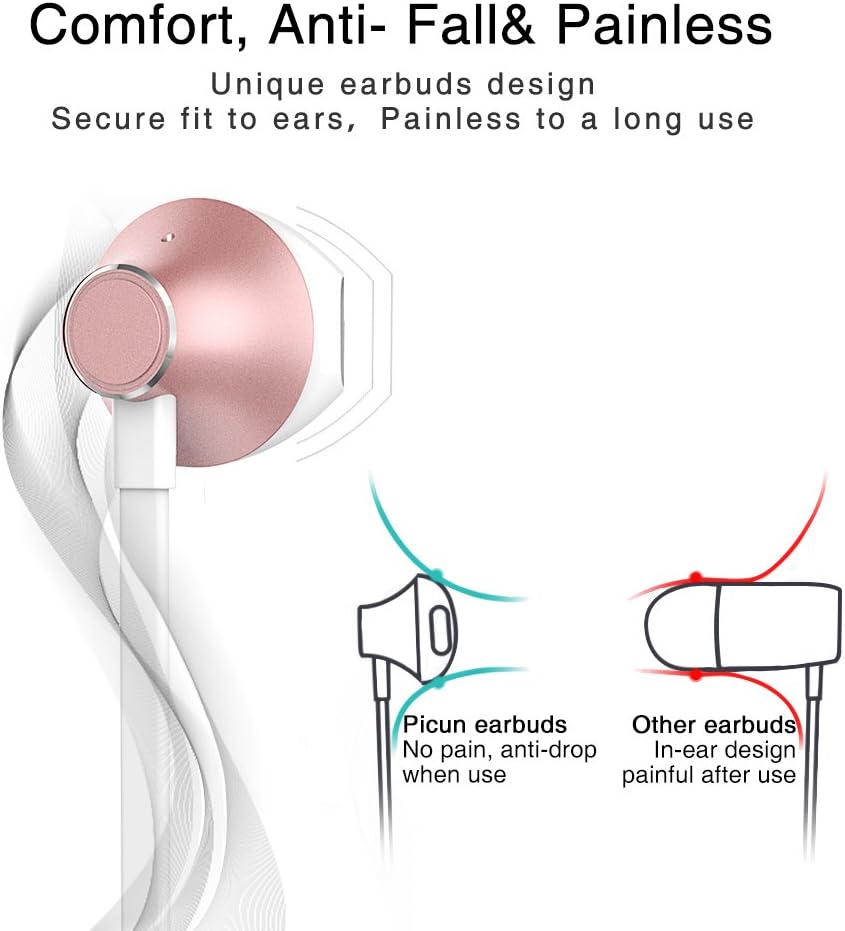
Designed for comfort, the unique earbud shape provides a secure fit without causing discomfort, even during prolonged use.
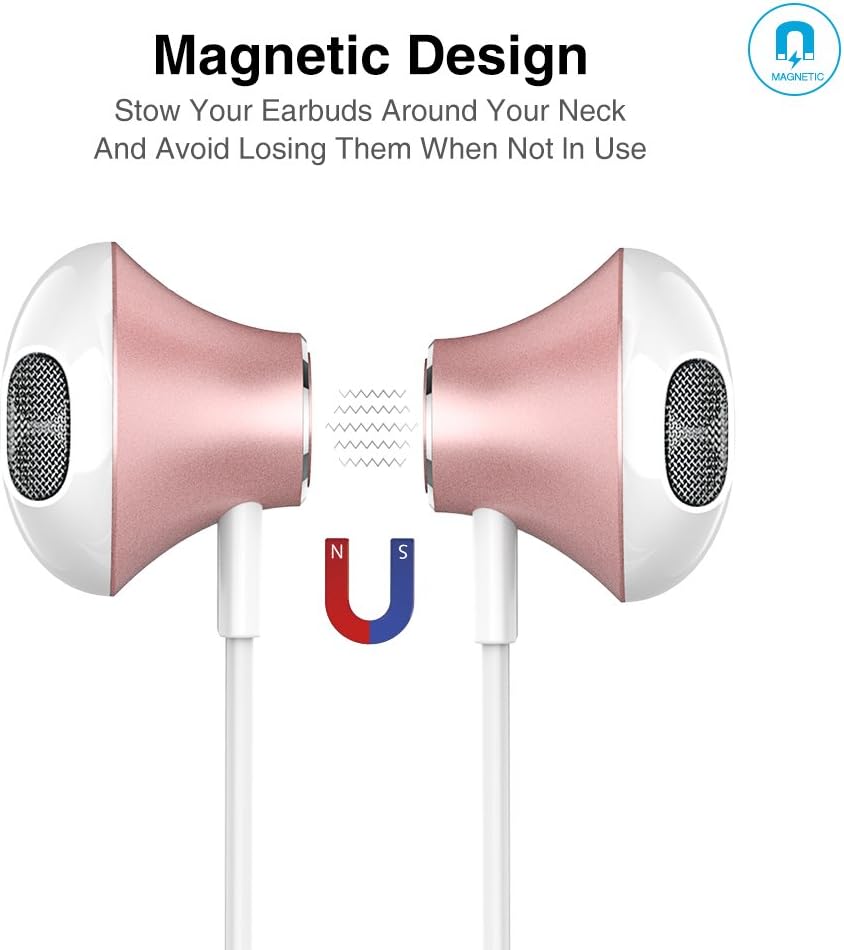
The magnetic design allows the earbuds to clip together when not in use, preventing tangles and making them easy to carry around your neck.
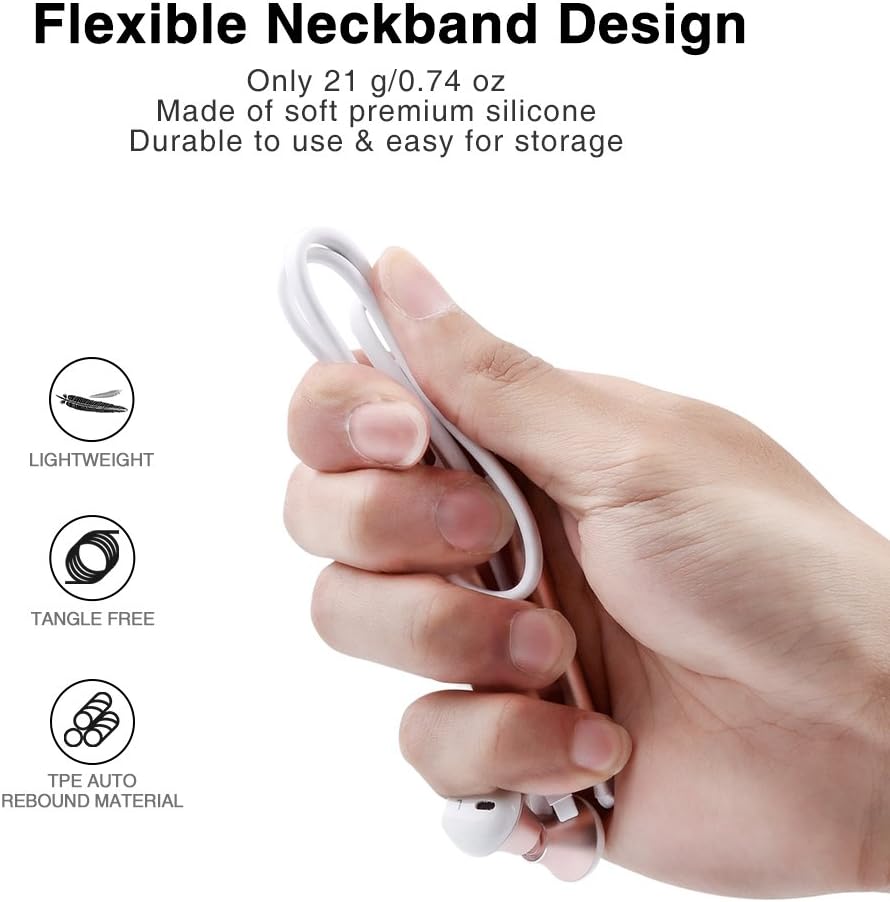
The flexible neckband is lightweight and made from TPE auto-rebound material, ensuring durability and tangle-free storage.
Control your audio and calls effortlessly with the integrated in-line remote and HD noise reduction microphone.

With an IPX6 water-resistant nano-coating, the headset is protected against sweat and rain, making it ideal for workouts.

Lelee vidio a ka ị hụ ihe na-eme n'ọdịnihuview of the Picun H12 Bluetooth Neckband Headset's features and design.
4. Nhazi
4.1 Ịchaji ekweisi
- Connect the micro USB charging cable to the charging port on the headset.
- Jikọọ nsọtụ nke ọzọ nke eriri na isi iyi ike USB (dịka ọmụmaatụ, kọmputa, ihe nkwụnye mgbidi).
- The indicator light will show charging status. A full charge takes approximately 1 hour and provides up to 10 hours of playtime.
4.2 Njikọ Bluetooth
- Gbaa mbọ hụ na akwụchara ekweisi nke ọma.
- Press and hold the multi-function button (usually the center button on the in-line remote) until the indicator light flashes red and blue, indicating pairing mode.
- Na ngwaọrụ gị (smartphone, tabletị, wdg), gbanye Bluetooth wee chọọ ngwaọrụ dịnụ.
- Select "Picun H12" from the list of found devices.
- Once paired, the indicator light will typically turn solid blue or flash blue slowly. A voice prompt may confirm successful connection.
5. Ntuziaka ọrụ
5.1 Gbanyụọ ma ọ bụ gbanyụọ
- Ike Na: Press and hold the multi-function button for approximately 3 seconds until the indicator light flashes blue and a voice prompt confirms power on.
- Gbanyụọ: Press and hold the multi-function button for approximately 3-5 seconds until the indicator light flashes red and a voice prompt confirms power off.
5.2 Nghaghachi egwu
- Gwuo/kwụsịtụ: Mkpirisi pịa bọtịnụ ọtụtụ ọrụ.
- Abụ na-esote: Long press the "V+" button.
- Abụ gara aga: Long press the "V-" button.
- Olu elu: Short press the "V+" button.
- Olu ala: Short press the "V-" button.
5.3 Njikwa oku
- Oku azaa: Short press the multi-function button when a call comes in.
- Oku ngwụcha: Short press the multi-function button during a call.
- Jụ oku: Long press the multi-function button when a call comes in.
- Nọmba Ikpeazụ emegharịgharịrị: Pịa bọtịnụ ọtụtụ ọrụ ugboro abụọ.
6. Nlekọta
- Nhicha: Jiri akwa dị nro dị nro hichaa ekweisi. Ejila ihe nchacha abrasive ma ọ bụ ihe mgbaze.
- Nguzogide mmiri: The headset is IPX6 water-resistant, meaning it can resist high-pressure, heavy sprays of water. It is not designed for submersion. Dry thoroughly if exposed to water or sweat.
- Nchekwa: When not in use, store the headset in a cool, dry place. The magnetic earbuds help prevent tangling.
- Nlekọta batrị: To prolong battery life, avoid fully discharging the battery frequently. Charge the headset regularly, even if not in use for extended periods.
7. Nchọpụta nsogbu
| Okwu | Ngwọta enwere ike |
|---|---|
| Headset won't power on | Ensure the headset is fully charged. Connect to a power source and try again. |
| Enweghị ike ijikọ na ngwaọrụ | Ensure the headset is in pairing mode (flashing red and blue light). Turn off and on Bluetooth on your device. Move closer to the headset. |
| Enweghị ụda ma ọ bụ olu dị ala | Check volume levels on both the headset and your connected device. Ensure the headset is properly paired. Try re-pairing. |
| Njikọ na-adịte aka | Ensure no obstacles are between the headset and your device. Stay within the 33-foot (10-meter) Bluetooth range. Avoid strong electromagnetic interference. |
| Okwu nchaji | Check the charging cable and USB power source. Try a different cable or power adapter. Ensure the charging port is clean and free of debris. |
8. Nkọwapụta
- Akara: Picun
- Ụdị: H12
- Teknụzụ Njikọta: Ikuku (Bluetooth)
- Ụdị Bluetooth: 4.1
- Oke ikuku: Ruo 33 ụkwụ (mita 10)
- Oge egwuregwu: Ruo awa iri abụọ
- Oge nchaji: Ihe dị ka elekere 1
- Nha ọkwọ ụgbọ ala: 13 MM Neodymium
- Nzaghachi ugboro ugboro: 20 Hz - 20 kHz
- Nguzogide mmiri: IPX6 (Ọsụsọ na-eguzogide mmiri mmiri ma na-eguzogide mmiri mmiri)
- Ntinye ntị: Na Ntị
- Ihe kpatara ụdị: eriri olu
- Ụdị njikwa: In-line Volume Control, Multi-function button
- Igwe okwu: Built-in HD noise reduction mic
- Arọ: 0.05 pound (ihe dị ka 21g)
- Ihe: Silicone, Thermoplastic Elastomer (TPE)
9. Akwụkwọ ikike na nkwado
The Picun H12 Bluetooth Neckband Headset comes with a 10-month guarantee period from the date of purchase. For any product-related inquiries, technical support, or warranty claims, please contact Picun customer service. Refer to the contact information provided on the product packaging or the official Picun websaịtị maka enyemaka.