
1. Okwu mmalite
The Gembird EG-SST-01 is an external DVD±RW drive designed for convenient reading and writing of CD and DVD media. This device connects to your computer via a USB 2.0 interface, offering broad compatibility with various Windows operating systems. Its compact and lightweight design makes it an ideal portable solution for laptops and desktop computers without an integrated optical drive.
This manual provides essential information on setting up, operating, maintaining, and troubleshooting your Gembird EG-SST-01 drive to ensure optimal performance and longevity.
2. Ihe ngwugwu
Biko chọpụta na ihe niile dị na ngwugwu:
- Gembird EG-SST-01 External DVD±RW Drive (Black)
- USB Njikọ USB
- Akwụkwọ ntuziaka onye ọrụ
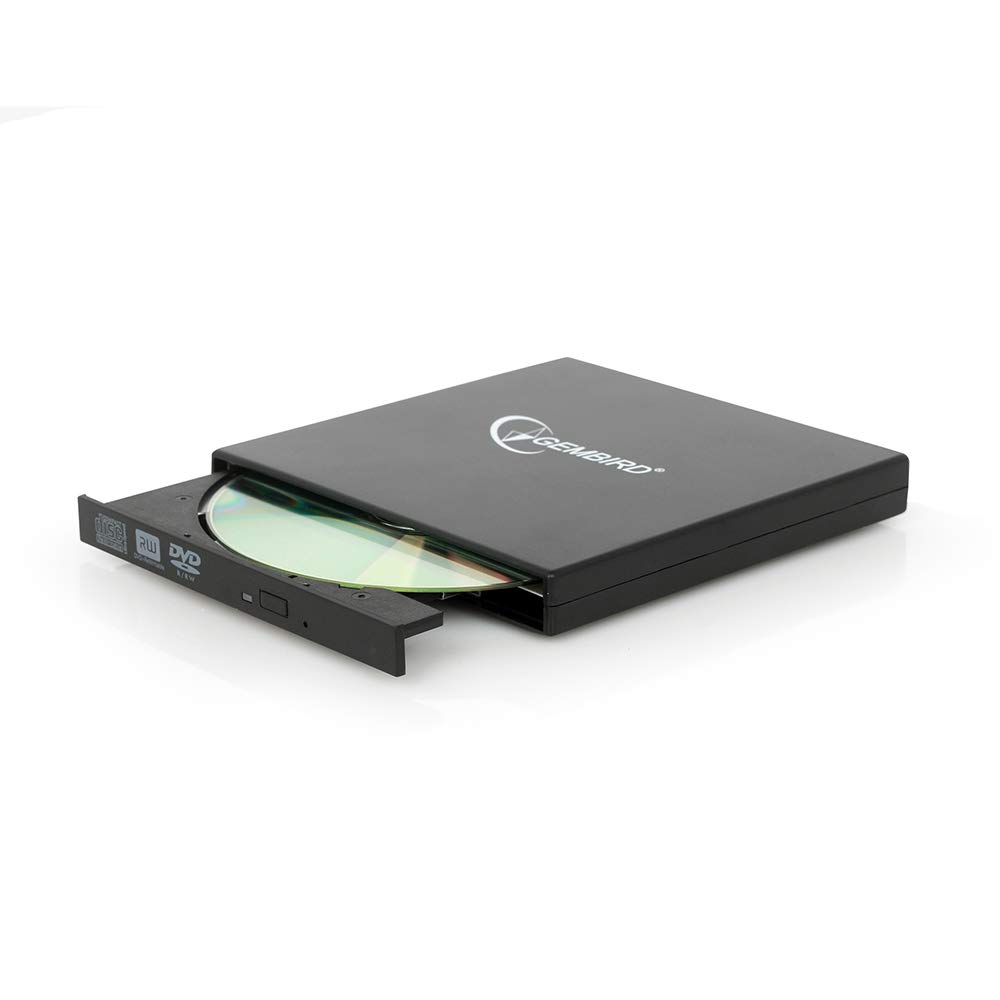
Image: The Gembird EG-SST-01 External DVD±RW Drive in black, shown with its USB connection cable. This image illustrates the compact design and the included accessories.
3. Nhazi ntuziaka
- Jikọọ mbanye: Plug the USB cable into the Gembird EG-SST-01 drive and then connect the other end to an available USB 2.0 port on your computer. For optimal performance, use a direct USB port on your computer rather than a USB hub.
- Nkwekọrịta sistemụ: Your operating system (Windows 7, Windows 8, or Windows 10) should automatically detect and install the necessary drivers for the drive. No manual driver installation is typically required.
- Nyochaa nwụnye: Once connected, the drive should appear in 'This PC' or 'My Computer' as a new optical drive. If it does not appear, try connecting to a different USB port or restarting your computer.
4. Ntuziaka ọrụ
4.1. Na-ebu diski
- Jiri nwayọ pịa bọtịnụ mwepụ dị n'ihu draịva ahụ iji mepee tray diski ahụ.
- Place the CD or DVD onto the tray with the label side facing up. Ensure the disc is seated correctly on the spindle.
- Jiri nwayọọ tụgharịa traị ahụ azụ n'ime draịva ahụ ruo mgbe ọ pịrị emechi.
4.2. Reading Discs
- After loading a disc, your computer's operating system may automatically prompt you to choose an action (e.g., play a movie, open files, install software).
- If no prompt appears, navigate to 'This PC' or 'My Computer', locate the optical drive icon, and double-click it to browse the disc's contents.
- The drive supports CD read speeds of up to 24x and DVD read speeds of up to 8x (DVD-ROM).
4.3. Writing Discs
- To write data to a blank CD-R/RW or DVD±R/RW/RAM disc, you will need compatible burning software (not included).
- Tinye diski efu, nke a na-ede ihe n'ime draịvụ ahụ.
- Follow the instructions provided by your chosen burning software to select files, configure burning options, and start the writing process.
- The drive supports CD-R/RW write speeds of up to 24x and DVD±R/RW write speeds of up to 8x (5x for DVD-R DL, DVD+R DL, and DVD-RAM).
5. Nlekọta
- Nhicha: Use a soft, dry, lint-free cloth to clean the exterior of the drive. Do not use liquid cleaners or solvents. Avoid opening the drive casing.
- Nlekọta diski: Always handle discs by their edges. Keep discs clean and free from scratches, dust, and fingerprints to ensure reliable reading and writing.
- Nchekwa: Store the drive in a cool, dry place away from direct sunlight, extreme temperatures, and high humidity when not in use.
- Ụgbọ njem: When transporting the drive, ensure no disc is inside the tray and the tray is fully closed.
6. Nchọpụta nsogbu
- Amataghị mbanye:
- Hụ na eriri USB ahụ jikọtara nke ọma na draịvụ ahụ na kọmputa ahụ.
- Gbalịa ijikọ draịvụ ahụ na ọdụ ụgbọ USB dị iche na kọmputa gị.
- Malitegharịa ekwentị gị na kọmputa.
- Check Device Manager (Windows) to see if the drive is listed without errors.
- Disc Not Reading/Writing:
- Ensure the disc is clean and free from scratches or damage.
- Verify that the disc type (CD-R, DVD-RW, etc.) is compatible with the drive and the operation you are attempting.
- For writing, ensure you are using a blank, writable disc and appropriate burning software.
- Nwaa diski dị iche iji wepụ diski nwere nsogbu.
- Ịrụ ngwa ngwa:
- Ensure the drive is connected to a USB 2.0 port or higher for optimal data transfer speeds.
- Mechie ngwa ọ bụla na-adịghị mkpa na-agba n'azụ nwere ike na-eri akụrụngwa sistemụ.
7. Nkọwapụta
| Njirimara | Nkọwapụta |
|---|---|
| Nọmba nlereanya | EG-SST-01 |
| Ụdị ngwaahịa | External DVD±RW Drive |
| Interface | USB 2.0 |
| Disc Loading Type | Tray |
| Agba | Nwa |
| Akụkụ (L x W x H) | 135 mm x 130 mm x 17 mm |
| Ibu | 290 g |
| Sistemu eji arụ ọrụ akwadoro | Windows 10, Windows 7 na Windows 8 |
| CD Write Speed | 24x (CD-R, CD-RW) |
| DVD Write Speed | 8x (DVD+R, DVD-R, DVD+RW, DVD-RW), 5x (DVD-R DL, DVD+R DL, DVD-RAM) |
| CD Read Speed | 24x (CD, CD-R, CD-RW, CD-ROM) |
| DVD Read Speed | 8x (DVD+R, DVD-R, DVD-RW, DVD+RW, DVD-ROM), 6x (DVD-RAM), 4x (Video DVD) |
| Optical Disc Diameter | 80 mm, 120 mm |
| Asambodo | ISO 9002, CE, RoHS |
8. Akwụkwọ ikike na nkwado
The Gembird EG-SST-01 External DVD±RW Drive comes with a akwụkwọ ikike afọ abụọ against factory defects. This warranty covers manufacturing faults and material defects under normal use conditions.
For technical support, warranty claims, or further assistance, please contact your retailer or visit the official Gembird website for contact information. Please have your product model number (EG-SST-01) and proof of purchase ready when seeking support.