
1. Okwu mmalite
Thank you for choosing the NeeGo Portable Boombox B07CLH45SL. This versatile audio system combines a CD player, cassette player, AM/FM radio, and includes a NeeGo Bluetooth receiver for wireless audio streaming. This manual provides detailed instructions for setup, operation, maintenance, and troubleshooting to ensure you get the best experience from your device.
2. Ozi nchekwa
- Gụọ ntuziaka niile tupu ị rụọ ọrụ ahụ.
- Keep the unit away from water, moisture, and direct sunlight.
- Akwụsịla oghere ikuku.
- Use only the power sources specified in this manual.
- Do not attempt to repair the unit yourself. Refer all servicing to qualified personnel.
- Tụfuo batrị n'ụzọ ziri ezi dịka iwu obodo siri dị.
3. Ihe ngwugwu
Biko lelee na etinyere ihe niile edepụtara n'okpuru na ngwugwu gị:
- NeeGo Portable Boombox (Main Unit)
- NeeGo Bluetooth Receiver
- Igwe ọkụ AC
- 3.5mm Audio Cable (for Bluetooth receiver connection)
- USB Charging Cable for Bluetooth Receiver

Figure 3.1: Contents of the NeeGo Portable Boombox bundle, including the main unit, Bluetooth receiver, and necessary cables.
4. Ngwaahịa gafereview
4.1. Main Boombox Unit
The main unit features controls for CD, cassette, and radio functions, along with volume and input selection. Key features include:
- AM/FM Radio Tuner
- CD Player (supports standard and MP3 CDs)
- Cassette Player/Recorder
- Headphone Output (3.5mm stereo mini)
- Auxiliary Input (3.5mm)
- Automatic Shut-off Sleep Timer

Figure 4.1: Front panel and key features of the NeeGo Portable Boombox.
4.2. NeeGo Bluetooth Receiver
The included NeeGo Bluetooth receiver allows you to stream audio wirelessly to your boombox. It is compact and connects via the 3.5mm auxiliary port.
- Universal 3.5mm Stereo Port
- Micro Charge Port (for charging the receiver)
- Built-in Microphone (for hands-free calls, if supported by your device)

Ọgụgụ 4.2: Zuru ezu view of the NeeGo Bluetooth Receiver ports.
5. Nhazi
5.1. Powering the Boombox
The boombox can be powered by either AC power or batteries.
Njikọ Ike AC:
- Hụ na agbanyụrụ boombox ahụ.
- Connect the supplied AC power cord to the AC IN jack on the back of the boombox.
- Tinye nsọtụ nke ọzọ nke eriri ike AC n'ime oghere mgbidi nkịtị.
Nwụnye batrị:
For portable use, the boombox requires 6 'C' size batteries (not included).
- Mepee mkpuchi batrị nke dị na ala nke otu.
- Insert 6 'C' size batteries, ensuring correct polarity (+/-) as indicated inside the compartment.
- Mechie mkpuchi nke batrị batrị nke ọma.
5.2. Connecting and Charging the Bluetooth Receiver
The NeeGo Bluetooth receiver allows your boombox to receive wireless audio signals.
Ịchaji onye nnata Bluetooth:
Before first use, fully charge the Bluetooth receiver.
- Connect the micro USB charging cable to the micro charge port on the Bluetooth receiver.
- Jikọọ nsọtụ nke ọzọ nke eriri USB na isi iyi ike USB (dịka ọmụmaatụ, ọdụ ụgbọ mmiri USB, eriri USB nkwụnye mgbidi).
- The indicator light on the receiver will show charging status (e.g., red while charging, off when fully charged). A full charge provides approximately 6 hours of operation.
Connecting to the Boombox:
- Plug the 3.5mm audio cable into the universal 3.5mm stereo port on the Bluetooth receiver.
- Plug the other end of the 3.5mm audio cable into the AUX IN jack on the boombox.
- Set the boombox's function selector to 'AUX' or 'AUDIO IN'.

Figure 5.1: The NeeGo Bluetooth Receiver connected to the boombox for wireless audio.
6. Ntuziaka ọrụ
6.1. Basic Ọrụ
- Gbanyụọ/ Gbanyụọ: Pịa bọtịnụ IKE ka ịgbanwuo ma ọ bụ gbanyụọ unit ahụ.
- Njikwa olu: Tụgharịa igodo olu ka ịhazie ọkwa ụda.
- Nhọrọ ọrụ: Use the FUNCTION selector (e.g., CD, TAPE, RADIO, AUX) to choose your desired audio source.
6.2. Ọrụ nke Onye Na-akpọ CD
- Set the FUNCTION selector to 'CD'.
- Open the CD compartment cover by pressing the 'OPEN/CLOSE' button or lifting the cover.
- Tinye CD nke nwere akụkụ akara chere ihu n'elu mkpịsị aka.
- Mechie mkpuchi nke CD ahụ. Ihe ngosi ahụ ga-egosi ọnụọgụgụ egwu niile.
- Press the PLAY/PAUSE button (►/❚❚) to start playback.
- Pịa bọtịnụ Kwụsị (■) ka ịkwụsị ịkpọghachi.
- Use the SKIP buttons (◀◀ / ►►) to skip tracks or fast forward/rewind within a track.
- The unit may feature a 'REPEAT' or 'PROGRAM' function for customized playback. Refer to the on-unit labels for specific controls.
6.3. Ọrụ nke Onye Na-akpọ Kaseti
- Set the FUNCTION selector to 'TAPE'.
- Press the STOP/EJECT button (■/▲) to open the cassette compartment.
- Tinye teepu kaseti ka o wee chee ihu elu.
- Mechie oghere cassette.
- Press the PLAY button (►) to start playback.
- Press the FAST FORWARD (FF) or REWIND (REW) buttons to advance or reverse the tape. Note that the unit may not have an auto-stop feature for FF/REW, so manually press STOP when desired.
- Pịa bọtịnụ Kwụsị/EJECT (■/▲) ka ịkwụsị ịkpọghachi ma wepụ teepu ahụ.
6.4. AM/FM Radio Operation
- Set the FUNCTION selector to 'RADIO'.
- Select 'AM' or 'FM' band using the band selector switch.
- Rotate the TUNING knob to find your desired station.
- Extend and adjust the telescopic antenna for optimal FM reception. For AM reception, rotate the unit for best signal.
6.5. Bluetooth Connectivity (via NeeGo Receiver)
- Ensure the NeeGo Bluetooth receiver is charged and connected to the boombox's AUX IN port (as described in Section 5.2).
- Set the boombox's FUNCTION selector to 'AUX' or 'AUDIO IN'.
- Turn on the NeeGo Bluetooth receiver. It will automatically enter pairing mode (indicated by a flashing LED).
- On your Bluetooth-enabled device (smartphone, tablet, etc.), go to its Bluetooth settings and search for available devices.
- Select 'NeeGo BT' or a similar name from the list to pair.
- Once paired, the receiver's LED will stop flashing and remain solid. You can now play audio from your device, and it will be heard through the boombox speakers.
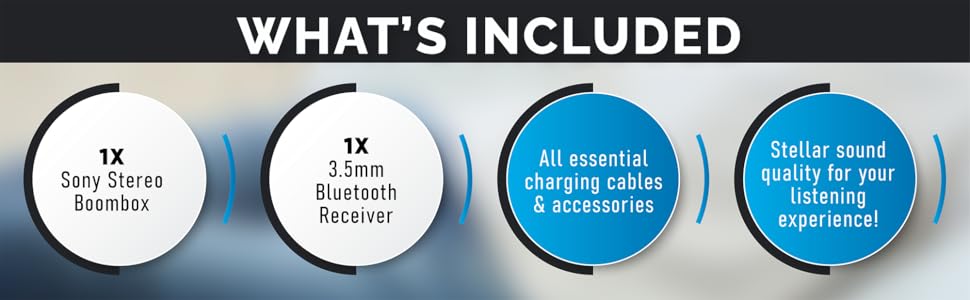
Figure 6.1: The boombox's classic stereo functions enhanced by the NeeGo Bluetooth receiver.
6.6. Ntinye inyeaka
To play audio from an external device directly:
- Connect a 3.5mm audio cable from the headphone jack or line-out of your external device to the AUX IN jack on the boombox.
- Set the boombox's FUNCTION selector to 'AUX' or 'AUDIO IN'.
- Malite ịkpọghachi na ngwaọrụ mpụga gị.
6.7. Mmepụta ekweisi
For private listening, plug any standard 3.5mm stereo headphones into the HEADPHONE jack on the boombox. The speakers will automatically mute when headphones are connected.
6.8. Automatic Shut-off / Sleep Timer
This feature allows the unit to automatically turn off after a set period. Consult the specific buttons or menu options on your unit for activating and setting the sleep timer, typically labeled 'SLEEP' or 'TIMER'.
7. Nlekọta
7.1. Ichacha Unit
- Jiri akwa dị nro hichaa mpụta nke unit ahụ.
- Ejila ihe nchacha, waxes, ma ọ bụ ihe mgbaze ka ha nwere ike imebi njedebe.
- For the CD lens, use a specialized CD lens cleaner.
- For the cassette head, use a cassette head cleaning kit periodically to ensure optimal sound quality.
7.2. Ngbanwe batrị
When the unit's performance degrades or the battery indicator (if present) shows low power, replace all 6 'C' batteries with new ones. Do not mix old and new batteries, or different types of batteries.
8. Nchọpụta nsogbu
If you encounter issues with your NeeGo Portable Boombox, refer to the following common problems and solutions:
| Nsogbu | Ihe nwere ike ime | Ngwọta |
|---|---|---|
| Unit anaghị agbanye ọkụ. | AC cord not properly connected; Batteries are dead or incorrectly inserted. | Lelee njikọ eriri AC; Dochie batrị ma ọ bụ hụ na polarity ziri ezi. |
| Enweghị ụda sitere na ndị ọkà okwu. | Volume too low; Headphones connected; Incorrect function selected. | Increase volume; Disconnect headphones; Select correct function (CD, TAPE, RADIO, AUX). |
| CD not playing or skipping. | CD is dirty, scratched, or inserted incorrectly; CD lens is dirty. | Clean or replace CD; Reinsert CD correctly; Clean CD lens with a specialized cleaner. |
| Cassette tape not playing or poor sound. | Tape is damaged; Cassette head is dirty or demagnetized. | Try a different tape; Clean cassette head with a cleaning kit. |
| Poor radio reception (static). | Antenna not extended or adjusted; Weak signal. | Extend and adjust the telescopic antenna; Try repositioning the unit for AM. |
| Bluetooth receiver not pairing. | Receiver not in pairing mode; Receiver battery low; Device too far. | Ensure receiver is on and flashing; Charge receiver; Move device closer (within 10 meters). |
Sound quality is
Ask a question about this manualAsk about setup, troubleshooting, compatibility, parts, safety, or missing instructions. Manuals+ will review the question and use this page’s manual context to help answer it. |