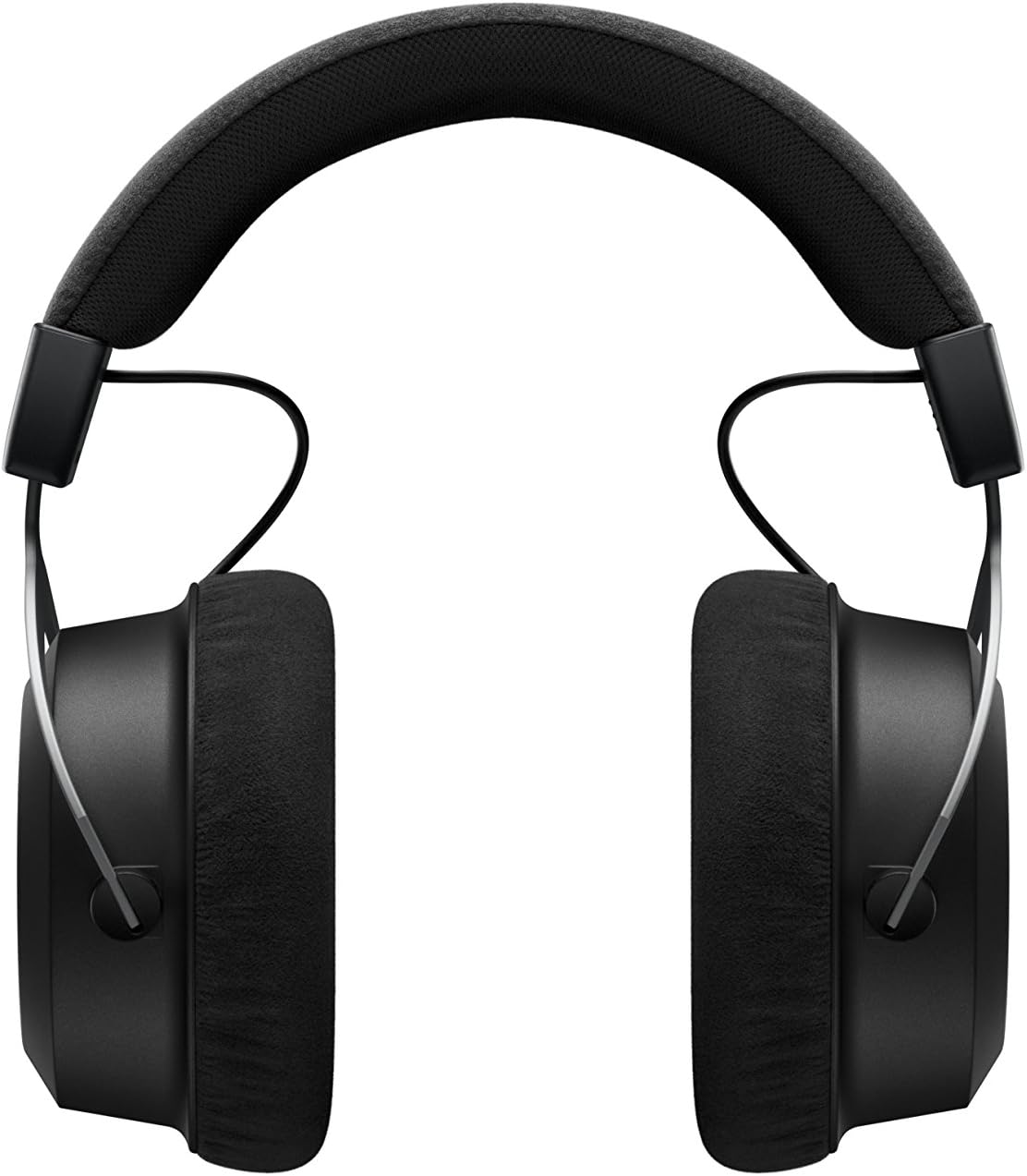
The beyerdynamic Amiron Wireless headphones are designed to provide a high-end audio experience with the freedom of wireless connectivity. These headphones integrate innovative sound personalization and Tesla technology for optimal sound quality. They are crafted with high-quality materials in Germany, ensuring durability and a comfortable fit for extended listening sessions.
Kedu ihe dị na Igbe ahụ
Your beyerdynamic Amiron Wireless headphones package includes the following items:
Amiron Wireless headphones
Optional wired connection cable with remote control (Mini Jack 3.5 mm, 1.2 m long, detachable, 4-pole)
Ịchaji eriri USB-A na USB-C
Okwu siri ike
Akwụkwọ ikike
Ntuziaka mmalite ngwa ngwa
Image: The Amiron Wireless headphones, charging cable, audio cable, and hard case.
Ngwaahịa gafereview
The Amiron Wireless headphones are designed for an immersive audio experience, combining advanced technology with user comfort.
Akụkụ ndị bụ isi:
High-end Bluetooth Connectivity: Features optimum sound quality thanks to Tesla technology and top-class Bluetooth transmission (Qualcomm aptX HD and AAC). Operating range up to 10 meters.
Sound Personalization: Adapts acoustically to the user's hearing through an integrated sound personalization feature, ensuring a tailored audio experience.
Nkasi obi: Unique wearing comfort achieved through masterfully balanced contact pressure and a perfect fit, ideal for long listening sessions.
Mwube adịchaghị: Made in Germany with high-quality materials, offering durability and flawless workmanship.
Njikwa mmetụ: Intuitive touch controls on the earcup for easy management of playback and calls.
Foto: Akụkụ view of the Amiron Wireless headphones, highlighting the earcup design and headband.
Melite
1. Ịchaji ekweisi
Before first use, ensure your Amiron Wireless headphones are fully charged. Connect the provided USB-A to USB-C charging cable to the USB-C port on the headphone and a suitable USB power source. A full charge takes approximately 2 hours and provides over 30 hours of battery life.
2. Njikọ Bluetooth
Ijikọ ekweisi gị na ngwaọrụ enyere Bluetooth:
Gbaa mbọ hụ na agbanyụrụ ekweisi ma gbanyụọ ya.
Press and hold the power button on the headphone until the LED indicator flashes blue and red, indicating pairing mode.
On your device (smartphone, tablet, etc.), go to Bluetooth settings and select "Amiron Wireless" from the list of available devices.
Once connected, the LED indicator will show a steady blue light.
3. Sound Personalization (MIY App)
For an optimized listening experience, download the beyerdynamic MIY app from the Google Play Store or Apple App Store. The app allows you to perform a hearing test and create a personalized sound profile that adapts the audio output to your individual hearing. This profile is then stored directly on the headphones.
Vidiyo: Efereview of the beyerdynamic Amiron Wireless headphones, including unboxing and features like sound personalization and touch controls.
Ntuziaka ọrụ
Njikwa Touchpad
The right earcup features an integrated touchpad for intuitive control of various functions:
Njikwa olu: Swipe up or down on the touchpad.
Sochie igodo: Swipe forward for the next track, backward for the previous track.
Gwuo/kwụsịtụ: Tap the center of the touchpad.
Njikwa oku: Tap to answer/end calls, push and hold for voice commands (Siri, Google Assistant).
The sensitivity of these touch controls can be customized via the MIY app.
Ọrụ wired
For a wired connection, plug the provided 3.5 mm audio cable into the headphone's audio jack and your audio source. This allows for passive use even if the battery is depleted or while charging. The inline remote on the cable provides basic playback and call controls.
Image: A user enjoying music with the Amiron Wireless headphones, demonstrating the touch controls on the earcup.
Ogo ụda
The Amiron Wireless headphones deliver a dynamic and detailed sound profile, characterized by:
Bass: Powerful and precise low-end with good impact, without overpowering other frequencies.
N'etiti: Natural and clear, providing excellent reproduction of vocals and instruments.
Tọọlụ: Detailed and smooth high-end, avoiding harshness even at higher frequencies, contributing to an airy sound.
Ụdatage: Offers impressive depth and precise instrument placement, creating a spacious and immersive listening experience.
The sound personalization feature via the MIY app further enhances the audio quality by tailoring it to your unique hearing profile.
Nkasi obi na Nhazi
The Amiron Wireless headphones prioritize comfort and a robust build:
Akpa ntị: Equipped with soft, velour earpads that provide a comfortable fit and contribute to sound isolation.
Ihe mkpuchi isi: Features a leatherette headband with ample padding for reduced pressure during prolonged use.
Akụrụngwa: Constructed with high-quality materials, including metal components, ensuring durability and a premium feel.
dabara: Designed for a balanced contact pressure and secure fit, making them suitable for home listening.
Image: A user enjoying music with the Amiron Wireless headphones in a relaxed setting, showcasing their comfortable design.
Nkọwapụta
Njirimara
Nkọwa
Aha Nlereanya
Amiron Wireless
Teknụzụ Njikọta
Wireless Version (Bluetooth 4.0)
Teknụzụ nzikọrịta ozi ikuku
Bluetooth
Nzaghachi ugboro ugboro
5-40,000 Hz
Mgbochi
32 ohms
Mmetụta
100 dB
Ndụ batrị
Awa 30
Oge Nchaji
2 Hours (for 30 hours playback)
Oke Bluetooth
10 mita
Usoro njikwa
Touch (Media Control)
Njikwa mkpọtụ
Mwepu ụda
Ibu Ibu
13.4 ounces
Akụkụ ngwaahịa
8.07 x 4.13 x 5.9 sentimita asatọ
Onye nrụpụta
Ụlọ ọrụ Beyerdynamic, Inc.
Nlekọta
To ensure the longevity and optimal performance of your beyerdynamic Amiron Wireless headphones, follow these maintenance guidelines:
Nhicha: Jiri ákwà dị nro ma kpọọ nkụ hichaa ihe mkpuchi ntị na ihe mkpuchi isi. Zere iji kemịkalụ siri ike ma ọ bụ ihe ndị na-emebi ihe.
Nchekwa: When not in use, store the headphones in their provided hard case to protect them from dust, scratches, and impacts.
Nlekọta batrị: Avoid fully discharging the battery frequently. For long-term storage, charge the battery to around 50% to prolong its lifespan.
Mmiri: Debe ekweisi gị ka mmiri ghara iru mmiri ma ọ bụ oke okpomọkụ.
Nchọpụta nsogbu
If you encounter issues with your Amiron Wireless headphones, try the following solutions:
Enweghị ike: Ensure the headphones are fully charged using the provided USB-C cable.
Enweghị ike ijikọ site na Bluetooth:
Make sure the headphones are in pairing mode (LED flashing blue and red).
Gbaa mbọ hụ na agbanyere Bluetooth na ngwaọrụ gị.
Bugharịa ekweisi nso na ngwaọrụ gị (n'ime mita iri).
Try unpairing and re-pairing the headphones from your device's Bluetooth settings.
Enweghị ụda/olu dị ala:
Check the volume levels on both the headphones (via touchpad) and your connected device.
Ensure the headphones are properly paired.
If using the wired connection, ensure the cable is securely plugged into both the headphones and the audio source.
Mgbagha ụda:
Reduce the volume on your device and/or headphones.
Ensure there are no obstructions between the headphones and your Bluetooth device.
Akwụkwọ ikike na nkwado
The beyerdynamic Amiron Wireless headphones are manufactured in Germany using high-quality materials, offering durability and flawless workmanship. Please refer to the included warranty booklet for detailed information regarding your product's warranty coverage.
For further assistance, technical support, or service inquiries, please visit the official beyerdynamic websaịtị ma ọ bụ kpọtụrụ ngalaba ọrụ ndị ahịa ha.
Ask about setup, troubleshooting, compatibility, parts, safety, or missing instructions. Manuals+ will review the question and use this page’s manual context to help answer it.