
1. Ngwaahịa gafereview
The APIELE 16mm Momentary Push Button Switch is designed for various electrical applications. This switch features a 12V LED ring indicator and a durable metal construction. It operates as a momentary switch, meaning it activates only while pressed and deactivates upon release. The switch is rated for 5A/250VAC and includes 1 Normally Open (NO) and 1 Normally Closed (NC) contact configuration, offering versatility for different circuit controls.
Atụmatụ gụnyere:
- Momentary operation: Push to activate, release to deactivate.
- Integrated 12V LED ring indicator.
- Durable metal construction with IP67 waterproof and IK10 protection.
- Contact configuration: 1 Normally Open (NO) and 1 Normally Closed (NC).
- Electrical life: 200,000 cycles; Mechanical life: 1,000,000 cycles.
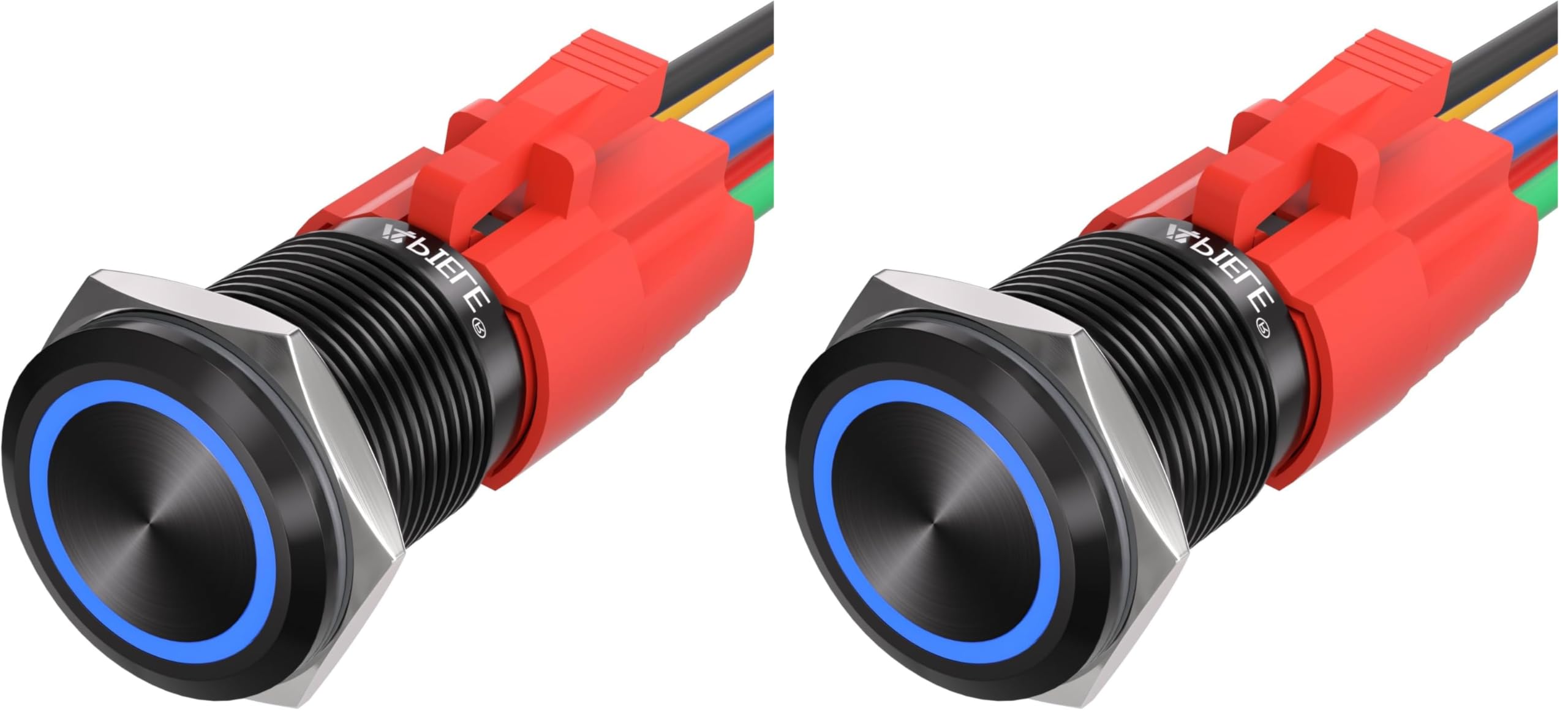
Figure 1: APIELE 16mm Momentary Push Button Switch (Example: Black Shell-Blue LED)
2. Ntọala na nwụnye
2.1 Na-arịgo
The switch requires a 16mm (0.63 inch) mounting hole. The recommended panel thickness for installation is between 1mm and 10mm. Secure the switch with a nut torque of 5-14Nm.

Figure 2: Mounting dimensions and specifications for the 16mm push button switch.
2.2 Ntuziaka waya
The switch comes with a pigtail socket for easy wiring. The LED operates on 12V DC. The switch contacts are 1 Normally Open (NO) and 1 Normally Closed (NC).
Refer to the wiring diagram below for connection details. The pigtail wires are color-coded as follows:
- Waya odo odo: Normal Closed Pin (NC)
- waya na-acha anụnụ anụnụ: Normal Open Pin (NO)
- Waya Green: Common Pin (C)
- Waya uhie: Positive LED Pin (+)
- waya ojii: Negative LED Pin (-)
Example Wiring for Normally Open (NO) Switch with Always-On LED:
- Jikọọ Green waya (Common) to the power source positive (+).
- Jikọọ Blue Waya (Normal Open) to the positive (+) input of your device.
- Jikọọ Uhie Uhie (LED +) to a 12V switched power source.
- Jikọọ Nwa ojii (LED -) to ground (-).
- Nke Waya odo odo (Normal Closed) is not used in this configuration.
This configuration allows the LED to be continuously lit when power is supplied to the red wire, and the switch will complete the circuit to your device when pressed.

Figure 3: Detailed wiring diagram for the APIELE 16mm push button switch, showing color codes for Normal Closed, Normal Open, Common, Positive LED, and Negative LED pins.
Video 1: This video demonstrates the features and quick connector for easy wiring of the APIELE 16mm Momentary Push Button Switch.
3. Ntuziaka ọrụ
This is a momentary push button switch. To operate, press and hold the button to activate the connected circuit. Release the button to deactivate the circuit. The integrated LED ring will illuminate according to its wiring configuration (e.g., always on, or only when the switch is pressed).

Figure 4: The switch is designed for high durability, with a mechanical life of 1,000,000 cycles and an electrical life of 200,000 cycles.
4. Nlekọta
The APIELE 16mm push button switch is designed for durability and minimal maintenance. It features an IP67 protection level, making it resistant to dust and water splashes. While it is splash-resistant, it is not designed to be submerged underwater.
- Nhicha: Use a soft, dry cloth to clean the switch surface. Avoid abrasive cleaners or solvents.
- Ọnọdụ gburugburu: The switch is suitable for operation in temperatures ranging from -20℃ to +55℃.
- Nchedo: The IP67 rating ensures protection against dust ingress and temporary immersion in water (up to 1 meter for 30 minutes). However, prolonged submersion is not recommended.

Figure 5: The switch features IP67 protection, indicating high resistance to dust and water splashes.
5. Nchọpụta nsogbu
If you encounter issues with your APIELE 16mm Momentary Push Button Switch, consider the following troubleshooting steps:
- Switch Not Activating:
- Verify all wiring connections are secure and correctly matched to the diagram (Figure 3).
- Ensure the power source is providing the correct voltage (e.g., 12V for the LED).
- Check for any loose connections at the pigtail socket or the device it controls.
- LED anaghị enye ọkụ:
- Confirm the Red (+) and Black (-) LED wires are connected to a 12V power source and ground, respectively.
- Check for proper polarity.
- Ensure the 12V power source for the LED is active.
- Ọrụ na-adịte aka:
- Inspect all wires for damage or fraying.
- Ensure the switch is securely mounted and the nut torque is within the specified range (5-14Nm).
- Avoid exceeding the switch's rated current (5A/250VAC).
If problems persist after following these steps, contact customer support for further assistance.
6. Nkọwapụta
| Njirimara | Nkọwa |
|---|---|
| Ụdị | APIELE |
| Nọmba nlereanya | GQ16F-11E-12T |
| Ụdị ọrụ | Momentary (Push & Hold, ON; Release, OFF) |
| Atinggbanye Rating | 5A/250VAC |
| Nhazi kọntaktị | 1NO 1NC |
| LED Voltage | 12V DC |
| Ọkụ LED | 15mA |
| Ụkpụrụ LED | Ihe ngosi mgbanaka |
| Mounting Cut Hole | 16mm (0.63 sentimita) |
| Ọkpụrụkpụ panel | 1-10 mm |
| Nut Torque | 5 - 14Nm |
| Kpọtụrụ Nguzogide | ≤30mΩ |
| Nguzogide mkpuchi | ≥1000mΩ |
| Dielectric Intensity | 2000VAC |
| Okpomọkụ arụ ọrụ | -20°C ~ +55°C |
| Ndụ Mechanical | 1,000,000 okirikiri |
| Ndụ Eletriki | 200,000 okirikiri |
| Ọkwa nchekwa | IP67, IK10 |
| Ngwa kọntaktị | Ọla ọcha alloy |
| Ihe onwunwe Shell | Aluminom |
| Ụdị njikọ | Tinye |
| Ibu Ibu | 0.02 ounces |
Vidiyo nke 2: Vidiyo a na-egosi etu esi ewepụ ihe egwuview of the APIELE 16mm Push Button Switch, highlighting its design and features.
7. Akwụkwọ ikike na nkwado
7.1 Ozi akwụkwọ ikike
Specific warranty details for this product are not provided in the available information. Please refer to the retailer's return policy or contact APIELE directly for warranty inquiries.
7.2 Nkwado ndị ahịa
For technical assistance, product inquiries, or support, please visit the official APIELE store or contact their customer service department.
APIELE Store: https://www.amazon.com/stores/APIELE/page/194CDEEB-78B9-40FE-ABD1-C1F44F9C5282