
1. Okwu mmalite
This manual provides essential instructions for the safe and efficient installation, operation, and maintenance of your CTOUCH Wallom 10080250 Electric Wall Mount. This electric wall mount is designed to provide a flexible mounting solution for interactive displays ranging from 139.7 cm (55 inches) to 218.4 cm (86 inches).
Please read this manual thoroughly before installation and use, and retain it for future reference. Improper installation or operation may result in damage to the product, display, or personal injury.
2. Nhazi ntuziaka
The CTOUCH Wallom 10080250 electric wall mount is designed for straightforward installation. It comes largely pre-assembled in its packaging, allowing for installation by a single person in approximately 20 minutes.
2.1 Mwepu na nlele akụrụngwa
Jiri nlezianya wepụ ihe niile dị na ngwugwu ahụ. Hụ na akụkụ niile dị na ya ma ọ dịghị emebi emebi. Lee ndepụta ngwugwu ahụ maka ngwa ahịa zuru oke.
2.2 Ịtinye Unit
Select a suitable wall location capable of supporting the combined weight of the mount and your display. Ensure the wall material is appropriate for secure fastening. Use appropriate wall anchors and screws (not included, unless specified in packaging) for your wall type.
- Position the pre-assembled wall mount against the desired wall location.
- Mark the drilling points accurately.
- Drill pilot holes as required for your chosen fasteners.
- Securely attach the wall mount to the wall. Ensure it is level and firmly fixed.
- Attach your CTOUCH display (139.7 cm to 218.4 cm) to the mount according to the display's specific mounting instructions.
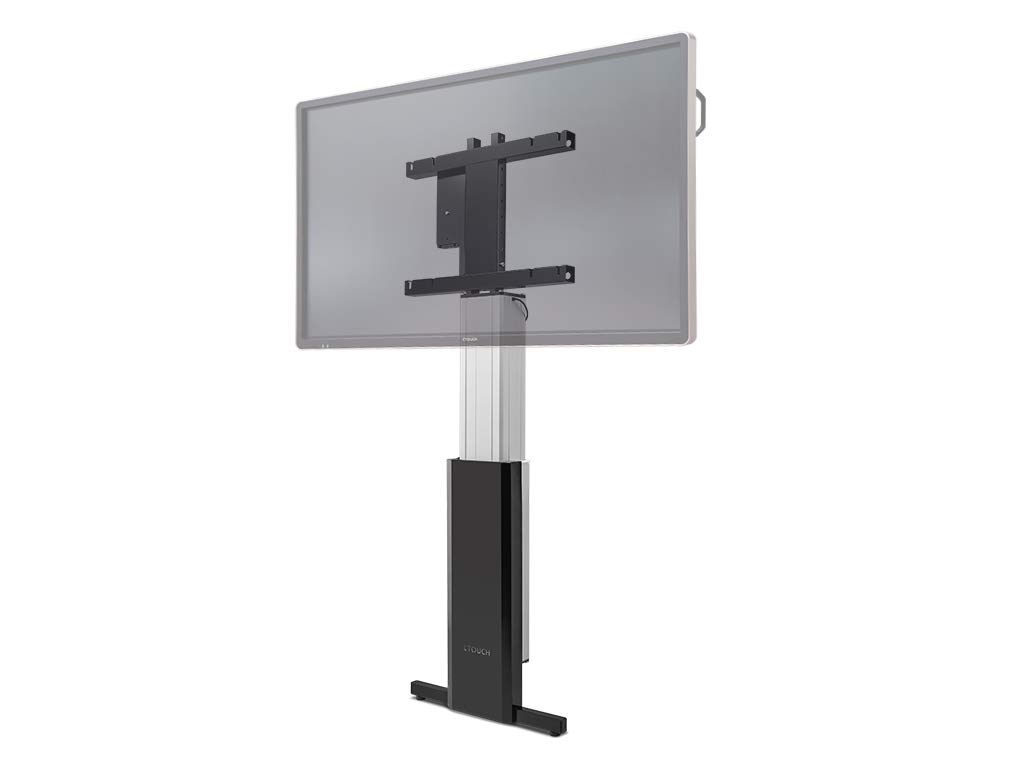
Figure 1: The CTOUCH Wallom 10080250 Electric Wall Mount supporting an interactive display. This image illustrates the product's appearance when installed.
3. Ntuziaka ọrụ
The electric wall mount is operated using a three-button remote control, allowing for precise height adjustments.
3.1 Ọrụ njikwa anya
- Bọtịnụ dị elu: Press to raise the display.
- Pịa bọtịnụ: Press to lower the display.
- Bọtịnụ ebe nchekwa: Use this button to set and recall preferred height positions. Consult the remote control's specific instructions for programming memory settings.
3.2 Adjusting Display Height
The mount allows for significant vertical travel, from a low position of 30 cm (bottom edge of an 86-inch screen) to a maximum height that optimizes reach for various users and applications.
- Ensure the power cable is securely connected to a power outlet.
- Use the Up or Down buttons on the remote control to move the display to your desired height.
- Release the button when the display reaches the desired position.
- To save a frequently used height, follow the instructions provided with your remote control for setting memory presets.
4. Nlekọta
Regular maintenance ensures the longevity and safe operation of your electric wall mount.
- Nhicha: Use a soft, dry cloth to clean the exterior surfaces of the mount. Avoid abrasive cleaners or solvents.
- Nyocha: Periodically check all mounting screws and connections to ensure they remain tight and secure.
- Njikwa USB: Ensure all cables are neatly routed and not pinched or strained during height adjustments.
- mmanu mmanu: The moving parts are factory-lubricated and generally do not require additional lubrication. If unusual noises occur, contact support.
5. Nchọpụta nsogbu
This section addresses common issues you might encounter with your CTOUCH Wallom 10080250 electric wall mount.
| Nsogbu | Ihe nwere ike ime | Ngwọta |
|---|---|---|
| Ugwu anaghị agagharị. | No power supply. Remote control batteries are dead. Overload protection activated. | Check power connection. Replace remote control batteries. Disconnect power for 10 minutes to reset overload protection. |
| Mkpọtụ na-adịghị ahụkebe n'oge arụ ọrụ. | Loose components. Obstruction in the movement path. | Inspect for loose screws or obstructions. Ensure cables are not interfering. If noise persists, contact support. |
| Njikwa anya anaghị aza. | Batteries are dead or incorrectly inserted. Remote control out of range. | Replace batteries. Ensure line of sight to the mount's receiver. |
If you encounter issues not listed here or if problems persist after attempting the suggested solutions, please contact CTOUCH customer support.
6. Nkọwapụta
| Njirimara | Nkọwa |
|---|---|
| Ụdị | CTOUCH |
| Nọmba nlereanya | 10080250 |
| Nha ihuenyo dakọtara | 139.7 cm (55 inch) ruo 218.4 cm (86 inch) |
| Oke ndozi ịdị elu | From 30 cm (bottom edge of 86-inch screen) to maximum reach |
| Usoro njikwa | Three-button remote control |
| Mgbakọ | Ebu ụzọ gbakọta maka nrụnye ngwa ngwa |
| Mba onye si | Netherlands |
7. Akwụkwọ ikike na nkwado
For warranty information, please refer to the documentation provided with your purchase or visit the official CTOUCH webEbe nrụọrụ weebụ. Usoro nkwa akọwapụtara nwere ike ịdị iche site na mpaghara na onye na-ere ahịa.
- Akụkụ mapụtara: Ozi gbasara nnweta akụkụ mapụtara adịghị ugbu a.
- Mmelite ngwanrọ: Information regarding guaranteed software updates is currently unavailable.
- Nkwado ndị ahịa: For technical assistance, troubleshooting beyond this manual, or warranty claims, please contact CTOUCH customer support directly. Contact details can typically be found on the manufacturer's websaịtị.