
1. Okwu mmalite
Daalụ maka ịzụrụasing the Coby CSB04 Bluetooth Soundbar Speaker. This manual provides important information regarding the setup, operation, and maintenance of your new soundbar. Please read this manual thoroughly before using the device and retain it for future reference.
The Coby CSB04 is a sleek and compact soundbar designed to enhance your audio experience. It features wireless Bluetooth connectivity, an RCA line input, and comes with a remote control for convenient operation.
2. Ozi nchekwa
Biko lezie anya n'ihe ndị a iji gbochie mmebi ngwaọrụ ahụ ma ọ bụ merụọ onwe gị ahụ:
- Etinyela ụda n'ime mmiri ozuzo, mmiri ozuzo, ma ọ bụ oke okpomọkụ.
- Emeghela casing. Kpọtụrụ ndị ọrụ ruru eru ọrụ niile.
- Hụ na ihe nkwụnye ọkụ eletrik ahụ dakọtara na ọkụ eletrik mpaghara gị.
- Keep the soundbar away from heat sources and direct sunlight.
- Jiri akwa kpọrọ nkụ hichaa naanị.
3. Ihe ngwugwu
Carefully unpack your Coby CSB04 Soundbar and check that all items are present and in good condition. If any items are missing or damaged, contact your retailer.
- Coby CSB04 Bluetooth Soundbar Speaker
- Ada Ada AC
- USB RCA
- Njikwa anya
- Akwụkwọ ntuziaka (akwụkwọ a)

Image 3.1: Coby CSB04 Soundbar packaging. The box displays the Coby logo and "Slim 2.0 Sound Bar" text.
4. Ngwaahịa gafereview
Familiarize yourself with the components and controls of your Coby CSB04 Soundbar.
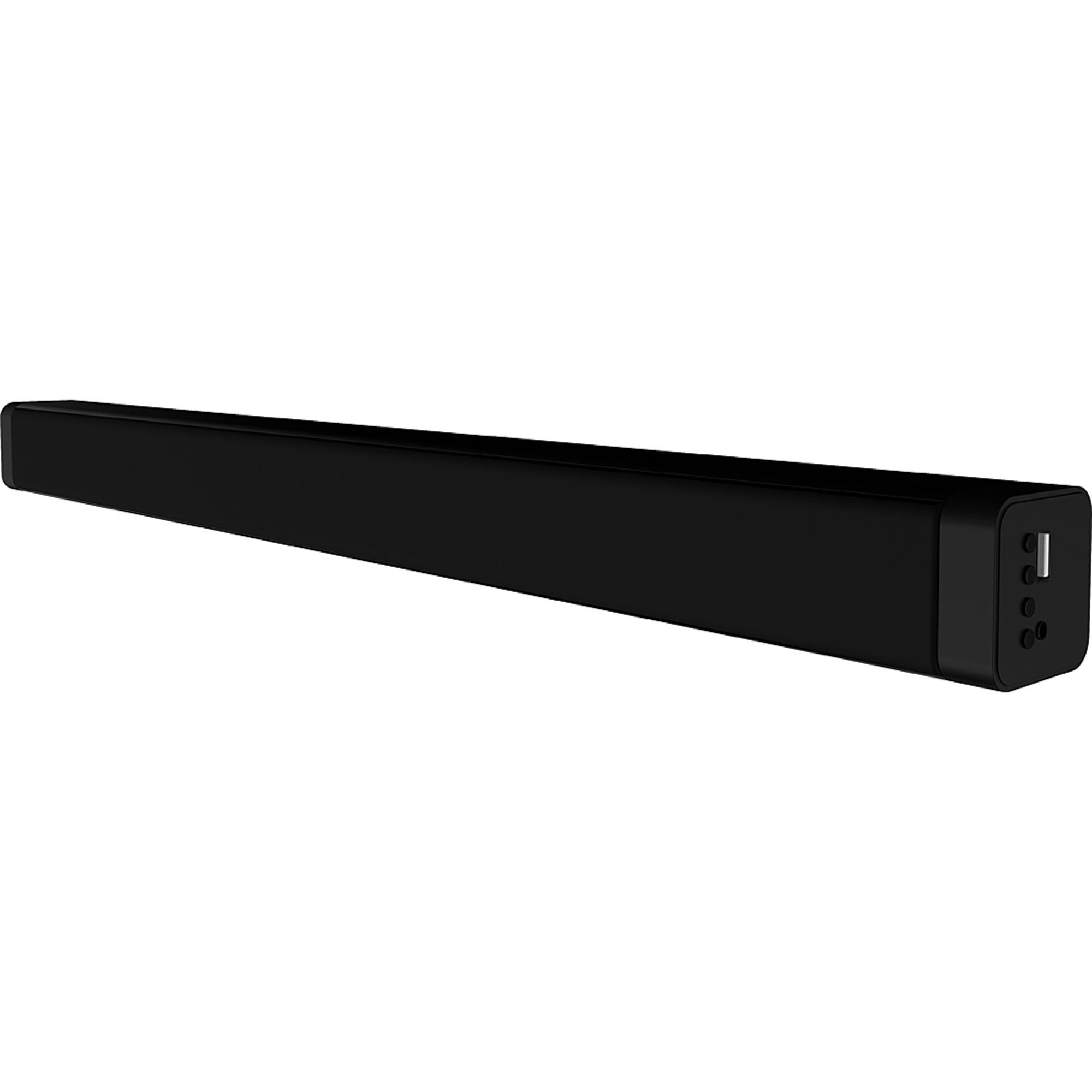
Foto 4.1: N'ihu view of the Coby CSB04 Bluetooth Soundbar. The soundbar is black and rectangular.

Foto 4.2: Akụkụ view of the Coby CSB04 Soundbar, showing a USB port and other connection points.
4.1. Front Panel / Top Panel Controls
- Bọtịnụ ike: Na-agbanye ma ọ bụ gbanyụọ ụda ụda.
- Elu elu/ala: Na-edozi ọkwa olu.
- Bọtịnụ ụkpụrụ: Switches between input modes (Bluetooth, RCA).
- Ihe ngosi LED: Shows current status (e.g., Bluetooth pairing, input mode).
4.2. Njikọ azụ panel
- DC N'ime: Jikọọ ihe nkwụnye ọkụ AC ebe a.
- RCA L/R Input: Connect external audio devices using the RCA cable.
- Ọdụ ụgbọ mmiri USB: For potential firmware updates or specific media playback (functionality may vary).
4.3. Remote Control
The included remote control allows for convenient operation of the soundbar from a distance. Functions typically include Power, Volume Up/Down, Mode Selection, Mute, and Playback controls for Bluetooth mode.
5. Nhazi
5.1. Njikọ ike
- Jikọọ ihe nkwụnye ike AC na ihe nkwụnye ike AC na DC IN port on the rear of the soundbar.
- Plug the other end of the AC power adapter into a wall outlet.
- Ụda ụda ga-abanye na ọnọdụ nchekwa.
5.2. Njikọ Audio
You can connect audio sources to the soundbar via Bluetooth or RCA cable.
5.2.1. Njikọ Bluetooth
- Power on the soundbar using the Power button on the unit or remote control.
- Pịa Ụdị button repeatedly until the LED indicator shows Bluetooth mode (usually a blinking blue light).
- Na ekwentị gị ma ọ bụ ngwaọrụ ọzọ nwere Bluetooth, mee ka Bluetooth rụọ ọrụ ma chọọ ngwaọrụ ndị dị.
- Select "CSB04" (or similar name) from the list of devices.
- Once paired, the LED indicator will turn solid blue, and you will hear a confirmation tone.
- Ugbu a, ị nwere ike ịkpọ egwu ọdịyo site na ngwaọrụ gị site na ogwe ụda.
5.2.2. Njikọ RCA
- Connect one end of the RCA cable to the Ntinye RCA L / R ports on the soundbar.
- Connect the other end of the RCA cable to the audio output ports (usually "Audio Out" or "L/R Out") of your TV, DVD player, or other audio source.
- Ike na ụda ụda.
- Pịa Ụdị button repeatedly until the LED indicator shows RCA mode (e.g., a green light).
- Kpọọ ọdịyo site na ngwaọrụ ejikọrọ gị.
6. Ntuziaka ọrụ
6.1. Gbanyụọ / gbanyụọ
Pịa Ike bọtịnụ dị na ogwe ụda ma ọ bụ njikwa dịpụrụ adịpụ iji gbanye ma ọ bụ gbanyụọ ngwaọrụ ahụ.
6.2. Na-agbanwe olu
Jiri ihe Elu elu (+) na Olu ala (-) bọtịnụ dị na ogwe ụda ma ọ bụ njikwa dịpụrụ adịpụ iji gbanwee ọkwa ụda.
6.3. Changing Input Mode
Pịa Ụdị button on the soundbar or remote control to cycle through available input sources: Bluetooth, RCA.
6.4. Bluetooth Playback
Once paired, your Bluetooth device will automatically connect to the soundbar when both are powered on and within range. Use your device's controls or the soundbar's remote control (if applicable) for playback functions like Play/Pause, Next Track, and Previous Track.
7. Nlekọta
Proper maintenance ensures the longevity and optimal performance of your soundbar.
- Nhicha: Use a soft, dry cloth to wipe the exterior of the soundbar. Do not use liquid cleaners or aerosols.
- Nchekwa: Ọ bụrụ na ị na-echekwa ụda ụda ruo ogologo oge, kwụpụ ya na ike wee chekwaa ya n'ebe dị jụụ na nkụ.
- Igwe ikuku: Ensure the soundbar has adequate ventilation and is not covered, to prevent overheating.
8. Nchọpụta nsogbu
If you encounter issues with your Coby CSB04 Soundbar, refer to the following common problems and solutions:
| Nsogbu | Ihe nwere ike ime | Ngwọta |
|---|---|---|
| Enweghị ike | Ejikọghị ihe nkwụnye ọkụ ma ọ bụ ụzọ adịghị mma. | Ensure the power adapter is securely connected to the soundbar and a working power outlet. Try a different outlet. |
| Enweghị ụda | Incorrect input mode, low volume, or incorrect cable connection. |
|
| Njikọ Bluetooth adaghị | Soundbar not in pairing mode, device too far, or interference. |
|
| Njikwa anya anaghị arụ ọrụ | Batrị nwụrụ anwụ ma ọ bụ ihe mgbochi. | Replace the batteries in the remote control. Ensure there is no obstruction between the remote and the soundbar's sensor. |
9. Nkọwapụta
Here are the technical specifications for the Coby CSB04 Bluetooth Soundbar Speaker:
- Ụdị: CSB04
- Ụdị ọkà okwu: Igwe ụda ụda
- Teknụzụ Njikọta: Bluetooth
- Ike Mmepụta Ọkà Okwu Kachasị Elu: 10 Watt
- Ngwa dakọtara: Smartphone (and other Bluetooth/RCA audio sources)
- Usoro njikwa: Njikwa anya
- Isi mmalite ike: Electric Cable (AC Adapter)
- Agba: Nwa
- Akụkụ: 85.09 x 14.22 x 38.35 cm (ihe dịka 33.5 x 5.6 x 15.1 sentimita)
- Arọ: 1.54 n'arọ (ihe dị ka 3.4 lbs)
- Ụdị nkwụnye: Ugwu Desktọpụ
10. Akwụkwọ ikike na nkwado
For warranty information and technical support, please refer to the warranty card included with your product or visit the official Coby websaịtị. Debe nnata nzụta gị ka ihe akaebe nke ịzụrụ.
For further assistance, you may contact Coby customer service through their official channels.