
Ntuziaka nchekwa dị mkpa
Mgbe ị na-eji ngwa eletriki, ekwesịrị ịgbaso ihe nchekwa nchekwa bụ isi, gụnyere ihe ndị a:
- Gụọ ntuziaka niile tupu i jiri ngwa.
- Iji belata ihe egwu nke ọkụ, ọkụ eletrik, ma ọ bụ mmerụ ahụ nye mmadụ, agbanyela oven ahụ mgbe ọ tọgbọ chakoo.
- Ejila mmiri ọkụ ma ọ bụ ihe oriri ndị ọzọ ọkụ n'ime akpa ejiri mechiri emechi ka ha nwere ike ịgbawa.
- Anwala iji oven meghee oven a ebe ọ bụ na ịrụ ọrụ na-emeghe nwere ike ibute ọkụ microwave na-emerụ ahụ.
- Ngwaahịa a nwere kemịkalụ mara steeti California na-ebute ọrịa kansa na ntụpọ ọmụmụ ma ọ bụ mmerụ ahụ ọmụmụ ọzọ.
Always ensure proper ventilation and placement as described in the setup section.
Ngwaahịa gafereview
The Oster OGZD0701 Microwave Oven is a compact 0.7 cubic foot appliance designed for countertop use. It features 700 watts of power, 10 power levels, and 6 pre-set cooking menus for various food types. The LED display includes a kitchen timer, and a child safety lock is integrated for secure operation.
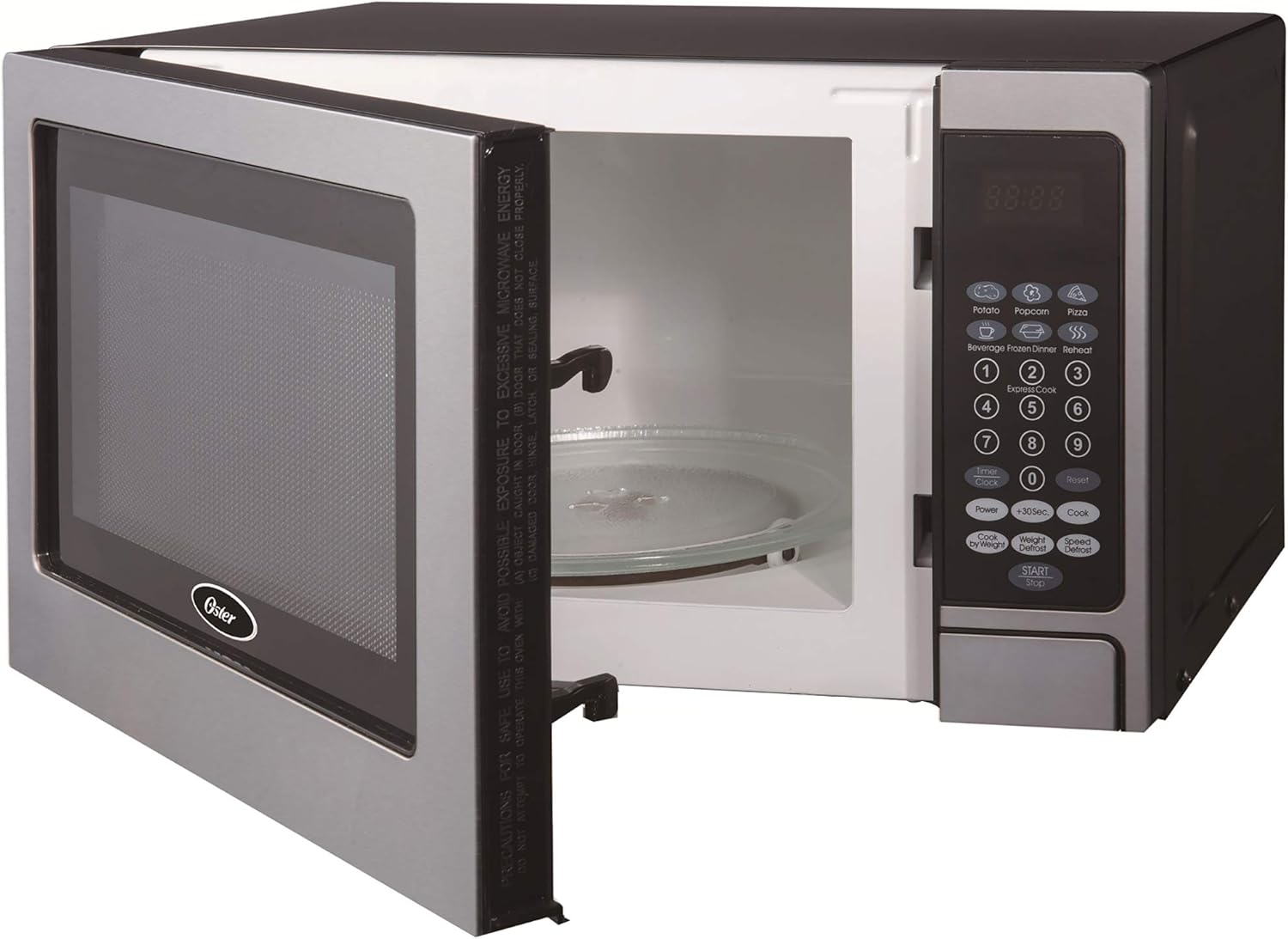
N'ihu view of the Oster OGZD0701 Microwave Oven with the door open, showing the interior cavity and control panel.
Ngwa
- Ọghe oven: Oghere dị n'ime ebe a na-etinye nri maka ikpo ọkụ.
- Igwe ntughari: A removable glass tray that rotates to ensure even cooking.
- Mgbaaka Turntable: Supports the glass turntable and allows it to rotate.
- Ogwe njikwa: Features an LED display, numeric keypad, and function buttons.
- Oven ụzọ: Ejiri usoro mkpọchi nchekwa.
Melite
Iwepu ngwongwo
- Wepu ihe niile nkwakọ ngwaahịa n'ime na n'èzí oven.
- Lelee oven ahụ maka mmebi ọ bụla, dịka mmebi ma ọ bụ ọnụ ụzọ na-ezighi ezi. Arụla ọrụ ma ọ bụrụ na ọ mebiri emebi.
- Remove any protective film from the cabinet surface.
Mgbakọ ntụgharị

The turntable ring, which supports the glass tray and allows it to rotate.
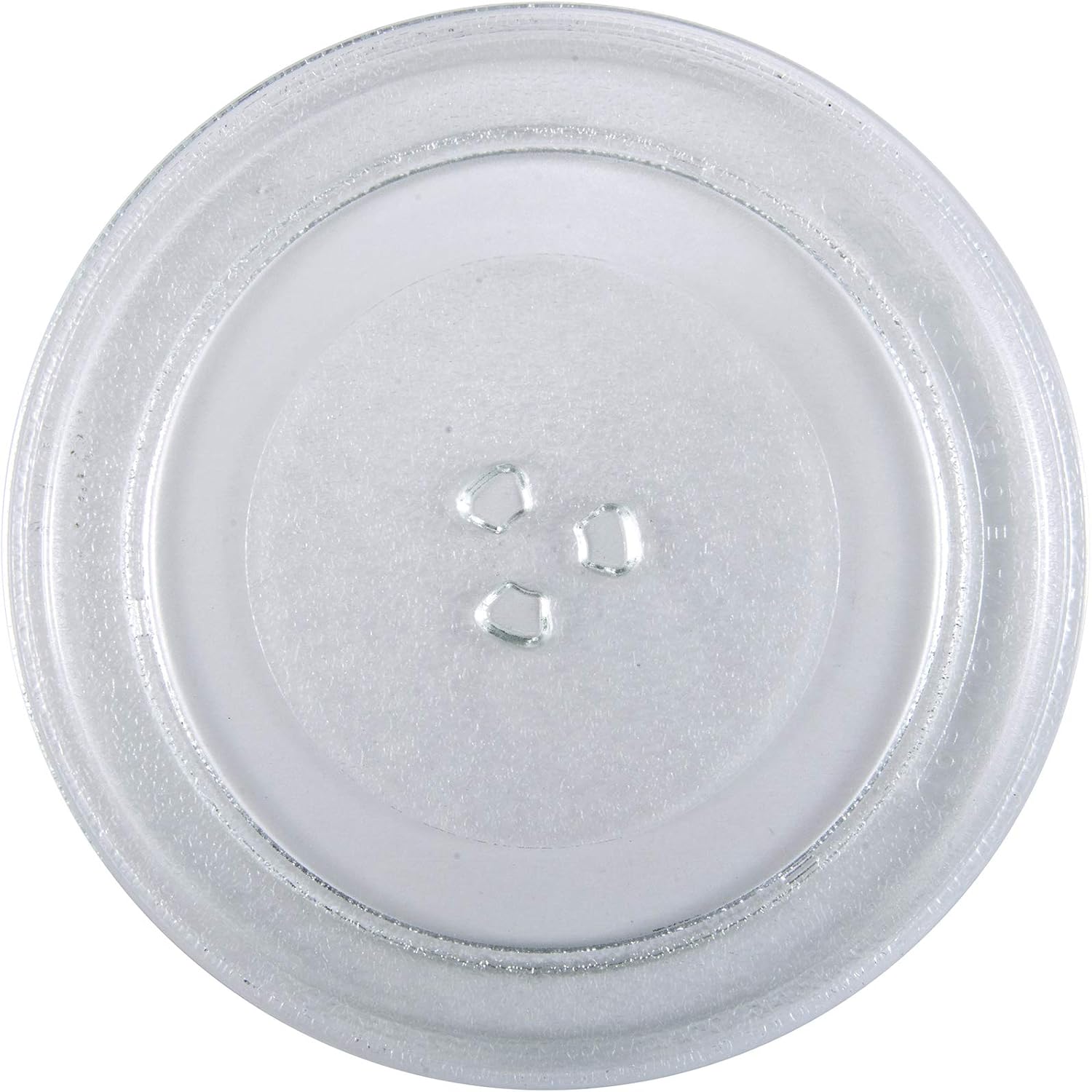
The removable glass turntable tray for even cooking.
- Place the turntable ring securely in the circular indentation on the oven floor.
- Position the glass turntable tray on top of the ring, ensuring it sits properly on the central hub.
Ndokwa
- Place the oven on a flat, stable surface that can support its weight and the heaviest food item likely to be cooked.
- Ensure at least 3 inches (7.5 cm) of clearance on the top, sides, and rear for proper ventilation.
- Akwụsịla ikuku ikuku.
- Debe oven ka ọ ghara isi iyi ọkụ na ebe magnetik siri ike.
- Plug the oven into a dedicated 3-prong grounded outlet. Do not use extension cords.
Ntuziaka ọrụ
Ịtọ ntọala elekere
Ka ịtọọ elekere:
- Press the 'CLOCK' button once.
- Jiri pad nọmba tinye oge ugbu a (dịka ọmụmaatụ, 12:30 maka 12:30 PM).
- Press the 'CLOCK' button again to confirm.
Isi nri Microwave
- Tinye nri n'ime ngwa ngwa ngwa ngwa ndakwa nri n'elu igwe ntụgharị iko.
- Mechie ọnụ ụzọ oven nke ọma.
- Jiri mpe mpe akwa nọmba tinye oge nri achọrọ.
- Press the 'POWER' button to adjust power level if needed (default is 100%). Use the number pad to select a power level from 1 to 10.
- Press the 'START' button to begin cooking.
Pre-set Cooking Menus
The oven includes 6 pre-set cooking menus for common foods:
- Ọka agbara agba
- Nduku
- Pizza
- Ihe ọṅụṅụ
- Nri abalị oyi kpọnwụrụ
- Tinyegharịa ọkụ
To use a pre-set menu:
- Tinye nri na oven.
- Press the desired menu button (e.g., 'POPCORN').
- Press 'START' to begin. Some menus may require pressing the button multiple times to select weight or quantity.
arụrụ arụrụ arụ
The oven offers two defrost modes:
- Mwepu oge: Press 'TIME DEFROST', enter the desired defrosting time, then press 'START'.
- Mwepu ibu: Press 'WEIGHT DEFROST', enter the food's weight in pounds (e.g., 1.0 for 1 pound), then press 'START'. The oven will automatically calculate the defrosting time.
Child Lock Safety
To activate the child lock, press and hold the 'STOP/CANCEL' button for 3 seconds. The lock indicator will appear on the display. To deactivate, press and hold 'STOP/CANCEL' again for 3 seconds.
Nlekọta na nhicha
Nchacha izugbe
- Kwupuo oven mgbe niile tupu ihicha ya.
- Jiri mgbasa ozi hichaa mpụtaamp akwa na ncha dị nro. Ejila ihe nhicha abrasive.
- Jiri mgbasa ozi hichaa oghere dị n'ime ụlọ ahụamp cloth after each use to prevent food buildup. For stubborn stains, place a bowl of water with lemon slices inside and microwave for a few minutes, then wipe clean.
- Jiri mgbasa ozi hichaa akara ọnụ ụzọ na akụkụ ndị dị ya nso nke ọmaamp cloth to ensure proper door closure.
Nlekọta Turntable
- The glass turntable and turntable ring can be removed for cleaning.
- Sachaa ha na mmiri ọkụ, ncha ma ọ bụ n'ime efere efere.
- Gbaa mbọ hụ na akpọọla ha kpamkpam tupu etinyeghachi ha na oven.
Nchọpụta nsogbu
| Nsogbu | Ihe nwere ike ime | Ngwọta |
|---|---|---|
| Igwe ọkụ anaghị ebido | Agbanyeghi eriri ike; A naghị emechi ọnụ ụzọ nke ọma; Fiusi fụrụ ma ọ bụ ihe mgbaji sekit kwụsịrị. | Gbaa mbọ hụ na plọg nọ n'ụzọ siri ike; Mechie ọnụ ụzọ nke ọma; Lelee ihe na-emebi fuse/circuit n'ụlọ. |
| Nri abụghị kpo oku | Oge esi nri/ọkwa ike na-ezighi ezi; Emechighị ụzọ nke ọma. | Adjust time/power; Ensure door is securely latched. |
| Turntable anaghị atụgharị | Turntable adịghị ọdụ nke ọma; Ihe mgbochi n'okpuru turntable. | Re-seat glass tray and ring; Remove any debris. |
| Clock difficult to set | Unfamiliarity with control panel. | Refer to 'Setting the Clock' instructions in the Operating section. Practice the steps. |
| Start/Stop button unresponsive | Child lock activated; Internal malfunction. | Deactivate child lock (hold 'STOP/CANCEL' for 3 seconds). If issue persists, contact customer support. |
Nkọwapụta
| Njirimara | Nkọwa |
|---|---|
| Aha Nlereanya | OGZD0701 |
| Ụdị | Oster |
| Ike | 0.7 Cubic ụkwụ |
| Agba | Igwe anaghị agba nchara |
| Wattage | 700 Watt |
| Ọkwa ike | 10 |
| Mmemme isi nri | 6 |
| Ụdị njikwa | Ihe mmetụ aka |
| Atụmatụ pụrụ iche | Child Safety Lock, LED Display, Kitchen Timer |
| Ụdị nwụnye | Countertop |
| Ihe onwunwe | Igwe anaghị agba nchara |
| Ụdị Sistemu Defrost | Nchekwa onwe |
Akwụkwọ ikike na nkwado
Ozi akwụkwọ ikike
This Oster OGZD0701 Microwave Oven comes with a Akwụkwọ ikike dị afọ 1 from the date of purchase. This warranty covers defects in materials and workmanship under normal household use. It does not cover damage resulting from misuse, accident, alteration, or commercial use.
Biko dowe ihe akaebe nke ịzụrụ ihe maka akwụkwọ ikike.
Nkwado ndị ahịa
For technical assistance, warranty service, or to inquire about replacement parts, please contact Oster customer support. Refer to the contact information provided in your product packaging or visit the official Oster websaịtị maka nkọwa nkwado kachasị ugbu a.
When contacting support, please have your model number (OGZD0701) and purchase date available.