
Okwu mmalite
Welcome to your new Fancii Small Personal Desk USB Fan. This manual provides essential information for the safe and efficient operation of your fan. Please read it thoroughly before use and retain it for future reference.
Ngwaahịa gafereview
The Fancii FC-TTUF300 is a compact, portable USB-powered fan designed to provide personal cooling with quiet operation.
Atụmatụ igodo
- Twin turbo Cyclone-Blade technology provides maximum airflow to keep you cool anywhere, anytime.
- 25% quieter and 40% more powerful than similar models | Max. airflow up to 4.2m/s.
- Small, portable and lightweight personal fan perfect for use in home, office, desktop, camping, ma ọ bụ njem.
- Experience cooling air circulation in any desired direction with 180 degree tilt rotation.
- USB powered for convenience and portability | 2 speed settings with touch control for Low/High.
Ihe ngwugwu
- Fancii Small Personal Desk USB Fan (FC-TTUF300)
- Igwe nchaji USB
- Akwụkwọ ntuziaka
Eserese ngwaahịa

Foto 1: N'ihu view of the Fancii FC-TTUF300 fan with approximate dimensions (117mm height, 112mm width).

Ọgụgụ 2: Ime view highlighting the twin turbo blades and touch control icons for speed settings.
Melite
Nchaji onye ofufe
The Fancii FC-TTUF300 is powered via a USB port.
- Locate the USB charging port on the back of the fan.
- Connect the provided USB cable to the fan's charging port.
- Plug the other end of the USB cable into a compatible USB power source (e.g., computer, USB wall adapter, power bank).
- The fan is fully charged when the charging indicator light changes (refer to the operating section for specific indicator behavior).

Figure 3: Connecting the USB charging cable to the fan.
Ọrụ
Mgbanwe Ọkụ/Mgbanyụ na Ọsọ
The fan features touch controls for easy operation.
- Iji tụgharịa fan ahụ ON, gently touch the power button located on the top of the fan.
- To adjust the fan speed, touch the speed control button. The fan has 2 speed settings: Low and High.
- Iji tụgharịa fan ahụ Gbanyụọ, metụ bọtịnụ ike ọzọ.

Figure 4: The Fancii FC-TTUF300 fan operating quietly in an office environment.
Na-emezi ntụzịaka ikuku
The fan head can be tilted 180 degrees to direct airflow precisely where needed.
- Gently hold the fan body.
- Tilt the fan head up or down to achieve the desired angle.
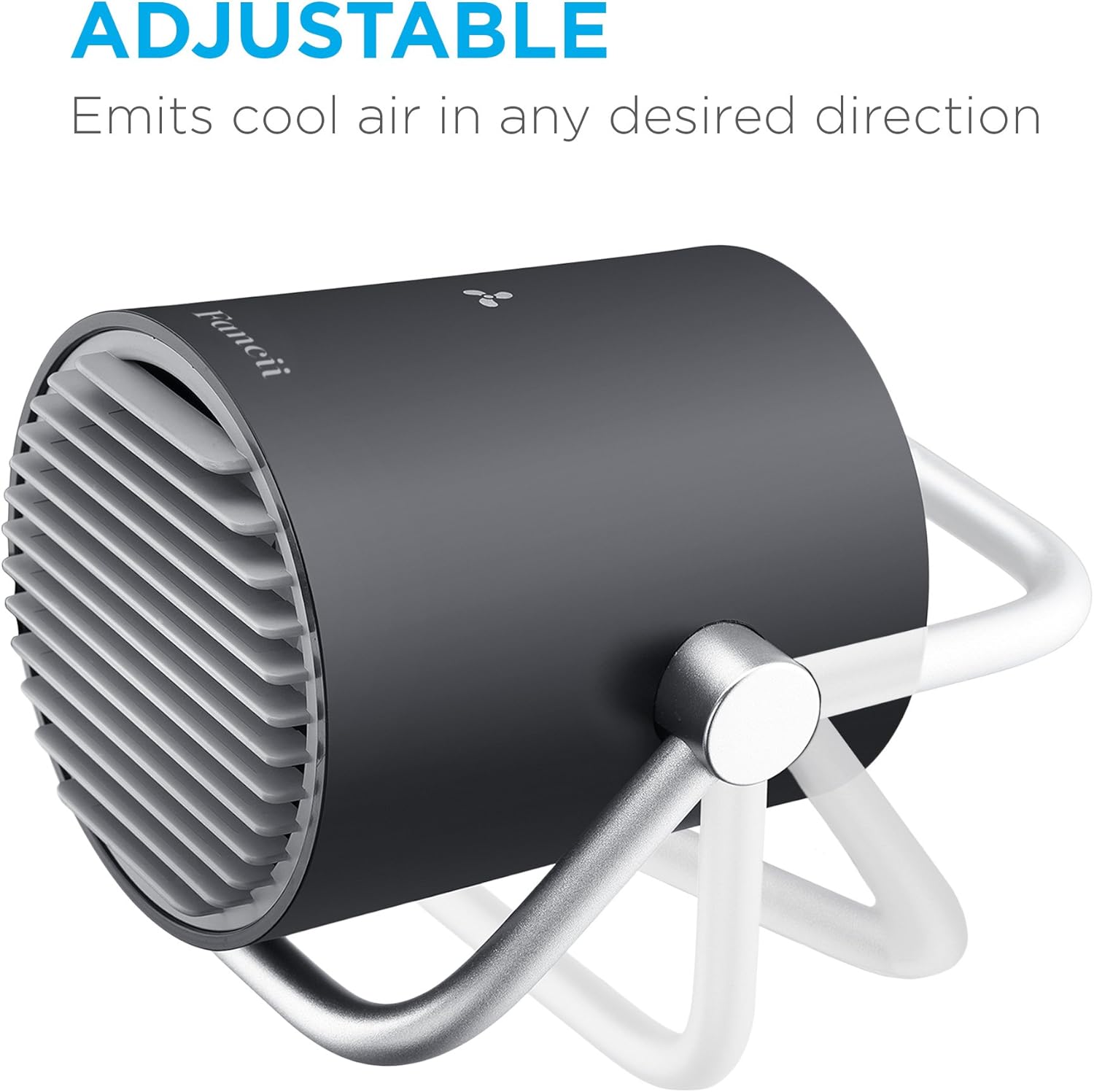
Figure 5: Adjusting the 180-degree tilt of the fan head.
Enwere ike ibugharị
The compact and lightweight design makes the fan easy to move and position.

Figure 6: The fan's compact size allows for easy portability.
Nlekọta
Nhicha
To ensure optimal performance and longevity, regular cleaning is recommended.
- Ensure the fan is turned Gbanyụọ and unplugged from any power source before cleaning.
- Use a soft, dry cloth to wipe down the exterior surfaces of the fan.
- Maka unyi isi ike, ntakịrị damp cloth can be used, but ensure no water enters the fan's internal components.
- Ejila ihe nhicha, ihe mgbaze, ma ọ bụ kemịkalụ siri ike, n'ihi na ihe ndị a nwere ike imebi njedebe nke fan ahụ.
Nchekwa
When not in use for extended periods, store the fan in a cool, dry place away from direct sunlight and extreme temperatures.
Nchọpụta nsogbu
Onye ofufe anaghị agbanwu
- Check if the fan is fully charged. Connect it to a USB power source and allow it to charge for a few hours.
- Gbaa mbọ hụ na ịpịrị bọtịnụ ike nke ọma.
Ikuku ikuku adịghị ike
- Check the speed setting and increase it if necessary.
- Ensure the fan's intake and exhaust vents are not obstructed.
- Clean any dust or debris from the fan blades and grilles.
Mkpọtụ na-adịghị ahụkebe
- Ensure the fan is placed on a stable, flat surface.
- Check for any foreign objects obstructing the fan blades.
- If the noise persists, discontinue use and contact customer support.
Nkọwapụta
| Njirimara | Nkọwa |
|---|---|
| Ụdị | Fanci |
| Aha Nlereanya | FC-TTUF300 |
| Agba | Nwa |
| Isi Iyi Ike | USB ọdụ ụgbọ mmiri |
| Akụkụ ngwaahịa | 3.94"D x 4.72"W x 3.94"H |
| Ibu Ibu | 7.9 ounce (gram 225) |
| Ọkwa mkpọtụ | 30 decibel |
| Usoro njikwa | Metụ aka |
| Ọnụọgụ agụba | 3 |
| Voltage | 5 volts |
| Wattage | 5 watt |
| Ogologo eriri USB | 165.35 sentimita asatọ |
| Njirimara Pụrụ Iche | Dị fechaa, enwere ike ibugharị |
Akwụkwọ ikike na nkwado
For warranty information or technical support, please refer to the contact details provided on the product packaging or visit the official Fancii websaịtị. Debe nnata nzụta gị ka ihe akaebe nke ịzụrụ.
For further assistance, you may also contact Fancii customer service directly.