
Okwu mmalite
The Emerald Full Motion TV Wall Mount is designed to securely hold televisions ranging from 26 inches to 70 inches. This mount provides flexible viewing angles through its swivel and tilt features, allowing for optimal visibility from various positions within a room. Constructed from high-quality alloy steel, it ensures durability and reliable support for your television. Its low-profile design helps save space and enhances the aesthetic of your living area.
Ozi nchekwa
- Gụọ ntuziaka niile nke ọma: Ensure you understand all assembly and installation instructions before beginning.
- Ike ibu: Do not exceed the maximum weight capacity of 86 lbs. Overweight may cause damage or serious injury.
- Nha TV: This mount is suitable for TVs between 26 and 70 inches.
- Ụdị Mgbidi: Mount only on solid concrete, brick walls, or single wood studs. Etinyela ya n'elu drywall naanị ya.
- Nwụnye ọkachamara: Ọ bụrụ na obi adịghị gị mma maka usoro nrụnye ahụ, gakwuru ọkachamara ruru eru.
- Lelee njikọ: Periodically check all screws and connections to ensure they remain secure.
- Ụmụaka na anụ ụlọ: Debe ụmụaka na anụ ụlọ n'ebe dị anya site na ebe a na-etinye ha.
Ihe ngwugwu
Verify that all components are present and undamaged before beginning installation. Refer to the instruction manual for a complete list of parts.
Vidiyo: Unboxing na ọzọview of the Subtek Full Motion TV Wall Mount components, including various screws, spacers, and the main bracket.
- Mgbakọ Mgbidi Efere
- Ogwe aka igwe onyonyo (2x)
- Ngwa ngwaike (skru dị iche iche, washers, spacers, arịlịka)
- Njikọ njikwa eriri USB
- Obere Wrench
- Ọkwa afụ
- Akwụkwọ ntuziaka
Ntọala na nwụnye
1. Wall Type Compatibility & Tools Required
Ensure your wall is suitable for mounting. The mount is compatible with solid concrete, brick walls, and single wood studs. Do not install on drywall alone without proper stud support.
Video: Demonstrates compatible wall types (solid concrete, single wood stud, solid brick) and lists necessary tools like a drill, socket wrench, measuring tape, screwdriver, pencil, and stud detector.
2. Attaching Brackets to TV
Carefully place your TV face down on a soft, clean surface. Select the appropriate screws, washers, and spacers from the hardware kit that fit your TV's VESA mounting holes. Attach the two vertical TV brackets to the back of your TV, ensuring they are securely fastened and aligned.

Image: This image displays the main components of the Emerald Full Motion TV Wall Mount, including the wall plate and the TV bracket arms.
Video: Step-by-step guide on connecting the plate components and attaching them to the TV's VESA holes.
3. Mounting Wall Plate
Determine the desired height and center position for your TV. Use the provided template or the wall plate itself to mark the drilling points on the wall. Drill pilot holes, insert anchors (if required for your wall type), and securely fasten the wall plate to the wall using the appropriate screws.

Image: The wall plate component of the TV mount, designed to be securely attached to the wall.
Video: Illustrates the process of marking drill points, drilling, and securing the wall plate to a wooden stud wall.
4. Hanging the TV & Securing
With assistance, carefully lift the TV and hook the attached TV brackets onto the wall plate. Ensure the TV is level using the included bubble level. Secure the TV to the mount using the safety screws located at the bottom of the TV brackets to prevent accidental dislodging.
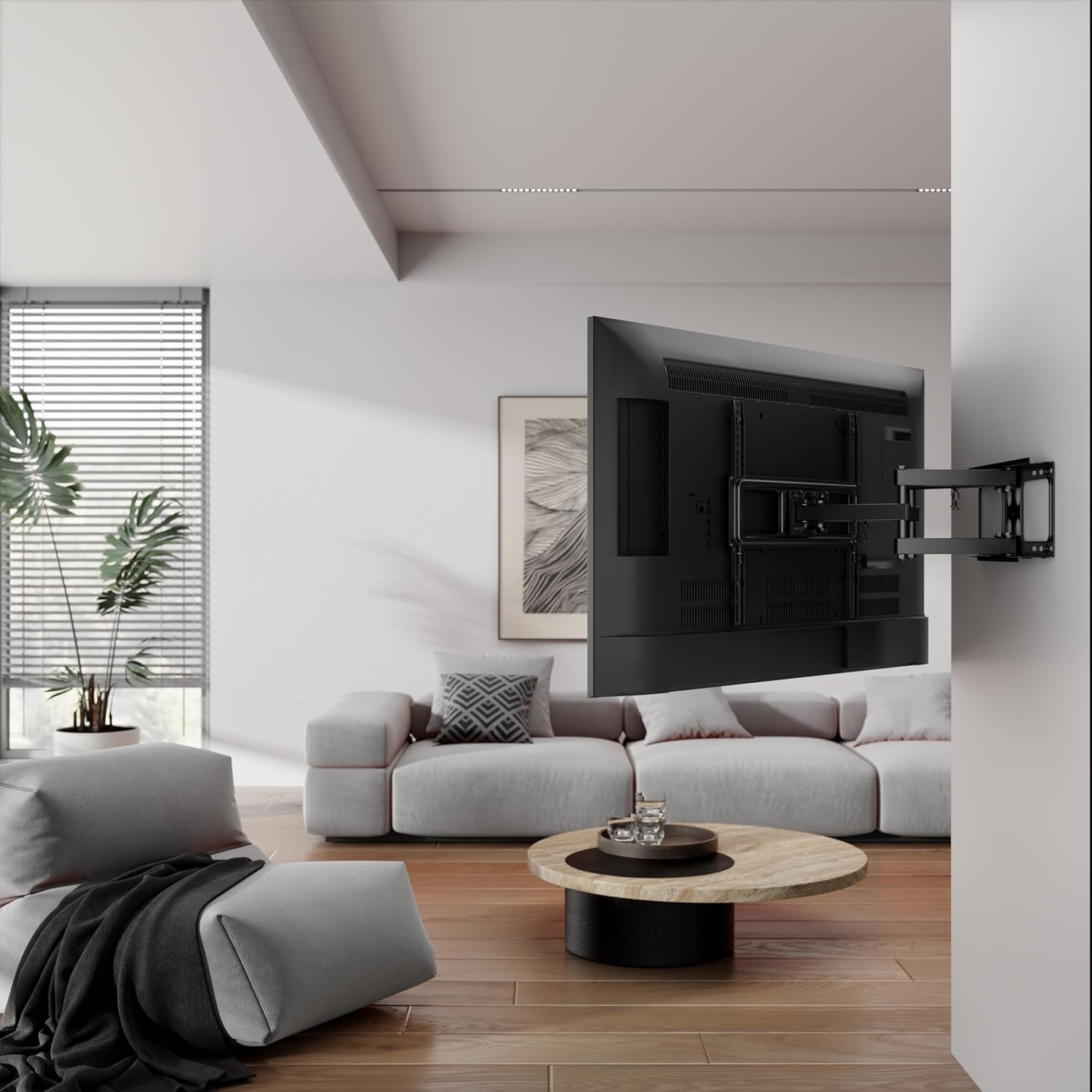
Image: A television mounted on the Emerald Full Motion TV Wall Mount, shown extended from the wall, demonstrating its full motion capability.
Video: Shows the final step of hanging the TV onto the wall mount and securing it with safety screws.
5. Njikwa USB
Use the provided cable management ties to neatly route and secure all cables along the mount arms. This helps maintain a clean appearance and prevents cables from getting tangled or damaged during adjustments.
Video: Demonstrates how to use cable ties to manage and organize cables along the TV mount arms.
Ịrụ Ọrụ Ugwu
The Emerald Full Motion TV Wall Mount offers versatile adjustments to enhance your viewahụmahụ.
- Extend and Retract: Gently pull the TV away from the wall to extend the mount, or push it back towards the wall to retract it. The mount extends up to 18.3 inches and retracts to a slim 2.1 inches.
- Swivel: The mount allows for a 60-degree swivel, enabling you to angle the TV left or right to achieve the perfect viewing position from different areas of the room.
- Gbaa: Adjust the tilt angle to minimize glare and optimize viewing comfort. The mount supports a maximum tilt angle of 3 degrees.

Image: The TV mount demonstrating its tilt adjustment feature, allowing the screen to be angled for optimal viewing and glare reduction.

Image: This image illustrates the maximum extension (18.3 inches) and minimum retraction (2.1 inches) capabilities of the TV mount from the wall.
Video: Demonstrates the full motion capabilities of a TV wall mount, including extending, retracting, swiveling, and tilting the television.
Nlekọta
- Nhicha: Wipe the mount with a soft, dry cloth to remove dust. Avoid abrasive cleaners or solvents.
- Nyocha oge: Regularly inspect all mounting hardware and connections to ensure they are tight and secure. Re-tighten any loose screws as necessary.
- mmanu mmanu: The moving parts of the mount are designed for smooth operation and generally do not require lubrication. If movement becomes stiff, consult the manufacturer.
Nchọpụta nsogbu
- TV abụghị ọkwa: Use the integrated leveling adjustment feature (if available) or slightly loosen the wall plate screws, adjust the level, and re-tighten.
- Difficulty moving the TV: Check for any obstructions or overtightened pivot points. Loosen adjustment screws slightly if movement is too stiff.
- Ugwu ahụ adịghị mma: Immediately remove the TV from the mount. Re-check all wall and TV connections to ensure they are installed correctly and securely tightened according to the instructions. Ensure the wall type is appropriate and anchors are correctly installed.
Nkọwapụta
| Njirimara | Nkọwapụta |
|---|---|
| Ụdị | Emerald |
| Nọmba nlereanya | SM-720-8550 |
| Nha TV dakọtara | 26-70 sentimita asatọ |
| Ụdị mmegharị | Full Motion (Swivel, Tilt, Extend/Retract) |
| Oke Tilt Angle | 3 ogo |
| Oke ndọtị | 2.1 sentimita (a gbapụrụ agbapụ) ruo 18.3 sentimita (a gbatịpụrụ agbatị) |
| Ihe onwunwe | Alloy Steel |
| Agba | Nwa |
| Ibu Ibu | 8 pound |
| Akụkụ ngwaahịa | 20.25 x 9.75 x 3 sentimita asatọ |
Akwụkwọ ikike na nkwado
For warranty information or technical support, please refer to the contact details provided with your purchase documentation or visit the official Emerald websaịtị. Debe nnata nzụta gị ka ihe akaebe nke ịzụrụ.