
Okwu mmalite
The Riwbox WT-7S Kids Bluetooth Headphones are designed to provide an engaging audio experience for children, featuring LED lights that synchronize with music. These headphones offer both wireless Bluetooth 5.3 connectivity and a wired mode for continuous use. They are foldable for portability and include a built-in microphone for communication.
Atụmatụ igodo
- Ọkụ ọkụ ọkụ ọkụ: LED lights on both sides of the headphones flash with the music's frequency, adding a fun visual element.
- Nkà na ụzụ Bluetooth 5.3: Ensures stable and efficient wireless connection with powerful 40mm speakers for natural sound and strong bass.
- ON/OFF LED Light Function: Users can turn off the LED blinking effect in Bluetooth mode to conserve battery life.
- Dual Mode (Wired/Wireless): Seamlessly switch between Bluetooth wireless mode and wired mode using the included Riwbox D1 audio cable when the battery is low.
- Njikwa agbakwunyere: Convenient controls on the headphone allow for easy navigation of songs and volume adjustment.
- Nhazi a na-agbanwe agbanwe: The headphones can be folded for compact storage and portability, making them ideal for travel.
- Igwe okwu arụnyere n'ime ya: Enables hands-free calls and voice chat.
Kedu ihe dị na Igbe ahụ
- Riwbox WT-7S Kids Bluetooth Headphones (Blue)
- Riwbox D1 Audio Cable (3.5mm Jack)
- Igwe nchaji USB
Ntuziaka nhazi
1. Ịchaji ekweisi
Before first use, fully charge your Riwbox WT-7S headphones. Connect the provided USB charging cable to the USB charge port on the headphones and the other end to a compatible USB power source (e.g., computer USB port, wall adapter). The LED indicator will show charging status and turn off when fully charged. Charging time is approximately 3 hours.

Image: Diagram showing the location of the USB charge port and LED indicator on the Riwbox WT-7S headphones.
2. Njikọ Bluetooth
- Gbaa mbọ hụ na agbanyụrụ ekweisi.
- Press and hold the power button until the LED indicator flashes blue and red alternately, indicating pairing mode.
- Na ngwaọrụ gị (smartphone, tabletị, PC), gbanye Bluetooth wee chọọ ngwaọrụ dị.
- Select "WT-7S" from the list of found devices.
- Once connected, the LED indicator will turn solid blue or flash slowly.

Image: Riwbox WT-7S headphones connected wirelessly to a smartphone, illustrating the Bluetooth connection and power display.
The headphones support Bluetooth 5.3 and have a range of up to 10 meters.
3. Njikọ waya (Ụdị AUX)
To use the headphones in wired mode, connect the Riwbox D1 audio cable (3.5mm jack) to the AUX port on the headphones and the other end to your audio device's 3.5mm audio output. This mode allows you to continue listening even when the headphone battery is depleted.

Image: Riwbox WT-7S headphones connected via a 3.5mm audio cable, demonstrating wired compatibility with devices like computers, iPads, smartphones, and MP3/MP4 players.
Ntuziaka ọrụ
Njikwa agafelaview
Image: Detailed diagram of the Riwbox WT-7S headphone controls, including ON/OFF switch, microphone, LED indicator, USB charge port, and 3.5mm audio AUX port.
| Bọtịnụ/njikwa | Function (Bluetooth Mode) |
|---|---|
| Mgbanwu / Gbanyụọ | Powers the headphones on or off. |
| Bọtịnụ Kwụsị/ Kwụsị | Short press to play or pause music. Press to answer/hang up calls. |
| Elu elu (+) | Obere pịa ka iwelie olu. |
| Olu ala (-) | Obere pịa ka ibelata olu. |
| Bọtịnụ egwu na-abịa | Long press to skip to the next song. |
| Bọtịnụ egwu gara aga | Pịa ogologo oge iji gaa na egwu gara aga. |
| Ikanam Light Control | Long press to open/close the LED light effect. |
| Igwe okwu | For hands-free calls and voice input. |
The LED lights on the earcups will flash according to the music's rhythm, enhancing the listening experience. You can turn off the LED lights to save battery life, extending playtime up to 39.99 hours.

Foto: N'ihu view of the Riwbox WT-7S Kids Bluetooth Headphones in blue, showcasing the illuminated LED lights on the earcup.
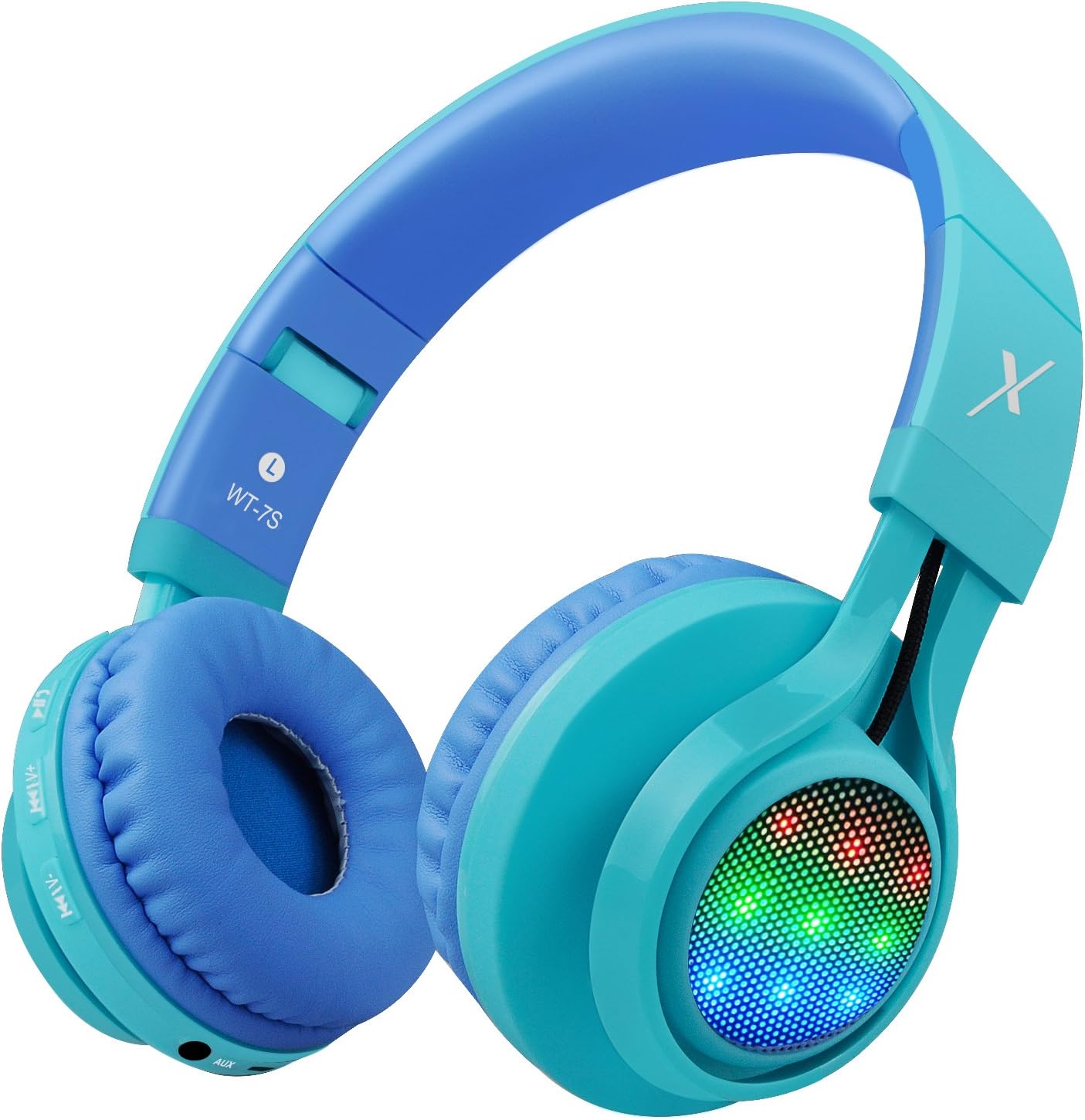
Foto: Akụkụ view of the Riwbox WT-7S Kids Bluetooth Headphones in blue, highlighting the LED lights on the earcup and the control buttons.
Nlekọta na nlekọta
- Nhicha: Use a soft, dry cloth to clean the headphones. Avoid using abrasive cleaners or solvents.
- Nchekwa: When not in use, store the headphones in a cool, dry place. The foldable design allows for compact storage, minimizing space.
- Nlekọta batrị: Ka ịgbatị ndụ batrị ogologo, zere ịchaji ekweisi ugboro ugboro. Na-ana ha ebubo mgbe niile, ọbụlagodi na ọ bụghị iji ya mgbe niile.
- Nguzogide mmiri: The headphones are water resistant, but not waterproof. Avoid submerging them in water or exposing them to heavy rain.

Image: The Riwbox WT-7S headphones shown in their collapsed, folded state, demonstrating how they minimize storage space and fit easily into a backpack or drawer.
Nchọpụta nsogbu
| Nsogbu | Ngwọta enwere ike |
|---|---|
| Ekweisi agaghị agbanwu. | Ensure the headphones are charged. Connect to a power source using the USB charging cable. |
| Enweghị ike ijikọ na ngwaọrụ Bluetooth. |
|
| Enweghị ụda n'ụdị ikuku. |
|
| No sound in wired mode. |
|
| LED lights are not flashing. | Long press the LED light control button to ensure the feature is enabled. If enabled, ensure music is playing. |
Nkọwapụta ngwaahịa
| Nkọwapụta | Nkọwa |
|---|---|
| Aha Nlereanya | WT-7 S |
| Ụdị | Riwbox |
| Agba | Acha anụnụ anụnụ |
| Teknụzụ Njikọta | Bluetooth |
| Teknụzụ nzikọrịta ozi ikuku | Bluetooth |
| Ụdị Bluetooth | 5.3 (Note: Product data shows 4.0, but feature bullets state 5.3. Using 5.3 as it's more recent and likely correct for current models.) |
| Oke Bluetooth | 10 mita |
| Nha ọkwọ ụgbọ ala ọdịyo | 40 millimeters |
| Nzaghachi ugboro ugboro | 20 Hz - 20 kHz |
| Mmetụta | 108 dB |
| Mgbochi | 32 Ohm |
| Jack ekweisi | 3.5mm ọkpụrụkpụ |
| Oge Nchaji | Awa 3 |
| Ndụ batrị | Awa 39.99 |
| Ibu Ibu | 210 grams (7.4 ounces) |
| Akụkụ ngwaahịa | 7.09 x 5.91 x 3.15 sentimita asatọ |
| Ọkwa Nguzogide mmiri | Mmiri na-eguzogide |
| Ụdị njikwa | Njikwa olu, metụ |
| Ihe onwunwe | Plastic |
Akwụkwọ ikike na nkwado
For warranty information and customer support, please refer to the product packaging or visit the official Riwbox websaịtị. Debe nnata nzụta gị maka nkwupụta akwụkwọ ikike ọ bụla.
Ị nwekwara ike ịga na Riwbox Store on Amazon maka ozi ngwaahịa na akụrụngwa nkwado.
Vidiyo ngwaahịa
Video: An official product video titled "Top Best Headphones for Kids with LED and Mic" by Cotico (Seller). This video demonstrates the features and usage of the Riwbox WT-7S headphones, including the LED lights and overall design, in a family setting.