
1. Ozi nchekwa dị mkpa
Please read all instructions carefully before using the JFIT Under Desk & Stand Up Mini Elliptical. Retain this manual for future reference.
- Kpọtụrụ dọkịta tupu ịmalite mmemme mmega ahụ ọ bụla.
- Ensure the elliptical is placed on a stable, level surface.
- Debe ụmụaka na anụ ụlọ n'ebe akụrụngwa nọ n'oge eji.
- Do not stand on the elliptical when not in use.
- Wear appropriate footwear during exercise.
- Kwụsị mgbatị ahụ ozugbo ma ọ bụrụ na ị na-ada mbà, isi ọwụwa, ma ọ bụ nwee mgbu.
- The maximum user weight capacity for this unit is 250 pounds (113 kg).
2. Ngwaahịa gafereview
The JFIT Under Desk & Stand Up Mini Elliptical is designed for versatile use, allowing for both seated and standing exercise. It features a compact design, adjustable resistance, and a monitor to track your progress.

Figure 2.1: JFIT Under Desk & Stand Up Mini Elliptical, showcasing its dual-use design for both standing and seated positions.
Akụkụ ndị bụ isi:
- Adjustable Pedals: Unique design allows for comfortable use while seated or standing.
- Nhazi kọmpat: Easily fits under most desks and can be stored conveniently.
- Magnetic Tension Dial: Provides adjustable resistance for varied workout intensity.
- Series 1050 Monitor: Tracks time, speed, distance, and calories burned.
- Enwere ike ibugharị: Equipped with a top handle for easy carrying and front rollers for movement.
3. Ntọala na Mgbakọ
The JFIT Mini Elliptical requires minimal assembly. All necessary tools are typically included.
- Iwepu: Jiri nlezianya wepụ ihe niile dị na ngwugwu ahụ. Hụ na akụkụ niile dị dịka ndepụta ngwugwu si dị.
- Mgbakọ ntọala: Attach any separate base components or stabilizers as instructed in the included quick-start guide.
- Njikọ Pedal: Secure the pedals to the main unit if they are not pre-attached. Ensure they are firmly tightened.
- Monitor Battery Installation: The Series 1050 Monitor requires batteries (not always included). Open the battery compartment, insert the correct battery type (e.g., LR44), and close the compartment.
- Nkwanye: Position the elliptical on a flat, stable surface. For optimal stability and to prevent movement during use, consider placing a mat underneath the unit.

Figure 3.1: The JFIT Mini Elliptical highlighting its molded top handle for carrying and front rollers for easy movement.
4. Ntuziaka ọrụ
4.1 Seated Use
Place the elliptical under your desk or in front of your chair. Ensure there is enough clearance for your knees and the elliptical's movement. Sit comfortably and place your feet on the pedals.
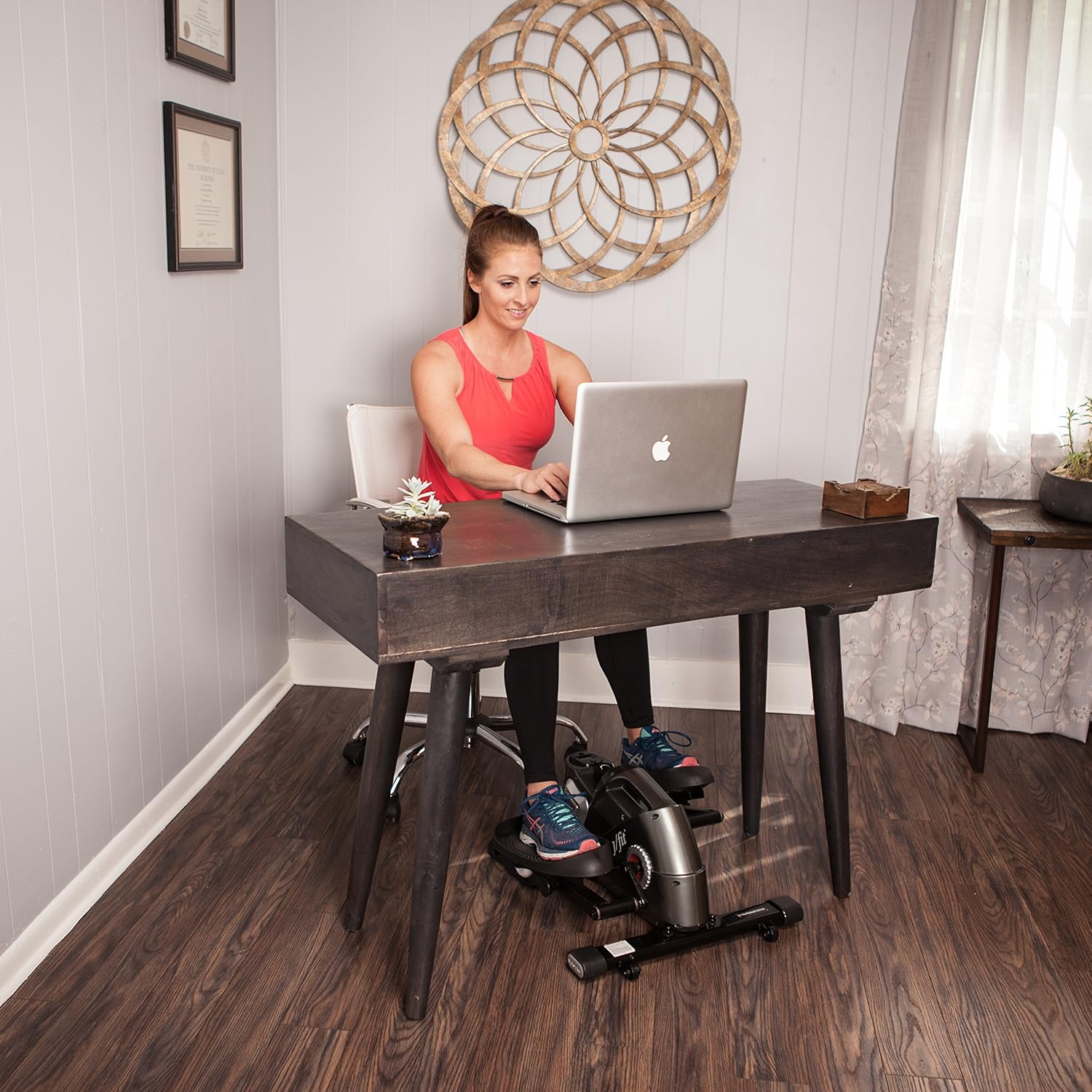
Figure 4.1: User engaging with the JFIT Mini Elliptical in a seated position under a desk.
4.2 Standing Use
Position the elliptical on a stable surface. Carefully step onto the pedals, ensuring your balance. You may use a nearby stable object for support if needed. Begin pedaling at a comfortable pace.

Figure 4.2: User engaging with the JFIT Mini Elliptical in a standing position.
4.3 Na-edozi Nguzogide
The elliptical features a magnetic tension dial. Turn the dial clockwise to increase resistance for a more challenging workout, and counter-clockwise to decrease resistance for an easier pace.
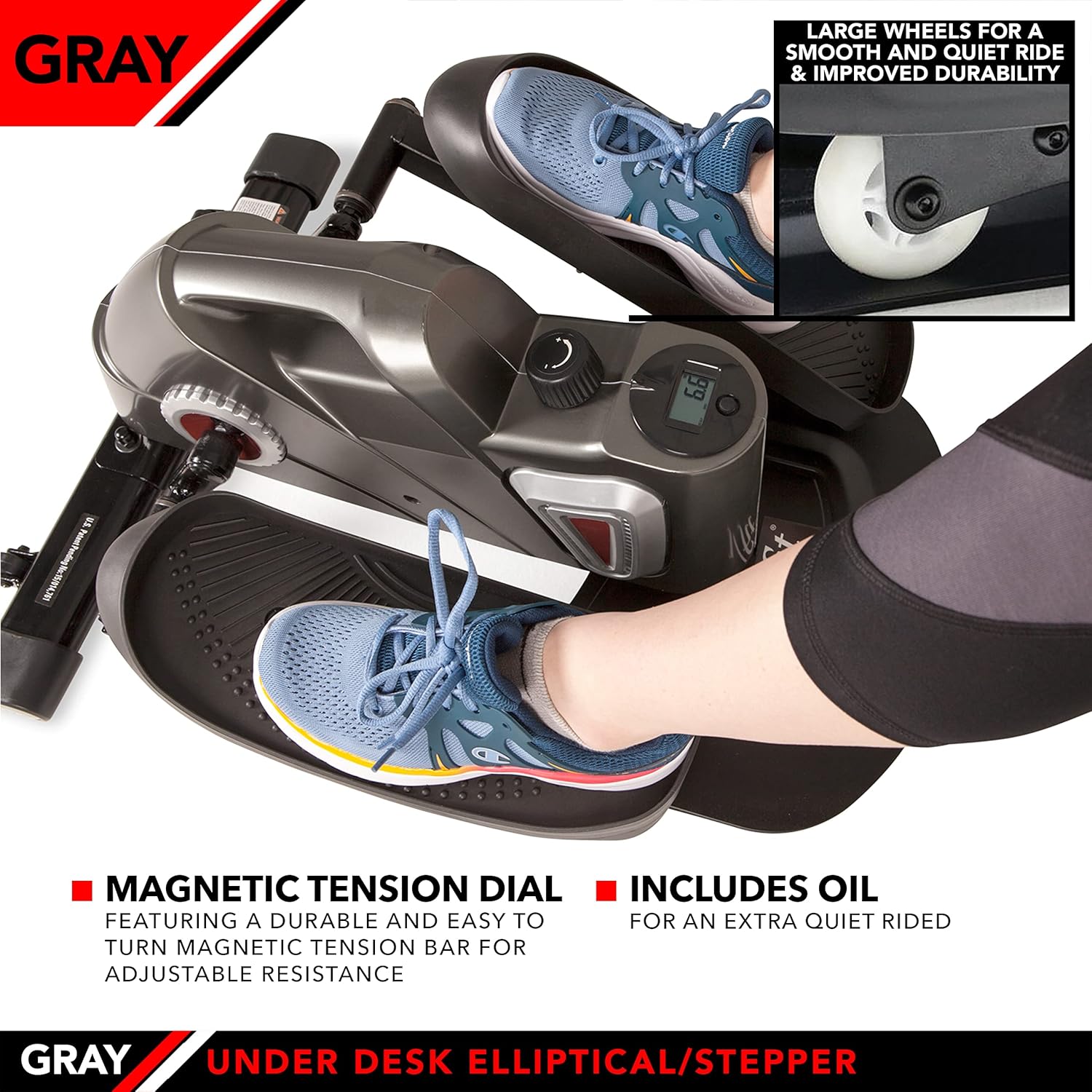
Figure 4.3: Detail of the magnetic tension dial for adjusting workout intensity and the large wheels designed for smooth operation.
4.4 Using the Series 1050 Monitor
The integrated Series 1050 Monitor displays key workout metrics:
- Oge: Ogologo oge mgbatị ahụ gị.
- Ọsọ: Current pedaling speed.
- Ogologo: E kpuchiri anya dị anya.
- Kalori gbara ọkụ: Estimated calories expended during your session.
Refer to the monitor's specific instructions for navigating between display modes and resetting values.
5. Nlekọta
Nlekọta mgbe niile na-eme ka ogologo oge na arụmọrụ kachasị mma nke elliptical gị dị.
- Nhicha: Jiri mgbasa ozi hichapụ otu ahụamp ákwà mgbe ọ bụla iji wepụ ọsụsọ na ájá. Zenarị ndị na-ehicha ihe abrasive.
- mmanu mmanu: If the unit develops squeaking noises, apply a small amount of penetrating lubricant to moving parts, particularly around the pedal axles and internal mechanisms. Use lubricant sparingly.
- Nyochaa batrị: Replace the monitor battery (LR44) when the display becomes dim or stops functioning.
- Nchekwa: Store the elliptical in a cool, dry place away from direct sunlight and extreme temperatures. The top handle facilitates easy transport and storage.

Figure 5.1: The JFIT Mini Elliptical being carried by its integrated top handle, demonstrating its portability.
6. Nchọpụta nsogbu
- Ụda na-eti mkpu: If the elliptical makes a squeaking sound, apply a small amount of lubricant to the moving joints and axles. Ensure all bolts are tightened.
- Nyochaa anaghị egosipụta: Lelee ma batrị ahụ arụnyere nke ọma ma nwee ike ịchaji zuru oke. Dochie batrị ahụ ma ọ bụrụ na ọ dị mkpa.
- Unit Slides During Use: Ensure the elliptical is on a non-slip surface. A rubber mat placed underneath can improve stability.
- Nguzogide Anaghị Agbanwe: Verify that the tension dial is functioning correctly and is not obstructed.
7. Nkọwapụta
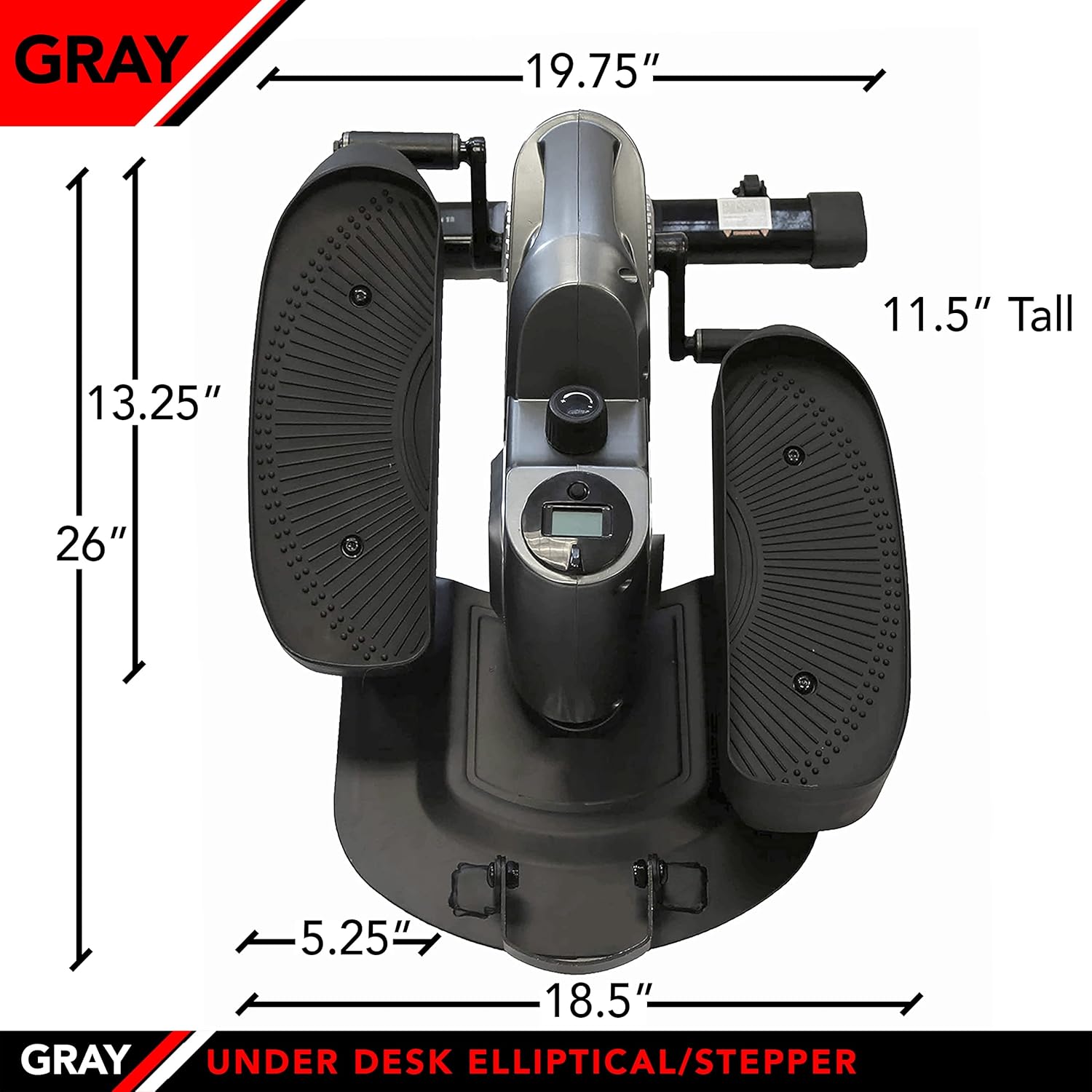
Figure 7.1: The JFIT Mini Elliptical with key dimensions indicated for reference.
| Njirimara | Nkọwa |
|---|---|
| Nọmba nlereanya | J-ELLPEW |
| Akụkụ ngwaahịa | 69.09 x 38.1 x 27.94 cm (27.2 x 15 x 11 inch) |
| Ibu Ibu | 14.65 n'arọ (32.3 lbs) |
| Ikike ịdị arọ kacha | 250 pound |
| Ihe onwunwe | Ọla |
| Agba | Pewter |
| Ngosipụta nha | 2 sentimita asatọ |
| Ọrụ mita | Calories Burned, Distance, Speed, Time |
| UPC | 818020000579 |
8. Akwụkwọ ikike na nkwado
For warranty information or technical support, please refer to the documentation provided at the time of purchase or contact JFIT customer service directly. Keep your proof of purchase for warranty claims.