
Okwu mmalite
Thank you for choosing the ALLOYSEED Bluetooth FM Transmitter Car Charger. This device allows you to stream audio from your Bluetooth-enabled smartphone or tablet to your car's FM radio, make hands-free calls, and charge your mobile devices via its integrated USB port. Please read this manual carefully to ensure proper use and optimal performance.
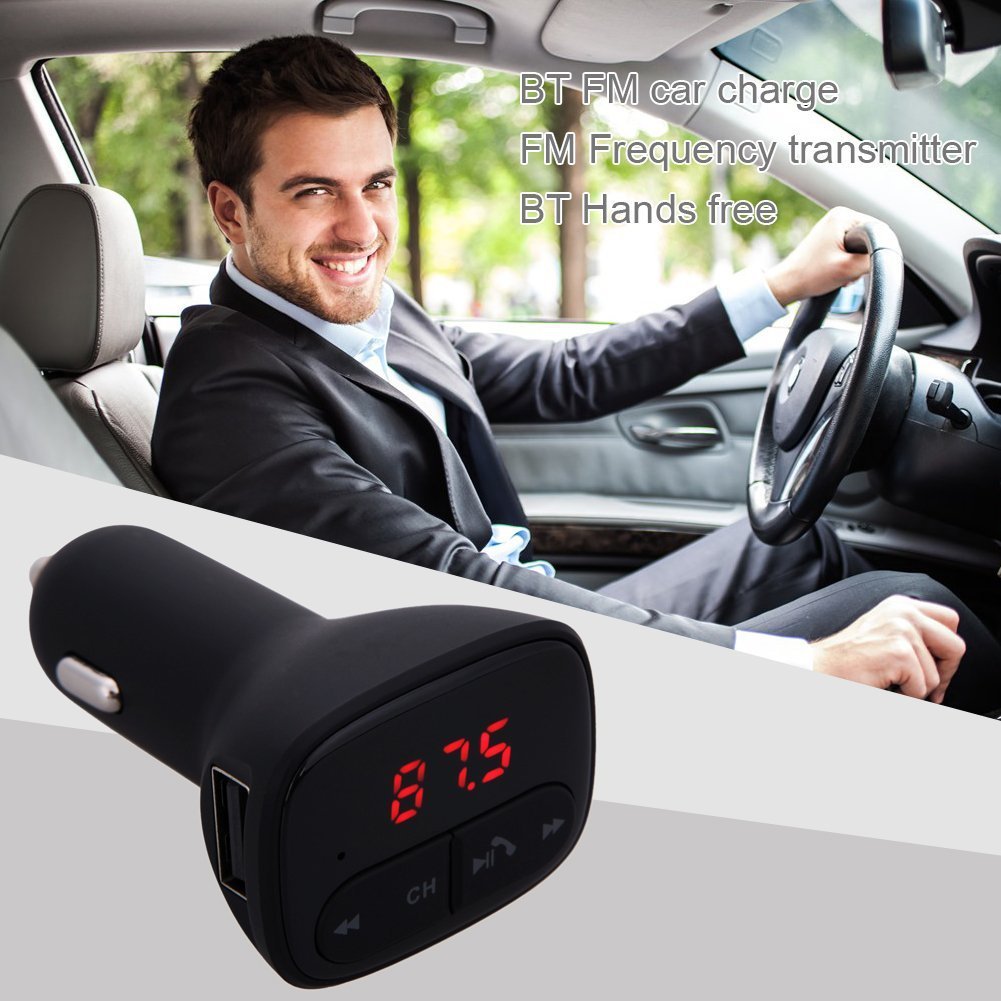
Image: The ALLOYSEED Bluetooth FM Transmitter Car Charger plugged into a car's cigarette lighter socket, with a driver in the background.
Ozi nchekwa
- Ewepụla ma ọ bụ gbanwee ngwaọrụ.
- Debe ngwaọrụ ahụ pụọ na mmiri, mmiri, na oke okpomọkụ.
- Zere ikpughe ngwaọrụ ahụ na ìhè anyanwụ kpọmkwem ruo ogologo oge.
- Ensure the car's cigarette lighter socket provides the specified DC 12V~24V input voltage.
- Do not operate the device while driving if it distracts you from the road. Prioritize road safety.
Ngwaahịa gafereview
Familiarize yourself with the components of your ALLOYSEED Bluetooth FM Transmitter Car Charger:
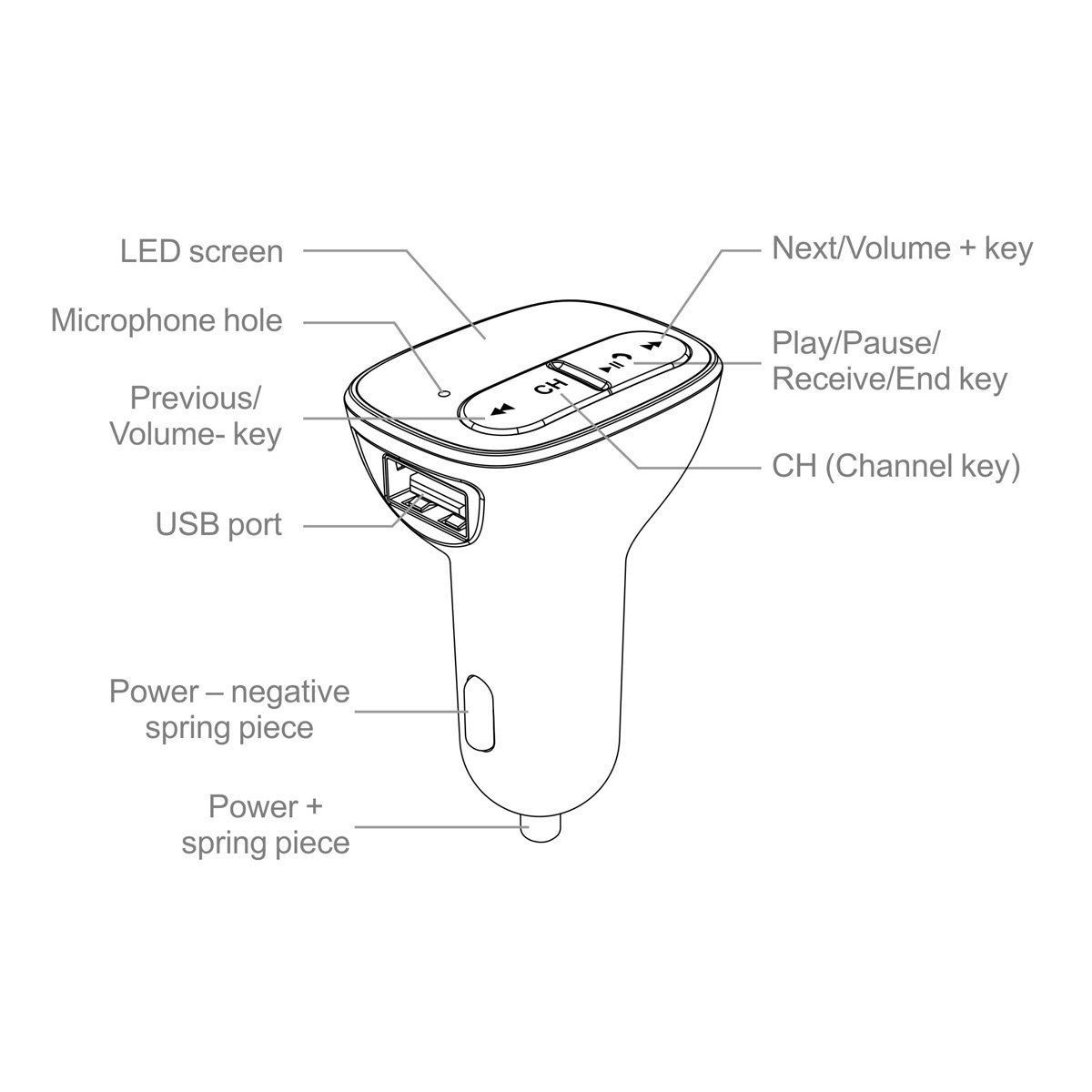
Image: A detailed diagram of the ALLOYSEED Bluetooth FM Transmitter Car Charger, highlighting its various components and controls.
- Ikanam ihuenyo: Displays FM frequency.
- Microphone Hole: Maka oku na-enweghị aka.
- Igodo gara aga/olu-: Pịa obere oge maka egwu gara aga, pịa ogologo oge iji belata olu.
- Next/Volume+ Key: Pịa obere oge maka egwu na-esote, pịa ogologo oge iji bulie olu.
- Play/Pause/Receive/End Key: Short press to play/pause music, answer/end calls. Long press to reject calls.
- CH (Channel Key): Short press to enter FM frequency adjustment mode.
- Ọdụ ụgbọ mmiri USB: 2.1A output for charging mobile devices.
- Power - Negative Spring Piece: Connects to the negative terminal of the car's power socket.
- Power + Spring Piece: Connects to the positive terminal of the car's power socket.
Nkọwapụta
| Ntinye Voltage | DC 12V ~ 24V |
| Na-arụ ọrụ ugbu a | <100mA (when not charging) |
| Oke ugboro FM | 87.5 - 108.0MHz (0.1MHz increments) |
| Ogologo nnyefe FM | <3M |
| Ụdị Bluetooth | V2.1+EDR |
| Bluetooth Protocols Supported | A2DP/AVRCP/HSP/HFP |
| A2DP Transmission Distance | > 5M |
| Ihe nrụpụta USB dị ugbu a | 2.1A |
| USB mmepụta Voltage | 5.2V |
| Ibu Ibu | 80 g |
Melite
- Fanye n'ime oghere ụgbọ ala: Plug the ALLOYSEED Bluetooth FM Transmitter into your car's 12V-24V cigarette lighter socket. The device will power on automatically, and the LED screen will display the current FM frequency.
- Ike Na: The device powers on automatically when connected to the car's power.
Ntuziaka ọrụ
1. Setting the FM Frequency
- Pịa CH (Channel) key. The frequency display on the LED screen will start flashing.
- Jiri ihe Previous/Volume- key or Next/Volume+ key to adjust the FM frequency. Select a frequency that is clear and not occupied by a local radio station.
- Once the desired frequency is set, wait a few seconds. The display will stop flashing, and the frequency will be saved.
- Tune your car's FM radio to the otu ugboro as displayed on the transmitter.
2. Njikọ Bluetooth
- After powering on, the device will automatically enter Bluetooth pairing mode. The LED screen may show a Bluetooth icon or similar indicator.
- Na ama ma ọ bụ mbadamba gị, gbanye Bluetooth wee chọọ ngwaọrụ dịnụ.
- Select the device named "ALOYSEED" (or similar) from the list to pair.
- Once paired, a confirmation sound or indicator may be heard/seen. You are now ready to stream audio.
3. Nghaghachi egwu
- After successful Bluetooth pairing, open your music player on your smartphone/tablet and start playing music.
- The audio will be transmitted to your car's FM radio.
- Jiri ihe Kpọọ / kwụsịtụ igodo on the transmitter to play or pause music.
- Jiri ihe Previous/Volume- key na Next/Volume+ key for track navigation (short press) and volume adjustment (long press).
- The device has an automatic memory function, resuming the last played song when restarted.
4. Oku na-enweghị aka
- When a call comes in, the music will automatically pause.
- Pịa Play/Pause/Receive/End key otu ugboro iji zaa oku ahụ.
- Ka ịkwụsị oku, pịa Play/Pause/Receive/End key Ọzọkwa.
- Iji jụ oku mbata, ogologo pịa Play/Pause/Receive/End key.
- Igwe okwu dị n'ime ya na-enye ohere maka nkwurịta okwu doro anya.
5. Ngwa ịchaji
- Connect your mobile device (smartphone, tablet, etc.) to the USB ọdụ ụgbọ mmiri on the transmitter using a compatible USB charging cable.
- The USB port provides a 2.1A output for efficient charging.
Nlekọta
- Jiri akwa dị nro hichaa ngwaọrụ ahụ. Ejila ihe nhicha mmiri ma ọ bụ ikuku ikuku.
- Ensure the USB port and cigarette lighter connector are free from dust and debris.
- Chekwaa ngwaọrụ ahụ n'ebe dị jụụ, kpọrọ nkụ mgbe ọ naghị eji ya ogologo oge.
Nchọpụta nsogbu
- Enweghị ike: Ensure the device is securely plugged into the car's cigarette lighter socket and that the car's ignition is on. Check the car's fuse for the cigarette lighter.
- Ọdịmma ụda adịghị mma/anaghị agbanwe agbanwe:
- Adjust the FM frequency on the transmitter and your car radio to find a clear, unoccupied channel.
- Ensure the volume on your phone and car radio is set appropriately.
- Move away from areas with strong radio interference.
- Bluetooth anaghị ejikọta:
- Gbaa mbọ hụ na agbanyere Bluetooth na ngwaọrụ mkpanaka gị.
- Restart the transmitter by unplugging and re-plugging it.
- Chezọ ngwaọrụ ahụ na ntọala Bluetooth ekwentị gị wee nwaa ijikọ ọzọ.
- Ensure the transmitter is within range of your phone.
- Nchaji USB anaghị arụ ọrụ:
- Check if the charging cable is properly connected to both the device and the USB port.
- Gbalịa eriri USB dị iche.
- Ensure the car charger is receiving power.
Akwụkwọ ikike na nkwado
This product is covered by a warranty policy. For details regarding warranty coverage, terms, and conditions, please refer to the information provided at the point of purchase or contact ALLOYSEED customer support. Keep your purchase receipt as proof of purchase.
For technical assistance or further inquiries, please contact ALLOYSEED customer support through the official channels provided by the seller or manufacturer.


