
Okwu mmalite
The SteelSeries Apex 100 Gaming Keyboard is designed for optimal gaming performance, featuring Quick Tension Switches for fast reaction times, tactile feedback, and quiet operation. It includes blue LED backlighting, advanced anti-ghosting, and is built with splash resistance for durability.
Melite
1. Jikọọ ahụigodo
Connect the keyboard's USB-A cable to an available USB port on your computer. The keyboard is plug-and-play, and your operating system should automatically detect and install the necessary drivers.

Foto: Top view of the SteelSeries Apex 100 Gaming Keyboard, showing the full QWERTY layout with blue LED backlighting and the attached USB cable.
2. Nwụnye ngwanrọ (Nhọrọ)
For advanced customization, including macro programming and backlighting adjustments, download and install the SteelSeries Engine 3 software from the official SteelSeries websaịtị (steelseries.com/engine). Follow the on-screen instructions for installation.
Na-arụ ọrụ ahụigodo
Atụmatụ igodo
- Quick Tension Switches: Designed to mimic mechanical switches, providing a tactile feel and fast actuation.
- Igwe ọkụ na-acha anụnụ anụnụ: Offers brilliant ground effects backlighting. Intensity can be adjusted via SteelSeries Engine 3.
- Advanced Anti-Ghosting: Ensures all key presses are registered accurately during intense gaming sessions.
- Njikwa mgbasa ozi: Integrated media control functions are accessible via function keys (F7-F12) in combination with the Fn key.
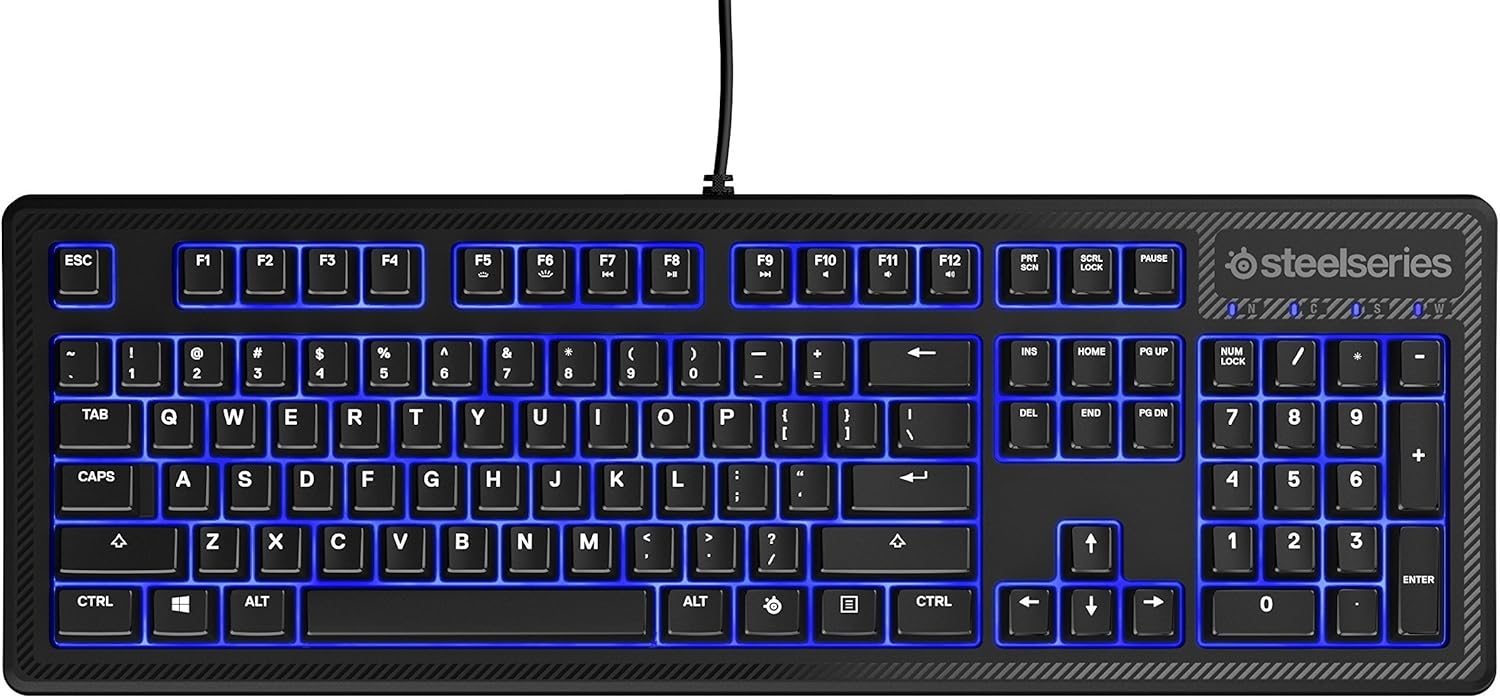
Foto: Akụkụ view of the SteelSeries Apex 100 Gaming Keyboard, highlighting its ergonomic design and keycap profile.
Customization with SteelSeries Engine 3
The SteelSeries Engine 3 software allows you to:
- Create and assign macros to any key.
- Adjust the intensity of the blue LED backlighting.
- Configure polling rates and other performance settings.
Nlekọta
Nhicha
To clean your keyboard, disconnect it from your computer. Use a soft, dry cloth to wipe down the keys and chassis. For stubborn dirt, a slightly damp cloth with mild soap can be used, ensuring no liquid enters the key switches or internal components. The keyboard is splash resistant, but not waterproof; avoid submerging it or exposing it to excessive liquids.
Ịdị ogologo
The Apex 100 keyboard features a guaranteed 20-million click lifespan for its switches, ensuring long-term reliability under heavy use.

Foto: N'okpuru view of the SteelSeries Apex 100 Gaming Keyboard, showing the drainage channels and adjustable feet.
Nchọpụta nsogbu
Ahụigodo Anaghị aza
- Gbaa mbọ hụ na ejikọrọ eriri USB na nchekwa na ma ahụigodo ma kọmputa.
- Gbalịa ijikọ ahụigodo na ọdụ ụgbọ USB dị iche.
- Malitegharịa ekwentị gị na kọmputa.
- Ọ bụrụ na ị na-eji eriri USB, gbalịa jikọọ ozugbo na kọmputa.
Backlighting Issues
- Check the backlighting settings within the SteelSeries Engine 3 software.
- Ensure the keyboard's brightness level is not set to minimum.
Igodo anaghị edebanye aha
- Hichaa gburugburu igodo emetụtara iji wepụ ihe irighiri ihe ọ bụla.
- If the issue persists, consider reinstalling the SteelSeries Engine 3 software or updating your USB drivers.
For further assistance, please refer to the SteelSeries support websaịtị.
Nkọwapụta
| Njirimara | Nkọwa |
|---|---|
| Ụdị | Usoro igwe |
| Aha Nlereanya | Isi nke 100 |
| Nọmba nlereanya | 64435 |
| Teknụzụ Njikọta | USB-A |
| Nkọwa ahụigodo | Ịgba egwu |
| Eji akwadoro | Ịgba egwu |
| Njirimara Pụrụ Iche | Azụ azụ |
| Agba | Acha anụnụ anụnụ |
| Nkwado agba azụ azụ kiiboodu | Single Color (Blue) |
| Ụdị | Ịkpọchi ọnụ jụụ – Na-emetụ aka na Ntị |
| Akụkụ ngwaahịa | 18.21"L x 6.13"W x 1.58"H |
| Isi Iyi Ike | USB |
| Ngbanwe Ụdị | Tactile (Quick Tension Switches) |
| Nhazi ahụigodo | QWERTY |
| Ọnụọgụ bọtịnụ | 104 |
| Ezinụlọ Sistemu Ọrụ Dakọtara | Windows |
| Ọnụọgụ igodo | 100 |
| Ihe mkpuchi | Plastic |
| Ibu Ibu | 2.42 pound |
| UPC | 813682020101 |
Ozi akwụkwọ ikike
According to product information, this item comes with enweghị akwụkwọ ikike. Please check with your retailer for their return or exchange policies.
Nkwado
For additional support, driver downloads, or frequently asked questions, please visit the official SteelSeries support websaịtị: