
1. Okwu mmalite
The Strom 504 DVB-T2 Full HD Digital Terrestrial Receiver is designed to provide access to High Definition terrestrial television channels. This device is compatible with DVB-T2 and HEVC264 standards, ensuring reception of modern digital broadcasts. It supports MPEG-4 video encoding and offers various connectivity options including HDMI and Scart for compatibility with a wide range of televisions. This manual provides essential information for setting up, operating, and maintaining your receiver.
2. Ihe ngwugwu
Biko chọpụta na ihe niile dị na ngwugwu:
- 1x Strom 504 Terrestrial Receiver
- 1x njikwa anya
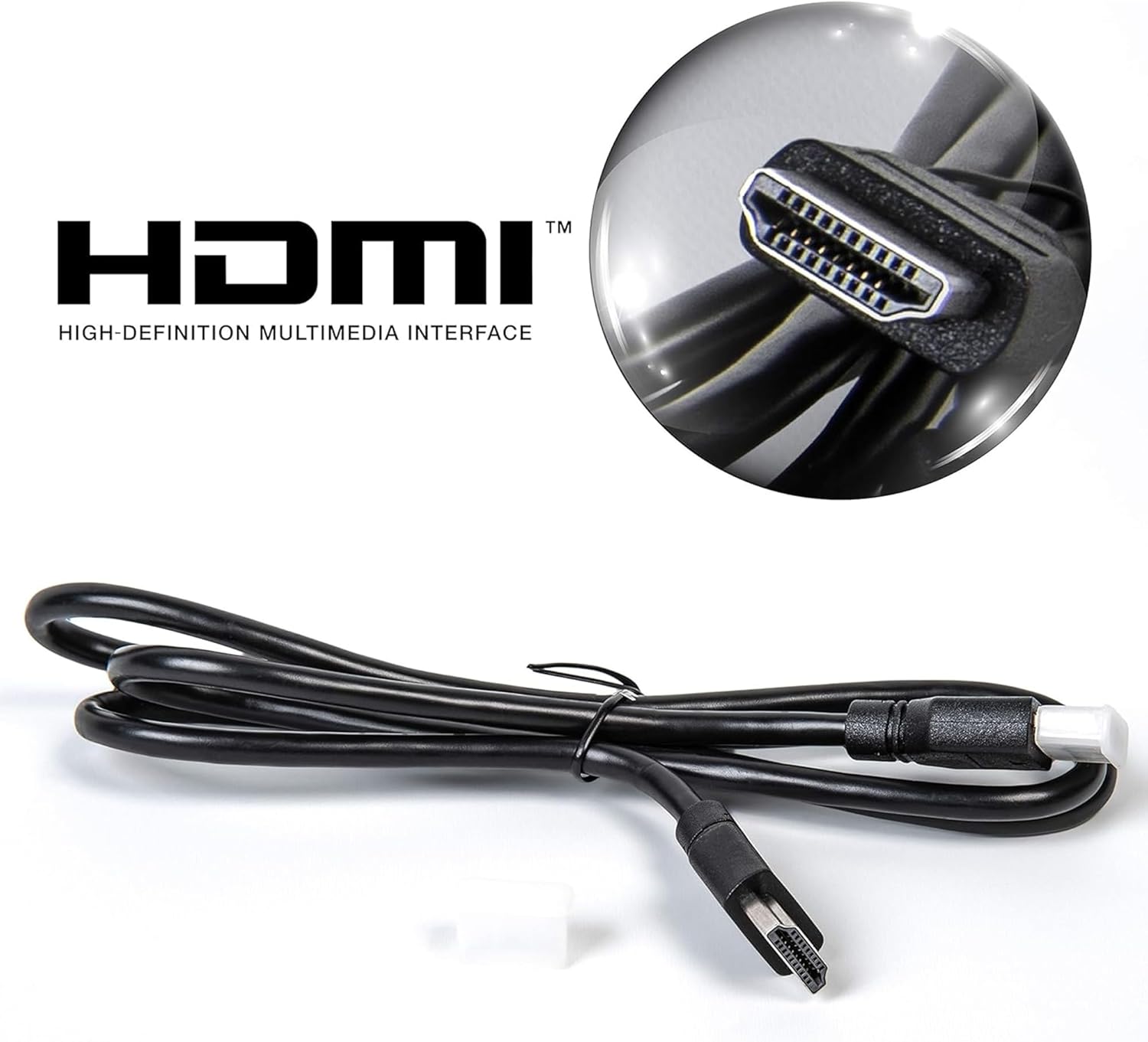
- 1 x HDMI USB
- 1x nkwụnye ọkụ
- 1 x Akwụkwọ ntuziaka onye ọrụ (akwụkwọ a)
3. Ngwaahịa gafereview
3.1 Atụmatụ
- DVB-T2 HD Terrestrial Receiver
- HEVC264 and MPEG-4 Compatible
- Full HD 1080p Output
- HDMI and Scart (Péritel) Connectivity
- USB Port for PVR (Recording) and Multimedia Playback
- Ntuziaka mmemme eletrọnịkị (EPG)
- Timeshift Functionality
- Multilingual On-Screen Display (OSD)
- Channel Lock System
- Dolby Digital Plus Audio Support
3.2 Ogwe ihu

The front panel features a digital display, power button, menu navigation, channel and volume controls, and a convenient USB port for external storage.
3.3 Njikọ azụ azụ

The rear panel provides all necessary connection ports for antenna, television, and external audio systems.
3.4 Ime Remote
The remote control allows full functionality and navigation of the receiver's features.
4. Nhazi ntuziaka
4.1 Ijikọ antenna
- Connect your terrestrial antenna cable to the ANT IN port on the rear panel of the Strom 504 receiver.
- If you wish to loop the antenna signal to another device, connect a coaxial cable from the ANT Out port to the antenna input of the other device.
4.2 Jikọọ na telivishọn gị
Họrọ otu n'ime ụzọ njikọ ndị a:
- Njikọ HDMI (Akwadoro maka ogo HD):
Jikọọ otu nsọtụ nke eriri HDMI enyere na HD-apụ port on the receiver and the other end to an HDMI input port on your television.
Use the HDMI cable for optimal picture and sound quality.
- Scart Connection:
Connect a Scart cable (not supplied) from the SCART port on the receiver to the Scart input port on your television.
4.3 Njikọ ike
- Jikọọ ihe nkwụnye ọkụ na DC-12V ntinye na nnata.
- Tinye nkwụnye ọkụ n'ime oghere mgbidi.
4.4 First-Time Installation and Channel Scan
- Turn on your television and select the correct input source (HDMI or Scart) corresponding to your connection.
- Pịa IKE button on the receiver or remote control to turn on the device.
- The first-time installation wizard should appear. Follow the on-screen prompts to select your language, country, and initiate an automatic channel scan.
- Allow the receiver to complete the channel scan. This may take several minutes.
- Once the scan is complete, the receiver will display the first available channel.
5. Ntuziaka ọrụ
5.1 Basic Arụmọrụ
- Gbanyụọ/ Gbanyụọ: Pịa KWỤRỤ N'ỤSỌ bọtịnụ na remote njikwa.
- Mgbanwe ọwa: Jiri ihe CH+ / CH- buttons or the numeric keypad to select channels.
- Njikwa olu: Jiri ihe VOL+ / Vol- bọtịnụ.
- Mechie: Pịa MUTU bọtịnụ iji mechie ụda ahụ.
5.2 Nsorouzọ NchNhr
- Pịa MENU bọtịnụ iji nweta isi menu.
- Jiri bọtịnụ akụ ntụziaka (UP, N'ala, Ụkwụ, OKWU) ka ịnyagharịa site na nhọrọ menu.
- Pịa OK iji kwado nhọrọ.
- Pịa ỤZỌ ỌPỤPỤ to return to the previous menu or live TV.
5.3 Ntuziaka mmemme eletrọnịkị (EPG)
Pịa EPG bọtịnụ na remote njikwa ka view the Electronic Program Guide, which displays program schedules for upcoming broadcasts.
5.4 PVR (Recording) and Timeshift
To use PVR and Timeshift functions, connect a USB flash drive or external hard drive (not supplied) to the USB port on the receiver.
- Edekọ: Pịa REC button to start recording the current program. Press KWỤSỊ to end the recording. You can also schedule recordings via the EPG.
- Oge mgbanwe: Pịa TIMEShift button to pause live TV. You can then use the KWURU, Kwụsịtụ, FWD, na MKPUGHE bọtịnụ iji jikwaa ịkpọghachi.
5.5 Mgbasa mgbasa ozi
Insert a USB storage device containing media files (JPEG images, MP3 audio, MKV videos) into the USB port. Navigate to the Multimedia menu to browse and play your files.
6. Nlekọta
6.1 Nhicha
To clean the receiver, disconnect it from the power supply. Use a soft, dry cloth to wipe the exterior. Do not use liquid cleaners or abrasive materials, as these can damage the surface.
6.2 Mmelite ngwanrọ
Lelee nke onye nrụpụta oge ụfọdụ website for available software updates. Updates can improve performance and add new features. Follow the instructions provided with the update file nke ọma.
7. Nchọpụta nsogbu
| Nsogbu | Ihe nwere ike ime | Ngwọta |
|---|---|---|
| Enweghị foto ma ọ bụ ụda | Incorrect TV input selected; Loose cables; Receiver not powered on. | Ensure TV is on correct HDMI/Scart input. Check all cable connections. Verify receiver is powered on. |
| Ọnweghị ọwa ahụrụ | Antenna not connected or faulty; Weak signal; Incorrect region settings. | Check antenna connection. Ensure antenna is properly positioned. Perform a new channel scan. Verify region settings in the menu. |
| Cannot record to USB | USB device not formatted correctly; Insufficient storage space; USB device not compatible. | Ensure USB device is formatted to FAT32 or NTFS. Check available space. Try a different USB device. |
| Njikwa anya anaghị arụ ọrụ | Batteries depleted; Obstruction between remote and receiver; Remote sensor blocked. | Replace batteries. Remove any obstructions. Ensure remote is pointed directly at the receiver's front panel. |
8. Nkọwapụta
| Njirimara | Nkọwa |
|---|---|
| Nọmba nlereanya | 504 |
| Akụkụ (L x W x H) | 17 x 10 x 3.5 cm |
| Ibu | 450 grams |
| Ndekọ vidiyo | MPEG-4, HEVC264 |
| Ọnọdụ mmepụta ọdịyo | Surround Sound (5.1 channels) |
| Njikọta | HDMI, Scart (RCA), USB, Coaxial |
| Ngwa dakọtara | Igwe onyonyo |
| Usoro njikwa | Njikwa anya |
| Usoro mgbasa ozi dijitalụ | MPEG (JPEG, MP3, MKV via USB) |
| Mpụta ike | 5 Watt |
| Mmalite | toro toro |
9. Akwụkwọ ikike na nkwado
For warranty information, please refer to the documentation provided at the time of purchase or contact your retailer. For technical support or further assistance, please contact Strom customer service through their official channels.