
1. Okwu mmalite
This manual provides detailed instructions for the installation, operation, and maintenance of your Thomson 512331 720p WiFi IP Camera. This wireless security camera features 720p HD resolution, advanced night vision, motion detection, and remote viewing capabilities via a smartphone or tablet application. Designed for outdoor use, it boasts an IP66 weather-resistant rating and a durable metal construction.
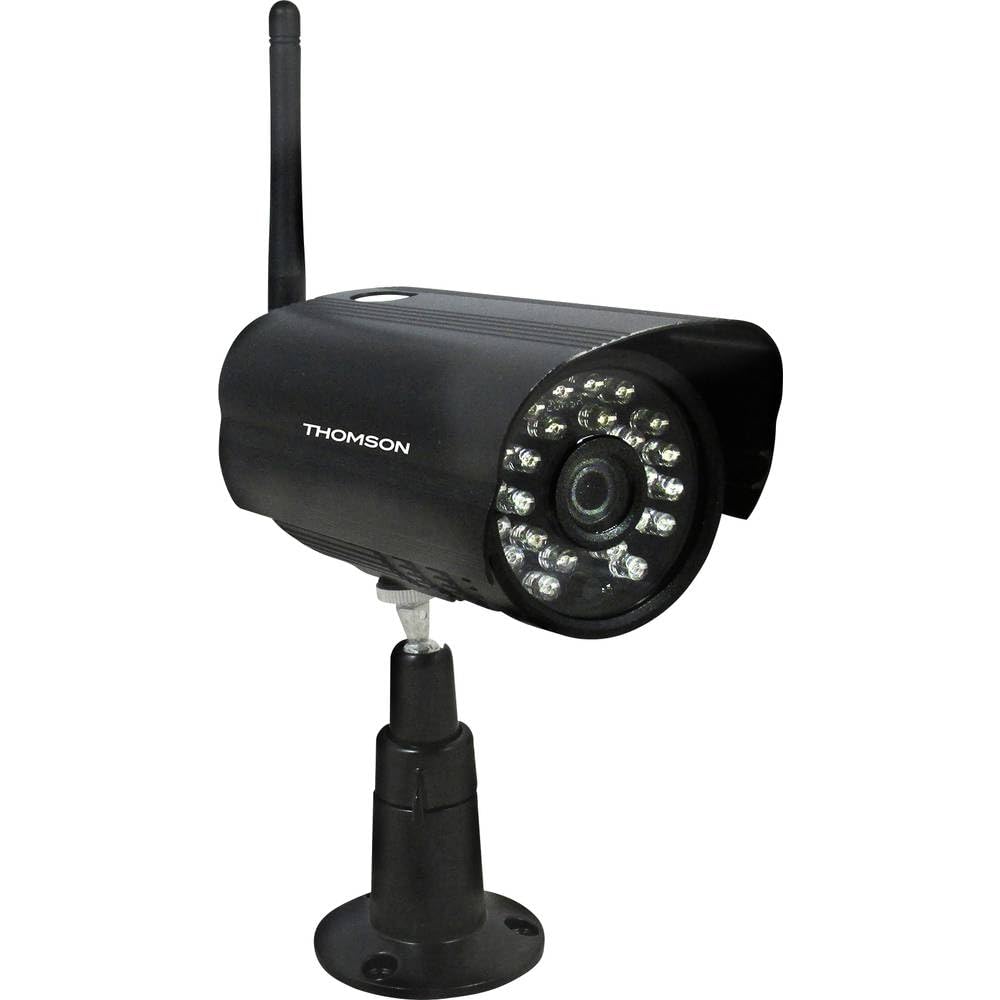
Foto 1: N'ihu view of the Thomson 512331 720p WiFi IP Camera. This image shows the camera's main body, lens, and antenna connection point, highlighting its compact and robust design suitable for outdoor surveillance.
2. Ihe ngwugwu
Biko hụ na ihe niile edepụtara n'okpuru dị na ngwugwu gị. Ọ bụrụ na ihe ọ bụla efuo ma ọ bụ mebie, kpọtụrụ ndị ahịa.
- Thomson 512331 IP Camera
- Power Adapter (230VAC/12VDC 500mA)
- Antenna WiFi
- Ngwa mgbakwasa (skru na plọg mgbidi)
- Akwụkwọ ntuziaka (akwụkwọ a)
3. Ngwaahịa gafereview
The Thomson 512331 camera is designed for reliable surveillance with the following key features:
- oghere: 3.6mm fixed lens for a wide field of view.
- Mkpebi: 1280x720 (720p) HD video capture.
- Ọhụụ abalị: Infrared night vision with 24 LEDs, providing a range of up to 20 meters. Features color night vision capability.
- Audio: Integrated microphone for audio acquisition.
- Njikọta: Wireless Wi-Fi connectivity for flexible placement.
- Nguzogide ihu igwe: IP66 rated for outdoor use, protecting against dust and powerful water jets.
- Ihe: Durable metal housing.
- Ike: 12VDC 500mA power input, maximum consumption 5W.
- Mkpakọ vidiyo: H.264 for efficient storage and streaming.
- Nchekwa: Supports SD card for local storage (SD card not included).
4. Nhazi
4.1 Nwụnye anụ ahụ
- Họrọ ebe: Select a suitable outdoor location for the camera, ensuring it has a clear view of the area you wish to monitor and is within range of your Wi-Fi network.
- Ugwu igwefoto: Use the provided mounting kit to securely attach the camera to a wall or other stable surface. Drill pilot holes if necessary, insert wall plugs, and fasten the camera bracket with screws.
- Jikọọ Wi-Fi Antenna: Screw the WiFi antenna firmly onto the designated port on the camera.
- Njikọ Ike: Connect the power adapter to the camera's 12VDC input port and plug the adapter into a suitable power outlet. Ensure the power outlet is protected from weather if installed outdoors.
4.2 Network Configuration and App Setup
- Budata ngwa: Chọọ maka the official Thomson IP Camera application on your smartphone's or tablet's app store (iOS or Android). Download and install the application.
- Mepụta akaụntụ: Mepee ngwa ahụ ma soro ntuziaka na ihuenyo ka ịmepụta akaụntụ njirimara ọhụrụ ma ọ bụ banye ma ọ bụrụ na ị nwere otu.
- Tinye igwefoto: In the app, select the option to "Add Device" or "Add Camera." Follow the in-app wizard to connect your camera to your Wi-Fi network. This typically involves scanning a QR code on the camera or entering your Wi-Fi credentials.
- Hazie ntọala: Once connected, you can configure various settings such as motion detection sensitivity, recording schedules, and alert notifications within the app.
5. Ntuziaka ọrụ
5.1 Ndụ View
Open the Thomson IP Camera app on your smartphone or tablet. Select your camera from the device list to view the live video feed. You can typically switch between standard and HD resolution, and access controls for audio and recording.
5.2 Nchọpụta na Ịdọ Aka Ná Ntị
The camera is equipped with motion detection. When motion is detected, the camera can trigger recordings and send push notifications to your connected device. Adjust motion detection sensitivity and alert preferences in the app's settings.
5.3 Ọhụụ abalị
The camera automatically switches to infrared night vision in low-light conditions, providing clear black and white video. It also supports color night vision in certain conditions. The 24 built-in IR LEDs illuminate up to 20 meters.
5.4 Ndekọ na ịkpọghachi
If an SD card is installed (not included), the camera can record video locally. Recordings can be triggered by motion or set on a schedule. Access recorded footage through the app's playback feature.
6. Nlekọta
- Nhicha: Jiri nro dị nro na-ehicha oghere igwefoto na ụlọ kwa oge, damp ákwà iji wepụ uzuzu na unyi. Ejila kemịkalụ siri ike ma ọ bụ ihe nhicha na-eme ka ihe dị nro.
- Mmelite femụwe: Check the app regularly for firmware updates. Keeping your camera's firmware up-to-date ensures optimal performance and security.
- Ịnye ọkụ: Hụ na ihe nkwụnye ọkụ na eriri eletrik dị mma ma ghara imebi emebi.
- Njikọ Wi-Fi: Verify your Wi-Fi signal strength periodically to ensure a stable connection for continuous surveillance.
7. Nchọpụta nsogbu
- Igwefoto anaghị ejikọta na Wi-Fi:
- Gbaa mbọ hụ na igwefoto nọ n'ime oke nke rawụta Wi-Fi gị.
- Nyochaa abanyela paswọọdụ Wi-Fi gị nke ọma na ngwa ahụ.
- Malitegharịa ekwentị gị na igwefoto.
- Ensure your Wi-Fi network is 2.4GHz, as 5GHz networks may not be supported.
- Enweghị ndepụta vidiyo:
- Lelee ma ọ bụrụ na igwefoto ahụ agbanyere ọkụ.
- Confirm a stable internet connection on both the camera and your viewngwaọrụ.
- Malitegharịa igwefoto na ngwa.
- Nchọpụta ngagharị anaghị arụ ọrụ:
- Check motion detection settings in the app; ensure it is enabled and sensitivity is adjusted correctly.
- Gbaa mbọ hụ na enweghị ihe mgbochi na-egbochi igwefoto view.
- Poor Night Vision Quality:
- Hichaa oghere igwefoto iji wepụ unyi ma ọ bụ ihe ọ bụla mebiri emebi.
- Ensure there are no reflective surfaces close to the camera that might interfere with IR illumination.
8. Nkọwapụta
| Aha Nlereanya | 512331 |
| Ụdị | Thomson |
| Akụkụ (L x W x H) | 50 x 50 x 28 cm |
| Ibu | 500 grams |
| Teknụzụ Njikọta | Ikuku, Wi-Fi |
| Njirimara Pụrụ Iche | Ọhụụ abalị |
| Ngwa dakọtara | Mbadamba ụrọ, Smartphone |
| Isi Iyi Ike | AC Power (12VDC 500mA adapter) |
| Ụdị njikwa | iOS (via application) |
| Ụdị nkwụnye | Ugwu mgbidi |
| Njirimara ngwaahịa | Night Vision, Motion Detection |
| Ihe onwunwe | Ọla |
| Ọkwa Nguzogide mmiri | IP66 (ihe mgbochi mmiri) |
| Rtdị Alert | Motion only |
| Ụdị isi iyi ọkụ | Ikanam |
| Usoro njikwa | Ngwa |
| Oriri ike | 5 Watt |
| Batrị achọrọ | Mba |
| Ọnụọgụ nke ọwa | 1 |
| Ụdị elekwasị anya | Mgbado anya akpaaka |
| Teknụzụ ihe mmetụta anya | BSI CMOS |
| Mkpebi vidiyo | 720p (1280x720 pikselụ) |
| Oke ọhụụ abalị | 20 mita |
| Ụdị Ọhụụ abalị | Infrared with Color Night Vision capability |
| Ụdị ebe nchekwa Flash | SD (for local storage) |
9. Akwụkwọ ikike na nkwado
For warranty information and technical support, please refer to the documentation provided with your purchase or visit the official Thomson websaịtị. Debe ihe akaebe nke ịzụrụ maka akwụkwọ ikike.
Akụrụngwa dị n'ịntanetị: www.thomson.eu