
1. Ngwaahịa gafereview
This manual provides instructions for the RC4WD Z-E0076 1/10 Baja Designs Stealth LED Light Bar. This product is designed to provide illumination for scale models. It features a durable billet aluminum construction, a molded housing, and 18 individual LED bulbs for efficient lighting.
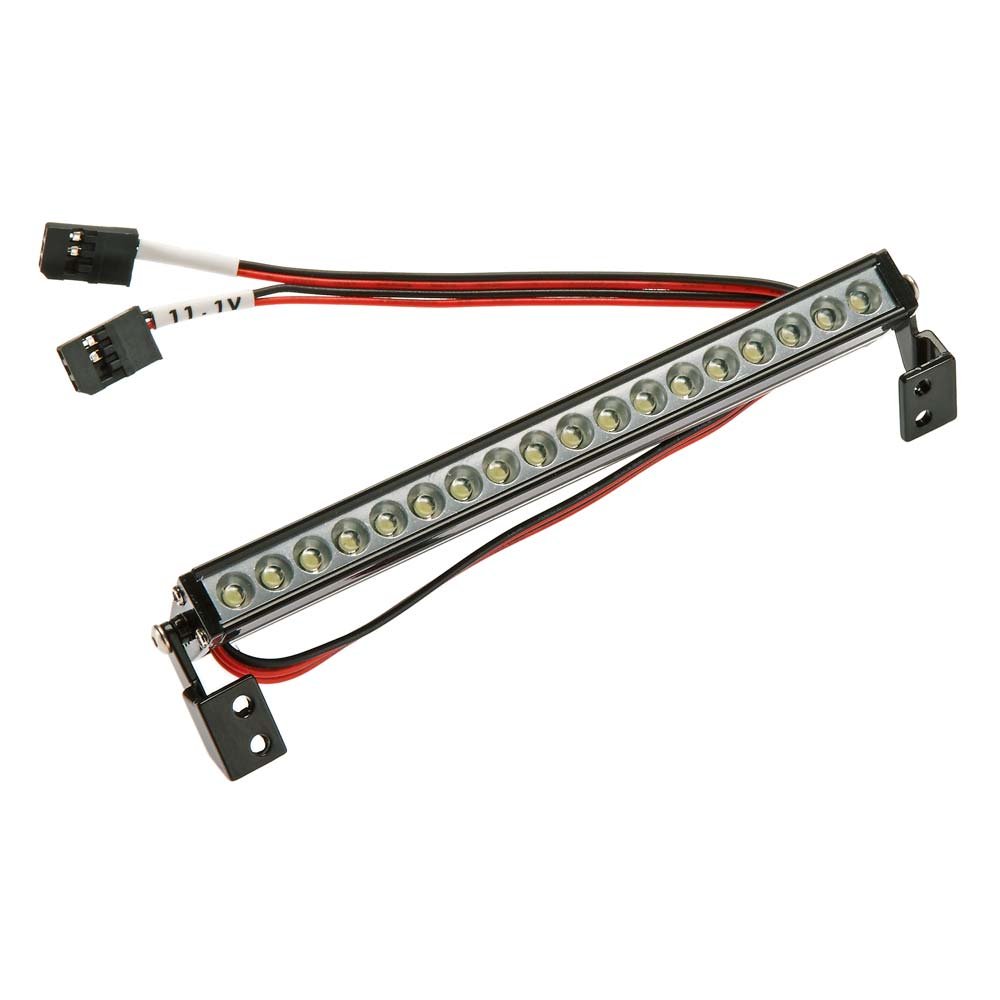
Image: The RC4WD Z-E0076 1/10 Baja Designs Stealth LED Light Bar, showcasing its compact design and LED array.
2. Ihe ngwugwu
Verify that all items listed below are present in the package:
- 1x RC4WD 1/10 Baja Designs S8 LED Light Bar (120mm)
- 1x Baja Designs Decal Sheet
3. Nhazi
The RC4WD Z-E0076 LED Light Bar requires no assembly. Follow these steps for installation:
- Ịkwanye: Securely attach the light bar to your scale model using appropriate hardware (not included). Ensure the mounting location provides a clear path for light and does not obstruct other components.
- Njikọ ike: Connect the light bar's power cable to a compatible 7.4 Volt power source on your model. Ensure correct polarity to prevent damage.
- Njikwa USB: Route the power cable away from moving parts and secure it to prevent snagging or damage during operation.
Ihe dị mkpa: This light bar is designed for 7.4 Volts. Connecting it to a higher voltage power source may cause irreversible damage.
4. Ntuziaka ọrụ
Once properly installed and connected to a 7.4 Volt power source, the light bar will illuminate when power is supplied. Operation is typically controlled via your model's existing power system or a dedicated switch, if installed.
- Ike Na: Activate the power supply to your model. The LED light bar should illuminate.
- Gbanyụọ: Deactivate the power supply to your model. The LED light bar will turn off.
5. Nlekọta
Regular maintenance ensures optimal performance and longevity of your LED light bar.
- Nhicha: Gently wipe the light bar's lens and housing with a soft, dry cloth to remove dust and debris. For stubborn dirt, use a slightly damp cloth and ensure the unit is completely dry before reconnecting power.
- Nyocha: Periodically inspect the wiring for any signs of wear, fraying, or damage. Check mounting points to ensure the light bar remains securely attached.
- Nchekwa: When not in use for extended periods, store the light bar in a clean, dry environment away from direct sunlight and extreme temperatures.
6. Nchọpụta nsogbu
If you encounter issues with your LED light bar, refer to the following troubleshooting guide:
| Nsogbu | Ihe nwere ike ime | Ngwọta |
|---|---|---|
| Light bar does not illuminate | Enweghị ọkụ Polarity wiwi ezighi ezi Damaged wiring or LEDs | Ensure power source is active Verify correct positive (+) and negative (-) connections Inspect wiring for breaks; if LEDs are damaged, replacement may be necessary |
| Ìhè ahụ adịghị mma ma ọ bụ na-enwu enwu | Ezughi oke voltage Njikọ rụrụ arụ Partial LED failure | Confirm power source provides 7.4 Volts Lelee njikọ niile maka njigide If individual LEDs are failing, contact support for options |
7. Nkọwapụta
| Ụdị | RC4WD |
| Nọmba nlereanya | Z-E0076 |
| Ụdị isi iyi ọkụ | Ikanam |
| Voltage | 7.4 volts |
| Ọnọdụ Akụkụ akpaaka | Ebe etiti |
| Akụkụ ihe (L x W x H) | 6.13 x 1 x 3 sentimita asatọ |
| UPC | 812115027694 |
| Ọnụọgụ nkeji | 1 Ọnụ |
| Mgbakọ chọrọ | Mba |
| Onye nrụpụta | HRP Distribution |
8. Akwụkwọ ikike na nkwado
This product is sold without a manufacturer's warranty. Please refer to the retailer's return policy for any issues upon receipt.
For additional product information or support, please visit the official RC4WD store: RC4WD Store