
1. Okwu mmalite
Welcome to the Gaggia Anima Coffee and Espresso Machine instruction manual. This document provides essential information for the safe and efficient operation, maintenance, and troubleshooting of your new super-automatic espresso machine. The Gaggia Anima combines over 75 years of espresso-making expertise with an elegant design, offering programmable options for a personalized coffee experience.
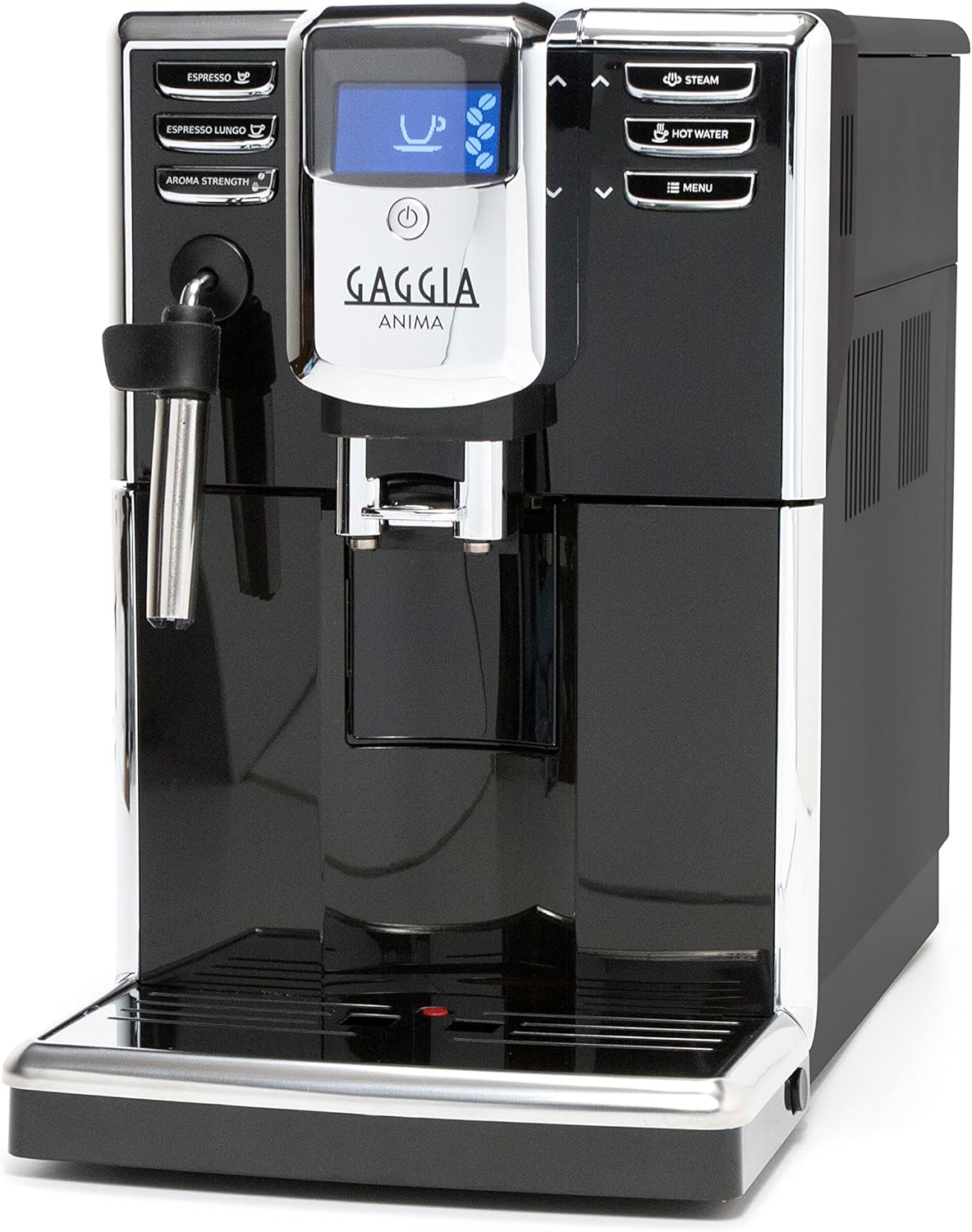
Figure 1: Gaggia Anima Coffee and Espresso Machine
2. Nhazi
2.1 Unboxing na ntinye
Carefully remove the machine from its packaging. Ensure all packing materials are removed. Place the machine on a stable, level surface. The slim profile (less than 9 inches wide) allows it to fit under most upper cabinets.
2.2 Ijupụta Ebe Nchekwa Mmiri
The Gaggia Anima features a removable 60 oz water reservoir, accessible from the top left of the machine. Lift the lid and fill the reservoir with fresh, clean water. It is recommended to use filtered water to prolong the machine's life and improve coffee quality.
2.3 Na-ejuputa Bean Hopper
The 8.8 ounce capacity bean hopper is located on the top right of the machine. Lift the lid and fill with whole coffee beans. The machine will grind the beans fresh for each brew.

Figure 2: Easy access to water reservoir and bean hopper
2.4 Mmalite mbụ
Follow the on-screen prompts for the initial setup. The machine will perform an automatic rinse cycle. Ensure a container is placed under the dispensing spouts to collect the water.
Video 1: Gaggia Anima Coffee and Espresso Machine Overview
3. Ntuziaka ọrụ
The Gaggia Anima offers intuitive button controls and an LED display for easy operation.
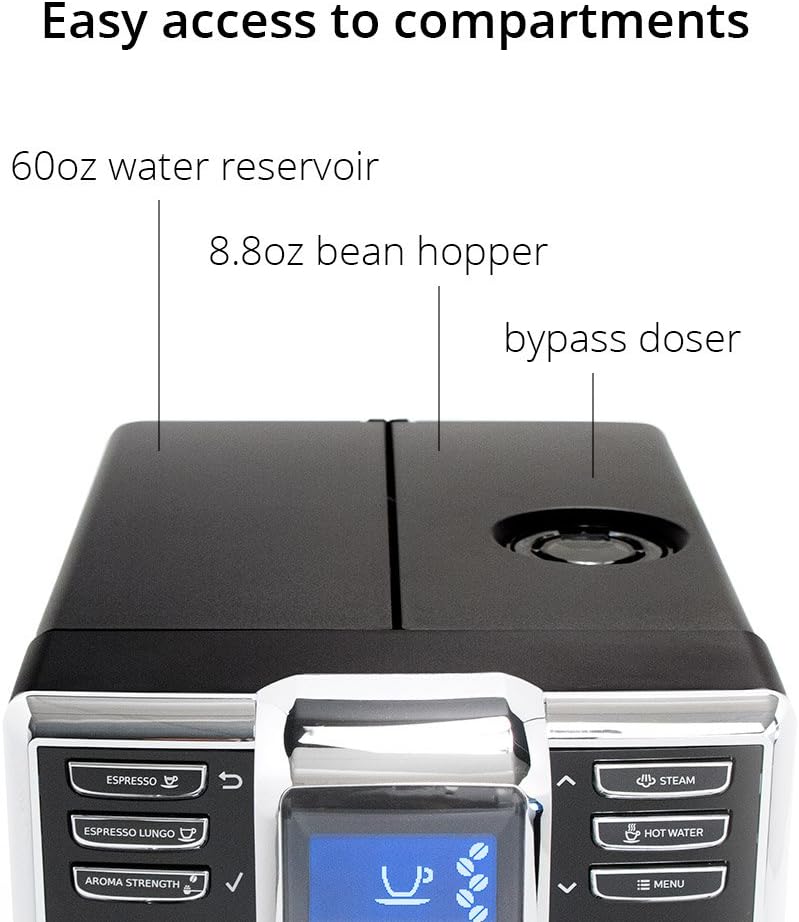
Figure 3: Simple, stylish LCD display and controls
3.1 Espresso ime ihe
- Place a cup under the dispensing spouts.
- Pịa ESPRESSO button for a single espresso or ESPRESSO LUNGO for a longer shot.
- Igwe ahụ ga-egweri agwa ahụ ma mee kọfị gị na akpaghị aka.
You can program your preferred beverage volume, strength, pre-infusion, and temperature (Min/177.5 °F, Med/182.9 °F, Max/184.5 °F) via the menu options.
Video 2: How to Make an Espresso
Video 3: How to Make a Decaf Espresso
3.2 Using the Pannarello Steam Wand
The Pannarello steam wand simplifies milk frothing for lattes and cappuccinos and can also dispense hot water.
- Pịa Uzuoku button to activate the steam function.
- Submerge the wand into milk to froth. To stop adding air, submerge the wand's air intake hole.
- For hot water, press the Mmiri ọkụ bọtịnụ.

Figure 4: Pannarello steam wand and hot water dispenser
Video 4: How to Make a Latte
Video 5: How to Make a Cappuccino
4. Nlekọta
Regular maintenance ensures optimal performance and longevity of your Gaggia Anima machine.
4.1 Removable Brew Unit
The machine features a removable brew unit for easy cleaning. Open the side access panel and press the 'PUSH' button to release the brew unit. Rinse it under lukewarm water and allow it to air dry before reinserting.

Figure 5: Removable brew group for easy cleaning
4.2 Drip Tray and Dreg Bin
The drip tray can hold up to 24oz of water, and the internal dreg bin can hold up to 15 pucks of spent coffee. Empty and clean these components regularly to prevent overflow and maintain hygiene.
4.3 Automatic Rinse and Descale Cycle
The machine performs an automatic rinse cycle upon startup and shutdown. It also features an automatic descale cycle. Follow the on-screen instructions when the descale alert appears to ensure proper descaling, which is crucial for preventing mineral buildup.
5. Nchọpụta nsogbu
If you encounter issues with your Gaggia Anima, consider the following common solutions:
- Inadequate Pressure/Poor Brew: This can be caused by too coarse a grind, too little coffee, or insufficiently tamping the grounds. Adjust grind size and coffee quantity as needed.
- Grinder Issues: If the grinder stops working or shows an error, check for blockages. Ensure the coffee bean compartment is dry and free of paste-like residue. Refer to the manual for specific cleaning instructions for the grinder.
- Mgbapụta: If the machine develops a leak, ensure all removable parts (water reservoir, brew unit, drip tray) are correctly seated. If the steam wand drips excessively, it may indicate a need for descaling.
- Ozi mperi: Consult the machine's display for specific error codes and refer to the full user manual for detailed explanations and solutions.
6. Nkọwapụta
| Njirimara | Nkọwa |
|---|---|
| Ụdị | Gaggia |
| Aha Nlereanya | FBA_RI8760 (RI8760) |
| Agba | Nwa |
| Akụkụ ngwaahịa | 8.7"D x 16.93"W x 13.38"H |
| Ibu Ibu | 16 pound |
| Ụdị Onye na-eme kọfị | Igwe Espresso |
| Ụdị ọrụ | Akpaaka zuru oke |
| Njirimara Pụrụ Iche | Enwere ike ime mmemme |
| Ike nchekwa mmiri | 60 oz (removable) |
| Ike Bean Hopper | 8.8 oz |
| Dreg Bin Capacity | 15 kọfị kọfị |
| Ntọala okpomọkụ | 3 (Min/177.5 °F, Med/182.9 °F, Max/184.5 °F) |
| Voltage | 110 volts |
| Ngwa gụnyere | Grinder Adjustment Key / Ground Coffee Scoop |
7. Akwụkwọ ikike na nkwado
Your Gaggia Anima machine is covered by a manufacturer's warranty. Please refer to the warranty card included in your product packaging for specific terms and conditions. For technical support, spare parts, or service inquiries, please contact Gaggia customer service through their official websaịtị ma ọ bụ ozi kọntaktị enyere na akwụkwọ ngwaahịa gị.
For additional resources and product registration, visit the official Gaggia websaịtị: www.gaggia.com