
Coby CVR-22
Coby CVR-22 Portable Cassette Recorder User Manual
Model: CVR-22
Okwu mmalite
The Coby CVR-22 Portable Cassette Recorder is designed for simple and convenient audio recording and playback. Featuring one-touch recording, a built-in microphone, and a retractable handle, this device offers excellent portability for capturing audio wherever you go. Rediscover your classic tape collection or record new content with ease.
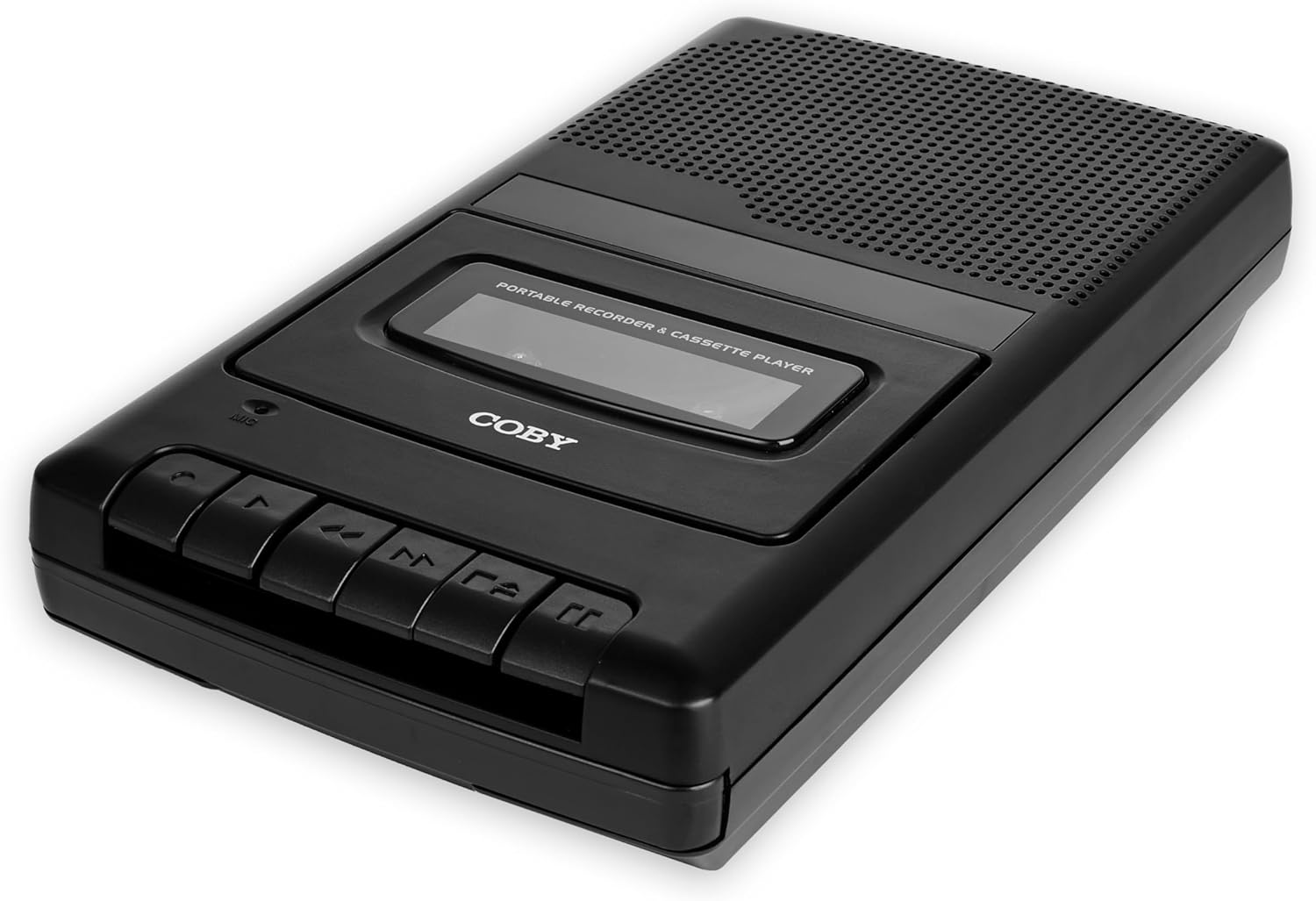
Image: The Coby CVR-22 Portable Cassette Recorder, showcasing ya kọmpat imewe na njikwa bọtịnụ.
Melite
Ịkwanye ngwaọrụ
The CVR-22 operates on two (2) AA batteries. Ensure batteries are inserted correctly according to polarity markings inside the battery compartment.
- Locate the battery compartment on the underside or rear of the unit.
- Mepee mkpuchi nke batrị batrị.
- Insert two AA batteries, matching the positive (+) and negative (-) terminals as indicated.
- Mechie mkpuchi nke batrị batrị nke ọma.

Image: The Coby CVR-22 showing a cassette being inserted and indicating its 2x AA battery power requirement.
Ntuziaka ọrụ
Inserting a Cassette Tape
- Pịa Kwụsị/wepụ bọtịnụ iji mepee ọnụ ụzọ nke kaseti ahụ.
- Insert a standard audio cassette tape with the open edge facing upwards and the tape side facing the unit.
- Gently close the cassette compartment door until it clicks shut.
Ngwughachi
- Ensure a cassette tape is properly inserted.
- Pịa KWURU bọtịnụ. Teepu ahụ ga-amalite ịkpọ.
- Adjust the volume using the volume control dial, typically located on the side of the unit.
- Iji kwụsị igwu egwu, pịa Kwụsị/wepụ bọtịnụ.
- Iji mee ngwa ngwa gaa n'ihu, pịa FF (Ọganihu Ngwa ngwa) bọtịnụ.
- Ka iweghachi azụ, pịa REW (Ijighachi) bọtịnụ.

Image: A user holding the Coby CVR-22, illustrating the joy of rediscovering a classic tape collection.
Edekọ
The CVR-22 features one-touch recording and a built-in microphone for convenient audio capture.
- Ensure a blank or recordable cassette tape is inserted.
- Pịa Dekọọ button (usually red). The KWURU button will also engage simultaneously.
- The built-in microphone will begin recording audio. Position the recorder appropriately for optimal sound capture.
- Ka ịkwụsị ndekọ, pịa Kwụsị/wepụ bọtịnụ.

Image: The Coby CVR-22 being used in a classroom setting, highlighting its utility for recording classes and lectures.

Image: The Coby CVR-22 positioned on a meeting table, demonstrating its suitability for recording meetings with its one-touch record button.
Njikọ Mpụga
The CVR-22 includes a 3.5mm headphone jack for private listening and potentially an external microphone input (check your specific unit for microphone input if needed, as the built-in mic is standard).
- Jack ekweisi: Connect standard 3.5mm headphones for personal audio playback.
- External Microphone Input (if available): For higher quality recordings or specific recording scenarios, an external microphone can be connected to the designated input jack.

Image: The Coby CVR-22 connected to an external microphone setup, illustrating its built-in audio input/output ports for versatile use.
Nlekọta
Na-ehicha Ngalaba
- Jiri akwa dị nro hichaa mpụta nke unit ahụ.
- Ejila ihe nchacha ma ọ bụ ihe mgbaze, n'ihi na ha nwere ike imebi njedebe.
- Periodically clean the tape head and pinch roller using a specialized cassette head cleaner or a cotton swab lightly dampened with isopropyl alcohol. This helps maintain optimal sound quality.
Nlekọta batrị
- Wepu batrị ma ọ bụrụ na agaghị eji nkeji ahụ ruo ogologo oge iji gbochie ntapu.
- Tụfuo batrị eji arụ ọrụ dịka iwu obodo siri dị.
Nchọpụta nsogbu
| Nsogbu | Ihe nwere ike ime | Ngwọta |
|---|---|---|
| Unit anaghị agbanye ọkụ. | Ịtinye batrị nwụrụ anwụ ma ọ bụ na-ezighi ezi. | Dochie batrị na nke ọhụrụ, na-ahụ na polarity ziri ezi. |
| Enweghị ụda mgbe a na-akpọghachi ya. | Volume too low; headphones not connected properly; tape head dirty. | Increase volume; ensure headphones are fully inserted; clean tape head. |
| Recording is distorted or unclear. | Microphone too far from sound source; tape head dirty; faulty tape. | Move closer to sound source; clean tape head; try a different tape. |
| Tepu anaghị emegharị ma ọ bụ mechie. | Tape is tangled or damaged; unit mechanism issue. | Carefully remove and inspect tape; try a different tape. If issue persists, contact support. |
Nkọwapụta
| Njirimara | Nkọwa |
|---|---|
| Ụdị | Coby |
| Nọmba nlereanya | CVR-22 |
| Agba | Nwa |
| Isi Iyi Ike | 2 x AA Batteries (Not rechargeable) |
| Ọkara ndekọ | Kaseti teepu |
| Atụmatụ ndekọ | One-Touch Recording, Built-in Microphone, Auto-Stop |
| Njirimara ịkpọghachi | Nchekwa onwe-akwụsị |
| Mmepụta ọdịyo | Built-in Speaker, 3.5mm Headphone Jack |
| Akụkụ (D x W x H) | 14.8 cm x 25.9 cm x 5 cm (ihe dị ka) |
| Jikwaa | Enwere ike iweghachi |
Akwụkwọ ikike na nkwado
Specific warranty information for the Coby CVR-22 Portable Cassette Recorder is not available in this manual. Please refer to the product packaging or the manufacturer's official websaịtị maka nkọwa na usoro akwụkwọ ikike.
For technical support or service inquiries, please contact Coby customer service through their official channels. Keep your purchase receipt as proof of purchase.
Manufacturer: Summit Electronics, US
Ask a question about this manual
Ask about setup, troubleshooting, compatibility, parts, safety, or missing instructions. Manuals+ will review the question and use this page’s manual context to help answer it.