
1. Okwu mmalite
The Divoom Voombox Outdoor Speaker is a rugged, water-resistant portable audio device designed for outdoor use. It offers advanced audio performance and a long-lasting rechargeable battery, providing a full-range listening experience. This manual provides detailed instructions for setting up, operating, maintaining, and troubleshooting your Voombox Outdoor Speaker.

Figure 1: Divoom Voombox Outdoor Speaker, showcasing ya siri ike imewe.
2. Kedu ihe dị na Igbe ahụ
Biko lelee ọdịnaya nke ngwugwu ahụ ka ị hụ na ihe niile dị:
- (1) Divoom Voombox Outdoor Speaker
- (1) eriri nkwojiaka
- (1) Auxiliary Connection Cable
- (1) Micro-USB Charging Cable
3. Akụrụngwa Ngwaahịa
The Divoom Voombox Outdoor Speaker is equipped with several features for an enhanced audio experience:
- Booming Dual Speakers: Delivers powerful and clear audio output.
- Ngwugharị ikuku ikuku: Connects wirelessly via Bluetooth 4.0 from up to 10 meters away.
- Igwe okwu arụnyere n'ime ya: Enables hands-free calls and conference calls.
- Batrị na-adịte aka: Features a 3200 mAh rechargeable battery providing up to 12 hours of playback.
- Sturdy and Weather-Resistant Design: Built to withstand outdoor conditions with an IP44 rating.

Foto 2: Top view of the Voombox Outdoor Speaker, highlighting its control panel.

Figure 3: The Voombox Outdoor Speaker demonstrating its IP44 weather resistance against splashes.
4. Nhazi
4.1 Ịchaji ọkà okwu
- Chọta ebe a na-eji chaja Micro-USB na ọkà okwu.
- Connect the Micro-USB charging cable to the speaker and the other end to a USB power source (e.g., computer USB port, USB wall adapter).
- The charging indicator light will illuminate. A full charge typically takes 3 to 4 hours.
- Ozugbo ebubo zuru ezu, ọkụ egosi ga-agbanwe ma ọ bụ gbanyụọ, dabere na ụdị.

Figure 4: Visual representation of the Voombox Outdoor Speaker's 12-hour battery life.
5. Ntuziaka ọrụ
5.1 Gbanyụọ/ gbanyụọ
- To power on, press and hold the Power button until you hear an audible cue or see the indicator light.
- To power off, press and hold the Power button again until the device shuts down.
5.2 Njikọ Bluetooth
- Ensure the speaker is powered on and within 10 meters of your Bluetooth device.
- The speaker will automatically enter pairing mode (indicated by a flashing LED).
- On your smartphone, tablet, or other Bluetooth device, enable Bluetooth and search for available devices.
- Select "Voombox Outdoor" from the list of devices.
- Once paired, the speaker will provide an audible confirmation, and the LED indicator will become solid.
- Ọkà okwu ahụ ga-ejikọghachi na ngwaọrụ ikpeazụ ejikọtara na akpaghị aka mgbe ejiri ya, ọ bụrụ na ngwaọrụ ahụ dị n'ime oke.
5.3 Ngwugharị ọdịyo
- Gwuo/kwụsịtụ: Pịa bọtịnụ Play/kwụsịtụ.
- Olu elu: Pịa bọtịnụ "+".
- Olu ala: Pịa bọtịnụ "-".
- Track na-esote: Pịa ma jide bọtịnụ "+".
- Gara aga Track: Pịa ma jide bọtịnụ "-".
5.4 Oku na-enweghị aka
- Oku azaa: Press the Call button (often the Play/Pause button) when a call comes in.
- Oku ngwụcha: Press the Call button again to end the call.
- Jụ oku: Press and hold the Call button to reject an incoming call.
- Nọmba Ikpeazụ emegharịgharịrị: Pịa bọtịnụ oku ugboro abụọ.
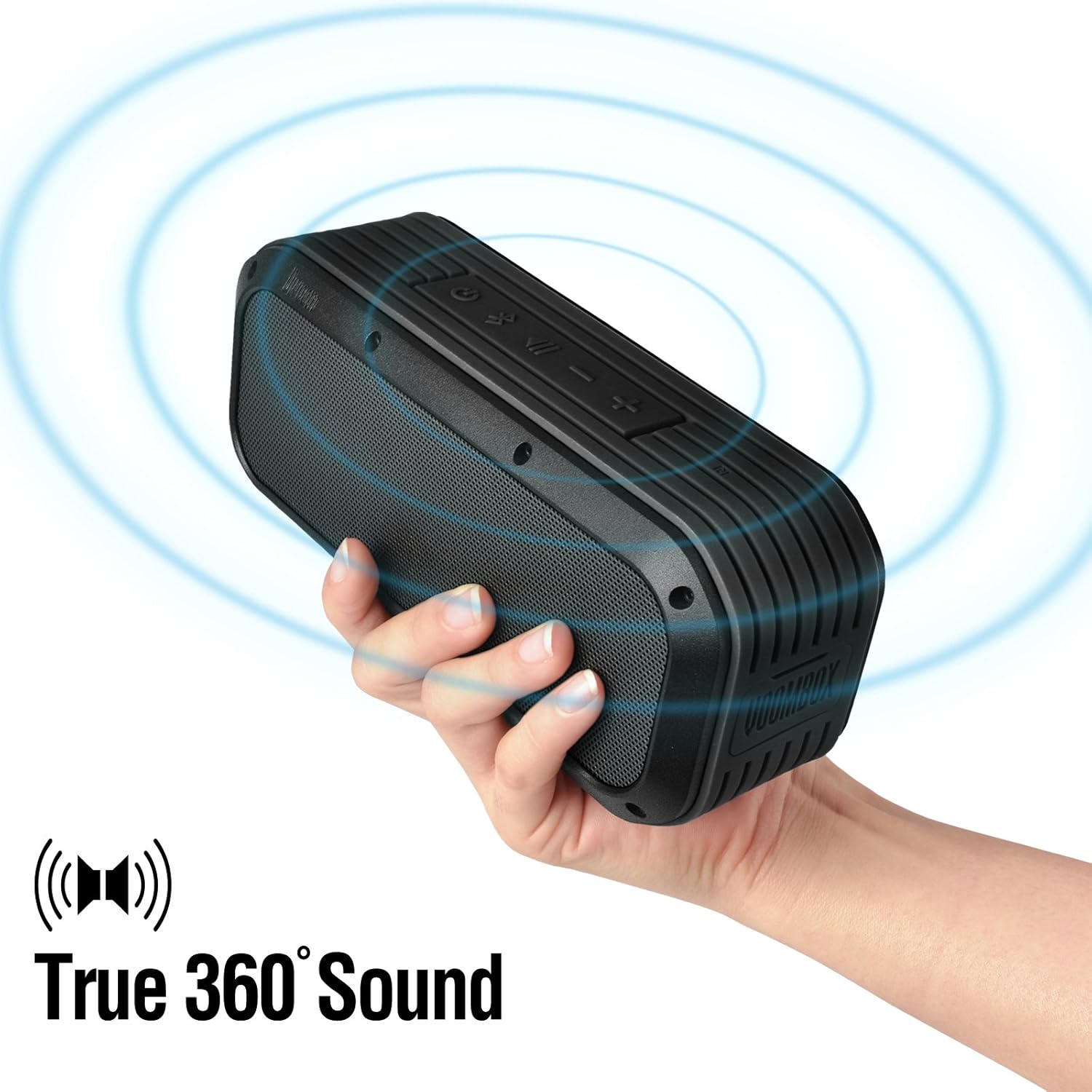
Figure 5: The Voombox Outdoor Speaker's ability to project 360-degree sound.
6. Nlekọta
Proper care will extend the life of your Divoom Voombox Outdoor Speaker:
- Nhicha: Jiri nwayọọ, damp cloth to wipe the speaker's surface. Do not use harsh chemicals or abrasive cleaners.
- Nguzogide mmiri: While the speaker is weather-resistant (IP44), it is not designed for submersion. Ensure all port covers are securely closed before exposure to water splashes.
- Nchekwa: Chekwaa ọkà okwu n'ebe dị jụụ, kpọrọ nkụ na-adịghị na ìhè anyanwụ kpọmkwem na oke okpomọkụ.
- Nlekọta batrị: Iji hụ na batrị dị mma, zere ịgbapụta batrị ahụ mgbe niile. Chajie igwe okwu mgbe niile, ọbụlagodi na ọ naghị eji ya ruo ogologo oge.
7. Nchọpụta nsogbu
| Nsogbu | Ihe nwere ike ime | Ngwọta |
|---|---|---|
| Ọkà okwu anaghị agba ọkụ. | Batrị agwụla. | Chajie ọkà okwu ahụ ruo awa 3-4. |
| Enweghị ike ijikọ na ngwaọrụ Bluetooth. | Speaker is not in pairing mode or too far. | Ensure speaker is on and within 10m. Turn Bluetooth off/on on your device. Forget previous pairings. |
| Enweghị ụda ma ọ bụ obere olu. | Volume too low on speaker or source device. | Welie olu na ma ọkà okwu na ngwaọrụ gị ejikọrọ. |
| Mgbagwoju anya ụda. | Volume too high or weak Bluetooth signal. | Belata olu. Bugharịa ọkà okwu nso na ngwaọrụ isi iyi. |
8. Nkọwapụta
| Njirimara | Nkọwa |
|---|---|
| Nha ọkwọ ụgbọ ala | 2-inches x 2-inches |
| Ike mmepụta | 7.5 W x 2 (Total 15 Watts) |
| Akụkụ Ọkà Okwu | 165L x 52D x 70 H (mm) |
| Mgbama nye oke mkpọtụ | ≥75dB |
| Ike batrị | 3200 mAh |
| Batrị Voltage | 3.7 V |
| Oge nchaji batrị | 3 ruo 4 awa |
| Ikuku iche | Ruo mita 10 |
| Nkwenye Bluetooth | Bluetooth 4.0 |
| Bluetooth Profile Nkwado | A2DP stereo |
| Oge Okwu | Ruo awa iri abụọ |
| Mmetụta igwe okwu | -40db |
| Akụkụ ngwaahịa | 18.49 x 5.99 x 7.8 cm |
| Ibu Ibu | 698.53 g |
| Nọmba nlereanya | 17620 |

Figure 6: Internal components of the Voombox Outdoor Speaker, illustrating its robust construction.
9. Akwụkwọ ikike na nkwado
Divoom products are designed for durability and performance. For warranty information and technical support, please refer to the official Divoom websaịtị ma ọ bụ kpọtụrụ ndị ahịa ha ozugbo. Debe nnata nzụta gị dị ka ihe akaebe nke ịzụrụ maka nkwupụta ikike.
For additional support or inquiries, please visit the Divoom Official Websaịtị.