
Okwu mmalite
This manual provides detailed instructions for the installation, operation, and maintenance of your Lutron Toggler TG-600PR-WH 600-watt Single Pole Dimmer. Please read these instructions carefully before beginning installation to ensure proper function and safety.
Ozi nchekwa
Ịdọ aka ná ntị: To avoid fire, shock, or death, turn off power at the circuit breaker or fuse box and test that power is off before wiring. Installation should be performed by a qualified electrician or a person with experience in electrical wiring.
- Do not use with standard 3-way or 4-way switches.
- Use only with incandescent or halogen loads.
- Agafela 600 watts.
- Ground the dimmer according to national and local electrical codes.
Ntọala na nwụnye
Follow these steps for proper installation of your dimmer switch.
1. Kwadebe maka nwụnye
- Gbanyụọ ike at the circuit breaker or fuse box.
- Wepụ mgbidi dị adị ma gbanye ya.
- Carefully pull the existing switch out from the wall box.
2. Ntuziaka Wiring
The Lutron Toggler TG-600PR-WH is designed for single-pole applications. Identify the wires in your wall box:
- Waya ọkụ/ahịrị: Typically black, brings power from the circuit breaker.
- Waya Ibu: Typically black, goes to the light fixture.
- Waya ala: Bare copper or green.
Connect the dimmer wires to the house wires using wire connectors:
- Jikọọ akwụkwọ ndụ akwụkwọ ndụ ground wire from the dimmer to the house ground wire.
- Jikọọ otu n'ime ya nwa dimmer wires to the hot/line wire from the circuit breaker.
- Jikọọ nke ọzọ nwa dimmer wire to the load wire going to the light fixture.
- Gbaa mbọ hụ na njikọ niile echekwara.
3. Mounting and Finishing
- Carefully push all wires back into the wall box.
- Mount the dimmer into the wall box using the provided screws.
- Gbakwunye efere ahụ.
- Weghachi ike na sekit breaker.
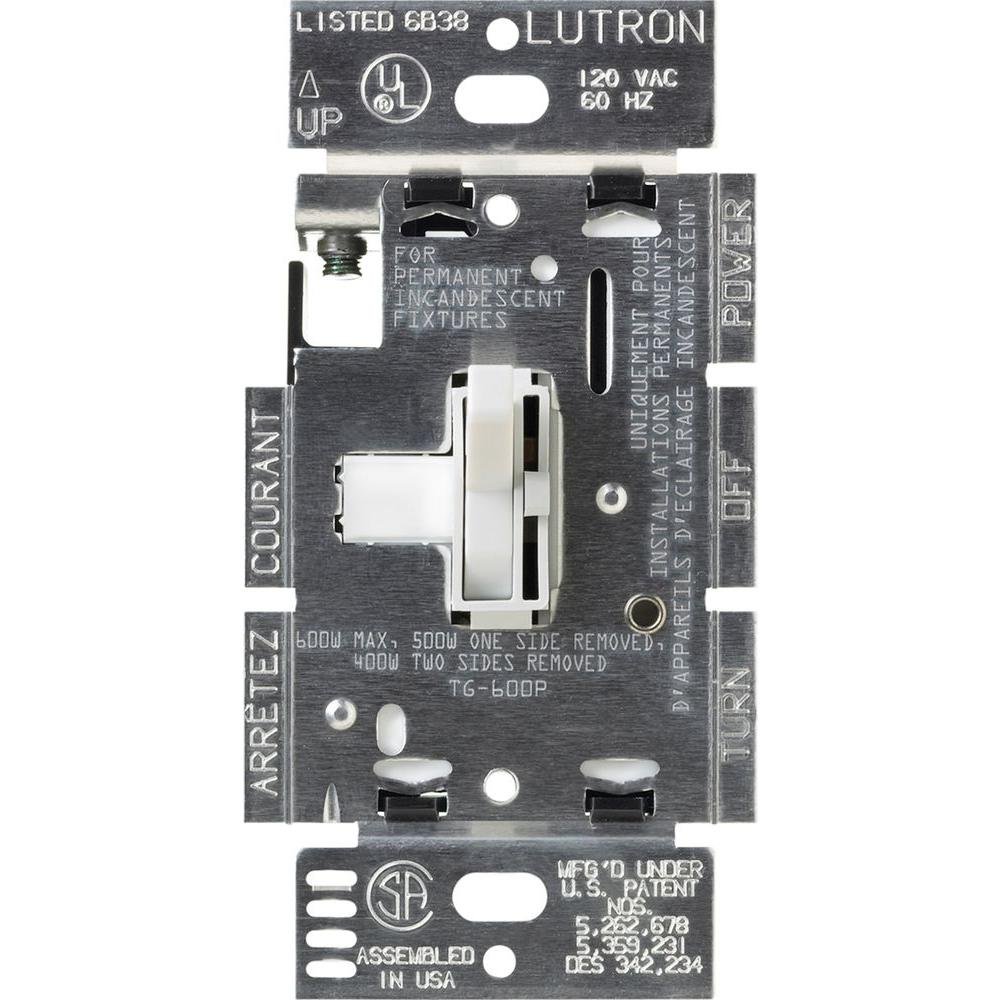
Ihe onyonyo a na-egosiputa ihu view of the Lutron Toggler dimmer switch. It features a large white toggle switch for on/off control and a smaller, vertical slider on the right side for dimming functionality. The word 'LUTRON' is subtly embossed at the bottom of the faceplate.
Ntuziaka ọrụ
The Lutron Toggler dimmer provides simple control over your lighting.
- Gbanwuo/ Gbanyụọ: Use the large toggle switch to turn the lights on or off.
- Gbaa ọchịchịrị/Na-eme ka ọ nwuo ọkụ: Use the small slider control to adjust the light level. Move the slider up to brighten and down to dim.
Nlekọta
Your Lutron dimmer is designed for long-lasting performance with minimal maintenance.
- Nhicha: Clean the dimmer and wallplate with a soft, damp akwa . Ejila ihe nchacha abrasive ma ọ bụ ihe mgbaze.
- Enweghị akụkụ ndị ọrụ nwere ike ịrụ ọrụ: Enweghị akụkụ ọ bụla a ga-eji arụ ọrụ n'ime dimmer ahụ. Anwala imepe ma ọ bụ rụzie ngwaọrụ ahụ.
Nchọpụta nsogbu
Ọ bụrụ na ị na-enwe nsogbu na dimmer gị, lee nsogbu na ngwọta ndị a na-ahụkarị:
| Nsogbu | Ihe nwere ike ime | Ngwọta |
|---|---|---|
| Ọkụ anaghị agbanwu. | Power is off at the breaker; incorrect wiring; bulb is burned out. | Check circuit breaker; verify wiring connections; replace bulb. |
| Ọkụ na-enwu enwu ma ọ bụ na-eme mkpọtụ. | Incompatible bulb type; loose wiring connection; dimmer overloaded. | Ensure bulbs are incandescent/halogen; check wiring; reduce total wattage. |
| Dimmer anaghị agba ọchịchịrị. | Incorrect wiring; incompatible bulb type. | Verify wiring for load and line; ensure bulbs are dimmable incandescent/halogen. |
Nkọwapụta
- Ụdị: TG-600PR-WH
- Wattage: 600 watts (incandescent/halogen only)
- Voltage: Ezinụlọ ọkọlọtọ voltage (120V AC, 60Hz)
- Ụdị mgbanwe: Single Pole Dimmer Switch
- Ụdị ihe nrụpụta: Toggler
- Agba: Ọcha
- Ihe: Ọla
- Ibu ihe: 3.2 ounces
- UPC: 027557631525
Ozi akwụkwọ ikike
Lutron products are designed for quality and reliability. This product is covered by a limited warranty. For specific warranty details, please refer to the warranty card included with your product or visit the official Lutron websaịtị.
Nkwado
Maka enyemaka ọzọ, nkwado teknụzụ, ma ọ bụ ka view additional product information, please visit the official Lutron websaịtị:
You may also contact Lutron customer service for direct support.