
Okwu mmalite
The Spracht BluNote Pro is a versatile portable wireless speaker designed for both music playback and professional conference calls. It features Bluetooth connectivity, high-quality audio with a bass radiator, and advanced conferencing capabilities including dual MEMS microphones and echo/noise cancellation. Its compact design and rechargeable battery make it ideal for transport and extended use.
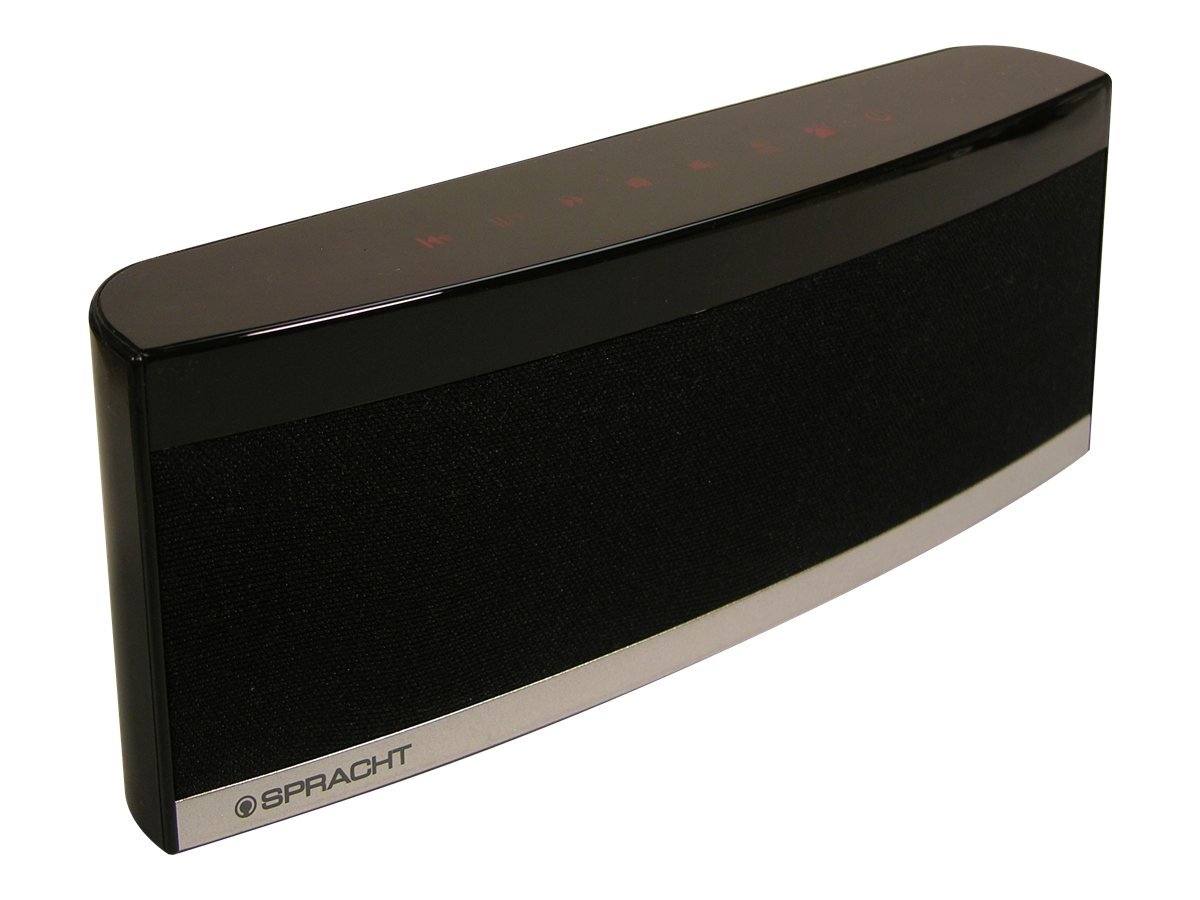
Image: The Spracht BluNote Pro speaker, a sleek black device with illuminated touch panel controls, shown on a surface.
Kedu ihe dị na Igbe ahụ
- Spracht BluNote Pro portable wireless speaker
- AC adapter (120-240V)
- Rechargeable 1500 mAh Li-ion battery (pre-installed or separate)
- 3.5mm audio jack cable (for non-Bluetooth devices)
- User guide/registration card
Atụmatụ
- Bluetooth Stereo Speaker: Advanced Distribution Audio Profile (A2DP) for wireless audio streaming.
- Ụda emelitere: Passive bass radiator and two high-quality speakers deliver up to 5 watts of full-frequency range sound.
- Njikwa panel mmetụ: Modern design with intuitive touch-sensitive buttons.
- Batrị na-adịte aka: Rechargeable 1500 mAh Lithium-Ion battery for extended music playback or conference calls.
- Superior Conferencing: Dual MEMS microphones with impedance matching, Digital Signal Processing (DSP) for noise and echo cancellation, and full-duplex communication.
- Njikwa oku: Answer and make phone calls using the Push-To-Talk (PTT) button. Features Caller ID display.
- Kọmpat ma dị fechaa: Designed for easy portability.
- iOS Equalizer App: Free application available to further customize your audio experience. This app can increase the speaker's volume by up to 25% and provide additional sound enhancements.
Vidiyo: Efereview of the Spracht BluNote Pro speaker, demonstrating its features and compact design. This video highlights the touch panel controls, passive bass radiator, and its ability to handle phone calls.
Melite
- Ịchaji batrị: Connect the provided AC adapter to the speaker's DC IN port and plug it into a power outlet. The battery indicator will show charging status. A full charge ensures maximum portability.
- Ịgbanyụ/ Gbanyụọ: Pịa ma jide Gbanyụọ/ Gbanyụọ button on the touch panel until the unit powers on or off.
- Njikọ Bluetooth:
- Ensure the BluNote Pro is powered on.
- Mee ka Bluetooth rụọ ọrụ na ama gị, mbadamba ihe ma ọ bụ ngwaọrụ Bluetooth ọzọ.
- Chọọ maka available devices and select "BluNote Pro" from the list.
- Once paired, the Bluetooth indicator light on the speaker will confirm the connection.
- Connecting Non-Bluetooth Devices: Use the supplied 3.5mm audio jack cable to connect the BluNote Pro to devices without Bluetooth capability. Insert one end into the speaker's AUX IN port and the other into your device's headphone jack.
Ntuziaka ọrụ
Egwu Egwu
- Gwuo/kwụsịtụ: Pịa Gwuo/kwụsịtụ button to start or pause music playback.
- Next/Back Track: Jiri ihe Track na-esote na Azụ Track bọtịnụ ka ịnyagharịa site na egwu gị.
- Ndozi olu: Pịa Elu elu or Mpịakọta ọnụ buttons to adjust the audio level.
- Bass agbam ume: Pịa Bass Boost button to enhance low-frequency sounds.
Oku ọgbakọ
- Oku na-aza/Nkwụsị: When a call comes in, the BluNote Pro will ring. Press the Zaa oku ekwentị button to accept the call. Press it again to end the call.
- NJ onye ọkpụkpọ: The numeric Caller ID display on the front panel will show the incoming caller's number.
- Igwe okwu: The dual MEMS microphones ensure clear voice pickup during calls, with integrated noise and echo cancellation for optimal communication.
- Duplex zuru ezu: The speaker supports full-duplex communication, allowing both parties to speak and hear simultaneously without interruption.
iOS Equalizer App
A free iOS Equalizer App is available to further customize your audio experience. This app can increase the speaker's volume by up to 25% and provide additional sound enhancements. Download it from the App Store and follow the in-app instructions for setup.
Nlekọta
- Nhicha: Use a soft, dry cloth to clean the exterior of the speaker. Avoid using abrasive cleaners or solvents.
- Nlekọta batrị: To prolong battery life, avoid fully discharging the battery frequently. Recharge the unit regularly, especially if it will be stored for an extended period.
- Nchekwa: Chekwaa ọkà okwu n'ebe dị jụụ, kpọrọ nkụ na-adịghị na ìhè anyanwụ kpọmkwem na oke okpomọkụ.
Nchọpụta nsogbu
| Nsogbu | Ngwọta |
|---|---|
| Enweghị ike ijikọ site na Bluetooth |
|
| Enweghị ụda ma ọ bụ olu dị ala |
|
| Poor call quality (echo/noise) |
|
| Batrị anaghị achaji |
|
Nkọwapụta
| Njirimara | Nkọwa |
|---|---|
| Aha Nlereanya | BluNote+Chat |
| Nọmba nlereanya | WS-4012 |
| Ụdị Ọkà Okwu | Ndị na-ekwu okwu nwere ike ibugharị |
| Teknụzụ Njikọta | Bluetooth |
| Teknụzụ nzikọrịta ozi ikuku | Bluetooth |
| Oke Bluetooth | Ruo mita iri (ụkwụ 33) |
| Ike Nwepu kacha elu | 5 Watt |
| Ọnọdụ mmepụta ọdịyo | Stereo |
| Nhazi ọwa ụda gburugburu | 2.0 |
| Isi Iyi Ike | AC Adapter, Rechargeable Lithium Ion Battery |
| Ụdị batrị | 1500mAh Lithium Ion (gụnyere) |
| Usoro njikwa | Touch Panel, App |
| Akụkụ ngwaahịa (D x W x H) | 1.38" x 9" x 3.25" (3.5 cm x 22.8 cm x 8.2 cm) |
| Ibu Ibu | 9.6 ounce (272 grams) |
| Okpomọkụ na-arụ ọrụ | 14 ruo 131 degrees Fahrenheit (-10 ruo 55 degrees Celsius) |
| Atụmatụ pụrụ iche | Dual MEMS Mics, DSP Noise/Echo Cancellation, Caller ID, Bass Boost |
| Ngwa dakọtara | Laptọọpụ, Smartphone, Mbadamba ụrọ, Television |
Akwụkwọ ikike na nkwado
The Spracht BluNote Pro is covered by a Limited Warranty. For specific warranty terms and conditions, please refer to the documentation included with your product or visit the official Spracht websaịtị.
For technical assistance, troubleshooting, or customer service inquiries, please contact Spracht customer support through their official channels. Contact information can typically be found on the manufacturer's websaịtị ma ọ bụ na nkwakọ ngwaahịa.