
1. Okwu mmalite
Thank you for choosing the Coby LEDTV3216 32-Inch 720p 60Hz Slim-Bezel LED HDTV. This manual provides essential information for the safe and efficient operation of your television. Please read these instructions thoroughly before use and retain them for future reference.
The Coby LEDTV3216 offers a 32-inch widescreen display, a built-in digital TV tuner (ATSC/NTSC/QAM), and multiple connectivity options including HDMI and VGA. It features energy-efficient technology, digital noise reduction, and V-chip parental control.
2. Ozi nchekwa
Iji hụ na arụ ọrụ nchekwa ma gbochie mmebi, debe ihe ndị a akpachara anya:
- Isi mmalite ike: Connect the TV only to an AC 100-240V, 50/60Hz power supply.
- Igwe ikuku: Akwụsịla oghere ikuku. Gbaa mbọ hụ na oghere zuru oke gburugburu TV maka ikuku ikuku kwesịrị ekwesị.
- Mmiri na mmiri: Do not expose the TV to rain, moisture, or place objects filled with liquids on or near it.
- Isi mmalite ọkụ: Keep the TV away from radiators, heat registers, stoves, or other heat-producing appliances.
- Nhicha: Unplug the TV from the wall outlet before cleaning. Use a soft, dry cloth. Do not use liquid or aerosol cleaners.
- Ije ozi: Anwala ịnye ngwaahịa a n'onwe gị. Tụtụ aka n'aka ndị ọrụ ruru eru.
- Ịkwanye mgbidi: If wall-mounting, ensure the mount is VESA 200mm x 200mm compatible and installed by qualified personnel.
3. Ihe ngwugwu
Chọpụta na ihe niile dị na ngwugwu:
- Coby LEDTV3216 32-Inch LED HDTV
- Ntutu TV
- Njikwa Ime Obodo (chọrọ batrị AAA abụọ, gụnyere)
- Ụdọ ọkụ
- Akwụkwọ ntuziaka (akwụkwọ a)
4. Nhazi
4.1 Na-agbakwunye nkwụnye ahụ
Iji tinye ihe nkwụnye ahụ:
- Tinye ihu TV ala n'elu ala dị nro ma dị ọcha iji gbochie mmebi ihuenyo.
- Hazie ntọala ihe nkwụnye ahụ na oghere ndị dị n'okpuru TV ahụ.
- Chekwaa nkwudo ahụ site na iji kposara enyere. Gbaa mbọ hụ na akpọchiri skru niile nke ọma.
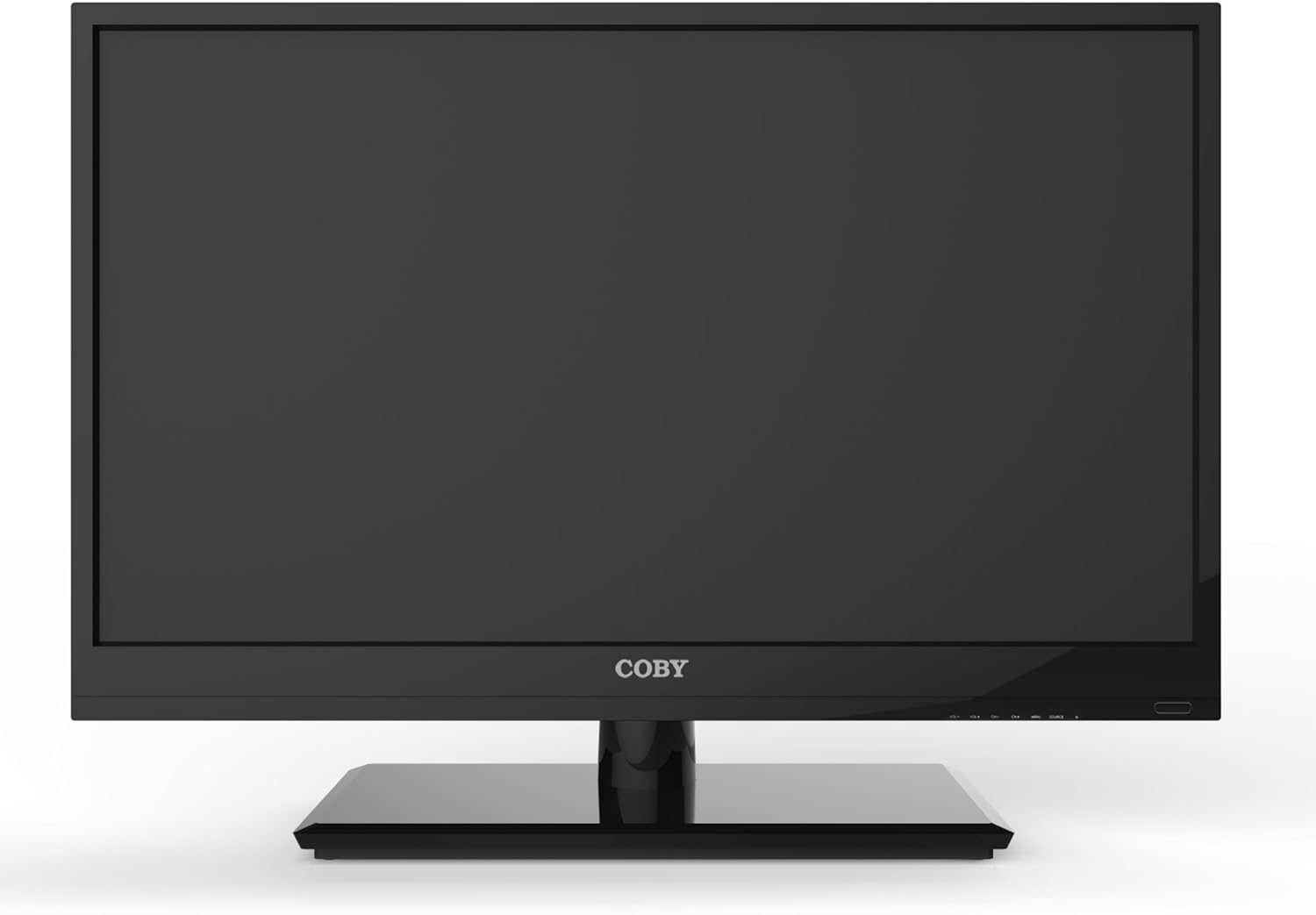
Foto 4.1: N'ihu view of the Coby LEDTV3216 with stand.
4.2 Mgbidi mgbidi (nhọrọ)
The TV supports VESA 200mm x 200mm wall mounts. Wall mount hardware is not included. For safe installation, it is recommended to have the TV wall-mounted by a professional.
4.3 Ngwa jikọọ
The Coby LEDTV3216 offers various input ports on the rear panel for connecting external devices.
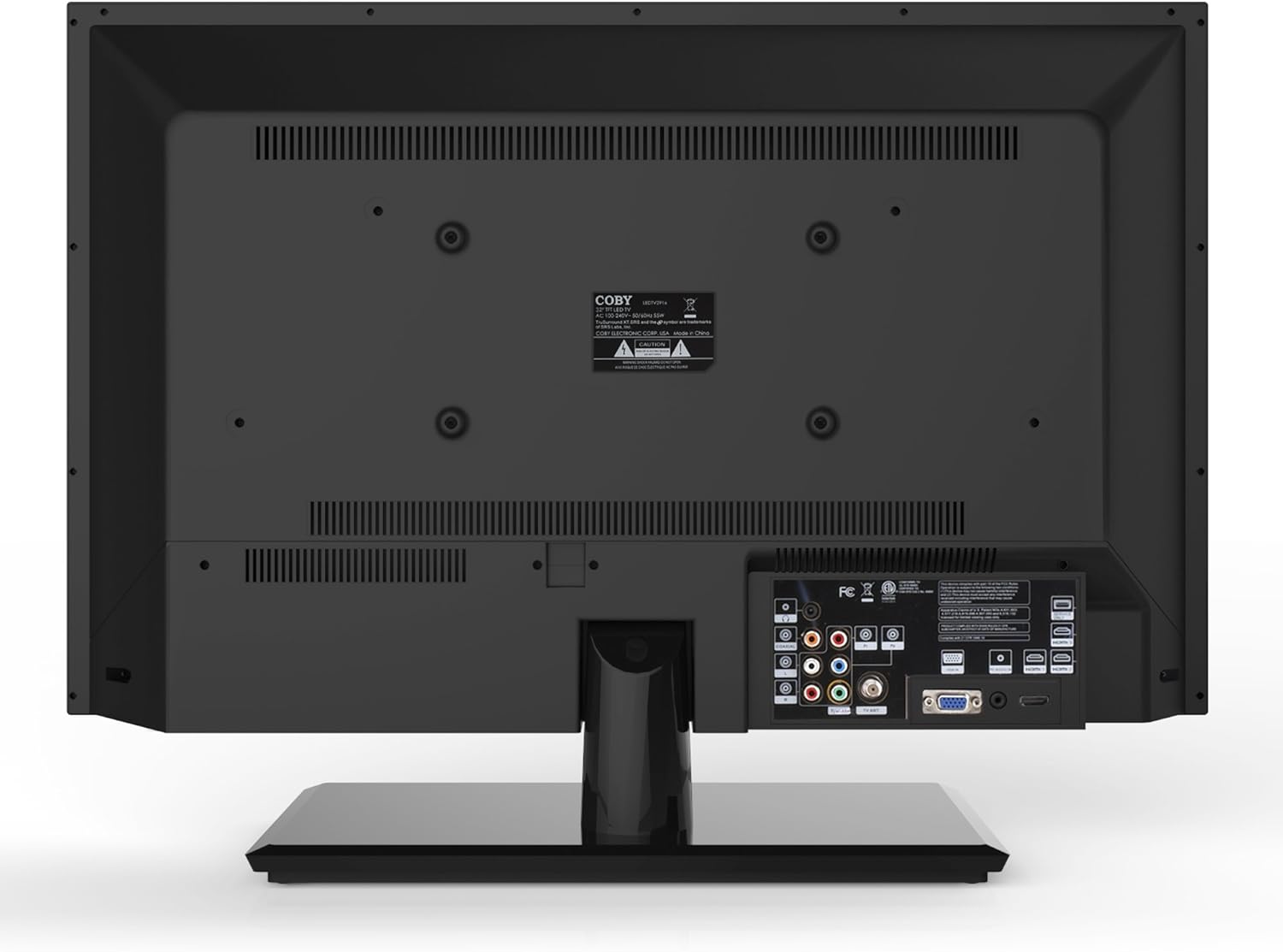
Ọgụgụ 4.2: N'azụ view with input ports.
- HDMI: Connect high-definition devices such as Blu-ray players, game consoles, or cable/satellite boxes using an HDMI cable. The TV has 1 HDMI port.
- VGA (PC Input): Connect a computer to use the TV as a monitor. Use a VGA cable for video and a 3.5mm audio cable for audio input.
- Antenna/Cable: Connect an antenna or cable TV feed to the RF input for receiving broadcast channels.
- Component Video (YPbPr): Connect devices using component video cables (red, green, blue) and corresponding audio cables (red, white).
- Composite Video (AV): Connect older devices using composite video (yellow) and stereo audio (red, white) cables.
4.4 Ike mbido
After connecting all desired devices and the power cord, press the Power button on the TV or remote control. Follow the on-screen prompts for initial setup, including language selection and channel scanning.
5. Na-arụ ọrụ na TV
5.1 Ọrụ njikwa anya
The remote control allows you to access all TV functions. Insert the two included AAA batteries into the remote control, observing polarity.
- Ike: Gbanyụọ ma ọ bụ gbanyụọ TV.
- Ntinye/Isi mmalite: Selects the input source (HDMI, VGA, TV, AV, Component).
- Olu (+/-): Na-edozi ọkwa olu.
- Ọwa (CH +/-): Na-agbanwe ọwa TV.
- NchNhr: Opens the on-screen display (OSD) menu.
- Bọtịnụ igodo nsoroụzọ (elu/ala/ekpe/aka nri): Gaa na nhọrọ menu.
- OK/Banye: Na-akwado nhọrọ.
- Ụzọ ọpụpụ: Na-emechi menu.
- Mechie: Mebie ma ọ bụ mebie ụda olu.
- Ozi: Displays channel or program information.
5.2 Nsorouzọ NchNhr
Pịa NchNhr button on the remote to access the main menu. Use the navigation buttons to select categories such as Picture, Sound, Channel, Time, and Setup. Press OK to enter a sub-menu and adjust settings. Press Ụzọ ọpụpụ ịhapụ menu.
5.3 Ntọala foto
Adjust settings like Brightness, Contrast, Color, Tint, and Sharpness to optimize your viewing experience. Picture modes (e.g., Standard, Dynamic, Movie, User) are available for quick adjustments.

Figure 5.1: Coby LEDTV3216 displaying an image.
5.4 Ntọala ụda
Adjust Bass, Treble, and Balance. Sound modes (e.g., Standard, Music, Movie, User) are available. The TV features premium sound powered by SRS Labs.
5.5 Ntọala ọwa
Perform auto-scan or manual scan to find available channels. The built-in digital TV tuner supports ATSC, NTSC, and QAM standards.
5.6 Parental Control (V-Chip)
The V-chip parental control feature allows you to block programs based on their rating. Access this setting through the menu and follow the on-screen instructions to set up a password and content restrictions.
6. Atụmatụ
Key features of the Coby LEDTV3216 include:
- Energy efficient technology (standby power less than 0.5W).
- Extended backlight life expectancy (30,000 hours).
- Built-in digital TV tuner (ATSC/NTSC/QAM).
- HDMI digital connection for perfect signal transmission.
- PC VGA connection for use as a computer monitor.
- Premium sound powered by SRS Labs.
- Mbelata mkpọtụ dijitalụ.
- V-chip parental control, Closed-Caption, and Electronic Program Guide support.
- Energy Star 5.3 compliant.
- Multi-language on-screen display.
- Wall-Mountable design (200mm x 200mm VESA Mount).
7. Nkọwapụta
| Njirimara | Nkọwapụta |
|---|---|
| Aha Nlereanya | LEDTV3216 |
| Nha ihuenyo | 32 sentimita asatọ |
| Ngosipụta teknụzụ | Ikanam |
| Mkpebi | 720p |
| Ọnụego ume ọhụrụ | 60 Hz |
| Ọnụọgụ ọdịiche | 3,000:1 |
| Oge nzaghachi | 6 nkeji |
| Teknụzụ Njikọta | hdmi, vga |
| Ọnụọgụ niile nke ọdụ ụgbọ mmiri HDMI | 1 |
| Ụdị Tuner | ATSC, NTSC, QAM |
| Njikwa Nne na Nna | V-Chip |
| VESA Mount Standard | 200 x 200 mm |
| Ibu Ibu | 18.08 pound |
| Agba | Nwa |

Figure 7.1: Estimated Yearly Energy Cost for LEDTV3216.
8. Nlekọta
8.1 Na-ehicha ihuenyo ahụ
Jiri nwayọ hichaa ihuenyo ahụ site na iji akwa dị nro na-enweghị lint. Maka akara ndị isi ike, dị obere dampen akwa na mmiri ma ọ bụ pụrụ iche ihuenyo Cleaner. Efela ihe nhicha ozugbo na ihuenyo.
8.2 ihicha ụlọ ọrụ
Wipe the TV cabinet with a soft, dry cloth. Avoid using abrasive cleaners or solvents that may damage the finish.
9. Nchọpụta nsogbu
Ọ bụrụ na ị na-enwe nsogbu na TV gị, rụtụ aka na nsogbu na ngwọta ndị a na-emekarị:
| Nsogbu | Ihe kpatara/ Ngwọta nwere ike ime |
|---|---|
| Enweghị ike | Ensure the power cord is securely plugged into the TV and a working electrical outlet. Check the power indicator light. |
| Enweghị foto, mana ụda dị | Nyochaa isi mmalite ntinye ziri ezi ahọpụtara. Lelee njikọ eriri na ngwaọrụ mpụga. |
| Enweghị ụda, mana foto dị | Lelee ọkwa olu ma hụ na TV anaghị agbachi nkịtị. Lelee njikọ eriri ọdịyo maka ngwaọrụ mpụga. |
| Àgwà foto na-adịghị mma | Adjust picture settings (brightness, contrast, sharpness). Ensure the antenna or cable connection is secure. For digital channels, perform a channel scan. |
| Njikwa anya anaghị arụ ọrụ | Check and replace batteries if necessary. Ensure there are no obstructions between the remote and the TV's IR sensor. |
10. Akwụkwọ ikike na nkwado
The Coby LEDTV3216 comes with a limited warranty. Please refer to the warranty card included with your product for specific terms and conditions. For technical support or service inquiries, please contact Coby customer service through their official websaịtị ma ọ bụ ozi kọntaktị enyere na akwụkwọ ikike gị.