
1. Okwu mmalite
This manual provides essential instructions for the safe and effective use of your OKI C822 Magenta Toner Cartridge. Please read this manual thoroughly before installation and retain it for future reference. Proper installation and handling ensure optimal print quality and cartridge longevity.
2. Ozi nchekwa
- Debe katrij toner ebe ụmụaka na-agaghị eru ya aka.
- Do not attempt to open, disassemble, or modify the toner cartridge. Toner powder can be harmful if inhaled or ingested.
- Zere ka ọ banye n'ime ntụ toner ozugbo. Ọ bụrụ na ọ metụ aka, jiri ncha na mmiri saa ya nke ọma.
- Store cartridges in their original packaging in a cool, dry place, away from direct sunlight and extreme temperatures.
- Dispose of used cartridges according to local environmental regulations.
3. Ntọala na nwụnye
Follow these steps to correctly install the OKI C822 Magenta Toner Cartridge into your compatible OKI printer.
3.1 Unpacking the Cartridge
- Jiri nlezianya wepụ katrij toner ọhụrụ ahụ na ngwugwu ya.
- Avoid touching the green drum surface or electrical contacts on the cartridge.
- Gently rock the cartridge horizontally several times to distribute the toner evenly inside.
3.2 Na-akwado ngwa nbipute
- Hụ na igwe nbipute gị na-agba ọkụ.
- Open the front cover or access panel of your printer to expose the toner cartridge slots. Refer to your printer's specific manual for exact instructions on accessing the toner area.
- Locate the magenta toner slot.
3.3 Installing the Cartridge
- Remove any protective covers or seals from the new toner cartridge as indicated on the cartridge itself.
- Align the new magenta toner cartridge with the corresponding slot in the printer.
- Gently slide the cartridge into the slot until it clicks securely into place. Do not force the cartridge.
- Close the printer's front cover or access panel. The printer will typically perform a self-test or calibration after installation.
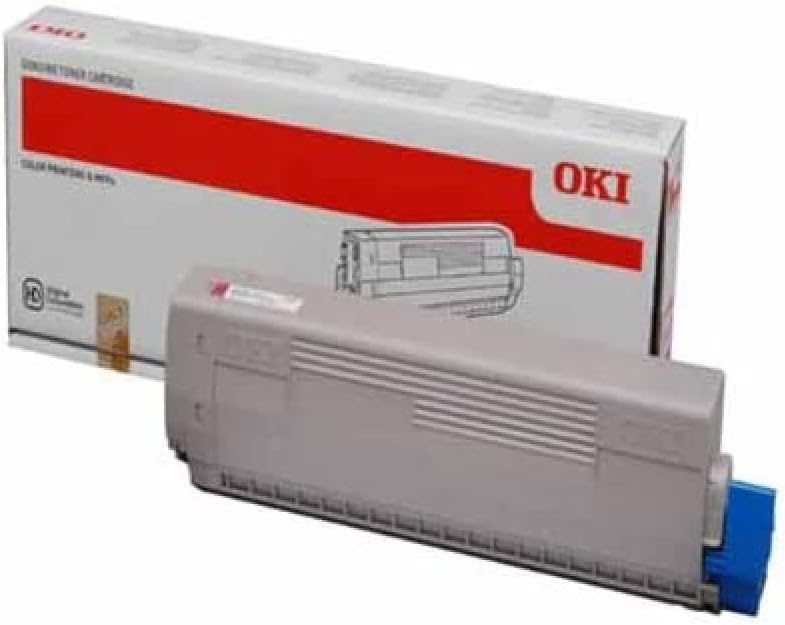
Foto nke 1: OKI C822 Magenta Toner Cartridge. This image displays the OKI C822 Magenta Toner Cartridge alongside its retail packaging. The cartridge is gray with a blue end cap, and the box is white with a prominent red band and the 'OKI' logo.
4. Ntuziaka ọrụ
Once the toner cartridge is installed, your printer is ready for use. The printer's control panel or software will indicate toner levels and any necessary actions.
- Ogo bipụta: For best results, use genuine OKI paper and ensure printer settings are appropriate for your document type.
- Toner Level Monitoring: Monitor toner levels through your printer's utility software or control panel. Replace the cartridge when the printer indicates low toner or print quality degrades significantly.
- Print Yield: The cartridge is designed to provide a specific page yield under standard printing conditions. Actual yield may vary based on print content, paper type, and environmental factors.
5. Nlekọta
Proper maintenance ensures consistent performance and extends the life of your printer and toner cartridge.
- Nchekwa: Store unused toner cartridges in their sealed packaging in a cool, dark, and dry environment. Avoid exposure to direct sunlight or extreme temperatures.
- Ijikwa: Always handle cartridges carefully to prevent damage. Do not shake or drop them excessively.
- mkpofu: When the cartridge is empty, remove it from the printer and place it in a sealed bag to prevent toner leakage. Recycle the cartridge through an authorized OKI recycling program or local electronic waste disposal facilities. Do not incinerate used cartridges.
6. Nchọpụta nsogbu
If you encounter issues after installing your toner cartridge, refer to the following common problems and solutions.
- Poor Print Quality (Faded, Streaky, or Incomplete Prints):
- Gently remove the cartridge and rock it horizontally a few times to redistribute toner. Reinstall it.
- Check the printer's toner level indicator. The cartridge may be nearing its end of life.
- Ensure the printer's print settings are appropriate for the document and paper type.
- Clean the printer's drum unit or fuser unit if recommended by your printer's manual.
- Achọpụtaghị katrij:
- Remove the cartridge and check for any protective seals or tapes that may not have been fully removed.
- Ensure the cartridge is seated correctly and clicks into place.
- Turn the printer off, wait 30 seconds, then turn it back on.
- Inspect the electrical contacts on the cartridge and in the printer for any debris or damage.
- Toner Leaks:
- If toner is leaking, carefully remove the cartridge, place it in a plastic bag, and contact OKI support or your supplier.
7. Nkọwapụta
Key specifications for the OKI C822 Magenta Toner Cartridge (OEM: 44844614).
| Njirimara | Nkọwa |
|---|---|
| Ụdị | OKI |
| Nọmba nlereanya | 44844614 |
| Nọmba nke onye nrụpụta | 1784193 |
| Agba | Magenta (Ink Color: Pink) |
| Mbipụta ibe | Ihe dị ka ibe 1200 |
| Ibu Ibu | 1.32 pound (gram 600) |
| Akụkụ ngwaahịa | 0.17 x 0.06 x 0.03 sentimita asatọ |
| Ngwa gụnyere | Toner Cartridge |
| Ngwa dakọtara | Printer (OKI C822 series) |
8. Akwụkwọ ikike na nkwado
OKI toner cartridges are manufactured to high-quality standards. For information regarding product warranty, please refer to the official OKI website or the warranty documentation included with your printer.
For technical support, troubleshooting assistance, or to inquire about recycling programs, please contact OKI customer service through their official website or the contact information provided with your printer documentation.
OKI Official Websaịtị: www.oki.com