
Okwu mmalite
This manual provides essential instructions for setting up, operating, and maintaining your Canon PowerShot ELPH 310 HS digital camera. Please read this manual thoroughly to ensure proper use and to maximize your camera's performance.
Kedu ihe dị na Igbe ahụ
Mgbe ị na-ewepụ ihe ndị a, hụ na ihe niile dị n'ime ha gụnyere:
- Canon PowerShot ELPH 310 HS Camera
- Ngwugwu batrị NB-4L
- Battery Charger CB-2LV
- Eriri aka
- eriri USB
- CD-ROM (Software/Drivers)
Melite
1. Ịchaji batrị
Insert the Battery Pack NB-4L into the Battery Charger CB-2LV. Plug the charger into a power outlet. The charging indicator light will show the charging status. Once fully charged, remove the battery.
2. Ịtinye Batrị na Kaadị Ebe Nchekwa
Open the battery/card compartment cover on the camera. Insert the charged battery pack, ensuring correct orientation. Insert a compatible SD/SDHC/SDXC memory card into the card slot until it clicks into place. Close the compartment cover securely.

Foto: N'ihu view of the Canon PowerShot ELPH 310 HS digital camera, showcasing its silver finish and lens.
Na-arụ ọrụ igwefoto
1. Gbanyụọ / gbanyụọ
Pịa Gbanye/ Gbanyụọ button located on the top or side of the camera to power it on or off. The lens will extend when powered on.
2. Foto ndị bụ isi
- Na-elekwasị anya: Gently press the shutter button halfway down to focus. The camera will emit a beep and display a green frame when focus is achieved.
- Ịse foto: Pịa bọtịnụ mkpuchi ala ka ịse foto a.
- Bugharịa: Use the zoom lever around the shutter button to adjust the optical zoom (8x).
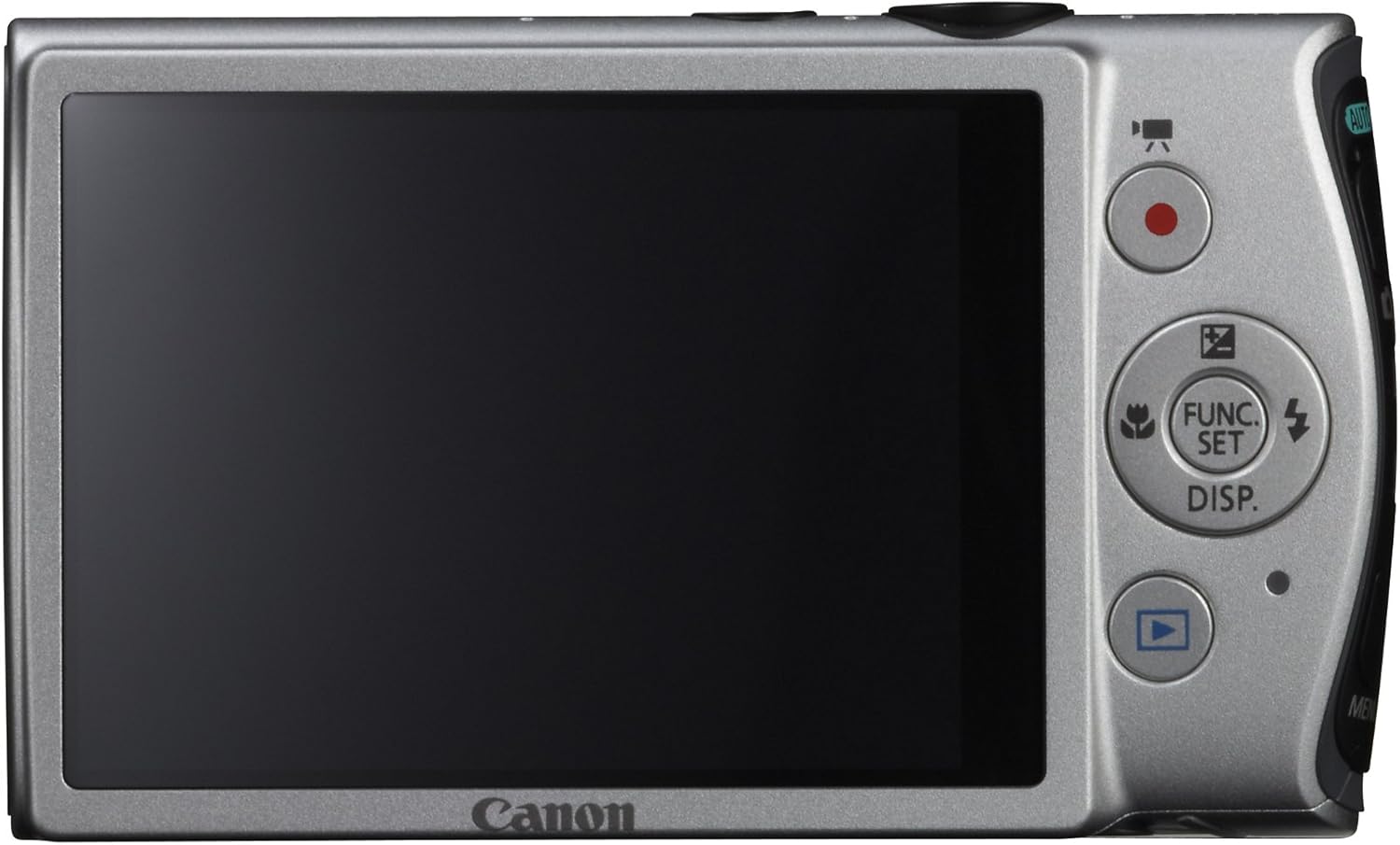
Foto: N'azụ view of the Canon PowerShot ELPH 310 HS, displaying the 3.0-inch LCD screen and various control buttons for navigation and function selection.
3. Ụdị agbapụ
The PowerShot ELPH 310 HS offers various shooting modes to suit different situations. Use the mode dial or menu to select:
- Smart AUTO: Automatically detects scenes and applies optimal settings for point-and-shoot simplicity.
- Program (P): Allows for automatic aperture/shutter speed selection based on conditions, with some user control.
- Movie Digest: Records a short video clip before each still image, combining them into a daily video.
- Mgbawa Ọsọ Ọsọ: Captures rapid action at approximately 8.7 frames per second.
- Super Slow Motion Movie: Records video at high frame rates (up to 240 fps) for slow-motion playback.
- Special Scene Modes: Includes options like Handheld Night Scene, Portrait, Beach, Snow, Fireworks, Fisheye Effect, Miniature Effect, Toy Camera Effect, and more for specific photographic effects.
4. Ndekọ vidiyo
To record videos, press the dedicated movie button. The camera supports Full HD 1080p video at 24 fps and 720p HD video at 30 fps. The iFrame movie format is also supported for easier editing.
5. Image Stabilization (Intelligent IS)
The camera features Intelligent IS, which automatically selects the best shake correction method for your shooting situation. This includes modes for stills (Normal, Panning, Macro, Tripod) and videos (Dynamic, Powered, Macro, Tripod) to ensure steady images and footage.
Nlekọta
1. Na-ehicha igwefoto
- oghere: Use a soft, lint-free cloth specifically designed for camera lenses. Avoid touching the lens directly with fingers.
- Ihuenyo LCD: Wipe gently with a soft, dry cloth. Do not use abrasive cleaners.
- Igwe igwefoto: Use a soft, dry cloth to wipe away dust and smudges.
2. Nlekọta batrị
- Chekwaa batrị n'ebe dị jụụ, kpọrọ nkụ mgbe anaghị eji ya.
- Zere ịchaji batrị ugboro ugboro ka ọ gbatịa ndụ ya.
- Ewepụla batrị na oke okpomọkụ.
3. Nchekwa
When storing the camera for extended periods, remove the battery and memory card. Store the camera in a dry, dust-free environment, preferably in a camera bag or case.
Nchọpụta nsogbu
| Nsogbu | Ihe kpatara/ Ngwọta nwere ike ime |
|---|---|
| Igwefoto anaghị agba ọkụ. | Battery may be depleted or incorrectly inserted. Ensure battery is charged and inserted correctly. |
| Onyonyo na-agba agba. | Camera shake, subject movement, or incorrect focus. Ensure proper grip, use Intelligent IS, or check focus settings. |
| Njehie kaadị ebe nchekwa. | Memory card may be full, corrupted, or incompatible. Try formatting the card (this will erase all data) or use a different card. |
| Flash anaghị agba ọkụ. | Flash may be set to OFF or Red-Eye Reduction mode. Check flash settings in the menu. |
| Enweghị ike ịdekọ vidiyo. | Memory card may be full or too slow. Ensure sufficient space and use a high-speed memory card. |
Nkọwapụta
| Njirimara | Nkọwa |
|---|---|
| Aha Nlereanya | Canon PowerShot ELPH 310 HS |
| Ihe mmetụta onyonyo | 12.1 megapixel CMOS |
| Ihe nhazi onyonyo | DIGIC 4 |
| Mbugharị anya | 8x |
| oghere | 28mm Wide-Angle (35mm equivalent: 28-224mm) |
| Ndozi onyonyo | Optical (Intelligent IS) |
| Ndekọ vidiyo | Full HD 1080p (24 fps), HD 720p (30 fps) |
| Ihuenyo LCD | 3.0-inch PureColor LCD (461,000 dots) |
| Mgbasa ozi nchekwa | SD, SDHC, SDXC Memory Cards |
| Njikọta | HDMI, USB |
| Batrị | NB-4L Lithium-ion Battery Pack |
| Ibu | Ihe dị ka paụnd 0.31 (gụnyere batrị na kaadị ebe nchekwa) |
Akwụkwọ ikike na nkwado
For warranty information and technical support, please refer to the documentation included with your product or visit the official Canon websaịtị. Debe nnata nzụta gị dị ka ihe akaebe nke ịzụrụ maka nkwupụta ikike.
Nkwado Canon Websaịtị: www.usa.canon.com/support